
Resetting the flat tire warning on your Infiniti QX50 is simple once you know the right steps. This guide walks you through the process, explains why the warning appears, and offers tips to avoid future alerts.
In This Article
- 1 Key Takeaways
- 2 📑 Table of Contents
- 3 Introduction: Why Your Infiniti QX50 Shows a Flat Tire Warning
- 4 Understanding the Infiniti QX50 Tire Pressure Monitoring System (TPMS)
- 5 Step-by-Step Guide to Resetting the Flat Tire Warning
- 6 Troubleshooting Common Reset Issues
- 7 Tips to Prevent Future Flat Tire Warnings
- 8 When to Visit a Professional
- 9 Conclusion: Stay Safe and Informed
- 10 Frequently Asked Questions
- 10.1 Why does my Infiniti QX50 show a flat tire warning when all tires look fine?
- 10.2 Can I reset the TPMS without a scan tool?
- 10.3 How long should I drive after resetting the TPMS?
- 10.4 What if the warning light keeps coming back?
- 10.5 Does cold weather affect the TPMS?
- 10.6 How often should I check my tire pressure?
Key Takeaways
- Understand the TPMS system: The Tire Pressure Monitoring System alerts you when tire pressure is low, helping prevent unsafe driving conditions.
- Check tire pressure first: Always verify that all tires are properly inflated to the recommended PSI before attempting a reset.
- Use the correct reset method: The Infiniti QX50 uses a button-based reset process, not a scan tool, making it accessible for most drivers.
- Drive after resetting: A short drive of 10–15 minutes at moderate speed helps the system relearn and confirm proper pressure.
- Address recurring warnings: If the light keeps coming back, inspect for leaks, damage, or sensor issues.
- Seasonal changes matter: Cold weather can lower tire pressure, triggering the warning—check tires regularly in winter.
- Professional help is available: If DIY steps fail, visit an Infiniti service center for diagnostic support.
📑 Table of Contents
- Introduction: Why Your Infiniti QX50 Shows a Flat Tire Warning
- Understanding the Infiniti QX50 Tire Pressure Monitoring System (TPMS)
- Step-by-Step Guide to Resetting the Flat Tire Warning
- Troubleshooting Common Reset Issues
- Tips to Prevent Future Flat Tire Warnings
- When to Visit a Professional
- Conclusion: Stay Safe and Informed
Introduction: Why Your Infiniti QX50 Shows a Flat Tire Warning
Have you ever been driving your Infiniti QX50, enjoying a smooth ride, when suddenly a yellow or red light pops up on your dashboard? It looks like a flat tire with an exclamation point—and your heart skips a beat. You pull over, check the tires, and they all look fine. So why is the warning still there?
This common scenario happens more often than you’d think. The flat tire warning on your Infiniti QX50 isn’t just about actual flats. It’s part of a smart safety system called the Tire Pressure Monitoring System (TPMS). This system constantly checks the air pressure in each tire and alerts you if one or more tires drop below the recommended level. But sometimes, the warning appears even when your tires are perfectly fine—especially after a cold night, a recent tire rotation, or simply because the system needs to be reset.
Don’t worry. Resetting the flat tire warning on your Infiniti QX50 is easier than you might expect. You don’t need special tools, a mechanic, or a trip to the dealership—just a few minutes and the right steps. In this guide, we’ll walk you through everything you need to know: what causes the warning, how to check your tires, and the exact steps to reset the system. We’ll also share tips to prevent false alarms and explain when it’s time to call in a pro.
Understanding the Infiniti QX50 Tire Pressure Monitoring System (TPMS)
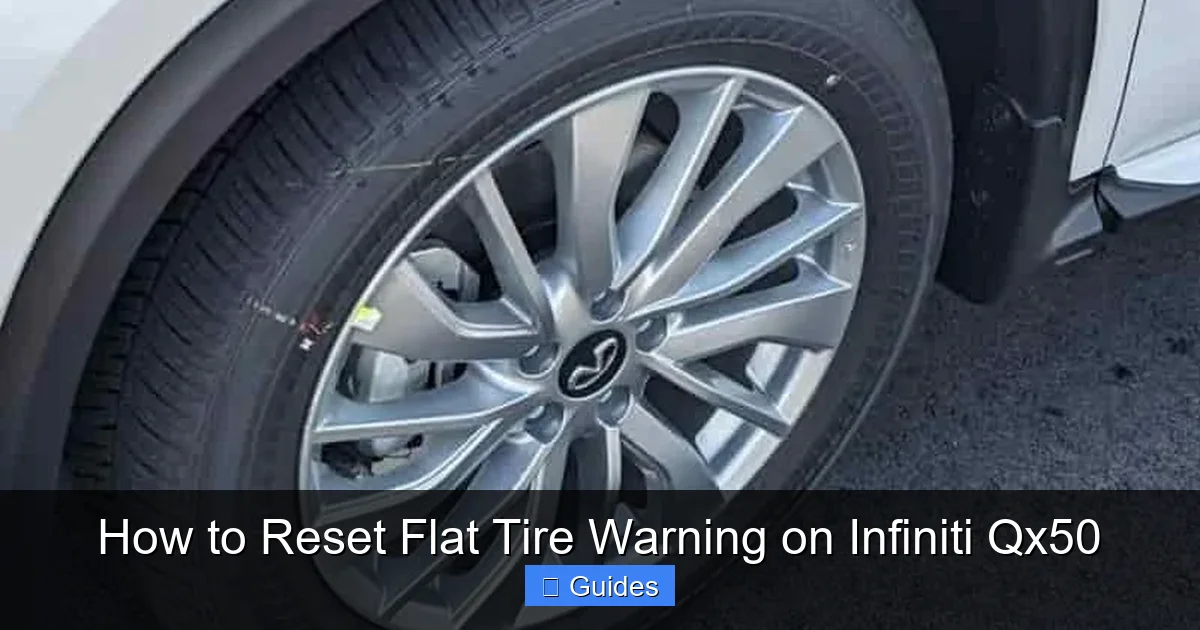
Visual guide about How to Reset Flat Tire Warning on Infiniti Qx50
Image source: tpmsreset.com
Before you reset the warning, it helps to understand how the system works. The TPMS in your Infiniti QX50 is designed to keep you safe by monitoring tire pressure in real time. Low tire pressure can lead to poor handling, reduced fuel efficiency, and even tire blowouts—especially at high speeds. That’s why Infiniti built this system to alert you early.
There are two types of TPMS: direct and indirect. The Infiniti QX50 uses a **direct TPMS**, which means each tire has a small sensor mounted inside the wheel. These sensors measure the actual air pressure and send that data wirelessly to your vehicle’s computer. When pressure drops below the recommended level—usually around 25–30 PSI for the QX50—the system triggers the dashboard warning light.
The warning light usually looks like a cross-section of a tire with an exclamation point inside. It may flash for a minute when you start the car, then stay on if there’s a problem. In some cases, it might flash continuously, which could indicate a sensor malfunction or low battery in one of the sensors.
It’s important to note that the TPMS doesn’t just detect flats. It also responds to gradual pressure loss due to temperature changes, punctures, or natural air leakage over time. For example, a drop of just 5 PSI can trigger the warning, especially in colder weather.
How the TPMS Sensors Work
Each TPMS sensor is a small, battery-powered device attached to the valve stem inside the tire. It measures pressure and temperature and transmits this data to the vehicle’s onboard computer. The sensors are designed to last 5–10 years, but their batteries eventually die. When that happens, the sensor may stop sending signals, causing the warning light to stay on even if tire pressure is normal.
The system also has a “relearn” function. After tire rotation, replacement, or a reset, the vehicle needs to relearn which sensor is in which position (front left, front right, etc.). This is why driving after a reset is so important—it allows the system to confirm the location of each sensor.
Common Reasons for a False Warning
Sometimes, the flat tire warning appears even when your tires are fine. Here are a few common causes:
– **Cold weather:** Tire pressure drops about 1 PSI for every 10°F drop in temperature. A chilly morning can trigger the warning.
– **Recent tire service:** After a tire rotation, repair, or replacement, the system may need to be reset.
– **Sensor battery failure:** A dead sensor can’t send data, so the system assumes there’s a problem.
– **Interference:** Electronic devices or metal wheel covers can sometimes interfere with sensor signals.
– **System glitch:** Like any computer, the TPMS can occasionally get confused and need a reset.
Understanding these causes helps you respond appropriately. If the warning comes on, don’t panic—check your tires first, then decide whether a reset is needed.
Step-by-Step Guide to Resetting the Flat Tire Warning
Visual guide about How to Reset Flat Tire Warning on Infiniti Qx50
Image source: wheelsjoint.com
Now that you know why the warning appears, let’s get to the main event: how to reset it. The good news is that the Infiniti QX50 doesn’t require a scan tool or dealership visit. The reset process uses buttons on the dashboard and steering wheel, making it something you can do in your driveway.
Follow these steps carefully to ensure the system resets properly.
Step 1: Check Tire Pressure
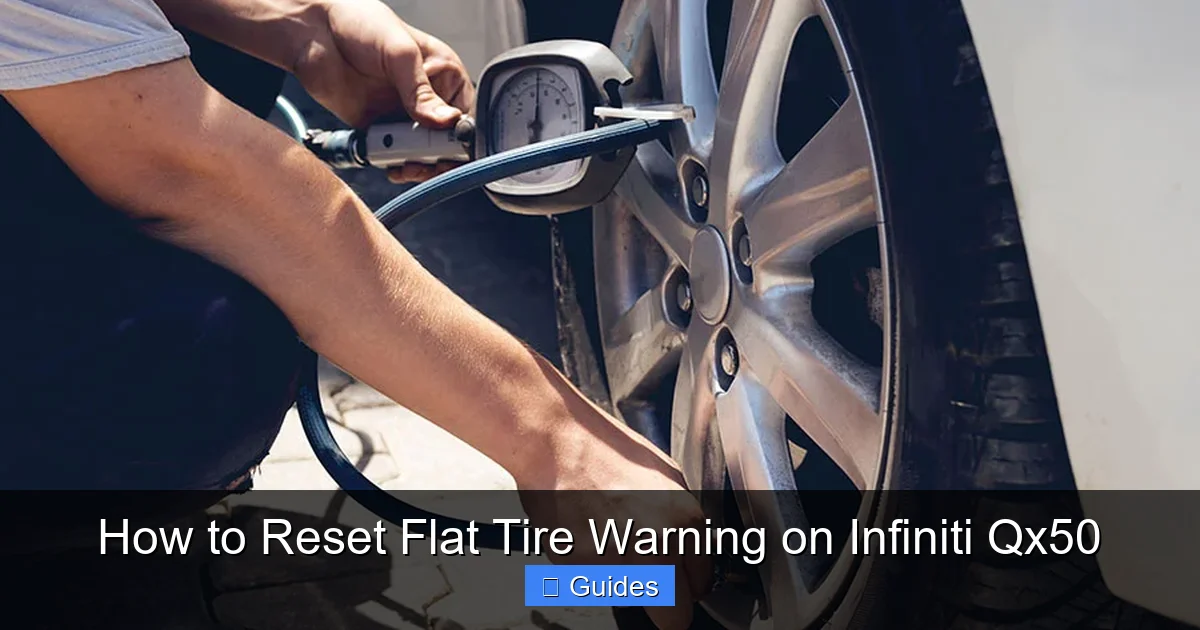
Before resetting, always check the air pressure in all four tires. Use a reliable tire pressure gauge—digital gauges are more accurate than the ones on gas station air pumps.
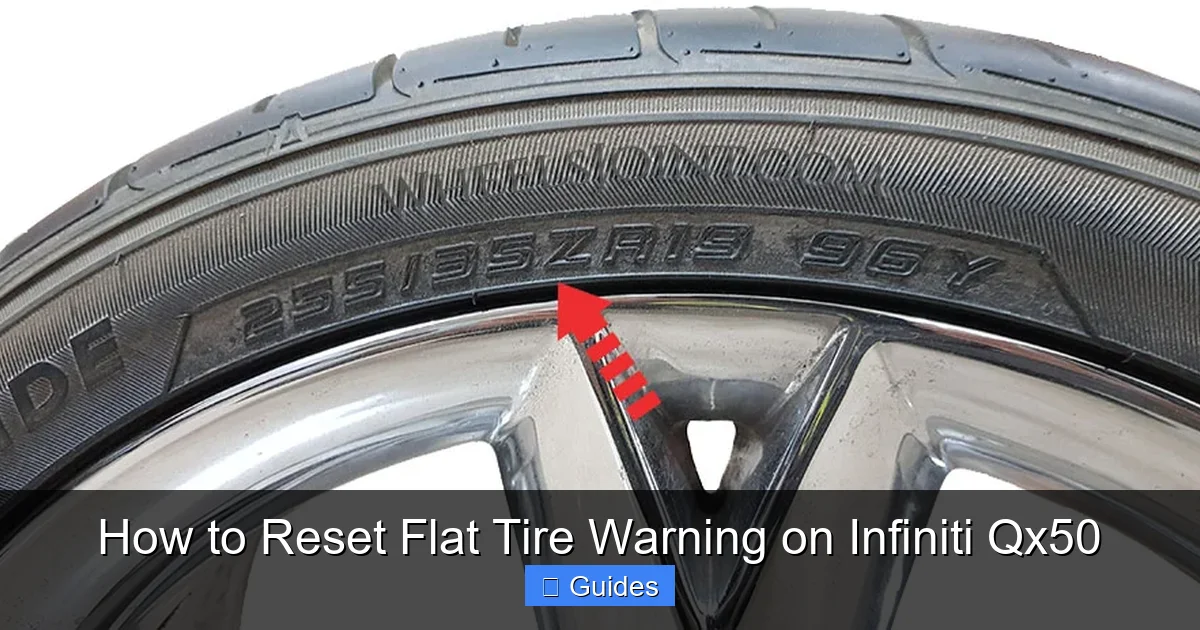
The recommended pressure for the Infiniti QX50 is usually **33 PSI** for all tires, but check your owner’s manual or the sticker on the driver’s side door jamb for the exact number. It may vary slightly depending on your model year and tire size.
Inflate any underinflated tires to the correct PSI. If one tire is significantly lower than the others, inspect it for punctures, leaks, or damage. Even a slow leak can trigger the warning.
Pro tip: Check tire pressure when the tires are cold—meaning the car hasn’t been driven for at least three hours. Driving heats up the tires and increases pressure, giving a false reading.
Step 2: Turn the Ignition to the “On” Position
Sit in the driver’s seat and turn the key to the “ON” position, but don’t start the engine. You should see the dashboard lights come on, including the TPMS warning light if it’s active.
If you have a push-button start, press the “Start” button twice without pressing the brake pedal. This will power up the electronics without cranking the engine.
Step 3: Locate the TPMS Reset Button
The TPMS reset button is usually located under the steering wheel, near the fuse box or lower dashboard panel. It’s a small, unmarked button—sometimes black or gray—that may be recessed to prevent accidental presses.
On most Infiniti QX50 models (2016 and newer), you’ll find it on the left side of the steering column, about halfway down. You may need to crouch down or use a flashlight to spot it.
If you can’t find it, consult your owner’s manual. The exact location can vary slightly by model year.
Step 4: Press and Hold the Reset Button
Once you’ve found the button, press and hold it for about **5 to 10 seconds**. You should see the TPMS warning light on the dashboard begin to flash. This indicates that the system is in reset mode.
Keep holding the button until the light stops flashing and either turns off or stays on steadily. Release the button once the light changes.
Note: On some models, the light may flash three times and then turn off. This is normal and confirms the reset has started.
Step 5: Start the Engine and Drive
Now, start your engine and take your QX50 for a short drive. Drive at a moderate speed—around 30 to 50 mph—for **10 to 15 minutes**. This allows the TPMS to relearn the sensor positions and confirm that all tires are properly inflated.
During this drive, avoid sudden stops, sharp turns, or rough roads. The system needs stable conditions to accurately read the sensors.
After the drive, check the dashboard. The warning light should be off. If it’s still on, repeat the reset process or check for other issues.
Alternative Method: Using the Steering Wheel Controls
On some newer Infiniti QX50 models, you can reset the TPMS using the steering wheel controls and the information display. Here’s how:
1. Turn the ignition to “ON.”
2. Use the arrow buttons on the steering wheel to navigate to the “Settings” menu.
3. Select “Vehicle Settings” > “Tire Pressure.”
4. Choose “Reset” or “Initialize.”
5. Confirm the reset when prompted.
This method is more user-friendly but may not be available on all model years. Check your owner’s manual to see if your vehicle supports it.
Troubleshooting Common Reset Issues
Visual guide about How to Reset Flat Tire Warning on Infiniti Qx50
Image source: wheelsjoint.com
Even with the right steps, sometimes the reset doesn’t work the first time. Don’t worry—this happens. Here are some common issues and how to fix them.
The Warning Light Won’t Turn Off
If the light stays on after a reset, double-check your tire pressure. Even a small difference can keep the system active. Recheck all tires with a quality gauge and adjust as needed.
Also, make sure you drove long enough. The system needs time to relearn. If you only drove a few minutes, try a longer drive.
If the light still won’t turn off, one of the TPMS sensors may be faulty. A dead battery or damaged sensor can prevent communication. In this case, visit an Infiniti service center for a diagnostic scan.
The Reset Button Doesn’t Respond
If pressing the button doesn’t cause the light to flash, the button may be stuck or disconnected. Try pressing it firmly or wiggling it slightly. If that doesn’t work, check the fuse related to the TPMS system (usually labeled “TPMS” or “BCM” in the fuse box).
You can also try disconnecting the car battery for 10 minutes to reset the entire electrical system. Reconnect it and attempt the reset again.
The Light Comes Back After a Few Days
If the warning returns shortly after a reset, there may be an underlying issue:
– **Slow leak:** One tire may have a small puncture or damaged valve stem. Inspect the tire or have it checked by a professional.
– **Temperature changes:** If you live in a cold climate, check tire pressure weekly in winter. Consider using nitrogen, which is less affected by temperature swings.
– **Sensor malfunction:** A failing sensor may send incorrect data. A technician can test each sensor’s signal strength.
After a Tire Rotation or Replacement
If you’ve recently rotated or replaced tires, the system may not recognize the new sensor positions. In this case, a reset is essential. Follow the steps above, and make sure to drive for at least 15 minutes afterward.
Some tire shops can perform a TPMS relearn using a scan tool, but the manual reset usually works just as well.
Tips to Prevent Future Flat Tire Warnings
Prevention is always better than a reset. Here are some practical tips to keep your TPMS happy and your warning light off.
Check Tire Pressure Monthly
Make it a habit to check your tire pressure once a month. Use a reliable gauge and check when the tires are cold. Keep a gauge in your glove compartment for convenience.
Many gas stations have air pumps with built-in gauges, but they’re often inaccurate. Invest in a digital gauge for best results.
Adjust for Seasonal Changes
Tire pressure drops in cold weather and rises in heat. In winter, check your tires more frequently—especially after a cold snap. In summer, avoid overinflating, as hot tires can expand and increase pressure.
A good rule of thumb: check pressure when the temperature changes by 10°F or more.
Inspect Tires Regularly
Look for signs of wear, cracks, bulges, or embedded objects like nails or glass. Even small punctures can cause slow leaks. If you spot anything unusual, have it checked by a professional.
Also, check the valve stems. A damaged or corroded valve can leak air over time.
Use the Correct Tire Size and Type
Always use tires that match the specifications in your owner’s manual. Using the wrong size or type can affect pressure readings and sensor performance.
If you switch to winter or all-terrain tires, make sure they’re properly inflated and compatible with your TPMS.
Keep Sensors in Good Condition
TPMS sensors are durable but not indestructible. Avoid using harsh chemicals or high-pressure washes near the valve stems. If you’re replacing tires, ask the technician to inspect the sensors and replace them if needed.
Sensor batteries typically last 5–10 years. If your QX50 is older, consider having the sensors tested during your next service.
When to Visit a Professional
While most flat tire warnings can be reset at home, some situations require professional help.
Persistent Warning Light
If the light won’t turn off after multiple resets and proper inflation, there may be a hardware issue. A technician can use a scan tool to read error codes and test each sensor.
Sensor Replacement
If a sensor is dead or damaged, it needs to be replaced. This usually requires removing the tire and installing a new sensor. Most tire shops and Infiniti service centers can do this.
System Malfunction
Rarely, the TPMS control module itself may fail. This is more common in older vehicles or after electrical issues. A professional diagnosis is needed to confirm and repair.
After Major Repairs
If you’ve had suspension work, wheel alignment, or brake service, the TPMS may need recalibration. A technician can ensure everything is working correctly.
Conclusion: Stay Safe and Informed
Resetting the flat tire warning on your Infiniti QX50 is a simple but important task. It keeps your TPMS working correctly and ensures you’re alerted only when there’s a real issue. By understanding how the system works, checking your tires regularly, and following the reset steps, you can avoid unnecessary stress and stay safe on the road.
Remember: the warning light is there to protect you. Don’t ignore it. But also don’t panic—most of the time, it’s just a reminder to check your tire pressure or reset the system.
With this guide, you’re now equipped to handle the flat tire warning like a pro. Whether it’s a cold morning, a recent tire service, or just a glitch, you know exactly what to do. And if all else fails, your local Infiniti service center is always there to help.
Drive safe, stay informed, and keep those tires properly inflated.
Frequently Asked Questions
Why does my Infiniti QX50 show a flat tire warning when all tires look fine?
The warning may appear due to low tire pressure caused by temperature changes, slow leaks, or a recent tire service. The TPMS detects pressure drops as small as 5 PSI, so even a slight underinflation can trigger the light.
Can I reset the TPMS without a scan tool?
Yes, the Infiniti QX50 allows you to reset the TPMS using a physical button under the steering wheel or through the steering wheel controls. No scan tool is needed for most models.
How long should I drive after resetting the TPMS?
Drive for at least 10–15 minutes at moderate speed (30–50 mph) to allow the system to relearn sensor positions and confirm proper tire pressure.
What if the warning light keeps coming back?
A recurring warning may indicate a slow leak, damaged sensor, or battery failure. Inspect your tires and consider having the sensors tested by a professional.
Does cold weather affect the TPMS?
Yes, tire pressure drops about 1 PSI for every 10°F decrease in temperature. Cold mornings often trigger the warning, so check pressure regularly in winter.
How often should I check my tire pressure?
Check tire pressure at least once a month and before long trips. Always check when tires are cold for the most accurate reading.

At CarLegit, we believe information should be clear, factual, and genuinely helpful. That’s why every guide, review, and update on our website is created with care, research, and a strong focus on user experience.