
Resetting the keyless entry on your Ford F150 is easier than you think—whether you’ve lost a fob, added a new one, or just need to sync your system. This guide walks you through every method, from simple button presses to advanced programming modes, so you can regain full access in minutes.
In This Article
- 1 Key Takeaways
- 2 📑 Table of Contents
- 3 Why You Might Need to Reset Your Ford F150’s Keyless Entry
- 4 Understanding Your F150’s Keyless Entry System
- 5 Method 1: Reset Using the Door Panel Button (2004–2014 F150s)
- 6 Method 2: Ignition Cycling Reset (All Models, Including 2015+)
- 7 Method 3: Using the Onboard Menu (2015–2024 F150s with SYNC)
- 8 Troubleshooting Common Keyless Entry Issues
- 9 Preventing Future Keyless Entry Problems
- 10 Final Thoughts: You’ve Got This!
- 11 Frequently Asked Questions
Key Takeaways
- Multiple reset methods exist: Depending on your F150’s year and trim, you can use the door panel button, ignition cycling, or onboard menu to reset keyless entry.
- Original fob required for some models: Older F150s (pre-2015) often need at least one working fob to program a new one—no dealership visit needed.
- Timing is critical: Most procedures require precise timing (e.g., turning the key within 5 seconds), so follow steps exactly.
- Battery matters: A weak fob battery can mimic a failed keyless system—always check and replace it first.
- Sync all fobs at once: When reprogramming, all previously paired fobs will be erased—reprogram every fob you use in one session.
- Use Ford’s SecuriCode backup: The hidden keypad on the driver’s door lets you enter your vehicle even if the fob dies—never rely solely on wireless entry.
- Professional help available: If DIY fails, Ford dealers or certified locksmiths can reset the system using specialized tools.
📑 Table of Contents
- Why You Might Need to Reset Your Ford F150’s Keyless Entry
- Understanding Your F150’s Keyless Entry System
- Method 1: Reset Using the Door Panel Button (2004–2014 F150s)
- Method 2: Ignition Cycling Reset (All Models, Including 2015+)
- Method 3: Using the Onboard Menu (2015–2024 F150s with SYNC)
- Troubleshooting Common Keyless Entry Issues
- Preventing Future Keyless Entry Problems
- Final Thoughts: You’ve Got This!
Why You Might Need to Reset Your Ford F150’s Keyless Entry
So, your Ford F150 won’t unlock when you press the button on your key fob? Or maybe you just bought a used truck and the previous owner’s fobs are still linked to the system? Don’t panic—this is more common than you’d think, and resetting the keyless entry system is usually straightforward.
The keyless entry system in your F150 is designed for convenience. With a simple press of a button—or even just walking up to the truck with the fob in your pocket—you can unlock the doors, open the tailgate, or start the engine (if equipped with push-button start). But like any electronic system, it can glitch. Maybe the fob battery died, the truck was jump-started incorrectly, or someone accidentally triggered a reset mode. Whatever the reason, knowing how to reset keyless entry on your Ford F150 puts you back in control—without a costly trip to the dealership.
This guide covers every major method for resetting and reprogramming your keyless entry system across all recent F150 generations (2004–2024). Whether you’re driving a rugged 13th-gen workhorse or a sleek 2023 Platinum with all the bells and whistles, we’ve got you covered. We’ll walk you through step-by-step instructions, explain why each step matters, and share pro tips to avoid common pitfalls.
Understanding Your F150’s Keyless Entry System
Visual guide about How to Reset Keyless Entry on Ford F150
Image source: m.media-amazon.com
Before diving into the reset process, it helps to understand how your F150’s keyless entry actually works. Modern F150s use a combination of radio frequency (RF) signals and onboard computer programming to communicate between the key fob and the vehicle.
Each key fob emits a unique encrypted signal when you press a button. The truck’s Body Control Module (BCM) receives this signal, verifies it matches a stored code, and then triggers the appropriate action—like unlocking the doors or activating the panic alarm. Some newer models also feature passive entry, meaning the truck detects the fob when you’re near and unlocks automatically when you touch the door handle.
There are typically two types of key fobs used in F150s:
– **Standard remote fobs**: These have buttons for lock, unlock, panic, and sometimes remote start.
– **Intelligent access fobs (IKA)**: Found on higher trims (Lariat, King Ranch, Platinum), these support push-button start and passive entry.
The reset process varies slightly depending on which type you have and what year your truck is. That’s why it’s important to identify your system before starting. Look at your fob: if it has a “Start” button or no physical key blade, it’s likely an IKA fob. If it has a flip-out key and basic buttons, it’s a standard remote.
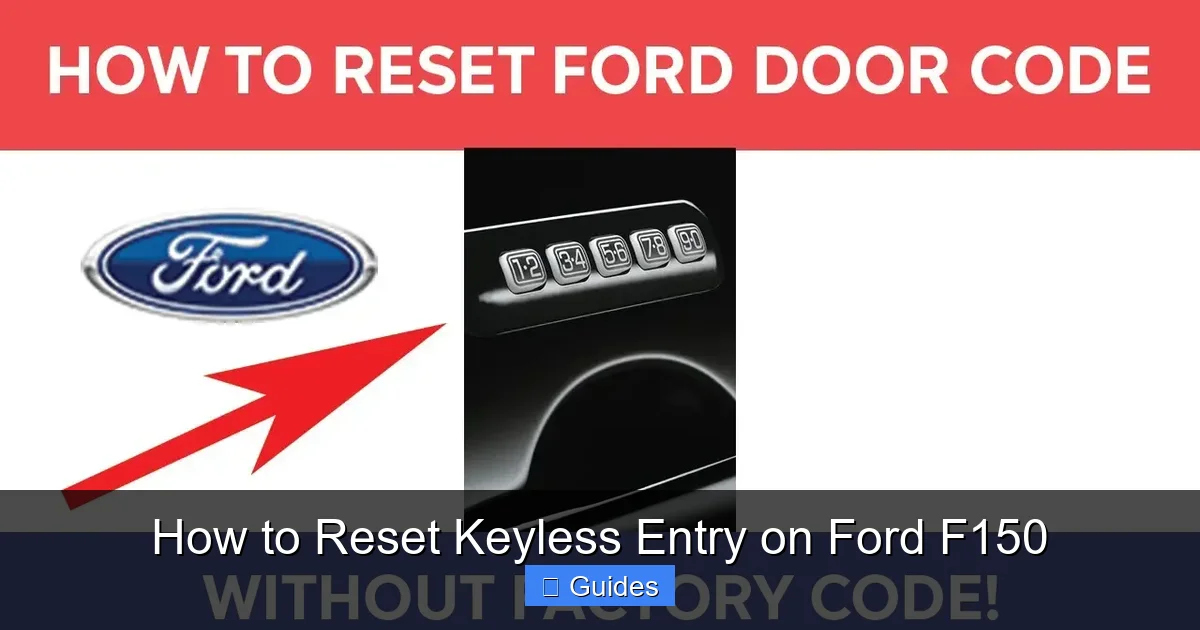
Also note that Ford includes a backup mechanical key hidden inside most fobs—and a SecuriCode keypad on the driver’s door (usually on the B-pillar). This five-digit code lets you unlock the truck manually if the fob dies or gets lost. You can find your SecuriCode on a sticker in the glove box, trunk, or under the rear seat—so keep it safe!
Method 1: Reset Using the Door Panel Button (2004–2014 F150s)
Visual guide about How to Reset Keyless Entry on Ford F150
Image source: diycarexpert.com
If you’re driving an older F150 (2004–2014), the simplest way to reset keyless entry is using the door panel programming button. This method works for trucks with standard remote fobs and doesn’t require any special tools—just your existing fob and a few minutes of patience.
Step-by-Step Instructions
1. **Enter the vehicle** and close all doors. Make sure the ignition is off.
2. **Locate the programming button** on the driver’s side door panel. It’s usually a small, round button near the door latch or window switch cluster. On some models, it may be hidden under a trim cover—gently pry it open with a flathead screwdriver if needed.
3. **Press and hold the programming button** for about 20 seconds. You’ll hear the locks cycle (lock and unlock) once—this confirms the system is in programming mode.
4. **Within 5 seconds**, press the “Unlock” button on your key fob. The locks should cycle again, indicating the fob has been accepted.
5. **Repeat step 4** for any additional fobs you want to program (up to four total).
6. **Turn the ignition to “On”** (don’t start the engine) to exit programming mode.
That’s it! Your keyless entry should now be reset and working with all programmed fobs.
Pro Tips & Troubleshooting
– If the locks don’t cycle after holding the button, check your fob battery. A weak battery won’t transmit a strong enough signal.
– Always program all fobs at the same time. Once you exit programming mode, any unprogrammed fobs will no longer work.
– If you don’t have a working fob, this method won’t work—you’ll need to use the ignition cycling method (see below) or visit a dealer.
This method is reliable for most 2004–2014 F150s, but if your truck has aftermarket alarms or remote starters, they might interfere. Disconnect them temporarily if you run into issues.
Method 2: Ignition Cycling Reset (All Models, Including 2015+)
Visual guide about How to Reset Keyless Entry on Ford F150
Image source: carglassadvisor.com
For newer F150s (2015 and later) or if your door panel button isn’t working, the ignition cycling method is your best bet. This technique uses the truck’s ignition switch to trigger programming mode and works with both standard and intelligent access fobs.
Step-by-Step Instructions
1. **Sit in the driver’s seat** with all doors closed and the key out of the ignition.
2. **Insert the key** into the ignition (or hold the fob near the backup slot if you have push-button start).
3. **Turn the ignition to “On”** (dashboard lights up, but don’t start the engine). Wait 3 seconds.
4. **Turn the ignition back to “Off.”** Wait 3 seconds.
5. **Repeat steps 3 and 4 two more times** (for a total of three On/Off cycles).
6. **On the fourth cycle**, leave the ignition in the “On” position. You should hear the locks cycle—this means the system is now in programming mode.
7. **Press any button on your key fob** (e.g., Lock or Unlock). The locks will cycle again to confirm programming.
8. **Program additional fobs** by pressing a button on each one within 30 seconds.
9. **Turn the ignition to “Off”** to exit programming mode.
Your keyless entry is now reset and ready to use.
Why This Works
This method tricks the truck’s computer into thinking it’s being initialized for the first time. The rapid On/Off cycling mimics the sequence used during factory programming, telling the BCM to accept new fob signals. It’s especially useful if you’ve replaced the battery in your truck or if the system got confused after a jump-start.
Common Mistakes to Avoid
– **Rushing the timing**: Each On/Off cycle must be at least 3 seconds. Go slower if needed—precision beats speed here.
– **Starting the engine**: Never crank the engine during this process. Just turn to “On” (accessory mode).
– **Using a dead fob**: If your fob battery is below 2.5V, it may not transmit properly. Replace it first (CR2032 battery, usually).
This method works on nearly all F150s from 2004 to 2024, making it the most universal reset technique.
Method 3: Using the Onboard Menu (2015–2024 F150s with SYNC)
If your F150 has the SYNC infotainment system (typically 2015 and newer), you can reset keyless entry directly through the touchscreen menu. This is the most user-friendly method and doesn’t require any physical buttons or ignition tricks.
Step-by-Step Instructions
1. **Turn on the ignition** (or press Start without your foot on the brake).
2. **Tap “Settings”** on the SYNC home screen.
3. **Select “Vehicle”** > “Keyless Entry.”
4. **Choose “Add Key”** or “Program Key.”
5. **Follow the on-screen prompts**. You’ll be asked to press a button on your fob.
6. **Repeat for additional fobs** if needed.
7. **Exit the menu** when done.
The system will automatically sync your fobs and confirm successful programming.
Advantages of the Menu Method
– No timing worries—the system guides you.
– Works even if you don’t have a physical key (as long as one fob is already programmed).
– Clear visual feedback reduces errors.
Limitations
– Requires at least one working fob to access the menu.
– Not available on base XL trims without SYNC.
– If the touchscreen is unresponsive, fall back to the ignition cycling method.
This method is ideal for tech-savvy owners who prefer a digital approach. Just remember: if your fob dies completely, you’ll need to use the SecuriCode keypad to get in first.
Troubleshooting Common Keyless Entry Issues
Even with the right reset method, things can go wrong. Here’s how to diagnose and fix the most common problems.
Fob Not Responding After Reset
If your fob still doesn’t work after a reset:
– **Check the battery**: Use a multimeter or replace it with a new CR2032. Weak batteries are the #1 cause of fob failure.
– **Test range**: Stand close to the truck (within 3 feet) when pressing buttons. If it works up close but not from the driveway, the antenna or receiver may be faulty.
– **Reseat the fob**: Remove the battery, wait 10 seconds, then reinsert it. This can reset the fob’s internal circuitry.
Locks Cycle But Doors Don’t Unlock
This usually means the fob is programmed but the actuator or wiring is faulty. Try manually unlocking with the key or SecuriCode. If that works, the issue is mechanical—not electronic.
Only One Fob Works
Ford’s system can store up to four fobs. If only one works after a reset, you likely didn’t program the others during the same session. Re-enter programming mode and add all fobs together.
Passive Entry Not Working (2015+ Models)
If your truck doesn’t unlock when you touch the handle:
– Ensure the fob is in your pocket or bag (not in the truck).
– Clean the door handle sensors—dirt or ice can block detection.
– Check for interference from phone cases or metal objects near the fob.
When to Call a Professional
If none of these fixes work, there may be a deeper issue:
– Faulty Body Control Module (BCM)
– Damaged antenna ring around the ignition
– Corroded wiring in the door harness
In these cases, visit a Ford dealer or certified automotive locksmith. They have diagnostic tools to read error codes and reprogram the system securely.
Preventing Future Keyless Entry Problems
An ounce of prevention is worth a pound of cure—especially when it comes to your truck’s electronics. Here’s how to keep your keyless entry system running smoothly.
Maintain Your Fob Battery
Replace the CR2032 battery every 2–3 years, or when you notice reduced range. Keep a spare in your glove box. When replacing, handle the battery with clean hands—oils can shorten its life.
Protect Your Fob from Damage
Avoid dropping your fob or exposing it to extreme heat (like leaving it on a dashboard in summer). Water resistance isn’t infinite—don’t submerge it.
Use the SecuriCode Regularly
Even if you never need it, typing in your SecuriCode once a month keeps the keypad contacts clean and ensures it works when you really need it.
Avoid Aftermarket Mods
Third-party remote starters or alarms can interfere with Ford’s factory system. If you must install one, choose a Ford-approved model and have it professionally installed.
Keep Your Truck’s Software Updated
Ford occasionally releases software updates that improve keyless entry performance. Visit your local dealer for a free check—or use Ford’s OTA (over-the-air) updates if your truck supports them (2021+ models).
By following these tips, you’ll minimize the chances of getting locked out—and save yourself time, stress, and money.
Final Thoughts: You’ve Got This!
Resetting keyless entry on your Ford F150 doesn’t have to be intimidating. Whether you’re using a door button, ignition cycling, or the SYNC menu, the process is designed to be doable by any owner—no mechanic required. The key is knowing which method matches your truck’s year and trim, and following the steps carefully.
Remember: always check your fob battery first. More often than not, that’s the real culprit. And don’t forget your SecuriCode—it’s your lifeline when all else fails.
With this guide in your back pocket, you’re equipped to handle any keyless entry hiccup that comes your way. So next time your F150 gives you trouble, take a deep breath, grab your fob, and reset with confidence. Your truck—and your peace of mind—will thank you.
Frequently Asked Questions
Can I reset keyless entry without a working fob?
Yes, but only if your F150 has a SecuriCode keypad. Use the five-digit code to unlock the door, then try the ignition cycling method. If that fails, you’ll need a dealer or locksmith with programming tools.
How many key fobs can my Ford F150 hold?
Most F150s can store up to four programmed key fobs. If you try to add a fifth, the oldest one will be overwritten.
Will resetting keyless entry affect my remote start?
No, resetting keyless entry only reprograms the fob’s lock/unlock functions. Remote start (if equipped) uses the same fob but operates independently—so it should continue working normally.
Why does my fob work sometimes but not others?
This is usually a sign of a weak battery or interference. Replace the battery and test in different locations. If the problem persists, the fob’s internal antenna may be damaged.
Can I program a used fob to my F150?
Only if it’s the same model and frequency as your original. Ford fobs are vehicle-specific and cannot be “cloned” from another truck. You’ll need to program it using one of the methods above.
Is it safe to reset keyless entry myself?
Absolutely. These procedures are designed for owner use and don’t require special tools or expertise. Just follow the steps carefully and avoid forcing anything.

At CarLegit, we believe information should be clear, factual, and genuinely helpful. That’s why every guide, review, and update on our website is created with care, research, and a strong focus on user experience.