
Resetting the oil change light on your Alfa Romeo is simple and can be done in minutes without a mechanic. This guide walks you through the process for various models, ensuring your vehicle stays in top condition and your dashboard stays clear of unnecessary alerts.
Owning an Alfa Romeo is more than just driving a car—it’s experiencing Italian engineering, performance, and style. These vehicles are designed for enthusiasts who appreciate precision, power, and elegance. But like any high-performance machine, they require regular maintenance to keep running at their best. One of the most common maintenance tasks is changing the engine oil, and with it comes the inevitable dashboard reminder: the oil change light.
When that little oil can icon flashes on your instrument cluster, it’s your Alfa Romeo’s way of saying, “Hey, it’s time for fresh oil!” But after you’ve had the oil changed—whether at a dealership, an independent shop, or even at home—the light might still stay on. That’s because the car’s onboard computer hasn’t been told the maintenance is complete. This is where resetting the oil change light becomes essential.
Don’t worry—you don’t need to visit a mechanic or spend money on a diagnostic tool. Most Alfa Romeo models allow you to reset the oil change light yourself using the vehicle’s dashboard controls. It’s a quick, straightforward process that takes just a few minutes. In this guide, we’ll walk you through everything you need to know to reset the oil change light on your Alfa Romeo, no matter which model you drive. Whether you’re behind the wheel of a sleek Giulia, a rugged Stelvio, or a sporty 4C, we’ve got you covered.
In This Article
- 1 Key Takeaways
- 2 📑 Table of Contents
- 3 Why Resetting the Oil Change Light Matters
- 4 Understanding Your Alfa Romeo’s Oil Life Monitoring System
- 5 Tools and Preparation Needed
- 6 Step-by-Step Guide to Resetting the Oil Change Light
- 7 Troubleshooting Common Issues
- 8 Tips for Maintaining Your Alfa Romeo’s Engine Health
- 9 Conclusion
- 10 Frequently Asked Questions
- 10.1 Can I reset the oil change light myself, or do I need a mechanic?
- 10.2 What if the oil change light comes back on right after resetting?
- 10.3 Do I need to reset the light if I change the oil myself?
- 10.4 Can I drive with the oil change light on?
- 10.5 Does resetting the light affect my warranty?
- 10.6 What if my Alfa Romeo doesn’t have a digital menu?
Key Takeaways
- Know your model: The reset procedure varies slightly between Alfa Romeo models like the Giulia, Stelvio, and 4C.
- Use the dashboard controls: Most resets are done using the steering wheel buttons and instrument cluster menu.
- Timing matters: Always reset the light immediately after an oil change to maintain accurate maintenance tracking.
- No special tools needed: You don’t need a scanner or mechanic—just your car’s built-in system.
- Check the owner’s manual: For model-specific instructions, your manual is the most reliable source.
- Prevent warning fatigue: Regular resets help you stay aware of real maintenance needs.
- Keep records: Log your oil changes and resets to track your car’s health over time.
📑 Table of Contents
Why Resetting the Oil Change Light Matters
You might be thinking, “So what if the light stays on? It’s just a reminder.” But ignoring it can lead to a few real issues. First, a persistent warning light can be distracting. It constantly draws your attention away from the road, which is the last thing you want when driving a performance car like an Alfa Romeo. Second, if the light remains on, you might miss future maintenance alerts. The system is designed to notify you at the right intervals, but if it’s already lit, you won’t know when the next oil change is due.
More importantly, resetting the light ensures your car’s maintenance schedule stays accurate. Alfa Romeos use sophisticated onboard computers to track engine hours, mileage, and driving conditions to determine when service is needed. By resetting the oil change indicator, you’re telling the system that fresh oil has been installed and the countdown to the next change has begun. This helps maintain engine health, improves fuel efficiency, and can even extend the life of your vehicle.
Think of it like resetting a stopwatch after a race. If you don’t reset it, the next time you run, you won’t know how long you’ve been going. The same principle applies to your car’s oil life monitoring system. Resetting the light gives you a clean slate and ensures you’re always driving with the right information.
Understanding Your Alfa Romeo’s Oil Life Monitoring System
Visual guide about How to Reset Oil Change Light Alfa Romeo
Image source: img.swvrscca.org
Before diving into the reset process, it’s helpful to understand how your Alfa Romeo tracks oil life. Unlike older cars that rely solely on mileage, modern Alfa Romeos use an advanced oil life monitoring system (OLMS). This system analyzes a variety of factors to determine when your oil needs changing, including:
– Engine temperature
– Driving speed and duration
– Number of cold starts
– Load and acceleration patterns
– Time since the last oil change
Based on this data, the system calculates the remaining life of your engine oil and alerts you when it’s time for a change. This is more accurate than a simple mileage-based reminder because it accounts for real-world driving conditions. For example, if you frequently drive in stop-and-go traffic or extreme temperatures, your oil may degrade faster than someone who drives mostly on highways.
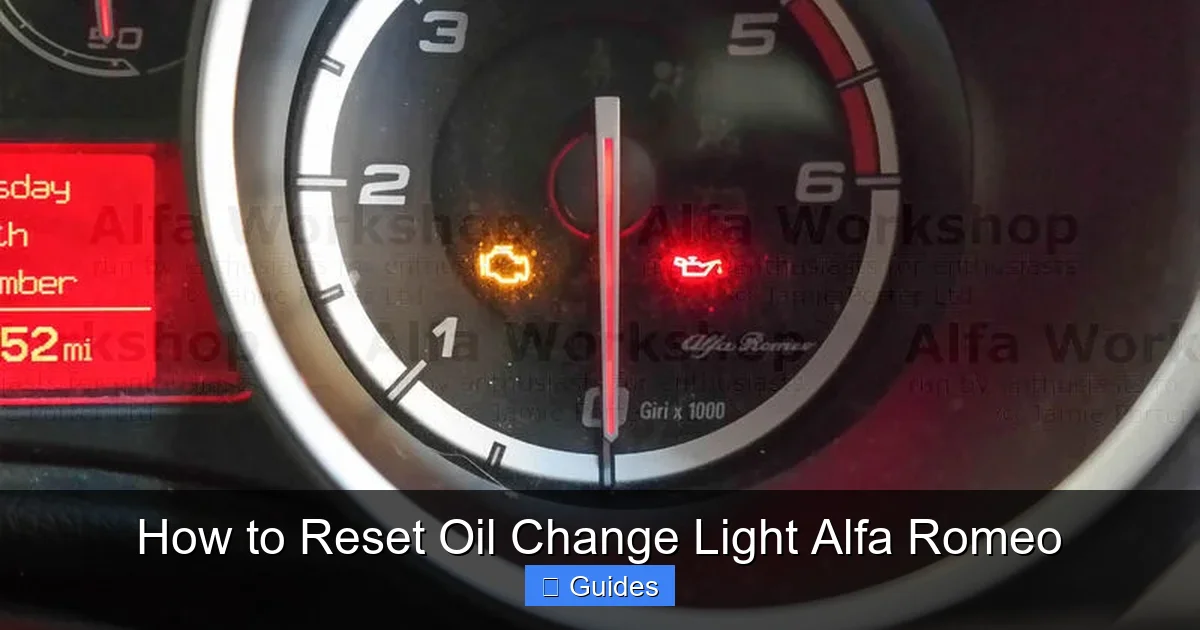
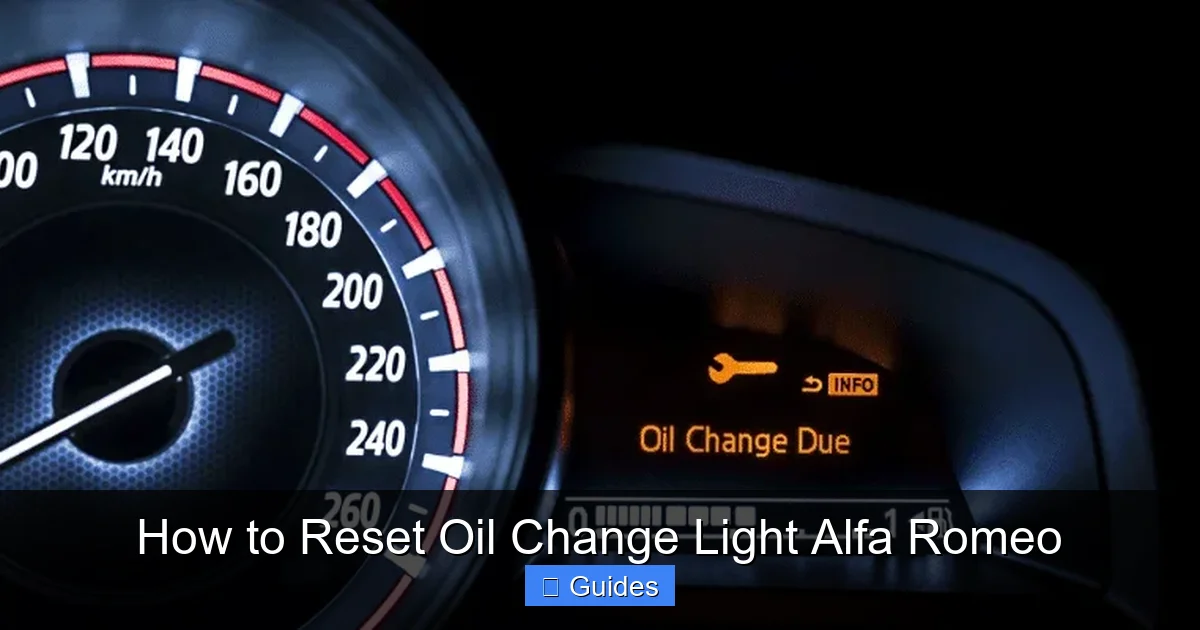
The oil change light typically appears as a yellow or orange icon shaped like an oil can, often with a drop or wrench symbol. Some models may also display a message like “Oil Service Required” or “Service Due Soon” on the instrument cluster. Once the light comes on, it’s recommended to schedule an oil change within the next 500 to 1,000 miles, depending on your driving habits.
After the oil change is completed, the system needs to be reset so it can begin tracking the new oil’s life. If you don’t reset it, the light will remain on, and the system won’t start its countdown. This is why resetting the oil change light is such an important step—it keeps your car’s maintenance schedule on track and ensures you’re always driving with optimal engine protection.
Tools and Preparation Needed
Visual guide about How to Reset Oil Change Light Alfa Romeo
Image source: oilfiltersonline.com
The great news is that resetting the oil change light on your Alfa Romeo doesn’t require any special tools or equipment. You don’t need a diagnostic scanner, computer, or even a smartphone app. Everything you need is already built into your car. However, there are a few things you should have ready before starting the process:
1. A Recently Completed Oil Change
Make sure the oil change has already been performed. Resetting the light before changing the oil defeats the purpose and could lead to engine damage if the old oil remains in use. Whether you did the change yourself or took it to a shop, confirm that fresh oil and a new filter have been installed.
2. The Owner’s Manual
While this guide covers the most common procedures, your owner’s manual is the definitive source for your specific model and year. It may include variations or additional steps not covered here. Keep it handy for reference.
3. A Fully Charged Battery
Although the reset process doesn’t draw much power, it’s best to ensure your car’s battery is charged. A weak battery could interrupt the process or cause the system to reset incorrectly. If your car has been sitting for a while, consider starting the engine and letting it run for a few minutes before beginning.
4. A Quiet, Safe Location
Find a safe, flat area to park your car, such as your driveway or a quiet parking lot. Make sure the vehicle is in park (for automatics) or in gear with the parking brake engaged (for manuals). You’ll be working with the dashboard controls, so you don’t want the car moving unexpectedly.
5. Patience and Focus
The reset process is simple, but it requires following steps in the correct order. Rushing through it or skipping a step could result in the light staying on. Take your time and double-check each action.
Once you’ve confirmed these items, you’re ready to begin. The entire process typically takes less than five minutes, and once it’s done, you’ll have a clean dashboard and peace of mind knowing your Alfa Romeo is ready for the road.
Step-by-Step Guide to Resetting the Oil Change Light
Visual guide about How to Reset Oil Change Light Alfa Romeo
Image source: familyhandyman.com
Now that you’re prepared, let’s walk through the actual reset process. The steps vary slightly depending on your Alfa Romeo model, but the general method is similar across the lineup. Below, we’ll cover the most common procedures for popular models like the Giulia, Stelvio, and 4C.
For Alfa Romeo Giulia (2017–Present)
The Giulia uses a digital instrument cluster with menu navigation via the steering wheel controls. Here’s how to reset the oil change light:
1. **Turn the ignition to the “ON” position** (do not start the engine). You should see the dashboard lights illuminate.
2. **Press and hold the “Menu” button** on the left side of the steering wheel. This button typically has a gear or settings icon.
3. **Navigate to the “Vehicle Info” or “Service” menu** using the arrow buttons. Scroll until you find the oil life or service reset option.
4. **Select “Oil Life” or “Reset Oil Change”** and confirm by pressing the “OK” or “Enter” button.
5. **Wait for confirmation**—the system will display a message like “Oil Life Reset” or “Service Reset Complete.”
6. **Turn off the ignition** and restart the car to verify the light is off.
If the light remains on, repeat the process or consult your owner’s manual for model-specific instructions.
For Alfa Romeo Stelvio (2018–Present)
The Stelvio follows a similar process to the Giulia, with minor differences in menu layout:
1. **Turn the ignition to “ON”** without starting the engine.
2. **Use the steering wheel controls** to access the “Settings” menu.
3. **Scroll to “Vehicle Maintenance” or “Service”** and select it.
4. **Choose “Reset Oil Change”** and confirm the action.
5. **Wait for the confirmation message**, then turn off the ignition.
6. **Restart the vehicle** to ensure the light is cleared.
Some Stelvio models may require you to press and hold the “Trip” button on the instrument cluster instead of using the steering wheel. Check your manual if the above steps don’t work.
For Alfa Romeo 4C (2013–2020)
The 4C has a simpler system due to its older design. Here’s how to reset the oil change light:
1. **Turn the ignition to “ON”** (do not start the engine).
2. **Press and hold the “Trip” button** on the instrument cluster.
3. **Wait for the oil change light to flash**, then release the button.
4. **Press and hold the “Trip” button again** until the light turns off completely.
5. **Turn off the ignition** and restart the car to confirm the reset.
This method relies on the trip odometer button and doesn’t involve menu navigation, making it one of the easiest resets in the Alfa Romeo lineup.
For Older Models (Pre-2017)
If you drive an older Alfa Romeo, such as a 159 or Spider, the process may involve a combination of ignition cycles and button presses. For example:
1. **Turn the ignition to “ON”** and wait 10 seconds.
2. **Turn it off**, then back to “ON” again.
3. **Press and hold the “Trip” button** during the second “ON” cycle.
4. **Wait for the light to reset**, then turn off the ignition.
Always refer to your owner’s manual for exact steps, as older models can vary significantly.
Troubleshooting Common Issues
Even with the correct steps, you might encounter issues when resetting the oil change light. Here are some common problems and how to fix them:
The Light Won’t Turn Off
If the oil change light remains on after following the reset procedure, double-check that you completed all steps correctly. Sometimes, a missed button press or incorrect timing can prevent the reset. Try the process again, ensuring you hold buttons for the full duration and navigate menus accurately.
If the light still won’t reset, it’s possible the oil change wasn’t properly logged by the system. Some Alfa Romeos require the engine to be running during part of the reset process. Consult your owner’s manual for clarification.
The Menu Option Is Missing
If you can’t find the “Reset Oil Change” option in the menu, your vehicle may not support manual resets. In this case, a diagnostic tool or visit to an Alfa Romeo dealership may be required. This is rare but can happen with certain model years or software versions.
The Car Won’t Recognize the Reset
If the system doesn’t acknowledge the reset, try disconnecting the battery for 10–15 minutes. This can reset the onboard computer and clear any glitches. Reconnect the battery and attempt the reset again.
Warning Messages Persist
Sometimes, other warning lights or messages may appear after a reset. This could indicate a separate issue, such as low oil level or a faulty sensor. Check your oil level and condition, and if problems persist, have the vehicle inspected by a professional.
Tips for Maintaining Your Alfa Romeo’s Engine Health
Resetting the oil change light is just one part of keeping your Alfa Romeo in peak condition. Here are a few additional tips to ensure your engine stays healthy:
– **Use high-quality synthetic oil** recommended by Alfa Romeo. This provides better protection and lasts longer than conventional oil.
– **Change the oil filter every time** you change the oil. A clogged filter can reduce oil flow and damage the engine.
– **Check oil levels regularly** using the dipstick. Low oil can lead to overheating and engine wear.
– **Follow the recommended service intervals** based on your driving habits. If you drive aggressively or in harsh conditions, you may need more frequent changes.
– **Keep a maintenance log** to track oil changes, resets, and other services. This helps you stay on schedule and can increase your car’s resale value.
By combining regular maintenance with timely resets, you’ll keep your Alfa Romeo running smoothly for years to come.
Conclusion
Resetting the oil change light on your Alfa Romeo is a simple but essential task that ensures your vehicle’s maintenance schedule stays accurate. With just a few button presses, you can clear the warning light and keep your dashboard distraction-free. Whether you drive a Giulia, Stelvio, 4C, or an older model, the process is straightforward and doesn’t require any special tools.
Remember to always reset the light immediately after an oil change, use the correct procedure for your model, and consult your owner’s manual if you run into issues. By staying on top of this small but important task, you’ll protect your engine, improve performance, and enjoy the full driving experience your Alfa Romeo was designed to deliver.
So the next time that oil can icon appears, don’t stress—just follow this guide, reset the light, and get back to enjoying the open road.
Frequently Asked Questions
Can I reset the oil change light myself, or do I need a mechanic?
Yes, you can reset the oil change light yourself using your car’s dashboard controls. No mechanic or special tools are required for most Alfa Romeo models.
What if the oil change light comes back on right after resetting?
If the light returns immediately, double-check that the oil change was completed and the correct reset procedure was followed. It could also indicate a sensor issue.
Do I need to reset the light if I change the oil myself?
Yes, whether you change the oil at home or at a shop, you should reset the light to ensure the system tracks the new oil’s life accurately.
Can I drive with the oil change light on?
You can drive for a short distance, but it’s best to change the oil as soon as possible to avoid engine damage.
Does resetting the light affect my warranty?
No, resetting the oil change light does not affect your warranty. It’s a standard maintenance procedure recommended by Alfa Romeo.
Older models may use a trip button or ignition cycle method. Refer to your owner’s manual for the correct reset procedure.

At CarLegit, we believe information should be clear, factual, and genuinely helpful. That’s why every guide, review, and update on our website is created with care, research, and a strong focus on user experience.