
Resetting the oil life indicator on your 2007 Honda Civic is quick and easy—no mechanic required. This guide walks you through the simple button sequence to clear the maintenance reminder and keep your car’s dashboard accurate.
In This Article
- 1 Key Takeaways
- 2 📑 Table of Contents
- 3 Why Resetting the Oil Life Matters on Your 2007 Honda Civic
- 4 Understanding the 2007 Honda Civic Oil Life System
- 5 Tools and Preparation: What You’ll Need
- 6 Step-by-Step Guide to Resetting the Oil Life
- 7 Troubleshooting Common Reset Issues
- 8 Best Practices for Maintaining Your 2007 Honda Civic
- 9 When to Seek Professional Help
- 10 Conclusion: Take Control of Your Civic’s Maintenance
- 11 Frequently Asked Questions
- 11.1 Can I reset the oil life without changing the oil?
- 11.2 How often should I reset the oil life on my 2007 Civic?
- 11.3 What if the reset doesn’t work the first time?
- 11.4 Does the 2007 Civic have an oil life percentage display?
- 11.5 Can a dead battery affect the oil life reset?
- 11.6 Do I need a Honda dealership to reset the oil life?
Key Takeaways
- Simple Button Sequence: Resetting the oil life requires only the trip odometer button and ignition key—no tools or scanners needed.
- Timing Matters: The reset must be done with the ignition on (but engine off) and within a specific window after turning the key.
- Oil Change First: Always complete your oil change before resetting the indicator to avoid confusion and potential engine damage.
- Dashboard Confirmation: A successful reset shows the oil life percentage returning to 100% or the maintenance light turning off.
- Prevents False Alerts: Regular resets ensure you’re only reminded when actual maintenance is due, not from outdated readings.
- No OBD2 Scanner Required: Unlike newer models, the 2007 Civic uses a manual reset method accessible to all drivers.
- Helps Maintain Resale Value: Keeping accurate service records and resetting indicators shows consistent care to future buyers.
📑 Table of Contents
- Why Resetting the Oil Life Matters on Your 2007 Honda Civic
- Understanding the 2007 Honda Civic Oil Life System
- Tools and Preparation: What You’ll Need
- Step-by-Step Guide to Resetting the Oil Life
- Troubleshooting Common Reset Issues
- Best Practices for Maintaining Your 2007 Honda Civic
- When to Seek Professional Help
- Conclusion: Take Control of Your Civic’s Maintenance
Why Resetting the Oil Life Matters on Your 2007 Honda Civic
If you’ve ever driven a 2007 Honda Civic, you’ve probably seen that little “Maintenance Required” light pop up on your dashboard. It’s not a warning about engine failure or a serious mechanical issue—it’s simply Honda’s way of reminding you that it’s time for routine service, most commonly an oil change. But here’s the thing: once you’ve actually changed the oil, that light doesn’t just disappear on its own. That’s where knowing how to reset oil life on a 2007 Honda Civic becomes essential.
Ignoring that light isn’t dangerous, but it can be annoying. Worse, if you don’t reset it, you might forget when your next oil change is due. The oil life monitoring system in the 2007 Civic is designed to track driving conditions, mileage, and engine runtime to estimate when your oil is no longer effective. Once it hits a certain threshold—usually around 15% oil life remaining—the light comes on. But after you’ve replaced the oil and filter, the system still “thinks” the old oil is in there. Resetting it tells the car, “Hey, we just did the work—start the countdown again.”
This process is surprisingly simple, yet many Civic owners either don’t know how to do it or assume they need to visit a dealership. The truth? You can reset the oil life indicator in under two minutes using just the trip odometer button and your ignition key. No special tools, no diagnostic scanners, and definitely no $50 service fee. Whether you’re a DIY enthusiast or just trying to save a few bucks, mastering this quick procedure puts you in control of your car’s maintenance schedule.
Understanding the 2007 Honda Civic Oil Life System
Visual guide about How to Reset Oil Life on 2007 Honda Civic
Image source: oilreset.com
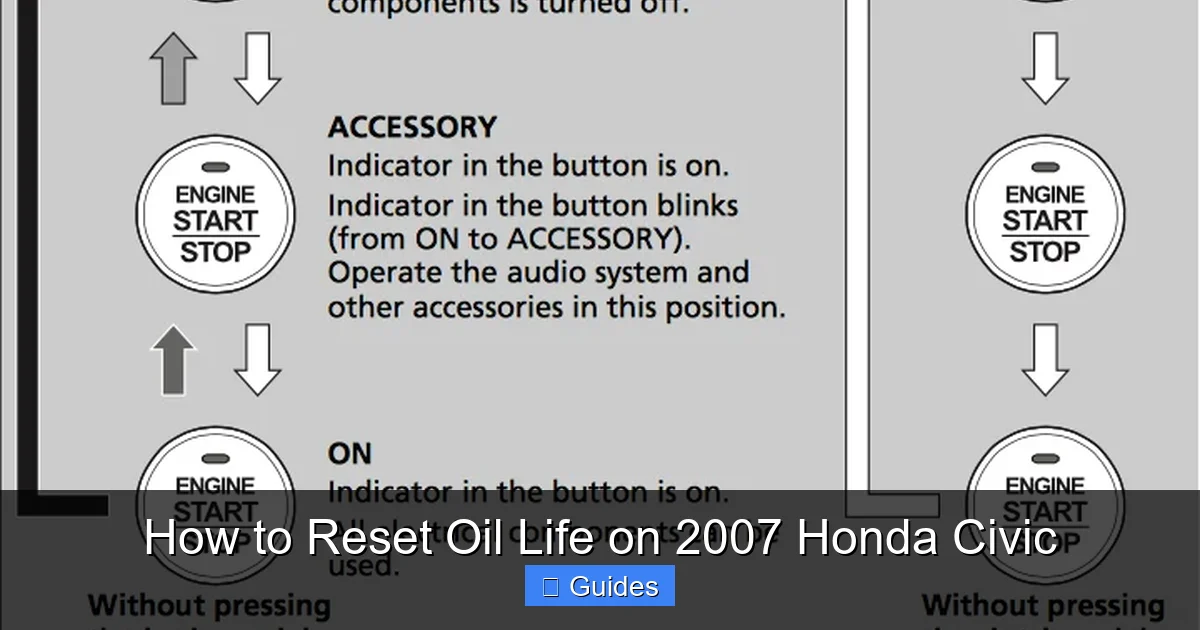
Before diving into the reset steps, it helps to understand how the oil life monitoring system actually works in your 2007 Honda Civic. Unlike older cars that rely solely on mileage (like “change oil every 3,000 miles”), the 2007 Civic uses a more advanced algorithm. It considers factors like engine temperature, driving speed, trip duration, and even how often you start and stop the engine. This means two drivers with the same mileage might see different oil life percentages based on their driving habits.
For example, someone who takes frequent short trips in cold weather will degrade their oil faster than someone who drives long highway distances. The system accounts for this by adjusting the countdown accordingly. When the oil life reaches 15%, the “Maintenance Required” light—a small wrench icon—appears on the dashboard. At 5%, it may flash or stay on more persistently. Once it hits 0%, the light remains solid, signaling that an oil change is overdue.
It’s important to note that this system doesn’t measure oil quality directly. It’s an estimate based on usage patterns. That’s why it’s still crucial to follow Honda’s recommended oil change intervals (typically every 7,500 miles with synthetic oil, or sooner if you drive in severe conditions). The oil life percentage is a helpful guide, but it’s not a substitute for regular inspections.
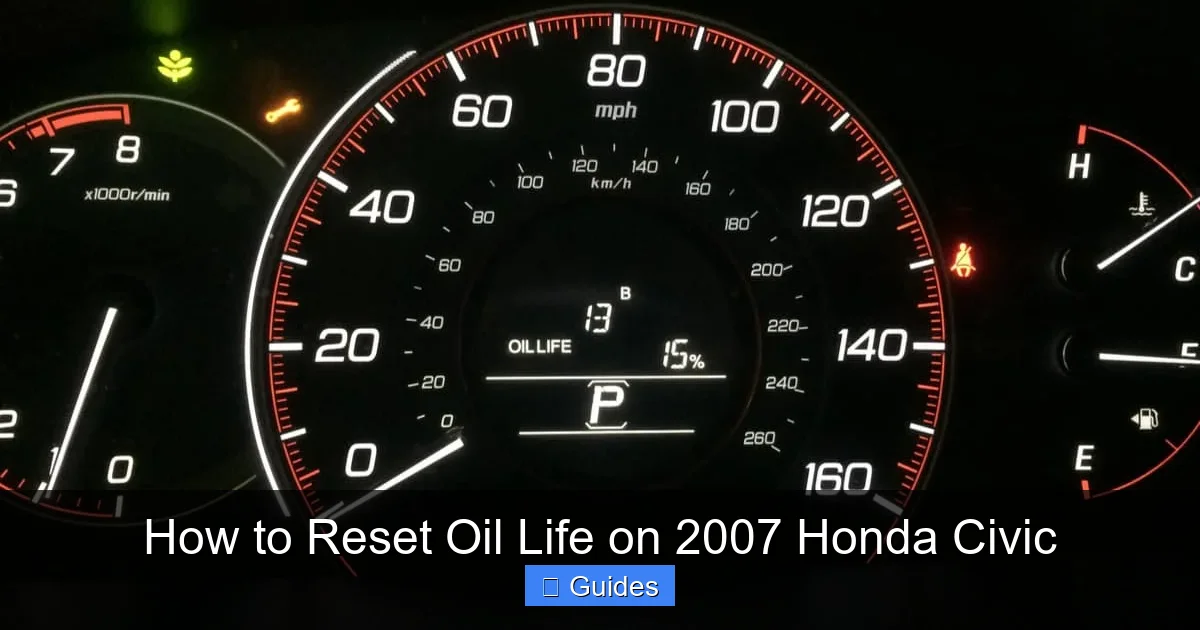
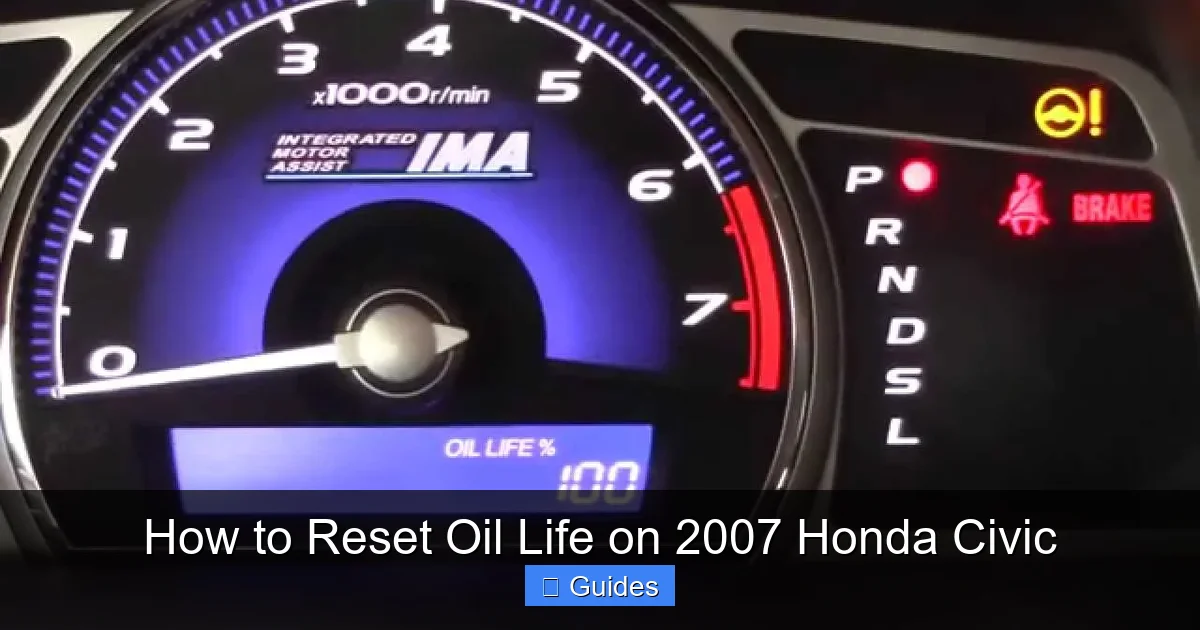
Another key point: the 2007 Civic doesn’t have a digital display showing the exact oil life percentage like newer models. Instead, it uses a series of bars or segments on the instrument cluster that decrease as oil life declines. When you reset the system, these bars should return to full, indicating 100% oil life. If they don’t, the reset didn’t work—and you’ll need to try again.
Tools and Preparation: What You’ll Need
Visual guide about How to Reset Oil Life on 2007 Honda Civic
Image source: mechanicbase.com
One of the best things about resetting the oil life on a 2007 Honda Civic is that you don’t need any special equipment. There’s no need for an OBD2 scanner, laptop, or even a smartphone app. All you need is your key and about 90 seconds of your time. However, there are a few preparation steps that will make the process smoother and ensure success.
First and most importantly: **complete your oil change before attempting the reset**. It might seem obvious, but resetting the indicator without actually changing the oil defeats the entire purpose. The system is designed to track real maintenance, not just clear a light. If you reset it prematurely, you could end up driving with old, degraded oil—which can lead to increased engine wear, reduced fuel efficiency, and even costly repairs down the line.
Next, make sure your car is parked on a level surface and the engine is completely cool. While the reset process doesn’t require the engine to be running, it’s safer and more comfortable to do it when the car isn’t hot from recent driving. Also, ensure the ignition is off before you begin. You’ll be turning the key to the “ON” position, but you don’t want to accidentally start the engine during the procedure.
Finally, locate the trip odometer button. On the 2007 Civic, this is a small black or gray button located on the instrument cluster, usually to the right of the speedometer. It’s used to switch between the main odometer and trip mileage readings. You’ll be pressing and holding this button during the reset process, so make sure you can reach it comfortably.
Step-by-Step Guide to Resetting the Oil Life
Visual guide about How to Reset Oil Life on 2007 Honda Civic
Image source: i.ytimg.com
Now that you’re prepared, let’s walk through the exact steps to reset the oil life indicator on your 2007 Honda Civic. This method works for both manual and automatic transmissions, and it’s the same whether your car has the base LX trim or the sportier Si model. Follow these instructions carefully—timing is important, and rushing can cause the reset to fail.
Step 1: Turn the Ignition to “ON”
Insert your key into the ignition and turn it to the “ON” position. This is the second notch when you turn the key—don’t start the engine, just power up the dashboard. You’ll see all the warning lights illuminate briefly, including the “Maintenance Required” light. This confirms the system is active and ready for input.
Step 2: Press and Hold the Trip Odometer Button
Immediately after turning the ignition to “ON,” locate the trip odometer button on the instrument cluster. Press and hold it down. Keep holding it—don’t let go yet. While you’re holding the button, you may notice the trip mileage display changing or resetting. That’s normal.
Step 3: Watch for the Oil Life Indicator
After holding the button for about 5–10 seconds, the “Maintenance Required” light should begin to blink. This is your signal that the system is in reset mode. Continue holding the button. The light will eventually stop blinking and stay on solid, or the oil life bars (if visible) may start to count down and then reset.
Step 4: Release the Button and Confirm
Once the light stops blinking and remains steady (or you see the oil life bars return to full), release the trip odometer button. The entire process should take no more than 15 seconds. Now, turn the ignition back to “OFF” and remove the key. When you restart the car, the “Maintenance Required” light should be off, and the oil life should read 100% (or full bars).
If the light is still on after restarting, don’t panic. Sometimes the reset doesn’t take the first time. Simply repeat the process: turn the ignition to “ON,” hold the trip button, wait for the light to blink and stabilize, then release. Most people get it right on the second try.
Troubleshooting Common Reset Issues
Even with clear instructions, sometimes the oil life reset doesn’t work as expected. If you’ve followed the steps and the “Maintenance Required” light is still on, there are a few common reasons why—and simple fixes.
The Light Won’t Turn Off After Reset
This is the most frequent issue. If the light remains on after you’ve completed the reset procedure, double-check that you turned the ignition to “ON” and not “START.” Starting the engine during the reset can interrupt the process. Also, ensure you held the trip button long enough—less than 5 seconds usually isn’t sufficient. Try the reset again, making sure to hold the button for a full 10–15 seconds.
The Trip Button Doesn’t Respond
If pressing the trip odometer button doesn’t change the display or trigger any response, the button itself might be faulty. This is rare but possible, especially in older vehicles. Try pressing it multiple times to see if it’s sticky or unresponsive. If it still doesn’t work, you may need to visit a Honda dealer or mechanic for assistance. However, in most cases, a firm press will do the trick.
Battery Was Recently Disconnected
If you’ve recently disconnected or replaced the car battery, the system may need a few drive cycles to relearn driving patterns before the oil life can be reset. In this case, try driving the car for a day or two, then attempt the reset again. The system sometimes needs to reinitialize after a power loss.
Dashboard Display Is Glitchy
Occasionally, the instrument cluster may show erratic behavior—flashing lights, frozen displays, or incorrect readings. This could indicate a loose connection or a failing cluster. If the reset still doesn’t work after multiple attempts, and the dashboard seems otherwise malfunctioning, it’s worth having a professional inspect it.
Best Practices for Maintaining Your 2007 Honda Civic
Resetting the oil life indicator is just one part of keeping your 2007 Honda Civic in top shape. To get the most out of your car and avoid unexpected repairs, follow these best practices for routine maintenance.
Stick to the Recommended Oil Change Interval
Honda recommends changing the oil every 7,500 miles if you use synthetic oil, or every 3,750–5,000 miles with conventional oil. However, if you drive in “severe” conditions—frequent short trips, extreme temperatures, towing, or stop-and-go traffic—you should change it more often, around every 3,000 miles. Use the oil life monitor as a guide, but don’t ignore real-world driving habits.
Use the Right Oil and Filter
Always use Honda-recommended oil (typically 0W-20 or 5W-20 synthetic) and a high-quality oil filter. Cheap filters can fail prematurely, leading to oil leaks or contamination. Stick with trusted brands like Honda Genuine, Fram, or Mobil 1.
Check Oil Levels Regularly
Even with a monitoring system, it’s smart to check your oil level every few weeks. Pull out the dipstick, wipe it clean, reinsert it, and check the level. Top off if needed, but avoid overfilling—too much oil can cause foaming and reduce lubrication.
Keep a Maintenance Log
Write down each oil change, including the date, mileage, and type of oil used. This helps you track intervals and provides proof of care if you ever sell the car. You can use a notebook, a phone app, or even a simple spreadsheet.
Don’t Ignore Other Maintenance Reminders
The “Maintenance Required” light can also indicate other services, like tire rotation, brake inspection, or air filter replacement. Refer to your owner’s manual to understand what service is due at each interval. Resetting the oil life won’t address these other needs.
When to Seek Professional Help
While resetting the oil life is a DIY-friendly task, there are times when it’s best to consult a professional. If you’ve tried the reset multiple times and the light won’t turn off, or if you notice other dashboard warnings (like the check engine light), it’s worth getting a diagnostic check. A mechanic can scan the vehicle’s computer to see if there’s an underlying issue affecting the maintenance system.
Additionally, if you’re uncomfortable performing your own oil changes or unsure about the correct oil type, a trusted mechanic or Honda service center can handle both the oil change and the reset for you. While it may cost a bit more, it ensures the job is done correctly and gives you peace of mind.
Conclusion: Take Control of Your Civic’s Maintenance
Resetting the oil life on your 2007 Honda Civic is a small but powerful way to stay on top of your car’s health. It’s quick, free, and completely within your ability—no special tools or technical knowledge required. By mastering this simple procedure, you’ll avoid unnecessary service alerts, keep accurate maintenance records, and ensure your engine stays properly lubricated.
Remember: always change the oil before resetting the indicator, follow the step-by-step process carefully, and don’t hesitate to try again if it doesn’t work the first time. With regular care and attention, your 2007 Civic can continue running smoothly for many more miles. And the next time that “Maintenance Required” light comes on, you’ll know exactly what to do—no guesswork, no stress, just confidence behind the wheel.
Frequently Asked Questions
Can I reset the oil life without changing the oil?
Technically yes, but it’s not recommended. Resetting the indicator without an actual oil change can lead to driving with degraded oil, which may damage your engine over time. Always perform the oil change first.
How often should I reset the oil life on my 2007 Civic?
You should reset the oil life indicator every time you change the oil, which is typically every 3,000 to 7,500 miles depending on your driving conditions and oil type.
What if the reset doesn’t work the first time?
Don’t worry—this happens. Simply turn the ignition off, wait a few seconds, and try the reset process again. Make sure you’re holding the trip button long enough and that the engine isn’t running.
Does the 2007 Civic have an oil life percentage display?
No, unlike newer models, the 2007 Civic uses a series of bars or a simple “Maintenance Required” light instead of a digital percentage. The bars should return to full after a successful reset.
Can a dead battery affect the oil life reset?
Yes. If the battery was recently disconnected or died, the system may need a few drive cycles to relearn before the reset will work. Drive the car for a day or two, then try again.
Do I need a Honda dealership to reset the oil life?
Absolutely not. The 2007 Civic uses a manual reset method that any owner can perform at home using the trip odometer button and ignition key—no dealership visit required.

At CarLegit, we believe information should be clear, factual, and genuinely helpful. That’s why every guide, review, and update on our website is created with care, research, and a strong focus on user experience.