
Resetting the oil life indicator on your 2010 Honda Civic is quick, easy, and essential for maintaining your vehicle’s health. This guide walks you through the exact steps, explains why it matters, and offers tips to keep your engine in top shape between oil changes.
In This Article
- 1 Key Takeaways
- 2 📑 Table of Contents
- 3 Why Resetting the Oil Life Monitor Matters
- 4 Understanding the 2010 Honda Civic Oil Life System
- 5 Tools and Preparation Needed
- 6 Step-by-Step Guide to Reset Oil Life
- 7 Common Mistakes and Troubleshooting
- 8 Tips for Maintaining Your Honda Civic’s Engine Health
- 9 When to Seek Professional Help
- 10 Conclusion
- 11 Frequently Asked Questions
- 11.1 How often should I reset the oil life on my 2010 Honda Civic?
- 11.2 Can I reset the oil life without turning on the ignition?
- 11.3 What if the oil life percentage doesn’t reset to 100%?
- 11.4 Does the oil life monitor work with synthetic oil?
- 11.5 Can a mechanic reset the oil life for me?
- 11.6 Will resetting the oil life affect my warranty or maintenance records?
Key Takeaways
- Know when to reset: Always reset the oil life monitor after an oil change to ensure accurate tracking and avoid false service alerts.
- Use the correct method: The 2010 Honda Civic uses a manual button-based reset procedure—no scan tool required.
- Follow steps precisely: Skipping or misordering steps can prevent the reset from working. Patience and attention to detail are key.
- Check your oil level first: Always verify oil level and quality before resetting to ensure your engine is properly protected.
- Understand oil life vs. mileage: Honda’s oil life monitor calculates based on driving conditions, not just miles—resetting keeps it accurate.
- Keep a maintenance log: Record oil changes and resets to stay on top of your vehicle’s needs and improve resale value.
- Seek help if needed: If the reset fails repeatedly, there may be an underlying issue—consult a mechanic or Honda dealer.
📑 Table of Contents
Why Resetting the Oil Life Monitor Matters
Keeping your 2010 Honda Civic in peak condition starts with regular maintenance—and one of the most important tasks is changing the engine oil on time. But simply adding fresh oil isn’t enough. You also need to reset the oil life monitor so your car knows the service has been completed. Think of it like hitting the “reset” button on a stopwatch after finishing a lap. Without resetting, your car will keep counting down from the previous oil change, potentially warning you too early or too late.
The oil life indicator in your 2010 Honda Civic isn’t just a mileage counter. It’s a smart system that uses algorithms to estimate how much life is left in your oil based on factors like engine temperature, driving habits, idle time, and trip frequency. This means two drivers with the same mileage might see different oil life percentages. Resetting the system after an oil change ensures these calculations start fresh, giving you accurate, personalized reminders for future service.
Ignoring the reset can lead to confusion. You might see a warning light even though you just changed the oil, or worse—miss a real service need because the system is out of sync. Over time, delayed oil changes can cause sludge buildup, reduced fuel efficiency, and even engine damage. By taking just a minute to reset the oil life monitor, you’re protecting your engine, saving money on repairs, and ensuring your Civic runs smoothly for years to come.
Understanding the 2010 Honda Civic Oil Life System
Visual guide about How to Reset Oil Life on 2010 Honda Civic
Image source: automotivewidgets.com
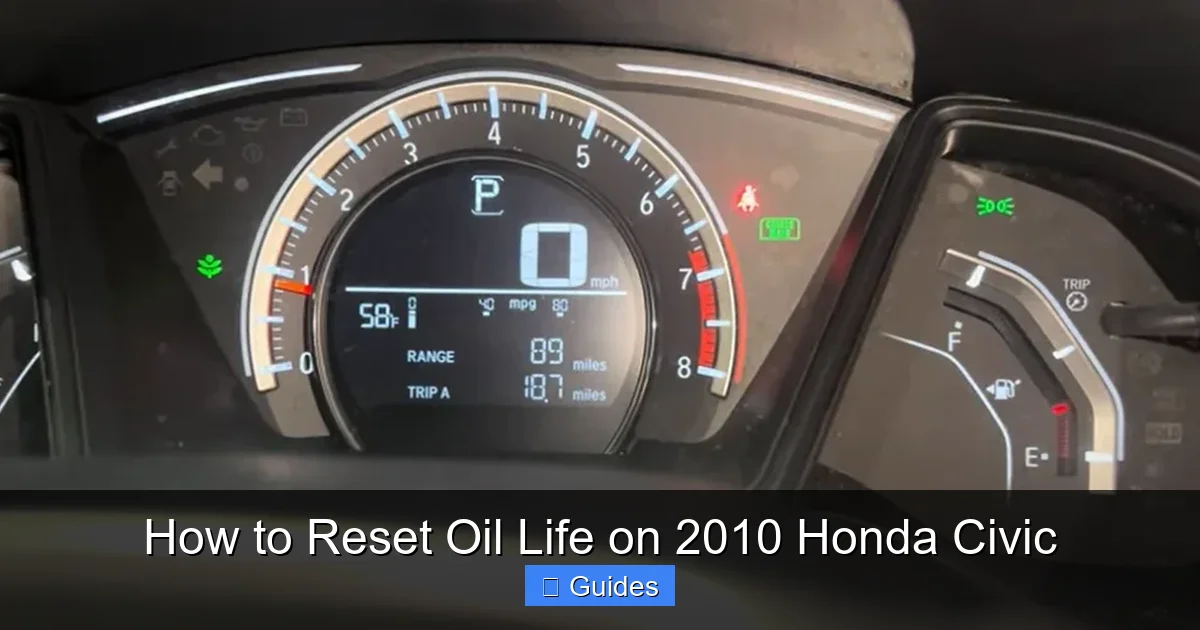
Before diving into the reset process, it helps to understand how the oil life monitoring system works in your 2010 Honda Civic. Unlike older cars that rely solely on mileage intervals (like “change oil every 3,000 miles”), Honda’s system uses real-time data to estimate oil degradation. Sensors monitor engine load, RPM, coolant temperature, and driving patterns to calculate when the oil is no longer effective at lubricating and cooling the engine.
This system displays the oil life as a percentage on your dashboard, typically shown as “Oil Life: 45%” or similar. When it drops to 15%, a yellow wrench icon may appear. At 5%, the message “Change Oil” usually flashes, and at 0%, it becomes urgent. The idea is to change the oil before it reaches 0%, but you should aim to do it closer to 15–20% to be safe.
It’s important to note that this system doesn’t measure oil quality directly—it estimates it. That’s why following Honda’s recommended oil type (usually 0W-20 or 5W-20 synthetic blend) and change intervals is crucial. Using the wrong oil or skipping changes can throw off the algorithm, leading to inaccurate readings. The reset process tells the car, “We’ve installed fresh oil—start the countdown again.” Without this step, the system keeps using old data, which defeats the purpose of the advanced monitoring.
Tools and Preparation Needed
Visual guide about How to Reset Oil Life on 2010 Honda Civic
Image source: hondatheotherside.com
The great news is that resetting the oil life on a 2010 Honda Civic requires no special tools, scanners, or technical expertise. Everything you need is already in your car. However, a little preparation goes a long way to ensure the process goes smoothly.
First, make sure your oil change is complete. Whether you did it yourself or had it done at a shop, confirm that the old oil has been drained, the filter replaced, and fresh oil added to the correct level. Check the dipstick—oil should be between the two marks and appear clean, not dark or gritty. If you’re unsure about the oil level, top it off carefully. Overfilling can be just as harmful as underfilling.
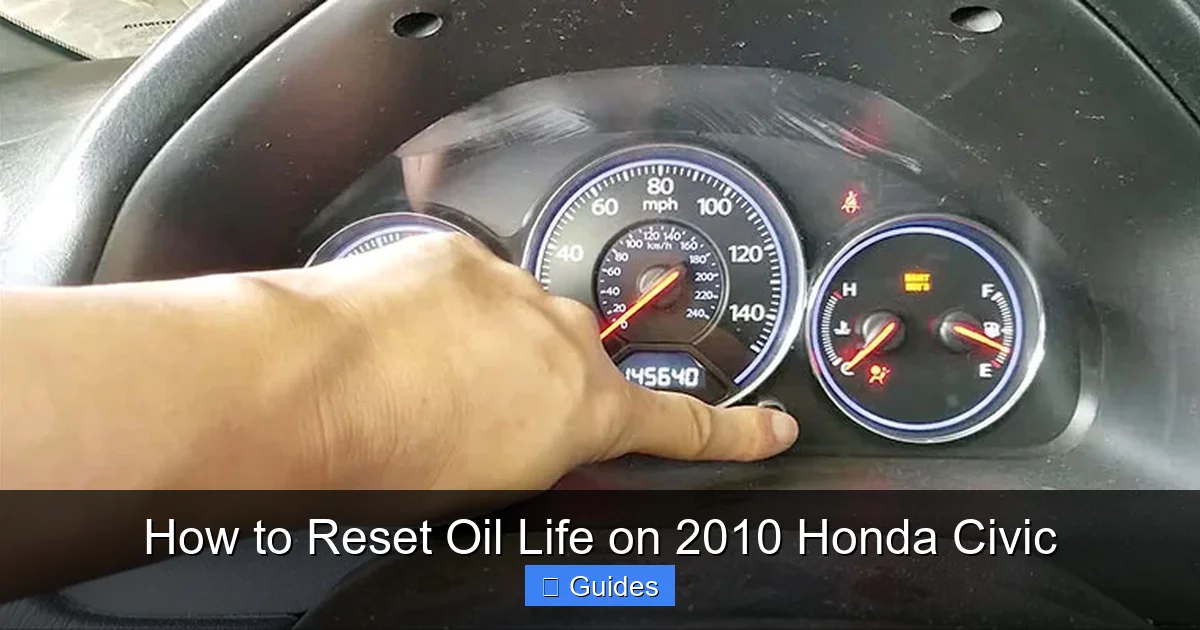
Next, ensure your car is parked on a level surface with the engine off. This helps the system read sensor data accurately. Turn the ignition to the “ON” position (but don’t start the engine) so the dashboard lights up. You’ll need access to the instrument cluster and the trip button, usually located on the dashboard near the speedometer.
Finally, have a notepad or your phone ready to jot down the steps if needed. While the process is simple, it’s easy to forget the exact sequence, especially if you don’t do it often. Taking a photo of the dashboard before starting can also help you remember what the display looked like originally.
Step-by-Step Guide to Reset Oil Life
Now that you’re prepared, let’s walk through the exact steps to reset the oil life monitor on your 2010 Honda Civic. This method works for both LX and EX trims and doesn’t require any external devices. Just follow along carefully—timing and sequence matter.
Step 1: Turn the Ignition to “ON”
Sit in the driver’s seat and insert the key. Turn it to the “ON” position, but do not start the engine. You should see all the dashboard lights illuminate, including the oil life percentage and any warning symbols. This powers up the vehicle’s electronics without engaging the engine, which is essential for the reset process.
Look at your instrument cluster. You should see the oil life percentage displayed, usually near the speedometer or in the center of the display. If it’s not showing, press the “TRIP” button (sometimes labeled “SELECT/RESET”) repeatedly until the oil life screen appears. On most 2010 Civics, this button is located on the dashboard, just below or beside the speedometer.
Step 3: Press and Hold the Trip Button
Once the oil life percentage is displayed, press and hold the “TRIP” button. Keep holding it down. After about 5–10 seconds, the oil life percentage should start to blink. This indicates the system is ready to reset. If it doesn’t blink, release the button, wait a few seconds, and try again. Make sure you’re holding it long enough—rushing this step is a common mistake.
Step 4: Release and Press Again
When the oil life percentage begins to blink, release the button. Then, immediately press and hold it again. Hold it for another 5–10 seconds. During this time, the display should change—either the percentage resets to 100%, or a confirmation message like “RESET” or “OIL LIFE 100%” appears. This means the reset was successful.
Step 5: Turn Off the Ignition
Once you see the confirmation, release the button and turn the ignition back to the “OFF” position. Wait about 10 seconds, then turn it back to “ON” to verify the reset. The oil life should now read 100%. If it does, you’re all set. If not, repeat the process from Step 1.
Step 6: Start the Engine and Confirm
Start your engine and let it idle for a minute. Check the dashboard to ensure no warning lights are on and the oil life remains at 100%. Take a short drive if possible to allow the system to fully initialize. This completes the reset process.
Common Mistakes and Troubleshooting
Even with clear instructions, things can go wrong. Here are some common mistakes people make when resetting the oil life on a 2010 Honda Civic—and how to fix them.
One frequent error is not holding the trip button long enough. The system requires a sustained press—usually at least 5 seconds—before it responds. If you release too soon, nothing happens. Be patient and count slowly. If the display doesn’t blink on the first try, wait 10 seconds and repeat.
Another issue is trying to reset the system while the engine is running. The reset only works when the ignition is on but the engine is off. Starting the engine interrupts the signal and prevents the reset. Always double-check that the engine is off before beginning.
Some drivers confuse the trip button with other controls. Make sure you’re pressing the correct button—usually the one labeled “TRIP” or “SELECT/RESET” near the speedometer. On some models, this button also controls the odometer and trip meter, so you may need to cycle through displays to find the oil life screen.
If the reset still doesn’t work after multiple attempts, there could be a deeper issue. A faulty instrument cluster, low battery voltage, or a software glitch might be interfering. Try disconnecting the car battery for 10 minutes to reset the electronics, then reconnect and try again. If that fails, consult a Honda technician. In rare cases, a software update from the dealer may be needed.
Tips for Maintaining Your Honda Civic’s Engine Health
Resetting the oil life monitor is just one part of keeping your 2010 Honda Civic running well. To get the most out of your engine, follow these best practices for ongoing maintenance.
First, stick to Honda’s recommended oil type and change intervals. For most 2010 Civics, that’s 0W-20 or 5W-20 synthetic blend oil, changed every 7,500 miles or 12 months under normal driving conditions. If you frequently drive in stop-and-go traffic, extreme temperatures, or dusty environments, consider changing it every 5,000 miles.
Second, always replace the oil filter with every oil change. A clogged filter reduces oil flow and can lead to engine wear. Use a high-quality filter designed for your Civic—cheap filters may not seal properly or may fail prematurely.
Third, check your oil level monthly. Even with regular changes, engines can burn or leak small amounts of oil. Use the dipstick to verify the level is between the two marks. Top off with the same type of oil if needed, but avoid mixing different brands or viscosities.
Fourth, keep an eye on other fluids—coolant, brake fluid, transmission fluid, and power steering fluid. These all play a role in engine performance and longevity. Low or dirty fluids can cause overheating, poor shifting, or brake failure.
Finally, listen to your car. Unusual noises, vibrations, or warning lights are signs something’s wrong. Addressing small issues early can prevent costly repairs down the road. And don’t forget to keep a maintenance log—note the date, mileage, and type of service performed each time. This helps you stay on schedule and adds value if you ever sell the car.
When to Seek Professional Help
While resetting the oil life monitor is a DIY-friendly task, there are times when it’s best to call in a professional. If you’ve followed the steps correctly multiple times and the system still won’t reset, there may be an electrical or software issue. A Honda-certified technician can run diagnostics to check for fault codes or module failures.
Similarly, if your oil life monitor seems inaccurate—for example, it drops to 0% after just 3,000 miles of gentle driving—there could be a sensor problem or oil contamination. A mechanic can test the oil quality and inspect the engine for leaks or sludge.
If you’re uncomfortable performing the reset yourself, or if you’re already at a shop for an oil change, ask the technician to reset the monitor for you. Most service centers do this automatically, but it never hurts to confirm. Some shops may charge a small fee, but it’s usually included in the service cost.
Lastly, if your Civic has over 100,000 miles or shows signs of engine wear, consider a full inspection. Older engines may need more frequent oil changes, higher-viscosity oil, or additional maintenance. A professional can assess your engine’s condition and recommend the best care plan.
Conclusion
Resetting the oil life on your 2010 Honda Civic is a simple but essential task that keeps your engine protected and your mind at ease. With just a few button presses, you can ensure your car’s monitoring system stays accurate and reliable. By following the steps outlined in this guide, avoiding common mistakes, and maintaining good habits, you’ll extend the life of your engine and enjoy smoother, more efficient driving.
Remember, the oil life monitor is there to help—not to confuse. Treat it as a partner in your car’s care. Reset it after every oil change, keep up with routine maintenance, and don’t ignore warning signs. Your Civic will thank you with years of dependable performance.
Whether you’re a seasoned DIYer or a first-time car owner, this process is well within your reach. Take a few minutes today to reset your oil life monitor, and drive with confidence knowing your Honda is in great shape.
Frequently Asked Questions
How often should I reset the oil life on my 2010 Honda Civic?
You should reset the oil life monitor every time you change the oil, regardless of mileage. This ensures the system starts a fresh countdown and provides accurate reminders for future service.
Can I reset the oil life without turning on the ignition?
No, the ignition must be in the “ON” position (but engine off) for the reset to work. This powers the dashboard electronics and allows the system to receive the reset signal.
What if the oil life percentage doesn’t reset to 100%?
If the percentage doesn’t reset, double-check that you’re following the steps correctly. Ensure the engine is off, the correct button is pressed, and you’re holding it long enough. If it still fails, try disconnecting the battery for 10 minutes to reset the system.
Does the oil life monitor work with synthetic oil?
Yes, the oil life monitor works with both conventional and synthetic oils. Just make sure to use the oil type recommended by Honda (usually 0W-20 or 5W-20) for optimal performance and accuracy.
Can a mechanic reset the oil life for me?
Absolutely. Most mechanics and Honda service centers will reset the oil life monitor as part of an oil change service. Just ask them to confirm it’s been done before you leave.
Will resetting the oil life affect my warranty or maintenance records?
No, resetting the oil life monitor has no impact on your warranty or records. It’s a standard maintenance procedure. However, keeping a log of oil changes and resets can help prove proper care if needed.

At CarLegit, we believe information should be clear, factual, and genuinely helpful. That’s why every guide, review, and update on our website is created with care, research, and a strong focus on user experience.