
Resetting the oil life indicator on your 2016 Honda Civic is quick and simple—no mechanic required. This guide walks you through the exact button sequence and dashboard steps to clear the maintenance reminder safely and correctly.
Owning a 2016 Honda Civic means enjoying one of the most reliable, fuel-efficient, and well-built compact cars on the road. But like any vehicle, it needs regular maintenance—and that includes timely oil changes. One of the smartest features Honda added to the 2016 Civic is the oil life monitoring system. Instead of relying on a fixed 3,000- or 5,000-mile rule, this system calculates your actual driving conditions—like trip length, engine temperature, and RPMs—to determine when your oil truly needs replacing.
When the oil life percentage drops to 15% or lower, a yellow wrench icon or “Maintenance Required” message appears on your dashboard. That’s your cue: it’s time for an oil change. But here’s the catch—after you’ve had the oil changed (whether by yourself or at a shop), you need to manually reset the oil life indicator. If you don’t, that warning light will keep bothering you, even though your oil is fresh. And worse, you might forget when your next change is due.
The good news? Resetting the oil life on a 2016 Honda Civic is surprisingly straightforward. You don’t need special tools, a diagnostic scanner, or a trip to the dealership. With just a few button presses on your instrument panel, you can clear the reminder and get back to driving with peace of mind. In this guide, we’ll walk you through the entire process step by step, explain why it matters, and share tips to keep your Civic running smoothly for years to come.
In This Article
- 1 Key Takeaways
- 2 📑 Table of Contents
- 3 Why the Oil Life Indicator Matters
- 4 When Should You Reset the Oil Life?
- 5 Step-by-Step Guide to Resetting Oil Life on 2016 Honda Civic
- 6 Tips for Maintaining Your Honda Civic’s Engine Health
- 7 Common Mistakes to Avoid
- 8 Conclusion
- 9 Frequently Asked Questions
- 9.1 Can I reset the oil life without changing the oil?
- 9.2 What type of oil does the 2016 Honda Civic need?
- 9.3 How often should I change the oil in my 2016 Civic?
- 9.4 Why won’t my oil life reset to 100%?
- 9.5 Do I need a special tool to reset the oil life?
- 9.6 Will resetting the oil life affect my warranty?
Key Takeaways
- Know when to reset: Only reset the oil life after you’ve actually changed the oil—don’t just clear the light without service.
- Use the right method: The 2016 Civic uses a button-based system on the instrument panel, not a touchscreen or OBD2 tool.
- Follow the exact sequence: Press and hold the SELECT/RESET button while turning the ignition to “ON” to enter reset mode.
- Confirm the reset: Watch for the oil life percentage to drop to 100%—this confirms the system has been successfully reset.
- Don’t ignore maintenance: Resetting the indicator doesn’t replace actual oil changes; stick to Honda’s recommended schedule.
- Keep records: Log your oil changes manually or digitally to track mileage and service history.
- Seek help if needed: If the reset doesn’t work, check your owner’s manual or consult a Honda technician.
📑 Table of Contents
Why the Oil Life Indicator Matters
You might be thinking, “It’s just a light—why bother resetting it?” But ignoring or forgetting to reset the oil life indicator can lead to real problems down the road. The system isn’t just a nag; it’s a smart tool designed to protect your engine.
Modern engines, including the 1.8L and 2.0L four-cylinders in the 2016 Civic, are built to tight tolerances and rely on clean, high-quality oil to lubricate moving parts, reduce friction, and dissipate heat. Over time, oil breaks down, collects contaminants, and loses its effectiveness. If you keep driving with degraded oil, you risk increased wear, reduced fuel economy, and even engine damage.
The oil life monitor takes the guesswork out of maintenance. It uses real-time data from your driving habits to estimate how much life is left in your current oil. For example, if you mostly take short trips in stop-and-go traffic, your oil may degrade faster than someone who drives long highway miles. The system accounts for that and alerts you accordingly.
Resetting the indicator after an oil change ensures the system starts fresh and accurately tracks your next interval. Think of it like hitting “restart” on a timer—it gives you a clean slate so you’re not misled by outdated data. Plus, keeping the system active helps you build good maintenance habits. You’ll always know when it’s time for service, which can extend your car’s lifespan and even boost its resale value.
When Should You Reset the Oil Life?
Visual guide about How to Reset Oil Life on Honda Civic 2016
Image source: i.ytimg.com
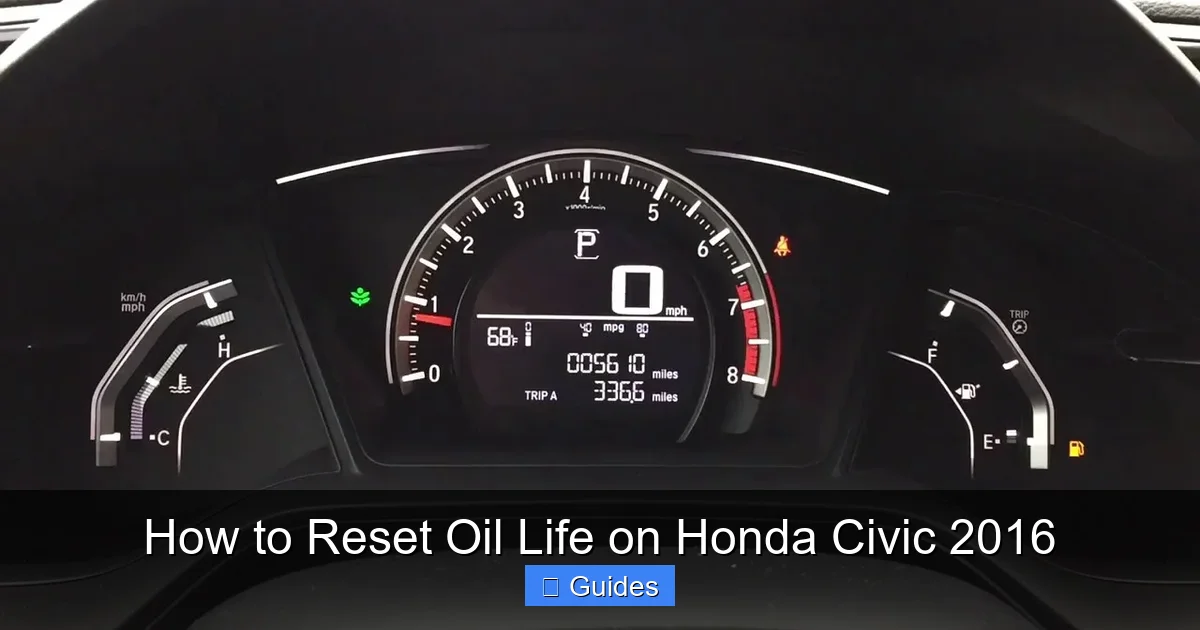
Timing is everything when it comes to resetting the oil life on your 2016 Honda Civic. You should only perform the reset immediately after completing an oil change—not before, not during, and definitely not as a way to silence the warning light without actually servicing the vehicle.
Here’s a simple rule: **Reset = Fresh Oil**. If you haven’t changed the oil, don’t reset the indicator. Doing so would be like resetting your phone’s step counter without actually walking—it gives false information and defeats the purpose of the system.
So, when exactly is the right time? Let’s break it down:
– **After a professional oil change:** If you took your Civic to a dealership, quick-lube shop, or independent mechanic, ask them to reset the oil life indicator as part of the service. Most reputable shops will do this automatically, but it’s always good to confirm. If they forget, you can easily do it yourself using the steps below.
– **After a DIY oil change:** If you changed the oil yourself—great job! Once you’ve replaced the oil filter, added the correct type and amount of oil (typically 3.7 quarts of 0W-20 for the 1.8L engine), and double-checked for leaks, it’s time to reset the system.
– **When the indicator reaches 15% or lower:** Honda recommends servicing your vehicle when the oil life drops to 15%. At that point, you have a little buffer—usually a few hundred miles—before the oil becomes critically degraded. Don’t wait until it hits 0%! Resetting at 15% ensures you’re staying ahead of potential issues.
One common mistake drivers make is resetting the oil life too early—say, when it’s at 30%—just because they plan to change the oil soon. But that throws off the calculation. The system is designed to count down from 100%, so resetting prematurely means your next alert could come too soon or too late.
Another tip: Always reset the oil life before you drive away from the service location (whether it’s your garage or a shop). That way, you start your next cycle with a clean record and avoid confusion later.
Step-by-Step Guide to Resetting Oil Life on 2016 Honda Civic

Visual guide about How to Reset Oil Life on Honda Civic 2016
Image source: i.ytimg.com
Now for the main event: how to actually reset the oil life indicator on your 2016 Honda Civic. Don’t worry—it’s easier than tying your shoes. You’ll only need your key (or push-button start) and about 30 seconds of your time.
Before we begin, make sure your car is parked on a level surface, the engine is off, and the parking brake is engaged. Safety first!
Method 1: Using the Instrument Panel Buttons (Most Common)
This is the standard method for all 2016 Honda Civic models, including LX, EX, EX-T, EX-L, and Si trims. Here’s how to do it:
1. **Turn the ignition to “ON” (but don’t start the engine).**
If your Civic has a key, insert it and turn it to the second position (where the dashboard lights up but the engine doesn’t crank). If you have push-button start, press the “START” button once without pressing the brake pedal.
2. **Locate the SELECT/RESET button.**
This small black button is on the lower right side of your instrument cluster, near the speedometer. It’s usually labeled “SELECT/RESET” or just “RESET.”
3. **Press and hold the SELECT/RESET button.**
Keep holding it down. You’ll see the oil life percentage on the display start to blink.
4. **Wait for the confirmation.**
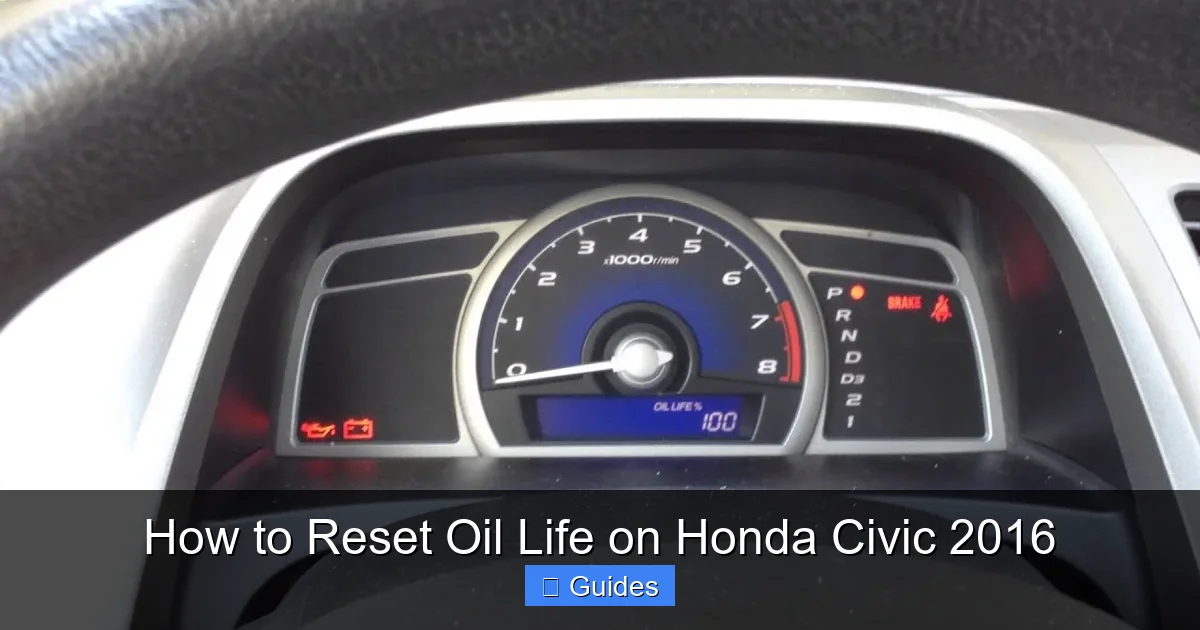
After about 5–10 seconds, the oil life percentage will reset to 100%, and the display will stop blinking. You may also see a brief message like “OIL LIFE RESET” or just the number “100%” appear.
5. **Release the button and turn off the ignition.**
Once you see 100%, you’re done! Turn the key back to “OFF” or press the “START” button again to shut everything down.
That’s it! The next time you start your car, the oil life indicator will show 100%, and the system will begin tracking your new oil change cycle.
Method 2: Alternative Sequence (If Method 1 Doesn’t Work)
On rare occasions—especially if the battery was recently disconnected or the system glitched—the standard method might not respond immediately. In that case, try this alternative approach:
1. Turn the ignition to “ON.”
2. Quickly press and release the SELECT/RESET button three times within five seconds.
3. After the third press, hold the button down.
4. The oil life percentage should begin blinking. Continue holding until it resets to 100%.
This method essentially “wakes up” the system and forces it into reset mode. It’s a handy backup if the first method seems unresponsive.
What If the Reset Doesn’t Work?
If you follow the steps correctly and the oil life still won’t reset, don’t panic. Here are a few troubleshooting tips:
– **Check the ignition position:** Make sure you’re in “ON” mode, not “ACC” or “OFF.” The dashboard must be fully lit.
– **Hold the button long enough:** Some drivers release too soon. Hold for at least 10 seconds.
– **Try with the engine off:** Never attempt the reset while the engine is running.
– **Battery issues:** A weak or recently replaced battery can sometimes cause glitches. Try driving for 10–15 minutes to recharge, then attempt the reset again.
– **Consult the owner’s manual:** Honda’s official guide (available online or in your glove box) has the most accurate instructions for your specific trim.
If none of these work, there may be a deeper issue with the instrument cluster or sensor. In that case, visit a Honda service center for diagnostics.
Tips for Maintaining Your Honda Civic’s Engine Health
Visual guide about How to Reset Oil Life on Honda Civic 2016
Image source: i.ytimg.com
Resetting the oil life indicator is just one part of keeping your 2016 Civic in top shape. To truly protect your engine and maximize performance, follow these best practices:
Use the Right Oil
Honda recommends using **0W-20 synthetic oil** for the 2016 Civic. This lightweight oil flows easily in cold weather and provides excellent protection under normal driving conditions. Avoid using conventional oil or thicker grades unless specified for extreme climates (and even then, check your manual first).
Always look for oil that meets Honda’s HTO-06 standard, which ensures it’s formulated to handle turbocharged engines (relevant for EX-T and Si models). Using the wrong oil can void your warranty and reduce engine efficiency.
Change the Oil Filter Too
Never skip the oil filter during an oil change. A clogged or old filter restricts oil flow and can lead to premature engine wear. Use a high-quality Honda Genuine or equivalent filter (like WIX, Fram Ultra, or Mobil 1) and replace it every time you change the oil.
Stick to the Maintenance Schedule
While the oil life monitor is smart, it’s not perfect. Honda still recommends servicing your Civic every 7,500 miles or 12 months under normal driving conditions—or every 3,750 miles or 6 months if you frequently drive in severe conditions (short trips, extreme temperatures, towing, etc.).
Keep a log of your oil changes, including date, mileage, oil type, and filter brand. You can use a notebook, a phone app, or even a sticker on the windshield. This helps you stay on track and provides proof of maintenance if you ever sell the car.
Check Oil Levels Regularly
Even with a monitoring system, it’s wise to check your oil level manually every few weeks. Park on level ground, wait 5–10 minutes after turning off the engine, pull out the dipstick, wipe it clean, reinsert it, and check the level. It should be between the two holes or marks.
Top off with the same type of oil if needed—but don’t overfill. Too much oil can cause foaming and reduce lubrication.
Watch for Warning Signs
Besides the oil life indicator, pay attention to other signs your engine might need attention:
– Unusual engine noise (tapping or knocking)
– Reduced fuel economy
– Oil leaks under the car
– Check Engine light or oil pressure warning
If you notice any of these, get your car inspected right away.
Common Mistakes to Avoid
Even experienced drivers make errors when resetting the oil life or maintaining their Civic. Here are some pitfalls to steer clear of:
– **Resetting without changing the oil:** This is the #1 mistake. The indicator is there for a reason—don’t trick yourself into thinking your oil is fresh when it’s not.
– **Using the wrong reset method:** Some older Honda models use different procedures. Make sure you’re following the 2016 Civic-specific steps.
– **Ignoring the oil filter:** Changing oil without a new filter is like washing your face with dirty water—it doesn’t help.
– **Overfilling the oil:** Adding too much oil can be just as harmful as too little. Stick to the recommended capacity (usually 3.7 quarts).
– **Delaying service:** Waiting until the oil life hits 0% puts unnecessary stress on your engine. Service at 15% to stay safe.
Conclusion
Resetting the oil life on your 2016 Honda Civic is a small task with big benefits. It keeps your maintenance schedule accurate, protects your engine, and helps you avoid costly repairs down the line. With just a few button presses, you can silence that annoying warning light and drive confidently knowing your car is well cared for.
Remember: reset only after an oil change, use the correct procedure, and stay consistent with your maintenance habits. Your Civic will thank you with smooth performance, great fuel economy, and years of reliable service.
Whether you’re a DIY enthusiast or prefer professional service, taking control of your vehicle’s upkeep empowers you as a driver. So the next time that oil life indicator pops up, don’t groan—smile. You know exactly what to do.
Frequently Asked Questions
Can I reset the oil life without changing the oil?
No, you should never reset the oil life indicator unless you’ve actually changed the oil. Resetting without service gives false information and can lead to engine damage from degraded oil.
What type of oil does the 2016 Honda Civic need?
The 2016 Honda Civic requires 0W-20 synthetic oil that meets Honda HTO-06 specifications, especially for turbocharged models. Always check your owner’s manual for confirmation.
How often should I change the oil in my 2016 Civic?
Under normal driving conditions, Honda recommends an oil change every 7,500 miles or 12 months. For severe driving (short trips, extreme temps), reduce it to every 3,750 miles or 6 months.
Why won’t my oil life reset to 100%?
If the reset fails, ensure the ignition is in “ON” mode (not running), hold the button long enough (10+ seconds), and try the alternative three-press method. A weak battery or system glitch may also be the cause.
Do I need a special tool to reset the oil life?
No special tools are needed. The 2016 Civic uses a simple button sequence on the instrument panel—no OBD2 scanner or dealership visit required.
Will resetting the oil life affect my warranty?
No, resetting the oil life indicator does not affect your warranty. However, failing to perform regular oil changes as recommended by Honda could void powertrain coverage if engine damage occurs.

At CarLegit, we believe information should be clear, factual, and genuinely helpful. That’s why every guide, review, and update on our website is created with care, research, and a strong focus on user experience.