
Resetting the oil life indicator on your 2017 Honda Civic is quick and easy—no mechanic needed. This guide walks you through the exact button sequence and timing so you can clear the maintenance reminder after every oil change and keep your dashboard clean and accurate.
In This Article
- 1 Key Takeaways
- 2 📑 Table of Contents
- 3 Why Resetting Oil Life Matters on Your 2017 Honda Civic
- 4 Understanding the 2017 Honda Civic Maintenance Minder System
- 5 Step-by-Step Guide: How to Reset Oil Life on Honda Civic 2017
- 6 Troubleshooting Common Reset Issues
- 7 Best Practices for Oil Maintenance on Your 2017 Civic
- 8 Frequently Asked Questions About Oil Life Reset
- 9 Final Thoughts: Keep Your Civic Running Smoothly
- 10 Frequently Asked Questions
Key Takeaways
- Reset after every oil change: Always reset the oil life monitor to ensure accurate tracking of your next service interval.
- Use the right button sequence: The process involves the “Select/Reset” knob on the instrument panel—no tools or codes required.
- Turn the ignition to “ON” but don’t start the engine: This powers up the dashboard electronics without engaging the motor.
- Hold the knob for 10–15 seconds: Timing is key—release too early and the reset won’t complete.
- Watch for the confirmation message: The display will show “Oil Life 100%” or similar when successfully reset.
- Don’t ignore the maintenance minder: It calculates oil life based on driving conditions, not just mileage.
- Keep records manually too: Use a logbook or app to track oil changes alongside the onboard system.
📑 Table of Contents
- Why Resetting Oil Life Matters on Your 2017 Honda Civic
- Understanding the 2017 Honda Civic Maintenance Minder System
- Step-by-Step Guide: How to Reset Oil Life on Honda Civic 2017
- Troubleshooting Common Reset Issues
- Best Practices for Oil Maintenance on Your 2017 Civic
- Frequently Asked Questions About Oil Life Reset
- Final Thoughts: Keep Your Civic Running Smoothly
Why Resetting Oil Life Matters on Your 2017 Honda Civic
You just changed your oil—great job! But if you don’t reset the oil life indicator on your 2017 Honda Civic, that pesky “Maintenance Minder” light might still blink at you every time you start the car. It’s not just annoying; it can also lead to confusion about when your next oil change is actually due.
The 2017 Honda Civic uses an intelligent Maintenance Minder system that doesn’t rely solely on mileage. Instead, it monitors engine temperature, RPMs, driving speed, and even ambient conditions to calculate how much life your oil has left. This means two drivers with the same odometer reading could have vastly different oil life percentages based on their driving habits. Resetting the system after an oil change tells the car, “Hey, I’ve got fresh oil—start counting from 100% again!” Skipping this step means the car keeps tracking from the old percentage, which could trigger a premature (or delayed) service alert.
What Happens If You Don’t Reset It?
If you ignore the reset, your Civic may display a lower oil life percentage than reality—or worse, flash a warning light before your oil actually needs changing. Conversely, if you drive conservatively and the system thinks your oil is still good, you might delay a necessary change. Either way, you lose the benefit of Honda’s smart algorithm. Plus, future mechanics or buyers checking your service history via the onboard computer will see inaccurate data.
When Should You Reset?
Always reset the oil life indicator immediately after every oil change—whether you did it yourself or took it to a shop. Even if the mechanic says they’ll handle it, it’s smart to double-check. Some quick-lube places forget, especially during busy hours. And if you’re doing a DIY change (which many Civic owners love because it’s so straightforward), resetting the monitor is the final—and crucial—step.
Understanding the 2017 Honda Civic Maintenance Minder System
Before we dive into the reset steps, let’s clarify what this system actually does. The 2017 Honda Civic doesn’t have a simple “oil change due” light like older cars. Instead, it uses a dynamic algorithm called the Maintenance Minder. This system evaluates real-time driving data to estimate oil degradation. For example, frequent short trips in cold weather degrade oil faster than long highway drives. The Minder accounts for that.
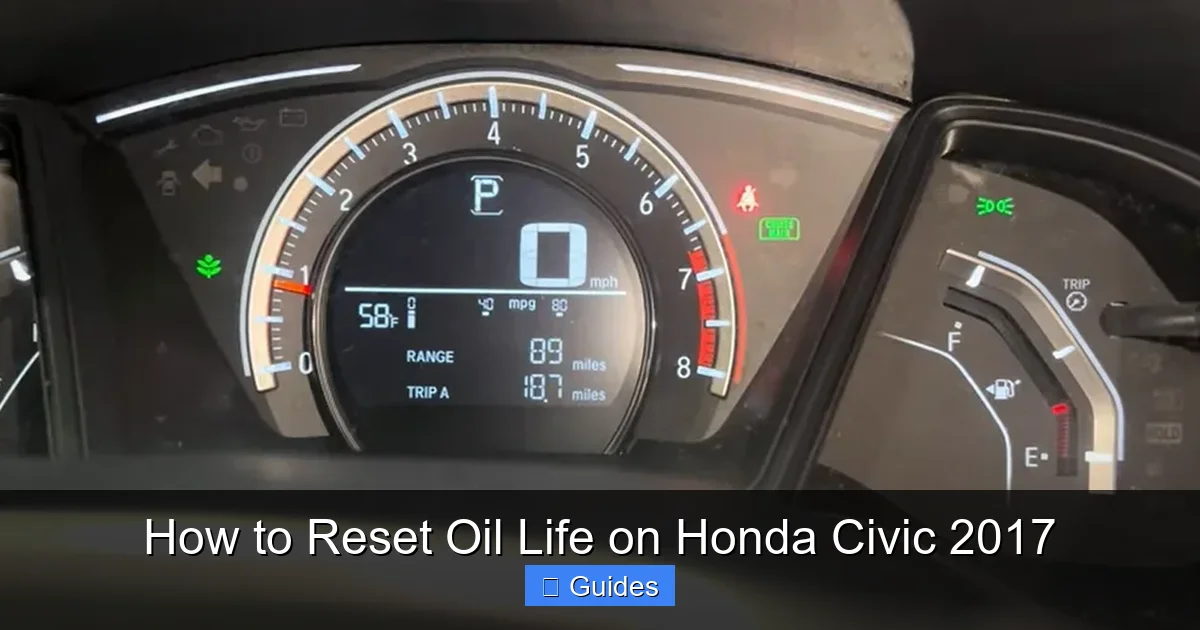
Visual guide about How to Reset Oil Life on Honda Civic 2017
Image source: automotivewidgets.com
How the Algorithm Works
Honda’s engineers designed the system to be more accurate than fixed intervals like “every 3,000 miles.” Sensors feed data to the engine control unit (ECU), which adjusts the oil life percentage accordingly. You’ll see codes like “A1” (oil change + tire rotation) or “B12” (oil, filter, brakes, and air filter inspection) appear as the percentage drops. These codes tell you exactly what services are recommended—not just oil.
Oil Life Percentage vs. Mileage
Don’t assume 50% oil life equals half your usual interval. If you mostly drive in stop-and-go traffic, 50% might mean only 2,000 miles. On the highway, it could be closer to 5,000. That’s why resetting is so important—it gives you a true baseline. Without a reset, the system continues its calculation from the previous cycle, skewing future alerts.
Where to Find the Display
On the 2017 Civic, the oil life percentage appears in the instrument cluster—usually in the center LCD screen between the speedometer and tachometer. It shows up automatically when you turn the ignition on, or you can cycle through displays using the “Select/Reset” knob on the right side of the steering column.
Step-by-Step Guide: How to Reset Oil Life on Honda Civic 2017
Now for the main event—the actual reset process. It’s simpler than it sounds, and you don’t need any special tools. Just your hands, a few seconds of patience, and attention to timing.
Step 1: Turn the Ignition to “ON”
Sit in the driver’s seat and insert your key (or press the Start button if you have push-button ignition). Turn the key to the “ON” position—or press Start twice without pressing the brake pedal. You’ll see all dashboard lights illuminate, including the oil life percentage. Do not start the engine. Starting the engine interrupts the reset process.
Step 2: Locate the “Select/Reset” Knob
Look to the right of your steering wheel. You’ll see a small black knob labeled “Select/Reset.” This is your control for cycling through trip meters, fuel economy, and—most importantly—resetting maintenance reminders. It has a push-button function: you can turn it to scroll and press it to select.
Turn the “Select/Reset” knob until the oil life percentage appears on the screen. It usually shows something like “Oil Life 45%” or “Maintenance Minder: A1 – 30%.” Once it’s displayed, stop turning.
Step 4: Press and Hold the Knob
Now, press the knob inward (like a button) and hold it down. Keep holding. After about 5–7 seconds, the oil life percentage will start to blink. Continue holding for another 5–8 seconds—so roughly 10–15 seconds total. Don’t let go too soon!
Step 5: Watch for Confirmation
When the reset is successful, the display will change to show “Oil Life 100%” (or sometimes just “100%”). The blinking will stop, and the new value will remain steady. At this point, you can release the knob.
Step 6: Turn Off the Ignition
Turn the key back to “OFF” (or press Start once with the brake released). The next time you start the car, the oil life should read 100%, and any previous maintenance codes should be cleared.
Pro Tips for Success
- Be patient: If it doesn’t work the first time, don’t panic. Turn the ignition off, wait 10 seconds, and try again.
- Ensure full power: Make sure the battery isn’t weak. A low battery can prevent the system from responding.
- No foot on the brake: If you have push-button start, never press the brake pedal during this process—it starts the engine.
- Practice makes perfect: Try it once when you’re not in a hurry so you get comfortable with the timing.
Troubleshooting Common Reset Issues
Even with clear instructions, sometimes the reset doesn’t go as planned. Here’s how to handle the most common hiccups.
The Display Doesn’t Blink When I Hold the Knob
If nothing happens when you press and hold, double-check that you’re in the right menu. You must be viewing the oil life percentage—not trip distance or fuel economy. Also, ensure the ignition is fully “ON” (all dashboard lights lit). If your battery was recently disconnected or is weak, the system may need a moment to reboot.
It Resets But Reverts After Driving
This is rare but can happen if the system detects an incomplete oil change—for example, if the oil filter wasn’t replaced or the oil level is incorrect. Check your dipstick: the oil should be clean and at the proper level. Also, verify that you used the recommended oil grade (typically 0W-20 for the 2017 Civic).
Push-Button Start Models Acting Up
Owners of EX, EX-T, EX-L, or Touring trims with push-button ignition sometimes struggle because it’s easy to accidentally start the engine. Remember: press Start twice without touching the brake. First press = accessories on; second press = ignition on (engine off). Only then proceed with the reset.
Still Not Working? Try a Hard Reset
As a last resort, disconnect the negative terminal of your battery for 10–15 minutes. This resets the ECU and often clears stubborn glitches. Reconnect, turn the ignition on, and try the oil life reset again. Note: this may also reset your radio presets and clock, so have your radio code handy if required.
Best Practices for Oil Maintenance on Your 2017 Civic
Resetting the oil life indicator is just one part of responsible car care. To get the most out of your Civic’s engine—and its Maintenance Minder—follow these best practices.
Use the Right Oil
The 2017 Honda Civic requires 0W-20 synthetic oil for optimal performance and fuel economy. Honda specifically recommends oils that meet their HTO-06 standard (for vehicles with turbocharged engines) or API SN certification. Using the wrong viscosity or conventional oil can shorten oil life and void your warranty.
Change the Filter Every Time
Even if you’re doing a top-up between changes, always replace the oil filter during a full change. A clogged filter reduces oil flow and accelerates contamination. Honda’s OEM filter (part #15400-PLR-A02) is affordable and designed for your engine.
Check Oil Level Monthly
The Maintenance Minder tracks degradation, not volume. If your Civic burns or leaks oil (common in high-mileage engines), you could be low without knowing it. Check the dipstick monthly and top up with the same 0W-20 oil if needed.
Keep a Manual Log
Relying solely on the dashboard isn’t wise. Use a notebook, spreadsheet, or app (like Fuelly or MyCarDoesWhat) to record dates, mileage, oil type, and filter brand. This helps if you sell the car or need to prove maintenance for warranty claims.
Don’t Ignore Other Codes
When the Maintenance Minder shows a code like “B12,” it’s not just about oil. “B” means brake inspection, “1” is tire rotation, and “2” is engine air filter check. Address all items to keep your Civic in top shape.
Frequently Asked Questions About Oil Life Reset
Even after a successful reset, questions pop up. Here are answers to the most common ones from Civic owners.
Can I reset the oil life while the engine is running?
No—never attempt the reset with the engine running. The system won’t respond, and you risk confusing the ECU. Always do it with the ignition on but engine off.
Will resetting void my warranty?
Absolutely not. Resetting the oil life indicator is a normal part of maintenance and encouraged by Honda. Just keep records of your oil changes to prove compliance if needed.
What if my Civic has a different display layout?
All 2017 Civics use the same basic instrument cluster design. However, higher trims may show additional info. The oil life percentage is always accessible via the “Select/Reset” knob—just cycle through until you see it.
How often should I change my oil?
Let the Maintenance Minder guide you. Most drivers see the first alert between 7,500 and 10,000 miles, but it varies. In severe conditions (frequent short trips, towing, extreme temps), change it sooner—around 5,000 miles.
Can a mechanic reset it for me?
Yes, but don’t assume they will. Always ask when dropping off your car. If they forget, you can easily do it yourself afterward—no need for a return trip.
Does the reset affect other maintenance reminders?
Only oil-related codes are cleared. Other scheduled services (like brake fluid or transmission fluid) have separate timers and won’t be affected by an oil life reset.
Final Thoughts: Keep Your Civic Running Smoothly
Resetting the oil life on your 2017 Honda Civic takes less than a minute but pays big dividends in peace of mind and engine health. It’s a small act that ensures your car’s smart systems work as intended—giving you accurate, personalized maintenance alerts instead of generic warnings.
Remember: the Maintenance Minder is there to help, not hassle you. By resetting it properly after every oil change, you’re partnering with your car’s engineering to maximize performance, fuel efficiency, and longevity. And hey—now you can impress your friends with your dashboard wizardry next time you’re under the hood.
So next time that oil light pops up, don’t groan. Smile, grab your wrench (or receipt from the shop), and give your Civic the fresh start it deserves. Your engine will thank you—and so will your wallet down the road.
Frequently Asked Questions
Can I reset the oil life while the engine is running?
No, you should never attempt to reset the oil life indicator with the engine running. The system requires the ignition to be on but the engine off to function properly.
Will resetting the oil life void my warranty?
No, resetting the oil life is a standard maintenance procedure recommended by Honda and will not affect your vehicle’s warranty as long as proper oil changes are performed.
What if my Civic has a different display layout?
All 2017 Honda Civics use the same basic instrument cluster. The oil life percentage is always accessible through the “Select/Reset” knob—just cycle through the menus until you find it.
How often should I change my oil?
Follow the Maintenance Minder system, which typically alerts you between 7,500 and 10,000 miles. However, in severe driving conditions, consider changing it sooner—around 5,000 miles.
Can a mechanic reset it for me?
Yes, many mechanics will reset the oil life indicator after an oil change, but it’s always a good idea to confirm they’ve done it or reset it yourself to be sure.
Does the reset affect other maintenance reminders?
No, resetting the oil life only clears oil-related codes. Other scheduled services like brake fluid or transmission fluid have separate timers and remain unaffected.

At CarLegit, we believe information should be clear, factual, and genuinely helpful. That’s why every guide, review, and update on our website is created with care, research, and a strong focus on user experience.