
Resetting the service light on your BMW 5 Series doesn’t require a trip to the dealership. With just a few button presses or a basic OBD2 scanner, you can clear the maintenance reminder yourself. This guide walks you through every method clearly and simply.
In This Article
- 1 Key Takeaways
- 2 📑 Table of Contents
- 3 Why Does the Service Light Come On?
- 4 Understanding Your BMW 5 Series Model Year
- 5 Method 1: Resetting the Service Light Using the iDrive System (2011–Present)
- 6 Method 2: Manual Button Reset (2004–2010 Models)
- 7 Method 3: Using an OBD2 Scanner (All Models)
- 8 Verifying the Reset and Maintaining Your BMW
- 9 Conclusion
- 10 Frequently Asked Questions
- 10.1 Can I reset the BMW 5 Series service light without a scanner?
- 10.2 Why does my service light come back on after resetting?
- 10.3 How often should I reset the service light?
- 10.4 Will resetting the service light affect my warranty?
- 10.5 Can I reset the service light while the engine is running?
- 10.6 What if my iDrive screen is broken? Can I still reset the service light?
Key Takeaways
- Know your model year: Reset procedures differ slightly between older (E60, F10) and newer (G30) BMW 5 Series models.
- Use the iDrive system for newer models: Most post-2010 5 Series vehicles allow service light resets via the iDrive menu.
- Manual button method works for older models: Pre-2010 models often require using the odometer reset button and ignition cycling.
- OBD2 scanners offer a universal solution: A compatible scanner can reset the service light on any BMW 5 Series, regardless of year.
- Always confirm reset success: After resetting, verify the light is off and the service counter has restarted.
- Regular maintenance prevents frequent resets: Keeping up with scheduled services reduces how often you’ll need to reset the light.
- Consult your owner’s manual: BMW provides model-specific instructions that should always be your first reference.
📑 Table of Contents
- Why Does the Service Light Come On?
- Understanding Your BMW 5 Series Model Year
- Method 1: Resetting the Service Light Using the iDrive System (2011–Present)
- Method 2: Manual Button Reset (2004–2010 Models)
- Method 3: Using an OBD2 Scanner (All Models)
- Verifying the Reset and Maintaining Your BMW
- Conclusion
Why Does the Service Light Come On?
The service light in your BMW 5 Series isn’t just a random warning—it’s part of an intelligent maintenance system designed to keep your luxury sedan running smoothly. BMW calls this system the Condition Based Service (CBS), and it monitors various vehicle systems to determine when maintenance is truly needed, rather than relying solely on mileage or time intervals.
When the service light illuminates, it’s signaling that one or more maintenance tasks are due. This could include an oil change, brake fluid replacement, microfilter change, or inspection of critical components like brakes, suspension, or engine belts. The CBS system uses data from sensors throughout the vehicle—such as engine temperature, driving habits, mileage, and even how often you use the air conditioning—to calculate the optimal service schedule.
For example, if you frequently drive in stop-and-go city traffic or extreme temperatures, your oil may degrade faster than someone who only takes long highway trips. The CBS system accounts for these real-world conditions, making it more accurate than a simple “every 10,000 miles” rule. That said, the light doesn’t always mean something is wrong—it’s simply a reminder that scheduled maintenance is due.
Ignoring the service light isn’t recommended. While your BMW may still run fine for a while, delaying maintenance can lead to reduced performance, lower fuel efficiency, and even costly repairs down the road. Plus, if you’re planning to sell your car, a recent service history with a properly reset light can boost its resale value.
The good news? Resetting the service light is something you can do yourself—no dealership visit required. Whether you’ve just changed the oil or completed a full inspection, clearing the reminder light is quick, easy, and saves you both time and money.
Understanding Your BMW 5 Series Model Year
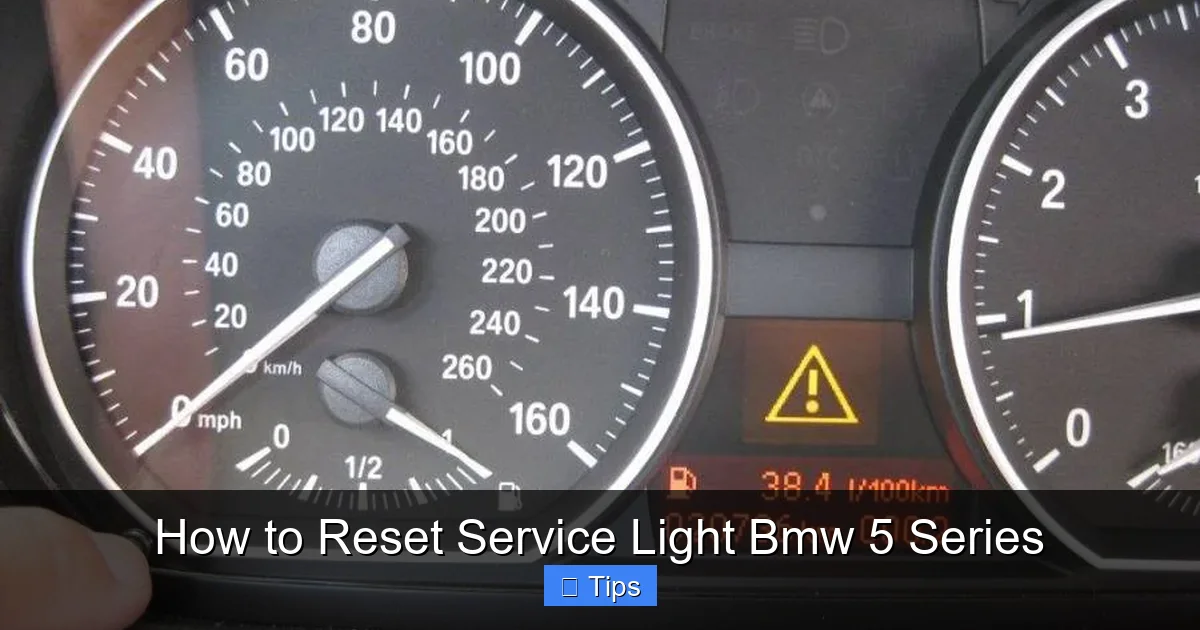
Visual guide about How to Reset Service Light Bmw 5 Series
Image source: assets.howtune.com
Before you attempt to reset the service light, it’s crucial to know which generation of the BMW 5 Series you’re working with. The reset method varies significantly depending on the model year, primarily because of changes in dashboard design, infotainment systems, and onboard computer interfaces.
The BMW 5 Series has gone through several major generations. The E60 (2004–2010) and E61 (wagon version) were the first to feature the iDrive system, but they still relied heavily on physical buttons for functions like resetting the service light. The F10 (2011–2016) and F11 (wagon) introduced a more refined iDrive system with a central display, making menu navigation easier. The current generation, the G30 (2017–present), features a fully digital instrument cluster and advanced iDrive 6 or 7, offering the most user-friendly reset process.
If you own a 2004–2010 BMW 5 Series (E60/E61), you’ll likely need to use the manual button method involving the odometer reset button on the instrument cluster. This method requires turning the ignition on and off in a specific sequence while holding the button. It’s straightforward but can be tricky if you don’t follow the steps exactly.
For 2011–2016 models (F10/F11), the process shifts to the iDrive system. You’ll navigate through the central display menu to find the “Vehicle Information” or “Service” section, where you can reset the maintenance reminders. This method is more intuitive but requires familiarity with the iDrive controller.
The 2017 and newer G30 models take it a step further. With iDrive 6 or 7, the reset process is even more streamlined. You can often reset the service light directly from the digital instrument cluster or via the touchscreen, with clear on-screen prompts guiding you through each step.
Knowing your model year not only helps you choose the right reset method but also ensures you don’t accidentally trigger other functions. For instance, holding the wrong button combination on an older model might reset the trip meter instead of the service light. Always double-check your vehicle’s year and generation before proceeding.
If you’re unsure which model you have, check the vehicle identification number (VIN). The 10th character in the VIN indicates the model year. For example, “E” stands for 2014, “F” for 2015, and so on. You can also look at the dashboard design—older models have analog gauges with a small LCD screen, while newer ones feature large digital displays.
Method 1: Resetting the Service Light Using the iDrive System (2011–Present)
Visual guide about How to Reset Service Light Bmw 5 Series
Image source: dealerinspire-image-library-prod.s3.us-east-1.amazonaws.com
If you own a 2011 or newer BMW 5 Series, the iDrive system makes resetting the service light a breeze. This method is ideal for F10, F11, and G30 models, where the central display and controller provide a user-friendly interface for managing vehicle settings.
Step-by-Step Guide for iDrive Reset
Start by turning on the ignition—press the Start/Stop button without pressing the brake pedal. This powers up the electronics without starting the engine. Once the dashboard lights up, locate the iDrive controller on the center console. It’s the round knob with buttons around it, usually positioned between the front seats.
Press the “Menu” button on the iDrive controller. This will bring up the main menu on the central display. Use the controller to navigate to “Vehicle Information” and select it. From there, choose “Service” or “Vehicle Status,” depending on your iDrive version.
You’ll now see a list of maintenance items, such as oil service, brake fluid, and inspection. Each item will show its current status—either “OK” or “Due.” To reset a specific service, highlight it and press the controller. A confirmation message will appear asking if you want to reset the service. Select “Yes” to confirm.
For example, if you’ve just changed the oil, select “Oil Service” and confirm the reset. The system will update the counter, and the service light should disappear from the dashboard. Repeat this process for any other services you’ve completed, such as brake fluid or microfilter changes.
On newer G30 models with iDrive 7, you may also be able to reset the service light directly from the digital instrument cluster. With the ignition on, use the steering wheel controls to navigate to the “Service” menu. From there, you can view and reset individual maintenance items without touching the iDrive controller.
Tips for a Smooth iDrive Reset
Always make sure the ignition is on but the engine is off during the reset process. Starting the engine can interrupt the procedure and prevent the reset from completing. Also, avoid pressing multiple buttons at once—navigate slowly and deliberately to avoid selecting the wrong menu.
If the service light doesn’t turn off after the reset, double-check that you selected the correct service item. Sometimes, the system may require you to reset multiple items separately. For instance, resetting the oil service won’t clear the brake fluid reminder.
Another helpful tip: take a photo of the service menu before resetting. This way, you can compare the before and after to confirm the reset was successful. Some owners also keep a maintenance log in their phone or notebook to track when each service was completed and reset.
Common Issues and Troubleshooting
One common issue is the service menu not appearing in iDrive. This can happen if the vehicle’s software is outdated or if there’s a temporary glitch. Try turning the ignition off completely, waiting 30 seconds, and then turning it back on. This often resets the system and restores access to the menu.
Another problem is the reset not sticking—meaning the light comes back on after a few days. This usually indicates that the service wasn’t actually completed, or the wrong item was reset. For example, if you changed the oil but reset the brake fluid service, the oil light will remain on. Always match the reset to the actual maintenance performed.
If you’re still having trouble, consult your owner’s manual. BMW provides detailed instructions for your specific model and iDrive version. You can also visit the official BMW website and enter your VIN to access personalized owner resources.
Method 2: Manual Button Reset (2004–2010 Models)
For owners of the E60 and E61 BMW 5 Series (2004–2010), the iDrive system is present, but the service light reset is typically done using the physical buttons on the instrument cluster. This method doesn’t rely on the central display, making it reliable even if the iDrive screen is malfunctioning.
How to Perform the Manual Reset
Start by turning the ignition to the “ON” position—press the Start/Stop button once without pressing the brake. You should see all the dashboard lights illuminate, including the service reminder. Do not start the engine.
Locate the small reset button on the instrument cluster. It’s usually found near the speedometer or tachometer, often labeled “BC” or “Trip.” Press and hold this button. While holding it, turn the ignition off and then back on. You’ll need to do this within a few seconds.
Continue holding the button until you see the service interval display change. On most E60 models, the odometer will switch to show the service countdown (e.g., “15,000 km to next service”). Keep holding the button until the display resets to zero or shows a full service interval.
Once the reset is complete, release the button and turn the ignition off. Wait about 10 seconds, then turn it back on to verify the service light is off. If the light remains off and the service counter has restarted, the reset was successful.
Practical Example: Resetting After an Oil Change
Let’s say you’ve just had your oil changed at a local shop and want to reset the service light yourself. After the oil change, start your car and let it idle for a minute to ensure the new oil circulates. Then, turn off the engine.
Turn the ignition to “ON” and press and hold the reset button. Turn the ignition off, then back on while still holding the button. Watch the display—it should flash or change to show the service interval. Hold until it resets.
This method works for oil service, inspection, and other CBS items. However, some older models may require different button sequences for different services. For example, you might need to press the button multiple times to cycle through oil, brake fluid, and inspection resets.
Tips for Success
Timing is critical with the manual method. If you wait too long between turning the ignition off and on, the reset may not register. Practice the sequence a few times with the ignition on to get the rhythm right.
Also, make sure the button is fully depressed. Some buttons require a firm press, and a light touch might not register. If the reset doesn’t work the first time, don’t panic—just try again.
If you’re still having trouble, check the fuse for the instrument cluster. A blown fuse can prevent the reset from working. The fuse box is usually located under the dashboard or in the engine compartment—refer to your owner’s manual for the exact location.
Method 3: Using an OBD2 Scanner (All Models)
If you’re uncomfortable with manual buttons or iDrive menus, or if you own multiple BMWs, investing in an OBD2 scanner is a smart move. A compatible scanner can reset the service light on any BMW 5 Series, regardless of model year, and often provides additional diagnostic capabilities.
Choosing the Right OBD2 Scanner
Not all OBD2 scanners can reset BMW service lights. You’ll need one that supports BMW-specific protocols and CBS functions. Popular options include the Foxwell NT510, Autel MaxiCOM, and BimmerLink (a smartphone app that works with a Bluetooth OBD2 adapter).
The Foxwell NT510 is a dedicated BMW scanner that can read and clear fault codes, reset service lights, and even program new keys. It’s user-friendly and comes with lifetime free updates for BMW models. The Autel MaxiCOM offers similar features but covers multiple brands, making it ideal if you own other vehicles.
For a more budget-friendly option, the BimmerLink app paired with a compatible OBD2 adapter (like the OBDLink MX+) allows you to reset service lights using your smartphone. The app provides clear instructions and real-time data, making it a great choice for tech-savvy owners.
Step-by-Step OBD2 Reset Process
Start by locating the OBD2 port in your BMW 5 Series. It’s usually found under the dashboard, near the driver’s knees. Plug in your scanner or adapter and turn the ignition to “ON.”
If using a handheld scanner, follow the on-screen prompts to select your vehicle make, model, and year. Navigate to the “Service” or “Maintenance” section. The scanner will display a list of pending services.
Select the service you’ve completed—such as oil change or brake fluid—and choose “Reset.” The scanner will communicate with the vehicle’s computer and clear the reminder. You’ll see a confirmation message once the reset is successful.
If using BimmerLink, open the app and connect to your OBD2 adapter via Bluetooth. The app will automatically detect your vehicle and display the service status. Tap on the service you want to reset and confirm the action.
Benefits of Using an OBD2 Scanner
One major advantage is accuracy. The scanner reads the actual data from the car’s computer, ensuring the correct service is reset. It also provides diagnostic information, such as engine codes or battery health, which can help you spot potential issues early.
Another benefit is convenience. Once you own a scanner, you can reset the service light anytime, anywhere—no need to remember complex button sequences or navigate iDrive menus. It’s especially useful if you perform your own maintenance and want to keep accurate records.
Verifying the Reset and Maintaining Your BMW
After resetting the service light, it’s important to verify that the reset was successful. Turn the ignition on and check that the service light no longer appears on the dashboard. Also, navigate to the service menu (via iDrive or the instrument cluster) to confirm the counters have restarted.
For example, if you reset the oil service, the display should show a full interval (e.g., “15,000 km to next service”). If the light comes back on immediately, the reset may not have taken, or another service may be due.
To avoid frequent resets, stick to BMW’s recommended maintenance schedule. This includes regular oil changes, brake fluid replacements every two years, and inspections every 30,000 miles. Keeping up with these tasks not only prevents warning lights but also extends the life of your 5 Series.
Consider using a maintenance app or calendar reminder to track service dates. Some apps even sync with your car’s CBS system to provide personalized alerts. Regular maintenance also helps maintain your vehicle’s performance, fuel efficiency, and resale value.
Conclusion
Resetting the service light on your BMW 5 Series is a simple task that saves you time and money. Whether you use the iDrive system, manual buttons, or an OBD2 scanner, the process is straightforward once you know your model year and the correct method.
By understanding your vehicle’s maintenance needs and resetting the light promptly after service, you keep your BMW running smoothly and avoid unnecessary stress. Remember to always confirm the reset was successful and keep up with regular maintenance to minimize future reminders.
With this guide, you’re equipped to handle the service light like a pro—no dealership visit required.
Frequently Asked Questions
Can I reset the BMW 5 Series service light without a scanner?
Yes, you can reset the service light without a scanner using the iDrive menu (for 2011 and newer models) or the manual button method (for 2004–2010 models). Both methods are effective and don’t require special tools.
Why does my service light come back on after resetting?
The light may return if the reset wasn’t completed correctly, or if another service is due. Double-check that you reset the correct service item and that all maintenance tasks have been performed.
How often should I reset the service light?
You should reset the service light only after completing the required maintenance. The CBS system will alert you when the next service is due, typically every 10,000 to 15,000 miles, depending on driving conditions.
Will resetting the service light affect my warranty?
No, resetting the service light yourself does not affect your warranty. However, always keep records of maintenance performed, especially if done outside a dealership.
Can I reset the service light while the engine is running?
No, the ignition should be on but the engine off during the reset process. Starting the engine can interrupt the procedure and prevent the reset from completing.
What if my iDrive screen is broken? Can I still reset the service light?
Yes, if your iDrive screen is not working, you can use the manual button method (for older models) or an OBD2 scanner. The scanner communicates directly with the car’s computer and doesn’t rely on the display.

At CarLegit, we believe information should be clear, factual, and genuinely helpful. That’s why every guide, review, and update on our website is created with care, research, and a strong focus on user experience.