
Resetting the tire pressure monitoring system (TPMS) on your 2018 Honda Civic is simple and takes just a few minutes. Whether you’ve filled your tires or rotated them, following the correct procedure ensures your dashboard warning light turns off and your safety systems work properly.
In This Article
- 1 Key Takeaways
- 2 📑 Table of Contents
- 3 Why Tire Pressure Matters in Your 2018 Honda Civic
- 4 Understanding the 2018 Honda Civic TPMS System
- 5 When Should You Reset the Tire Pressure System?
- 6 Step-by-Step Guide: How to Reset Tire Pressure on Honda Civic 2018
- 7 Tips for Maintaining Proper Tire Pressure
- 8 When to Seek Professional Help
- 9 Conclusion
- 10 Frequently Asked Questions
Key Takeaways
- Understand the TPMS warning light: The tire pressure light indicates low air pressure or a system issue—don’t ignore it.
- Check tire pressure before resetting: Always inflate tires to the recommended PSI (found on the driver’s door jamb) before attempting a reset.
- Use the correct reset method: The 2018 Honda Civic uses a button-based reset procedure, not a scan tool.
- Drive after resetting: The system needs a short drive (5–10 minutes) to confirm proper pressure and turn off the light.
- Seasonal changes matter: Cold weather can lower tire pressure, so check and reset more often in winter.
- Battery disconnection won’t reset TPMS: Unlike older systems, the 2018 Civic requires the manual reset process.
- Seek professional help if the light stays on: A persistent warning may indicate a faulty sensor or leak.
📑 Table of Contents
Why Tire Pressure Matters in Your 2018 Honda Civic
Driving with the correct tire pressure isn’t just about comfort—it’s a matter of safety, efficiency, and longevity. Your 2018 Honda Civic is equipped with a Tire Pressure Monitoring System (TPMS) designed to alert you when one or more tires are significantly underinflated. This system helps prevent blowouts, improves fuel economy, and ensures optimal handling, especially during sudden maneuvers or wet conditions.
Underinflated tires increase rolling resistance, which means your engine has to work harder. That leads to higher fuel consumption and more frequent fill-ups at the pump. Over time, low tire pressure also causes uneven tread wear, reducing the lifespan of your tires and costing you more in replacements. On the flip side, overinflated tires can lead to a harsher ride and reduced traction, particularly on slick roads.
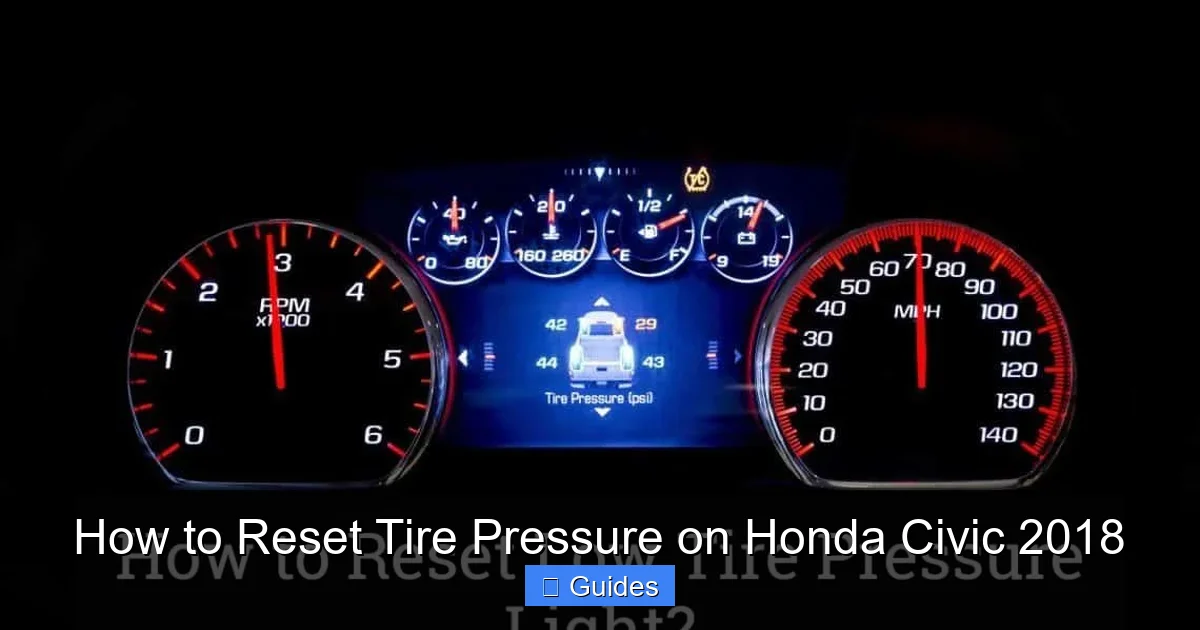
The TPMS in your 2018 Civic uses direct sensors mounted inside each tire valve stem. These sensors continuously monitor air pressure and send real-time data to the vehicle’s computer. If pressure drops below the recommended level—usually around 25% below the ideal PSI—the dashboard warning light will illuminate. This light looks like a yellow exclamation point inside a U-shaped symbol and is often labeled “TPMS” or “Tire Pressure.”
Ignoring this warning can compromise your safety. For example, a tire with low pressure heats up faster during driving, increasing the risk of a blowout at highway speeds. Additionally, underinflated tires reduce braking efficiency and cornering stability, which are critical in emergency situations. That’s why knowing how to reset tire pressure on Honda Civic 2018 is essential for every owner.
Understanding the 2018 Honda Civic TPMS System
Visual guide about How to Reset Tire Pressure on Honda Civic 2018
Image source: i.pinimg.com
The 2018 Honda Civic uses a direct TPMS, which means each tire has its own pressure sensor. These sensors are battery-powered and designed to last several years, though they may eventually need replacement. Unlike indirect systems that estimate pressure based on wheel speed, direct TPMS provides accurate, real-time readings for each tire.
Each sensor transmits data wirelessly to the vehicle’s onboard computer. When the system detects low pressure, it triggers the dashboard warning light. The system also stores the “normal” pressure baseline, which is why you need to reset it after inflating or rotating tires. Without a reset, the system may continue to show a warning even if all tires are properly inflated.
One key feature of the 2018 Civic’s TPMS is its ability to detect gradual pressure loss. This is especially helpful during seasonal temperature changes. For instance, tire pressure can drop by about 1 PSI for every 10°F decrease in temperature. So, if you fill your tires on a warm fall day and then face a cold winter morning, the pressure might fall enough to trigger the warning light.
It’s also important to note that the TPMS in the 2018 Civic does not automatically recalibrate. After any service—like tire rotation, replacement, or inflation—you must manually reset the system. This ensures the computer recognizes the new baseline pressure and stops showing false warnings.
How the TPMS Light Works
The TPMS warning light behaves differently depending on the issue:
– **Solid yellow light:** Indicates one or more tires are underinflated. Check and inflate all tires, then reset the system.
– **Flashing yellow light (for more than 60 seconds):** Suggests a system malfunction, such as a faulty sensor or communication error. This requires professional diagnosis.
– **Light turns off after driving:** Sometimes, the light will go away on its own after you drive for a while and the tires warm up. However, this doesn’t mean the system is reset—it just means the pressure is temporarily within range.
Understanding these signals helps you respond appropriately. A solid light after filling tires means you need to reset. A flashing light means you should visit a service center.
When Should You Reset the Tire Pressure System?
Visual guide about How to Reset Tire Pressure on Honda Civic 2018
Image source: i.ytimg.com
Knowing when to reset the TPMS is just as important as knowing how. You don’t need to reset the system every time you drive, but there are specific situations when it’s necessary.
First and foremost, reset the system after inflating all tires to the recommended pressure. This is the most common reason for a TPMS warning. Even if you only add air to one tire, the system may still show a warning because it compares current pressure to the stored baseline. Resetting tells the computer to accept the new pressure as normal.
Another key time to reset is after rotating your tires. Many drivers rotate tires every 5,000 to 7,500 miles to promote even wear. However, the TPMS sensors are mounted in specific locations, and the system tracks each sensor by position. When you rotate tires, the sensors move to new wheels, but the system doesn’t automatically recognize the change. Resetting the system helps it relearn the sensor positions.
You should also reset the TPMS after replacing a tire or sensor. If a sensor fails or a tire is damaged, the new components may not be recognized until the system is reset. This is especially true if you’ve had a flat repaired or a new tire installed.
Seasonal changes are another trigger. As mentioned earlier, cold weather can cause pressure drops. If you notice the TPMS light comes on during winter months, check your tire pressure and reset the system after inflating. Conversely, in summer, overinflation can occur if tires were filled in cold weather. Adjust and reset as needed.
Finally, reset the system after any service at a tire shop. Even if the technician fills your tires, they may not reset the TPMS unless you ask. It’s always a good idea to verify the light is off after service.
Common Misconceptions About TPMS Reset
Many drivers believe that simply driving the car will reset the TPMS. While the system may stop showing a warning after a short drive—especially if the tires warm up and pressure increases—this doesn’t mean it’s been properly reset. The baseline pressure remains unchanged, so the light could return later.
Another myth is that disconnecting the battery will reset the system. While this works on some older vehicles, the 2018 Honda Civic’s TPMS requires a specific button sequence. Battery disconnection may reset other systems, but not the TPMS.
Some also think that only a dealership can reset the system. In reality, the 2018 Civic allows owners to reset the TPMS themselves using a simple procedure. No special tools or diagnostic equipment are needed.
Step-by-Step Guide: How to Reset Tire Pressure on Honda Civic 2018
Visual guide about How to Reset Tire Pressure on Honda Civic 2018
Image source: carsguide-res.cloudinary.com
Resetting the tire pressure on your 2018 Honda Civic is a straightforward process that takes less than five minutes. Follow these steps carefully to ensure the system resets correctly.
Step 1: Check and Inflate All Tires
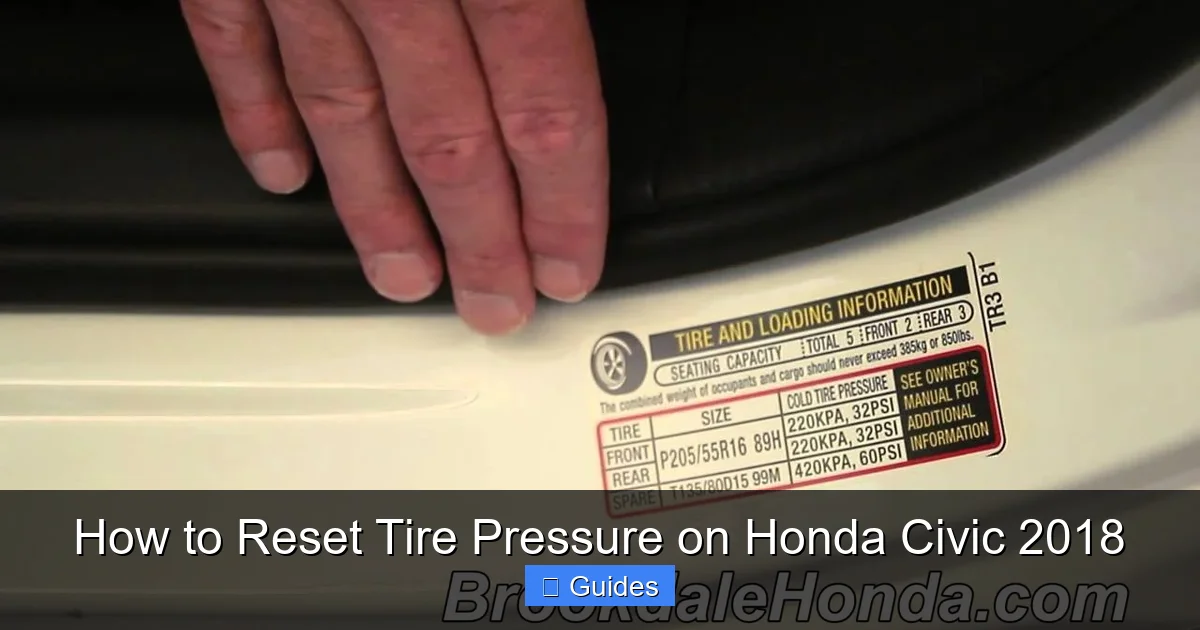
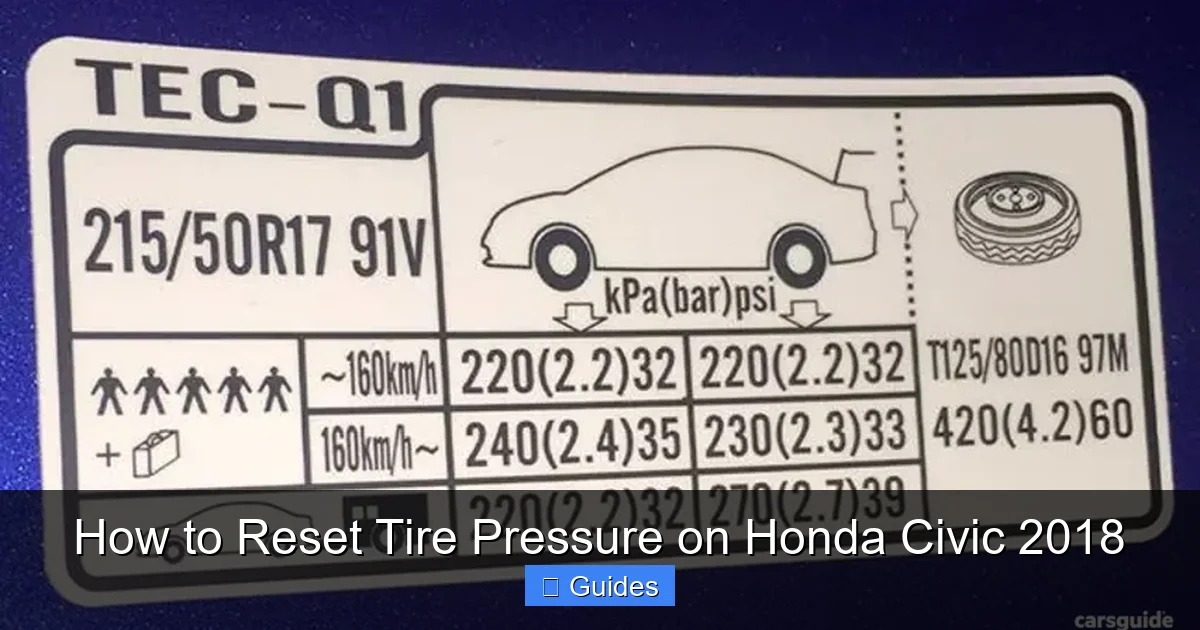
Before resetting, make sure all four tires are inflated to the recommended pressure. You can find the correct PSI on a sticker located on the driver’s side door jamb. For most 2018 Civic models, the recommended pressure is 32 PSI for front and rear tires, but this may vary slightly depending on trim level and tire size.
Use a reliable tire pressure gauge to check each tire. If any tire is low, add air until it reaches the correct pressure. Don’t rely solely on the gas station air pump’s gauge—these are often inaccurate. It’s best to use your own gauge or one at a trusted service station.
Pro tip: Check tire pressure when the tires are cold—meaning the car hasn’t been driven for at least three hours. Driving heats up the tires and increases pressure, giving a false reading.
Step 2: Turn the Ignition to the “ON” Position
Sit in the driver’s seat and turn the ignition key to the “ON” position. Do not start the engine—just turn it so that the dashboard lights up. If your Civic has a push-button start, press the “Start” button once without pressing the brake pedal.
You should see all the dashboard warning lights illuminate briefly, including the TPMS light. This confirms the system is active and ready for reset.
Step 3: Locate the TPMS Reset Button
The TPMS reset button is located under the dashboard, near the steering column. It’s a small, unmarked button—usually black or gray—that you press with a finger or a small tool like a pen.
To find it, look down near the left side of the steering wheel. The button is often tucked behind a small panel or recessed into the trim. You may need to crouch down or use a flashlight to see it clearly.
Note: The button is not labeled “TPMS” or “Reset.” It’s simply a momentary switch that activates the reset sequence when pressed.
Step 4: Press and Hold the Reset Button
Once you’ve located the button, press and hold it for about 3 to 5 seconds. You’ll know it’s working when the TPMS warning light on the dashboard begins to blink.
The light will flash slowly at first, then more rapidly. This indicates the system is in reset mode. Continue holding the button until the light stops blinking and remains off.
If the light doesn’t respond, try releasing and pressing the button again. Make sure the ignition is in the “ON” position and the engine is off.
Step 5: Turn Off the Ignition
After the TPMS light turns off, release the reset button and turn the ignition back to the “OFF” position. If you have a push-button start, press the “Start” button again to turn off the vehicle.
Wait about 10 seconds, then restart the car. The TPMS light should remain off if the reset was successful.
Step 6: Drive the Vehicle
To complete the reset, drive the car for at least 5 to 10 minutes at a speed of 15 mph or higher. This allows the system to confirm that all tires are properly inflated and functioning normally.
During this drive, the TPMS will monitor pressure and finalize the reset. If the light stays off, the system has been successfully reset.
Troubleshooting the Reset Process
If the TPMS light remains on after following these steps, try the following:
– Double-check tire pressure. Even a small deviation can prevent the reset.
– Ensure all four tires are inflated equally. Uneven pressure can confuse the system.
– Try the reset procedure again. Sometimes it takes a second attempt.
– If the light flashes continuously, there may be a sensor issue. Visit a Honda service center for diagnosis.
Tips for Maintaining Proper Tire Pressure
Resetting the TPMS is only part of tire maintenance. To keep your 2018 Honda Civic running smoothly, follow these best practices:
Check tire pressure at least once a month. Even without a warning light, tires can lose air over time due to natural leakage or temperature changes. A monthly check helps catch issues early.
Use a quality tire pressure gauge. Digital gauges are more accurate than analog ones and often have backlit displays for easy reading in low light.
Rotate your tires regularly. Follow Honda’s recommendation of every 5,000 to 7,500 miles. This promotes even wear and extends tire life.
Don’t forget the spare tire. If your Civic comes with a spare, check its pressure periodically. A flat spare is useless in an emergency.
Be mindful of load and speed. Carrying heavy loads or driving at high speeds increases tire temperature and pressure. Adjust accordingly.
Seasonal Tire Pressure Adjustments
In winter, check tire pressure more frequently. Cold temperatures can cause pressure to drop, triggering the TPMS light. In summer, monitor for overinflation, especially after long drives.
Consider using nitrogen instead of air. Nitrogen molecules are larger and less prone to leakage, helping maintain consistent pressure. Many tire shops offer nitrogen fills for a small fee.
When to Seek Professional Help
While most TPMS issues can be resolved with a reset, some problems require professional attention.
If the TPMS light flashes for more than 60 seconds and then stays on, it indicates a system malfunction. This could be due to a dead sensor battery, damaged sensor, or communication error. A technician can scan the system and identify the faulty component.
Persistent low pressure in one tire may signal a slow leak. Even after inflating and resetting, the light returns within a day or two. This could be caused by a puncture, valve stem issue, or rim damage. A tire inspection is necessary.
If you’ve replaced a tire and the light won’t reset, the new sensor may not be programmed. Some aftermarket sensors require activation with a TPMS tool. A service center can program the sensor to match your vehicle.
Finally, if you’re unsure about any step in the reset process, don’t hesitate to visit a Honda dealership or trusted mechanic. It’s better to get professional help than risk driving with an unresolved TPMS issue.
Conclusion
Knowing how to reset tire pressure on Honda Civic 2018 is a valuable skill that enhances safety, saves money, and extends the life of your tires. The process is simple, quick, and can be done by any owner with basic tools and attention to detail.
By checking tire pressure regularly, following the correct reset procedure, and understanding when professional help is needed, you can keep your TPMS functioning properly. Remember, the warning light is there to protect you—don’t ignore it.
With proper maintenance, your 2018 Honda Civic will deliver a smooth, efficient, and safe driving experience for years to come. Take a few minutes each month to check your tires, and you’ll avoid bigger problems down the road.
Frequently Asked Questions
Can I reset the TPMS without a special tool?
Yes, the 2018 Honda Civic allows you to reset the TPMS using a simple button under the dashboard. No scan tool or dealership visit is required.
Why does the TPMS light come on in cold weather?
Cold temperatures cause air inside tires to contract, lowering pressure. This can trigger the TPMS light even if tires were properly inflated in warmer weather.
How often should I check my tire pressure?
Check tire pressure at least once a month and before long trips. Cold weather months may require more frequent checks.
Will the TPMS reset itself after driving?
The light may turn off after driving if pressure increases due to tire warming, but the system isn’t truly reset. Always perform the manual reset after inflating tires.
What if the TPMS light keeps coming back?
A recurring light may indicate a slow leak, faulty sensor, or system error. Have your tires and TPMS inspected by a professional.
Can I drive with the TPMS light on?
You can drive short distances, but it’s not safe for long. Low tire pressure increases the risk of blowouts and reduces handling. Inflate and reset as soon as possible.

At CarLegit, we believe information should be clear, factual, and genuinely helpful. That’s why every guide, review, and update on our website is created with care, research, and a strong focus on user experience.