
Rolling down your Dodge vehicle’s windows with the key fob is a convenient feature that many owners don’t know exists. This guide walks you through the simple steps to activate remote window operation on compatible Dodge models like the Charger, Challenger, Durango, and Journey. No more fumbling with buttons—just press and hold to let in fresh air from afar.
In This Article
- 1 Key Takeaways
- 2 📑 Table of Contents
- 3 Introduction: The Hidden Convenience in Your Dodge Key Fob
- 4 Which Dodge Models Support Remote Window Control?
- 5 How to Roll Down Windows with Key Fob Dodge: Step-by-Step Guide
- 6 How to Roll Windows Back Up Remotely (If Supported)
- 7 Troubleshooting: Why Isn’t My Key Fob Rolling Down the Windows?
- 8 Safety and Best Practices for Remote Window Use
- 9 Conclusion: A Small Feature with Big Benefits
- 10 Frequently Asked Questions
- 10.1 Can I roll down windows with key fob on all Dodge models?
- 10.2 How long do I need to hold the UNLOCK button?
- 10.3 Why won’t my windows roll down remotely?
- 10.4 Can I roll the windows back up with the key fob?
- 10.5 Is it safe to use remote window control with pets in the car?
- 10.6 Do I need to visit a dealer to activate this feature?
Key Takeaways
- Compatible Models: Remote window control works on select Dodge vehicles including the Charger, Challenger, Durango, and Journey (typically 2011 and newer).
- Simple Activation: Press and hold the UNLOCK button on your key fob for 3–5 seconds to roll down all windows and the sunroof (if equipped).
- Security Feature: This function only works when the vehicle is locked and within range of the key fob (usually 50–100 feet).
- No Extra Cost: This is a built-in feature—no dealer visit or software update required if your model supports it.
- Safety Tip: Always check your surroundings before using remote window control, especially with children or pets nearby.
- Troubleshooting: If it doesn’t work, check your fob battery, ensure the car is locked, and confirm your model year supports the feature.
- Reverse Function: To roll windows back up remotely, press and hold the LOCK button for 3–5 seconds (on supported models).
📑 Table of Contents
- Introduction: The Hidden Convenience in Your Dodge Key Fob
- Which Dodge Models Support Remote Window Control?
- How to Roll Down Windows with Key Fob Dodge: Step-by-Step Guide
- How to Roll Windows Back Up Remotely (If Supported)
- Troubleshooting: Why Isn’t My Key Fob Rolling Down the Windows?
- Safety and Best Practices for Remote Window Use
- Conclusion: A Small Feature with Big Benefits
Introduction: The Hidden Convenience in Your Dodge Key Fob
Ever pulled up to your Dodge on a sweltering summer day, only to realize you forgot to crack the windows before leaving? Or maybe you’ve wanted to let fresh air into your car before getting in after it’s been parked in the sun all afternoon? You’re not alone—and the good news is, your Dodge might already have a solution built right into your key fob.
Many Dodge owners are surprised to learn that their key fob can do more than just lock and unlock the doors. One of the most underrated features is the ability to roll down (and sometimes even roll up) all the windows—and the sunroof—remotely. Yes, you read that right. With just a few seconds of holding a button, you can cool down your cabin, air out stale odors, or give your dog a breath of fresh air before you even reach the driver’s seat.
This feature isn’t magic—it’s smart engineering. Dodge has included remote window control on many of its popular models for over a decade, but it’s often overlooked in the owner’s manual or never demonstrated at the dealership. That’s why we’re here to demystify it. Whether you drive a Dodge Charger, Challenger, Durango, or Journey, this guide will show you exactly how to roll down your windows with your key fob—no apps, no subscriptions, just pure convenience.
Which Dodge Models Support Remote Window Control?
Visual guide about How to Roll Down Windows with Key Fob Dodge
Image source: vehq.com
Before you start pressing buttons, it’s important to know whether your Dodge actually supports this feature. Not every model or trim level includes remote window operation, and availability can vary by year and region. However, the good news is that many popular Dodge vehicles from the last 10–15 years do offer it.
Confirmed Compatible Models
The following Dodge models typically support remote window control via the key fob:
– **Dodge Charger (2011–2023):** Most trims, including SXT, GT, R/T, and SRT, support remote window operation. This includes both V6 and V8 engine variants.
– **Dodge Challenger (2011–2023):** Available on SXT, GT, R/T, Scat Pack, and SRT trims. The feature works on both coupe and convertible models.
– **Dodge Durango (2011–2023):** Found on SXT, GT, R/T, Citadel, and SRT trims. Works on both 2WD and 4WD configurations.
– **Dodge Journey (2011–2020):** Available on select higher trims like the Crossroad and R/T. Note that the Journey was discontinued after 2020.
How to Confirm Your Vehicle Has the Feature
If you’re unsure whether your Dodge supports remote window control, here are a few ways to check:
1. **Check the Owner’s Manual:** Look for a section titled “Remote Window Operation” or “Power Windows.” It’s usually found in the “Keys and Remote” or “Convenience Features” chapter.
2. **Test It Yourself:** With the vehicle locked and the key fob within range, press and hold the UNLOCK button for 3–5 seconds. If the windows begin to roll down, you’re all set.
3. **Look for a Sunroof:** Vehicles equipped with a power sunroof are more likely to have remote window control, as the system is often integrated.
4. **Contact Dodge Support:** Call your local dealership or Dodge customer service with your VIN to confirm feature availability.
Important Notes on Compatibility
– **Model Year Matters:** While most 2011 and newer models support this feature, some early 2010s vehicles may require a software update or specific trim level.
– **Aftermarket Key Fobs:** If you’ve replaced your original key fob with an aftermarket version, it may not support remote window control unless it’s a certified Dodge replacement.
– **International Models:** Some features may be disabled or modified in vehicles sold outside the U.S. due to regional regulations.
How to Roll Down Windows with Key Fob Dodge: Step-by-Step Guide
Visual guide about How to Roll Down Windows with Key Fob Dodge
Image source: vehq.com
Now that you’ve confirmed your Dodge supports remote window control, it’s time to put it to use. The process is incredibly simple—so easy, in fact, that you’ll wonder why you didn’t try it sooner.
Step 1: Ensure the Vehicle Is Locked
Before attempting to roll down the windows remotely, your Dodge must be in a locked state. This is a safety and security feature to prevent accidental activation. If the doors are unlocked, the system won’t respond to the key fob command.
– Make sure all doors are closed and the vehicle is fully locked.
– You can lock the car using the key fob’s LOCK button or by pressing the door lock switch inside the vehicle.
Step 2: Stand Within Range
Your key fob needs to be within operating range of the vehicle—typically 50 to 100 feet (15 to 30 meters). Obstacles like buildings, walls, or other vehicles can reduce this range.
– Stand near the front of the vehicle for best signal strength.
– Avoid standing directly behind large metal objects or inside buildings with thick walls.
Step 3: Press and Hold the UNLOCK Button
This is the magic moment. With the vehicle locked and your key fob in hand:
1. Press and hold the **UNLOCK** button on your key fob.
2. Hold it down for **3 to 5 seconds**.
3. You’ll hear a soft click or see the side mirrors fold (on some models), indicating the command has been received.
4. All four windows—and the sunroof, if equipped—will begin to roll down automatically.
Step 4: Release and Enjoy
Once the windows start moving, you can release the button. The windows will continue rolling down until they’re fully open. There’s no need to keep holding it—the system is designed to complete the action on its own.
Practical Example: Cooling Down on a Hot Day
Imagine this: It’s 95°F outside, and your Dodge has been parked in direct sunlight for hours. The interior is like an oven. Instead of opening the doors and waiting for the heat to escape, you walk up to your car, press and hold the UNLOCK button, and within seconds, all the windows are down. Hot air rushes out, and cooler air begins to circulate. By the time you get in, the cabin is already noticeably more comfortable.
Pro Tip: Use It to Air Out Odors
Remote window control isn’t just for heat. If your car has picked up smells from food, pets, or damp clothes, use this feature to air it out before driving. Roll the windows down while you’re still outside, let the interior breathe for a few minutes, then roll them back up when you’re ready to go.
How to Roll Windows Back Up Remotely (If Supported)
Visual guide about How to Roll Down Windows with Key Fob Dodge
Image source: i.ytimg.com
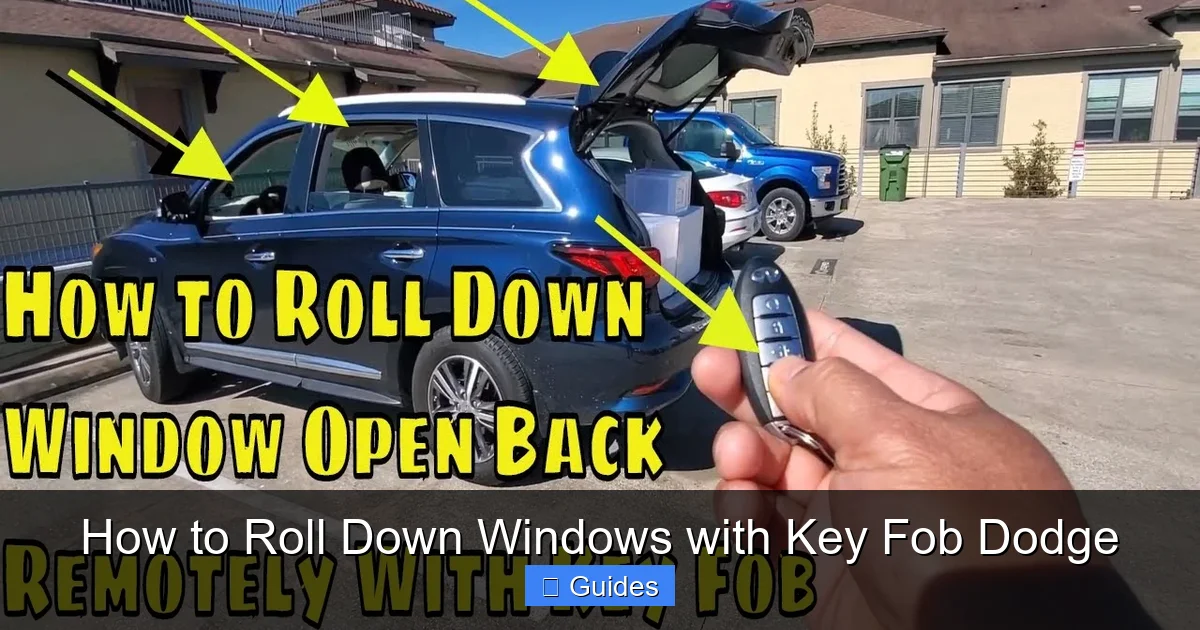
One of the most common questions Dodge owners ask is: *Can I roll the windows back up with the key fob too?* The answer is: **sometimes**.
Remote Window Up Function: Availability and How-To
On many Dodge models—especially the Charger, Challenger, and Durango—you can also roll the windows back up remotely using the key fob. This is incredibly useful if you’ve aired out your car and want to secure it without walking back to the driver’s seat.
To roll the windows up remotely:
1. Ensure the vehicle is **unlocked** (this is the opposite of the down function).
2. Press and hold the **LOCK** button on your key fob.
3. Hold it for **3 to 5 seconds**.
4. All windows (and the sunroof, if equipped) will begin to roll up automatically.
Important Considerations
– **Not All Models Support This:** The remote “up” function is less common than the “down” function. It’s typically found on higher trims or vehicles with advanced convenience packages.
– **Safety Override:** If an object (like a hand or pet) is detected while the windows are rolling up, the system will stop and reverse direction to prevent injury.
– **Battery Drain:** Repeated use of remote window functions can drain the key fob battery faster. Replace the battery every 1–2 years or when you notice reduced range.
Example: Securing Your Vehicle After Airing Out
You’ve used the remote function to roll down the windows while unloading groceries. Now it’s time to leave, but you’re standing by the trunk. Instead of walking to the driver’s door, simply press and hold the LOCK button. The windows roll up, the doors lock, and you’re on your way—all without breaking stride.
Troubleshooting: Why Isn’t My Key Fob Rolling Down the Windows?
Even with the right model and correct steps, sometimes the remote window function doesn’t work. Don’t panic—there are several common reasons and easy fixes.
1. Weak or Dead Key Fob Battery
The most common culprit is a low battery in your key fob. When the battery is weak, the signal may not be strong enough to trigger the window function, even if the LOCK/UNLOCK buttons still work.
– **Solution:** Replace the battery. Most Dodge key fobs use a CR2032 coin cell battery, available at any hardware or electronics store.
– **Tip:** If your fob feels sluggish or the range has decreased, it’s time for a new battery.
2. Vehicle Not Fully Locked
The remote window down function only works when the vehicle is locked. If one door is ajar or the system thinks a door is open, the command won’t activate.
– **Solution:** Double-check that all doors, the trunk, and the hood are fully closed. Use the key fob to lock the vehicle again.
– **Tip:** Listen for the locking chime or watch for the hazard lights to flash—this confirms the vehicle is secure.
3. Out of Range
If you’re too far from the vehicle, the signal won’t reach. This is especially true in parking garages or urban areas with signal interference.
– **Solution:** Move closer to the vehicle—within 50 feet is ideal.
– **Tip:** Stand near the front bumper or driver’s side door for the strongest signal.
4. Feature Disabled or Not Available
Some older models or base trims may not include remote window control. Additionally, certain software versions or regional settings may disable the feature.
– **Solution:** Consult your owner’s manual or contact Dodge support with your VIN.
– **Tip:** If your vehicle is capable but the feature isn’t working, a dealership may be able to enable it via a software update.
5. Aftermarket Modifications or Repairs
If your vehicle has undergone electrical work, window motor replacement, or key fob reprogramming, the remote window function may have been disrupted.
– **Solution:** Visit a certified Dodge technician to diagnose and restore the feature.
– **Tip:** Always inform your mechanic about convenience features like remote window control before any repairs.
Safety and Best Practices for Remote Window Use
While remote window control is incredibly convenient, it’s important to use it safely and responsibly.
Never Leave Children or Pets Unattended
Even though the windows can be controlled remotely, never leave children or pets alone in a vehicle—even with the windows down. Temperatures can rise quickly, and remote functions don’t replace proper supervision.
Check for Obstructions
Before rolling windows up remotely, ensure nothing is in the window path—fingers, hands, clothing, or pet paws. The auto-reverse feature helps, but it’s not foolproof.
Use in Safe Locations
Avoid using remote window control in unsafe areas, such as dark alleys or high-crime neighborhoods. Rolling down windows can make your vehicle more vulnerable to theft or tampering.
Maintain Your Key Fob
Keep your key fob clean and dry. Avoid exposing it to extreme temperatures or moisture, which can damage the internal electronics.
Teach Family Members
If other people drive your Dodge—like a spouse, teen, or valet—make sure they know how to use (and not misuse) the remote window function.
Conclusion: A Small Feature with Big Benefits
Rolling down your windows with the key fob might seem like a minor convenience, but it’s one of those features that quickly becomes indispensable. Whether you’re cooling down a hot car, airing out odors, or just enjoying the simplicity of modern technology, this Dodge feature delivers real value with minimal effort.
It’s free, it’s built-in, and it works on many of the brand’s most popular models. All it takes is a few seconds of holding a button—and suddenly, your car feels a little more high-tech and a lot more user-friendly.
So the next time you approach your Dodge, don’t just unlock the doors. Press and hold that UNLOCK button, listen for the soft whir of the motors, and enjoy the breeze as your windows glide down. It’s a small trick, but one that makes everyday driving just a little bit better.
And if you’ve never tried it before? Now’s the perfect time. Your key fob has been waiting.
Frequently Asked Questions
Can I roll down windows with key fob on all Dodge models?
No, not all Dodge models support remote window control. It’s available on most Charger, Challenger, Durango, and Journey models from 2011 and newer, but may depend on trim level and region.
Hold the UNLOCK button for 3 to 5 seconds. The windows will begin to roll down automatically once the command is recognized.
Why won’t my windows roll down remotely?
Common reasons include a weak key fob battery, the vehicle not being fully locked, being out of range, or the feature not being supported on your specific model or trim.
Can I roll the windows back up with the key fob?
Yes, on many Dodge models, you can press and hold the LOCK button for 3–5 seconds to roll all windows and the sunroof back up—provided the vehicle is unlocked.
Is it safe to use remote window control with pets in the car?
No. Never leave pets unattended in a vehicle, even with windows down. Use remote control only when you’re present and can monitor the situation.
Do I need to visit a dealer to activate this feature?
No. If your Dodge model supports remote window control, it’s already enabled. No dealer visit or software update is required—just use the key fob as described.

At CarLegit, we believe information should be clear, factual, and genuinely helpful. That’s why every guide, review, and update on our website is created with care, research, and a strong focus on user experience.