
If your Cadillac Escalade’s display has gone black or unresponsive, don’t panic—there are several quick and effective ways to restore it. This guide walks you through troubleshooting steps, from basic resets to advanced fixes, so you can get your infotainment system back up and running in no time.
In This Article
- 1 Key Takeaways
- 2 📑 Table of Contents
- 3 Why Your Cadillac Escalade Display Might Turn Off
- 4 How to Perform a Soft Reset on Your Escalade Display
- 5 Using Button Combinations to Reboot the Screen
- 6 Checking and Replacing the Display Fuse
- 7 Updating Your Escalade’s Software
- 8 When to Visit a Cadillac Dealer
- 9 Preventing Future Display Issues
- 10 Conclusion
- 11 Frequently Asked Questions
- 11.1 Why won’t my Cadillac Escalade display turn on?
- 11.2 How do I reset the infotainment system on my Escalade?
- 11.3 Can a blown fuse cause the screen to go black?
- 11.4 How often should I update my Escalade’s software?
- 11.5 Will a software update erase my saved settings?
- 11.6 When should I take my Escalade to the dealer?
Key Takeaways
- Check the fuse first: A blown fuse is a common cause of display failure—inspect and replace if needed.
- Perform a soft reset: Restarting the infotainment system often resolves temporary glitches.
- Use the power button combination: Holding specific buttons can reboot the screen on newer models.
- Update software regularly: Outdated firmware may cause display malfunctions—keep your system current.
- Inspect wiring and connections: Loose or damaged cables behind the dashboard can interrupt power to the screen.
- Try a master reset: As a last resort, resetting all settings may restore functionality but will erase personal data.
- Visit a dealer if needed: Persistent issues may require professional diagnostics or hardware replacement.
📑 Table of Contents
Why Your Cadillac Escalade Display Might Turn Off
Imagine you’re driving your sleek Cadillac Escalade down the highway, enjoying the premium sound system and crisp navigation display—then suddenly, the screen goes black. No warning. No sound. Just silence and a blank panel where your infotainment system used to be. It’s frustrating, especially when you rely on that screen for directions, climate control, or even just playing your favorite playlist.
You’re not alone. Many Cadillac Escalade owners have faced this issue, and while it can feel alarming, it’s often fixable with a few simple steps. The good news? Most display problems aren’t due to major hardware failure. Instead, they’re usually caused by software glitches, power interruptions, or minor electrical issues. Understanding why your display turns off is the first step toward getting it back on—and keeping it that way.
Common Causes of Display Failure
Before diving into solutions, let’s look at the most common reasons your Escalade’s display might shut down unexpectedly. These include:
- Software glitches: Like any computer, the infotainment system can freeze or crash, especially after an update or if it’s been running for too long without a restart.
- Blown fuse: The display is powered through a dedicated fuse. If that fuse blows—due to a power surge or electrical fault—the screen won’t turn on.
- Loose wiring: Over time, vibrations from driving can loosen connections behind the dashboard, cutting power to the display.
- Overheating: If the system overheats, it may shut down the display as a safety measure. This is more common in hot climates or after prolonged use.
- Failed reboot after update: Sometimes, a software update doesn’t complete properly, leaving the system in a stuck state.
- Faulty screen or control module: In rare cases, the display itself or the control module may be defective and need replacement.
Knowing these causes helps you troubleshoot more effectively. For example, if your screen went black after a recent software update, a soft reset is likely your best first step. But if it happened after a jump-start or electrical work, checking the fuse should be your priority.
Model Year Differences Matter
It’s also important to note that Cadillac Escalade models vary significantly in their infotainment systems. Older models (2015–2019) typically use the CUE (Cadillac User Experience) system, while newer models (2021 and later) feature updated versions with faster processors and improved interfaces. The steps to turn the display back on may differ slightly depending on your model year.
For instance, 2021+ Escalades often have a dedicated power button on the screen itself, while older models rely on button combinations or menu resets. Always check your owner’s manual or confirm your model year before proceeding with fixes. This ensures you’re using the correct method and avoids accidentally making the problem worse.
How to Perform a Soft Reset on Your Escalade Display
When your Cadillac Escalade’s display goes dark, the first thing you should try is a soft reset. This is like restarting your smartphone—it clears temporary glitches and refreshes the system without affecting your saved settings or data. It’s quick, easy, and often all you need to get the screen working again.

Visual guide about How to Turn Display Back on Cadillac Escalade
Image source: egmcartech.com
Step-by-Step Soft Reset Instructions
Here’s how to perform a soft reset on most Cadillac Escalade models:
- Turn off the vehicle: Put the key in the “off” position or press the start button without pressing the brake pedal. Make sure the engine is completely off.
- Wait 30 seconds: This allows the system to fully power down and reset its internal memory.
- Turn the vehicle back on: Start the engine or turn the key to the “on” position. The display should power up within 10–15 seconds.
- Check the screen: If the display turns on and functions normally, you’re all set. If not, proceed to the next troubleshooting step.
This method works for both older CUE systems and newer models. It’s especially effective after a software update, long drive, or if the system has been acting sluggish.
When a Soft Reset Isn’t Enough
Sometimes, a simple restart doesn’t do the trick. If the screen remains black after a soft reset, don’t worry—there are still several options. But before moving on, make sure the issue isn’t something basic, like the screen being in “sleep” mode or the brightness turned all the way down.
Try adjusting the brightness using the menu buttons (if accessible) or check if the screen responds to touch. On some models, the display may appear off but still be functional—just dimmed. Also, ensure the vehicle isn’t in a mode that disables the screen, such as certain valet or security settings.
If none of these quick checks help, it’s time to dig deeper. But remember: a soft reset should always be your first move. It’s non-invasive, takes less than a minute, and resolves the majority of temporary display issues.
Using Button Combinations to Reboot the Screen
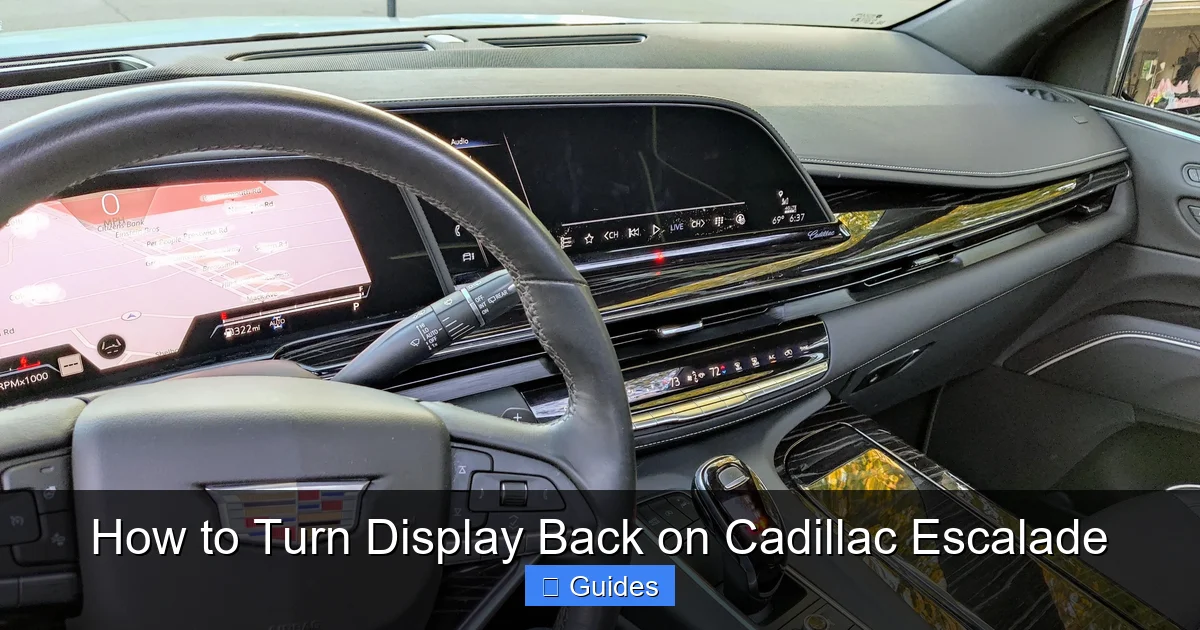
For Cadillac Escalade models with more advanced infotainment systems—especially those from 2021 onward—Cadillac has included a built-in reboot function using button combinations. This is a powerful tool that forces the system to restart, even if the screen is completely unresponsive.
Visual guide about How to Turn Display Back on Cadillac Escalade
Image source: i.redd.it
How to Use the Power Button Combo
On newer Escalades (2021+), follow these steps to reboot the display using the physical buttons:
- Locate the power button: This is usually found on the center console, near the climate controls, or directly on the screen bezel.
- Press and hold the power button: Hold it down for 10–15 seconds. You may see the screen flicker or hear a soft click.
- Release and wait: After releasing, wait up to 30 seconds for the system to fully restart.
- Check functionality: The display should power on, and the Cadillac logo should appear during startup.
This method is similar to a hard reboot on a computer. It bypasses the normal startup sequence and forces the system to reload its software from scratch. It’s particularly useful if the screen is frozen or stuck on a loading screen.
Alternative Button Combinations for Older Models
If you have an older Escalade (2015–2020), the process may involve a combination of buttons. For example:
- Press and hold the “Phone” and “Audio” buttons simultaneously for 10 seconds.
- Or, press and hold the “Menu” and “Back” buttons together.
These combinations vary by model year and software version, so consult your owner’s manual or Cadillac’s support website for the exact steps. Some owners have also reported success by holding the “Home” and “Volume Down” buttons for 15 seconds.
Keep in mind that button combinations don’t always work on the first try. If the screen doesn’t respond, wait a minute and try again. Sometimes the system needs a moment to recognize the input.
What to Do If the Buttons Don’t Work
If pressing the buttons doesn’t trigger a reboot, the issue may be deeper than a simple software glitch. In that case, move on to checking the fuse or inspecting the wiring. But don’t give up too soon—sometimes the system just needs a little patience. Try the button combo multiple times, and ensure you’re pressing the buttons firmly and holding them long enough.
Also, make sure the vehicle is in “Accessory” or “On” mode when attempting the reboot. If the car is completely off, the system may not respond to button inputs.
Checking and Replacing the Display Fuse
If your Cadillac Escalade’s display still won’t turn on after a soft reset or button reboot, the next step is to check the fuse. A blown fuse is one of the most common—and easiest—fixes for electrical issues in vehicles. It’s also one of the most overlooked.
Visual guide about How to Turn Display Back on Cadillac Escalade
Image source: cadillacsociety.com
Locating the Correct Fuse
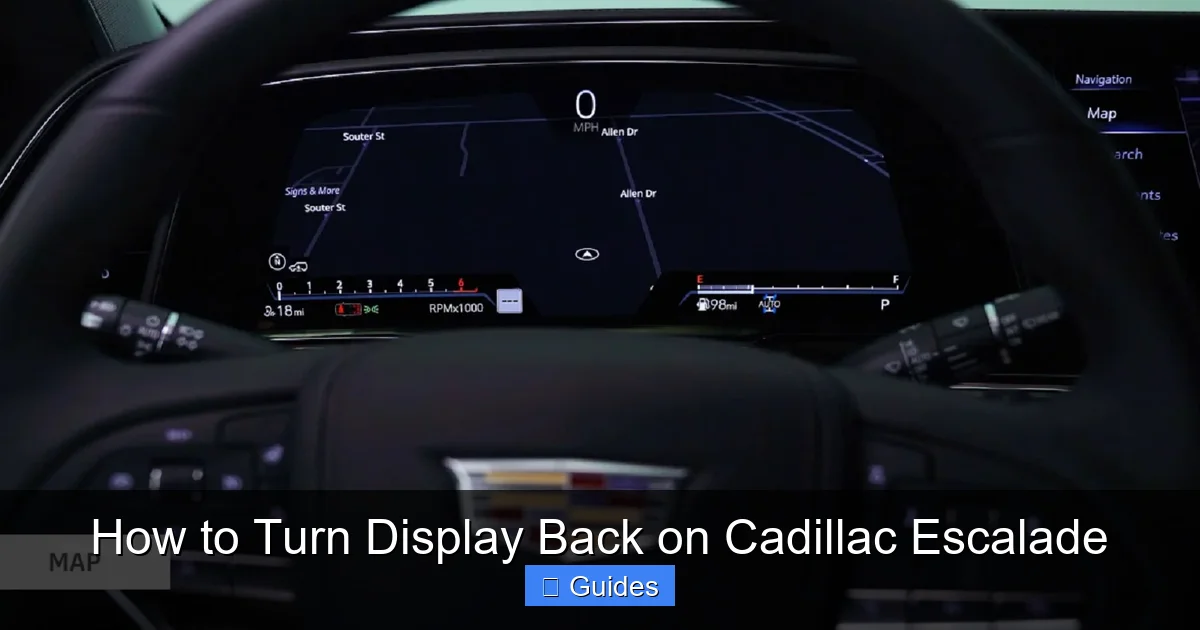
The infotainment system in your Escalade is protected by a dedicated fuse, usually labeled “Radio,” “Infotainment,” or “Display.” This fuse is located in one of two fuse boxes:
- Under the hood: The main fuse box is near the battery. Open the cover and look for a diagram that identifies each fuse.
- Inside the cabin: The secondary fuse panel is often behind the glove compartment or under the dashboard on the driver’s side.
Refer to your owner’s manual for the exact location and fuse number. For example, in many 2020–2023 Escalades, the infotainment fuse is #47 in the under-hood fuse box and is rated at 15 amps.
How to Inspect and Replace the Fuse
Once you’ve located the correct fuse, follow these steps:
- Turn off the vehicle: Safety first—always disconnect power before handling fuses.
- Remove the fuse: Use a fuse puller (often included in the fuse box) or a pair of needle-nose pliers to gently pull the fuse out.
- Inspect the fuse: Hold it up to the light. If the metal strip inside is broken or melted, the fuse is blown.
- Replace with a new fuse: Use a fuse of the same amperage (e.g., 15A). Never substitute with a higher-rated fuse—it could cause damage.
- Reinstall and test: Put the new fuse in place, close the fuse box, and turn on the vehicle to see if the display powers up.
Replacing a fuse takes less than five minutes and costs just a few dollars. Auto parts stores sell fuse kits for under $10, so it’s worth keeping one in your glove box.
Why Fuses Blow
Fuses blow for a reason—usually to protect the system from damage. Common causes include:
- Power surges: Jump-starting the vehicle or connecting accessories improperly can send a surge through the system.
- Short circuits: Damaged wiring or a faulty component can create a short, overloading the fuse.
- Aftermarket installations: Adding stereos, dash cams, or other electronics without proper wiring can strain the system.
If the new fuse blows immediately after replacement, there’s likely an underlying electrical issue. In that case, stop and consult a professional. Continuing to replace fuses without fixing the root cause can damage the infotainment system or even pose a fire risk.
Updating Your Escalade’s Software
Outdated software is a silent culprit behind many display issues. Cadillac regularly releases updates to improve performance, fix bugs, and enhance features. If your system hasn’t been updated in a while, it may be running on buggy or incompatible software that causes the display to freeze or shut down.
How to Check for Software Updates
Updating your Escalade’s infotainment system is straightforward, but the process varies slightly by model year:
For 2021+ Models:
- Go to the Settings menu on the display.
- Select System > Software Update.
- Choose Check for Updates. The system will connect to Cadillac’s servers via Wi-Fi or cellular.
- If an update is available, follow the on-screen prompts to install it. The vehicle must be parked and plugged into a power source during the update.
For Older Models (2015–2020):
- Updates are typically done via USB drive. Visit the Cadillac Owner Center website, enter your VIN, and download the latest software.
- Copy the files to a USB drive formatted to FAT32.
- Insert the USB into the vehicle’s port and follow the on-screen instructions.
Always ensure your battery is fully charged before starting an update. A power interruption during the process can corrupt the system and cause permanent damage.
Benefits of Regular Updates
Keeping your software up to date does more than just fix display issues. It also:
- Improves system speed and responsiveness.
- Fixes known bugs and glitches.
- Adds new features, such as improved voice recognition or navigation.
- Enhances compatibility with smartphones and apps.
Think of it like updating your phone—regular maintenance keeps everything running smoothly.
When to Visit a Cadillac Dealer
Despite your best efforts, some display issues can’t be fixed at home. If you’ve tried a soft reset, button reboot, fuse check, and software update—and the screen still won’t turn on—it’s time to visit a certified Cadillac dealer or authorized service center.
Signs You Need Professional Help
Here are clear indicators that the problem is beyond DIY repair:
- The display remains completely black even after multiple resets.
- You hear clicking or buzzing sounds from behind the dashboard.
- The screen flickers, shows distorted images, or displays error messages.
- The fuse blows repeatedly after replacement.
- Other electronic systems (like climate control or steering wheel buttons) are also malfunctioning.
These symptoms suggest a hardware failure, such as a faulty display panel, damaged control module, or internal wiring issue. Only a trained technician with the right diagnostic tools can accurately identify and fix these problems.
What to Expect at the Dealer
When you visit the dealership, the service team will likely:
- Run a full diagnostic scan using Cadillac’s proprietary software.
- Check for error codes stored in the infotainment system.
- Inspect wiring harnesses and connectors for damage.
- Test the display panel and control module for functionality.
- Determine if a part needs replacement or if a software reflash is required.
Most issues can be resolved in a few hours, and many dealerships offer loaner vehicles if the repair takes longer. If your Escalade is still under warranty, the repair may be covered at no cost.
Cost Considerations
Out-of-warranty repairs can be expensive. A new infotainment screen can cost $1,500–$3,000, including labor. However, in many cases, the issue is less severe—such as a loose connection or a failed module—that costs significantly less to fix.
Always ask for a detailed estimate before authorizing any work. And if the cost seems too high, consider getting a second opinion from an independent mechanic who specializes in GM vehicles.
Preventing Future Display Issues
Once you’ve turned your Cadillac Escalade’s display back on, the last thing you want is for it to happen again. The good news? There are several steps you can take to prevent future problems and keep your infotainment system running smoothly.
Regular Maintenance Tips
- Update software every 6 months: Set a reminder to check for updates, even if your system seems fine.
- Avoid extreme temperatures: Park in the shade or garage when possible to prevent overheating.
- Use quality accessories: Only install certified aftermarket devices, and have them professionally wired.
- Keep the system clean: Wipe the screen with a microfiber cloth to prevent dust buildup that can affect touch sensitivity.
- Restart the system weekly: Turn the vehicle off and on once a week to refresh the system and clear memory.
These small habits go a long way in maintaining system health and avoiding frustrating blackouts.
Know Your System’s Limits
Remember, the infotainment system is a computer—not a toy. Avoid overloading it with too many apps, streaming high-definition video while driving, or connecting multiple devices at once. These actions can strain the processor and lead to crashes.
Also, be cautious when using voice commands or navigation in areas with poor signal. The system may freeze if it can’t connect to GPS or cellular networks.
Conclusion
Turning your Cadillac Escalade’s display back on doesn’t have to be a stressful ordeal. In most cases, a simple reset, fuse check, or software update is all it takes to restore functionality. By understanding the common causes and knowing the right steps to take, you can quickly get back to enjoying your vehicle’s premium features.
Start with the basics: try a soft reset, check the fuse, and update your software. If those don’t work, move on to button combinations or professional help. And remember—prevention is key. Regular maintenance and mindful usage will keep your display running smoothly for years to come.
Your Escalade is a luxury SUV designed for comfort, performance, and cutting-edge technology. Don’t let a black screen ruin the experience. With the tips in this guide, you’re well-equipped to handle any display issue that comes your way.
Frequently Asked Questions
Why won’t my Cadillac Escalade display turn on?
The display may not turn on due to a software glitch, blown fuse, loose wiring, or overheating. Try a soft reset first, then check the fuse and wiring.
How do I reset the infotainment system on my Escalade?
Turn off the vehicle, wait 30 seconds, then turn it back on. For a hard reset, hold the power button (2021+) or use button combinations on older models.
Can a blown fuse cause the screen to go black?
Yes, a blown fuse is a common cause. Locate the infotainment fuse in the under-hood or cabin fuse box and replace it if damaged.
How often should I update my Escalade’s software?
Check for updates every 6 months or after major system changes. Updates fix bugs and improve performance.
Will a software update erase my saved settings?
A standard update won’t erase personal data, but a master reset will. Always back up your settings before performing a full reset.
When should I take my Escalade to the dealer?
Visit a dealer if the screen remains black after all DIY fixes, or if you notice flickering, error messages, or repeated fuse blows.

At CarLegit, we believe information should be clear, factual, and genuinely helpful. That’s why every guide, review, and update on our website is created with care, research, and a strong focus on user experience.