
Turning off daytime running lights (DRLs) on a Hyundai Elantra isn’t always straightforward, but it’s possible with the right approach. This guide walks you through every method—from using the dashboard controls to modifying fuse settings or using aftermarket tools—so you can customize your lighting based on your needs and local laws.
If you’ve ever driven a Hyundai Elantra during the day and noticed that your headlights stay on even when it’s bright outside, you’ve experienced daytime running lights (DRLs) in action. These lights automatically illuminate when the engine is running and the parking brake is released, helping other drivers see your vehicle more easily. While DRLs are great for safety, there are times when you might want to turn them off—maybe you’re parked in a garage, filming a video, or simply prefer not to have any extra lights on. The good news? It’s possible to disable DRLs on most Hyundai Elantra models, but the method varies depending on your year, trim level, and region.
In this comprehensive guide, we’ll walk you through every reliable way to turn off daytime running lights on your Hyundai Elantra. Whether you drive a 2011 model or a 2023 Elantra N Line, we’ve got you covered. We’ll explain why DRLs exist, how they work in Hyundai vehicles, and the pros and cons of disabling them. You’ll also learn step-by-step methods—from simple dashboard settings to more advanced fuse or module solutions—so you can choose the option that best fits your needs. Plus, we’ll share important safety and legal considerations to keep in mind before making any changes.
By the end of this article, you’ll know exactly how to control your Elantra’s daytime running lights, whether you want to turn them off temporarily or disable them permanently. Let’s get started!
In This Article
- 1 Key Takeaways
- 2 📑 Table of Contents
- 3 Understanding Daytime Running Lights (DRLs) in the Hyundai Elantra
- 4 Why You Might Want to Turn Off DRLs on Your Elantra
- 5 Method 1: Using the Dashboard or Infotainment System
- 6 Method 2: Using the Light Stalk (Older Models)
- 7 Method 3: Removing the DRL Fuse
- 8 Method 4: Installing an Aftermarket DRL Controller
- 9 Legal and Safety Considerations
- 10 Conclusion
- 11 Frequently Asked Questions
Key Takeaways
- DRLs are designed for safety: They improve visibility during daylight hours, reducing accident risks by making your vehicle more noticeable to others.
- Not all Elantras allow manual DRL disabling: Depending on your model year and trim, factory settings may prevent turning them off via the dashboard.
- Use the light stalk or menu system first: Many newer Elantras let you disable DRLs through the instrument cluster or infotainment settings.
- Fuse removal is a temporary fix: Pulling the DRL fuse turns off the lights but may trigger warning messages or affect other systems.
- Aftermarket modules offer full control: Plug-and-play DRL controllers let you toggle lights on/off without permanent modifications.
- Check local laws before disabling: Some regions require DRLs to remain active—disabling them could result in fines or inspection failures.
- Consult your owner’s manual: Always refer to Hyundai’s official documentation for model-specific instructions and warnings.
📑 Table of Contents
- Understanding Daytime Running Lights (DRLs) in the Hyundai Elantra
- Why You Might Want to Turn Off DRLs on Your Elantra
- Method 1: Using the Dashboard or Infotainment System
- Method 2: Using the Light Stalk (Older Models)
- Method 3: Removing the DRL Fuse
- Method 4: Installing an Aftermarket DRL Controller
- Legal and Safety Considerations
- Conclusion
Understanding Daytime Running Lights (DRLs) in the Hyundai Elantra
Daytime running lights are low-intensity headlights that automatically turn on when your vehicle’s engine is running. Unlike regular headlights, DRLs don’t illuminate the road ahead as brightly—they’re designed to make your car more visible to other drivers, cyclists, and pedestrians during daylight hours. In many countries, including Canada and much of Europe, DRLs are mandatory by law. In the U.S., they’re not required, but most modern vehicles—including the Hyundai Elantra—come equipped with them as a standard safety feature.
So why does Hyundai include DRLs on the Elantra? The answer lies in safety research. Studies show that vehicles with DRLs are involved in fewer daytime collisions, especially side-impact and head-on crashes. The lights help your car stand out against bright skies or shaded roads, giving other drivers more time to react. For example, if you’re pulling out of a driveway on a sunny afternoon, DRLs make your Elantra easier to spot from a distance.
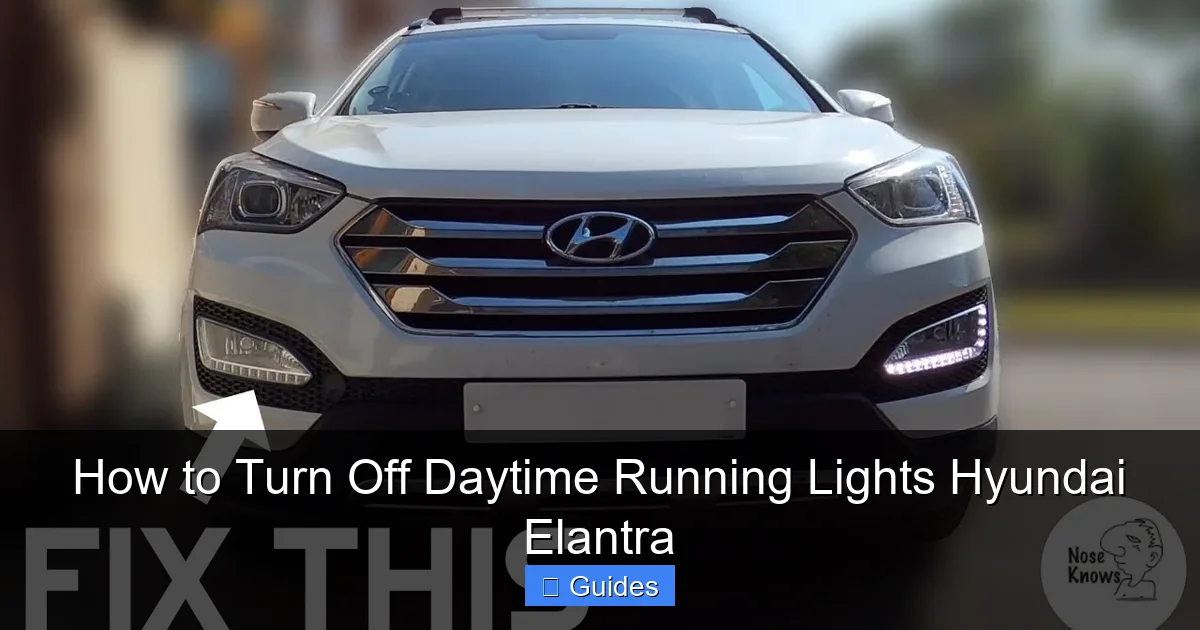
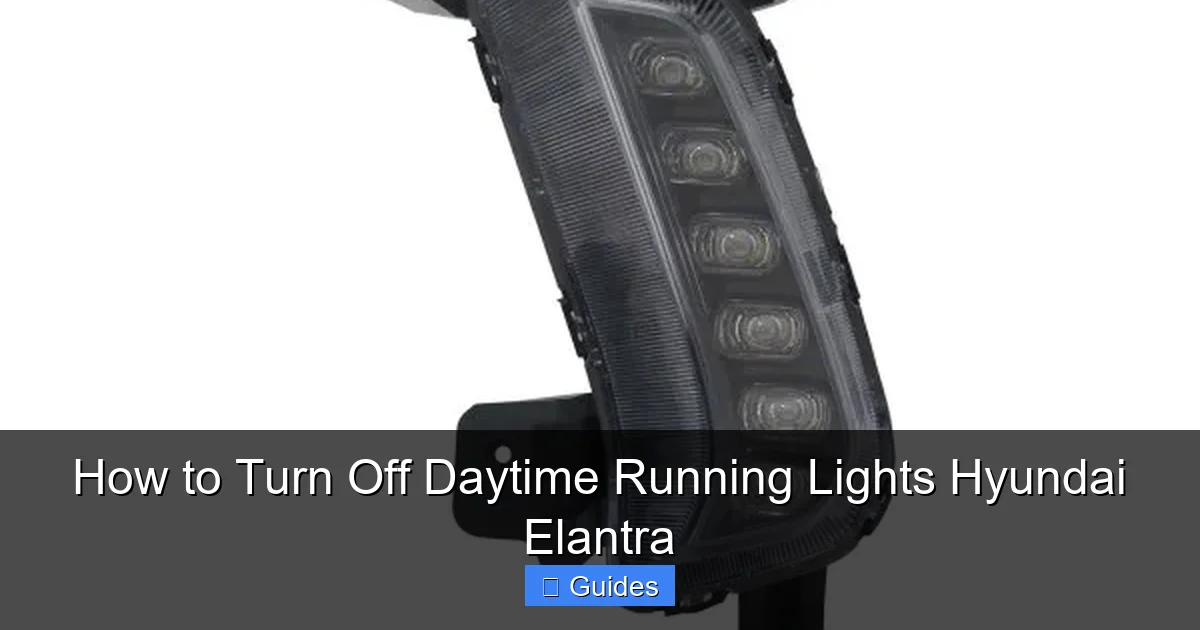
In the Hyundai Elantra, DRLs typically use the vehicle’s low-beam headlights or dedicated LED strips, depending on the model year and trim. On older models (2011–2016), DRLs often run at reduced voltage to extend bulb life. Newer Elantras (2017–present) frequently use LED DRLs, which are more energy-efficient and last longer. These lights are controlled by the body control module (BCM), which communicates with the ignition, parking brake sensor, and light switch to determine when to activate them.
It’s important to note that DRLs are not the same as automatic headlights. While automatic headlights turn on in low-light conditions (like dusk or rain), DRLs only operate during the day and turn off when you manually switch on your full headlights. This distinction matters because disabling DRLs won’t affect your ability to use automatic or manual headlight modes.
Understanding how DRLs work in your Elantra is the first step to controlling them. Now that you know what they are and why they’re there, let’s explore how to turn them off—safely and effectively.
Why You Might Want to Turn Off DRLs on Your Elantra
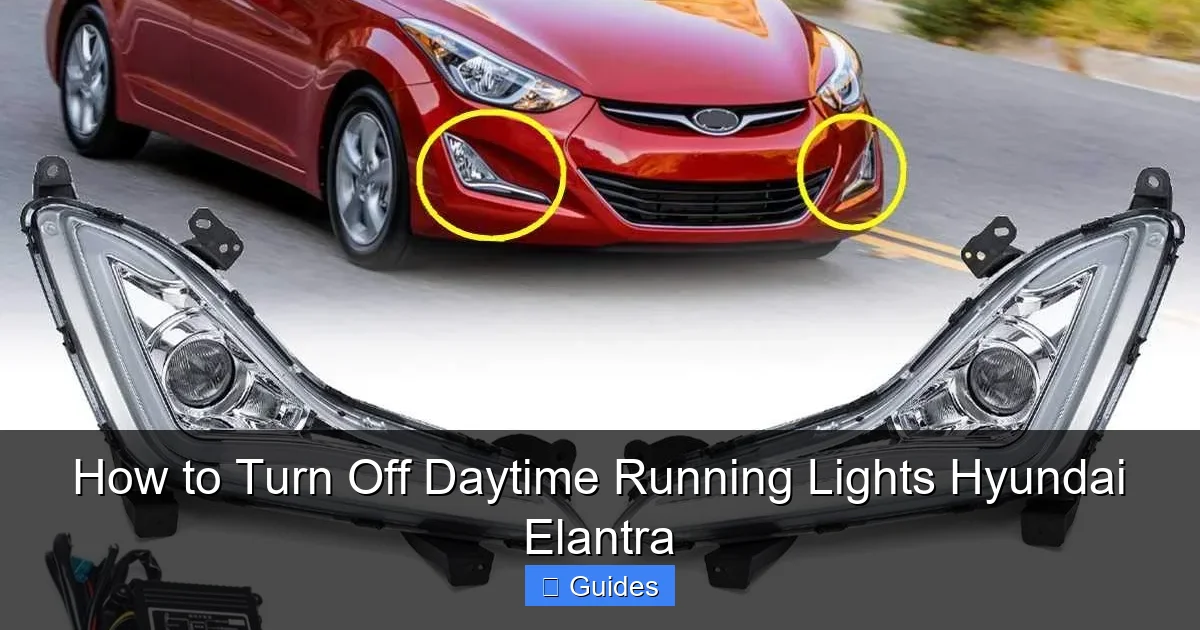
Visual guide about How to Turn Off Daytime Running Lights Hyundai Elantra
Image source: thecarhow.com
While DRLs offer clear safety benefits, there are legitimate reasons why you might want to turn them off on your Hyundai Elantra. Let’s look at some common scenarios where disabling DRLs makes sense.
One of the most frequent reasons is parking in a garage or covered area. If you park your Elantra indoors during the day, the DRLs may stay on unnecessarily, which can be distracting—especially if you’re trying to take photos, record a video, or simply prefer a darker environment. Some drivers also find the constant glow of DRLs aesthetically unappealing, especially on vehicles with bright LED strips.
Another reason involves battery conservation. Although DRLs use less power than full headlights, they still draw energy from your vehicle’s electrical system. If you frequently start and stop your car in short intervals—like running errands or idling in traffic—the cumulative effect could slightly reduce battery life over time. This is more of a concern for older Elantras with traditional halogen DRLs than newer models with efficient LEDs, but it’s still worth considering.
Some drivers also disable DRLs for off-road or rural driving. In remote areas with minimal traffic, DRLs may not provide a significant safety advantage, and turning them off can reduce glare for oncoming drivers on narrow roads. Additionally, if you’re towing a trailer or using auxiliary lighting, you might prefer to manage all your lights manually for better control.
Finally, personal preference plays a role. Not everyone likes the look of DRLs, and some drivers simply want full control over their vehicle’s lighting. Whether it’s for style, convenience, or practicality, having the option to turn off DRLs gives you more flexibility.
That said, it’s crucial to weigh these reasons against the safety benefits. Disabling DRLs reduces your vehicle’s visibility during the day, which could increase the risk of accidents—especially in busy urban areas or during overcast weather. Always consider your driving habits and environment before making any changes.
Method 1: Using the Dashboard or Infotainment System
Visual guide about How to Turn Off Daytime Running Lights Hyundai Elantra
Image source: i.ytimg.com
The easiest and safest way to turn off daytime running lights on many Hyundai Elantra models is through the vehicle’s built-in settings. Starting with the 2017 model year, Hyundai introduced more advanced infotainment and instrument cluster systems that allow drivers to customize lighting behavior—including DRLs.
Step-by-Step Guide for 2017–2023 Elantras
If you drive a 2017 or newer Elantra, follow these steps to disable DRLs via the dashboard:
1. Turn on your vehicle (you don’t need to start the engine, but the ignition should be in the “ON” position).
2. Press the “Menu” button on your steering wheel or touchscreen.
3. Navigate to “Vehicle Settings” or “Car Settings.”
4. Select “Lighting” or “Exterior Lighting.”
5. Look for an option labeled “Daytime Running Lights,” “DRL,” or “Auto Light.”
6. Toggle the setting to “Off” or “Disabled.”
On some trims, you may need to go through the instrument cluster menu instead. Use the arrow buttons on the steering wheel to scroll through options until you find “DRL Settings.” Once disabled, your DRLs should turn off the next time you start the car.
Important Notes
Not all Elantra trims support this feature. Base models or older software versions may not include DRL controls in the menu. If you don’t see the option, your vehicle likely doesn’t allow disabling DRLs through the dashboard. Also, some regions (like Canada) may lock this setting due to legal requirements—even if the menu appears, it might be grayed out.
If you’re unsure, consult your owner’s manual or visit a Hyundai dealership. They can confirm whether your specific model and region support DRL disabling via software.
Example: 2020 Hyundai Elantra SEL
Let’s say you own a 2020 Elantra SEL with the 7-inch touchscreen. After starting the car, you press the “Menu” button, select “Vehicle Settings,” then “Lighting.” You see “Daytime Running Lights” listed with an on/off toggle. Switching it to “Off” successfully disables the DRLs. The next time you drive, the lights remain off unless you manually turn on the headlights.
This method is ideal because it’s reversible, doesn’t require tools, and won’t void your warranty. It’s the recommended first step for any Elantra owner looking to disable DRLs.
Method 2: Using the Light Stalk (Older Models)
Visual guide about How to Turn Off Daytime Running Lights Hyundai Elantra
Image source: ic.carid.com
For Hyundai Elantras from 2011 to 2016, the dashboard menu method isn’t available. Instead, you may be able to disable DRLs using the light stalk—the lever on the left side of the steering column that controls headlights, turn signals, and high beams.
How It Works
On some older Elantras, the DRLs are linked to the parking brake sensor. When the parking brake is engaged, the DRLs turn off. While this isn’t a permanent solution, it can be useful in specific situations—like when you’re parked and want the lights off.
To test this:
1. Start your Elantra and release the parking brake.
2. Observe the DRLs—they should turn on.
3. Pull the parking brake lever up to engage it.
4. Check if the DRLs turn off.
If they do, you’ve found a temporary workaround. However, this only works while the parking brake is on, so it’s not practical for driving.
Alternative: Manual Headlight Override
Another trick involves manually turning on the headlights. On many Elantras, when you switch the light stalk to the “Headlights On” position, the DRLs automatically turn off and are replaced by full low-beam headlights. This effectively disables DRLs while giving you proper lighting.
To do this:
1. Turn the light stalk to the “On” position (not “Auto”).
2. The DRLs will shut off, and your regular headlights will activate.
This method works on most model years and is especially useful if you want consistent lighting without relying on DRLs. Just remember to turn the headlights off when you’re done driving to avoid draining the battery.
Limitations
These stalk-based methods are not true “off” switches—they’re workarounds. They don’t permanently disable DRLs, and they may not be available on all trims. Still, they’re worth trying if you drive an older Elantra and don’t want to modify the vehicle.
Method 3: Removing the DRL Fuse
If the dashboard and stalk methods don’t work, you can physically disable DRLs by removing the appropriate fuse. This is a more permanent solution and should be done carefully to avoid damaging your vehicle’s electrical system.
Locating the DRL Fuse
The DRL fuse is typically found in the engine compartment fuse box. Here’s how to find it:
1. Open the hood and locate the fuse box—usually on the driver’s side near the battery.
2. Remove the fuse box cover. It often snaps off or is held by clips.
3. Check the diagram on the underside of the cover or in your owner’s manual to identify the DRL fuse.
4. On most Elantras, the DRL fuse is labeled “DRL,” “Daytime,” or “Headlight (DRL).” It’s usually a 10A or 15A fuse.
Removing the Fuse
Once you’ve identified the correct fuse:
1. Use a fuse puller (often included in the fuse box) or needle-nose pliers to gently remove the fuse.
2. Store the fuse in a safe place in case you want to reinstall it later.
3. Close the fuse box and start your vehicle.
The DRLs should now be off. Note that some systems may display a warning light on the dashboard, such as a “Check Engine” or “Lighting” indicator. This is normal and doesn’t indicate a serious problem—it’s just the vehicle detecting the missing fuse.
Pros and Cons
Pros:
– Simple and inexpensive
– No tools required beyond basic pliers
– Reversible—just reinstall the fuse
Cons:
– May trigger warning lights
– Could affect other systems if the wrong fuse is removed
– Not ideal for long-term use
Safety Tip
Never remove fuses related to critical systems like brakes, airbags, or ignition. If you’re unsure which fuse controls the DRLs, consult your owner’s manual or a Hyundai service center.
Method 4: Installing an Aftermarket DRL Controller
For full control over your DRLs, consider installing an aftermarket DRL controller. These plug-and-play modules allow you to turn DRLs on or off with the flip of a switch, without modifying your vehicle’s wiring permanently.
How DRL Controllers Work
A DRL controller intercepts the signal between the body control module and the DRL lights. When activated, it cuts power to the DRLs, effectively turning them off. Most controllers include a switch that you can mount on the dashboard or steering column for easy access.
Installation Steps
1. Purchase a compatible DRL controller (search for “Hyundai Elantra DRL disable module”).
2. Locate the DRL wiring harness—usually near the headlight assembly or under the dashboard.
3. Disconnect the harness and plug in the controller.
4. Mount the switch in a convenient location.
5. Test the system by turning the switch on and off.
Benefits
– Full on/off control
– No permanent modifications
– Works on all model years
– Often includes delay timers or dimming features
Example Product
The “Hyundai DRL Disable Switch” by AutoMax is a popular choice. It plugs directly into the factory harness and includes a toggle switch. Installation takes about 15 minutes and requires no cutting or splicing.
Considerations
While aftermarket controllers are effective, they may void your warranty if installed incorrectly. Always follow the manufacturer’s instructions and consider professional installation if you’re not comfortable working with electronics.
Legal and Safety Considerations
Before disabling your DRLs, it’s essential to understand the legal and safety implications.
Legal Requirements
In Canada, DRLs are mandatory on all new vehicles. Disabling them could result in a failed vehicle inspection or a traffic ticket. In the U.S., DRLs are not federally required, but some states have their own rules. Always check your local Department of Motor Vehicles (DMV) regulations.
Safety Risks
Turning off DRLs reduces your vehicle’s visibility during the day. This increases the risk of accidents, especially in low-contrast conditions like fog, rain, or bright sunlight. Studies show that DRLs reduce daytime crashes by up to 10%. Disabling them removes this safety benefit.
Insurance Implications
While rare, some insurance companies may view DRL modification as a risk factor. If you’re involved in an accident and your DRLs were disabled, it could potentially affect your claim—especially if visibility was a contributing factor.
Recommendation
If you must disable DRLs, do so only when necessary (e.g., in a garage) and re-enable them before driving. Never disable DRLs permanently unless you’re in a region where it’s legal and safe to do so.
Conclusion
Turning off daytime running lights on your Hyundai Elantra is possible, but the method depends on your model year, trim, and location. Start with the dashboard or infotainment settings—many newer Elantras allow you to disable DRLs with just a few taps. If that’s not an option, try using the light stalk or removing the DRL fuse. For the most control, consider an aftermarket DRL controller.
Always prioritize safety and legality. DRLs exist for a reason—they make your vehicle more visible and reduce the risk of accidents. Disabling them should be a temporary measure, not a permanent change.
By following the steps in this guide, you can customize your Elantra’s lighting to suit your needs while staying informed and responsible. Whether you’re parking in a garage or just prefer a cleaner look, you now have the knowledge to take control of your daytime running lights.
Frequently Asked Questions
Can I permanently turn off DRLs on my Hyundai Elantra?
Yes, but it depends on your model year and method. You can permanently disable DRLs by removing the fuse or installing an aftermarket controller. However, this may not be legal in all regions and could affect safety.
Will disabling DRLs trigger a warning light?
Possibly. Removing the DRL fuse or using a controller may cause a “Check Engine” or lighting warning light to appear. This is usually harmless but indicates the system detects a change.
Do all Hyundai Elantras have DRLs?
Most Elantras made after 2011 come with DRLs as standard. However, some base trims or older models may not have them, depending on the market and year.
Can I turn off DRLs in cold weather?
Yes, the methods described work in all weather conditions. However, DRLs are especially helpful in snowy or overcast climates, so consider keeping them on for safety.
Is it illegal to disable DRLs in the U.S.?
Not federally, but some states have specific rules. Always check your local DMV regulations before disabling DRLs to avoid fines or inspection issues.
Will disabling DRLs save battery life?
Slightly. DRLs use minimal power, especially LED versions, so the battery savings are negligible. The main benefit is reducing light usage in low-need situations.

At CarLegit, we believe information should be clear, factual, and genuinely helpful. That’s why every guide, review, and update on our website is created with care, research, and a strong focus on user experience.