
To turn off the interior lights on a Cadillac CTS, immediately access the overhead console switch or the dimmer dial on the dashboard. Mastering these controls prevents battery drain and lets you quickly set the perfect cabin mood for any drive.
Ever settled into the driver’s seat of your Cadillac CTS for a quiet, private moment, only to feel like you’re sitting under the bright lights of a Broadway stage? Or maybe you’ve parked at a scenic overlook to enjoy the view, but the glow from your dome lights ruins the ambiance. I’ve been there. That brilliant, all-encompassing interior illumination is fantastic when you’re searching for a dropped key fob at midnight, but there are times when you just want it all to go dark. If you’ve found yourself fumbling with buttons, wondering how to master the light controls in your luxury sedan, you’re not alone.
The Cadillac CTS, across its generations, is a marvel of technology and comfort. Its interior lighting is designed to be both functional and atmospheric. However, this sophistication can sometimes make simple tasks—like turning all the lights off—feel like a puzzle. The process isn’t always intuitive, and it can change depending on whether your car is running, in accessory mode, or completely off. This isn’t a flaw; it’s a design choice centered around convenience and safety. But knowing how to override that design is the key to taking full command of your vehicle’s environment.
In this guide, we’ll walk through every method to turn off the interior lights on your Cadillac CTS. We’ll explore the standard controls, delve into your dashboard settings, tackle common issues that keep lights on, and even cover some manual overrides. By the end, you’ll have the confidence to create the perfect cabin atmosphere, whether you’re waiting in a drive-thru, camping out at a drive-in movie, or just need a break from the glow. Let’s dive in and take control of the switch.
In This Article
- 1 Key Takeaways
- 2 📑 Table of Contents
- 3 Understanding Your Cadillac CTS Interior Light System
- 4 Standard Methods to Turn Off Interior Lights
- 5 Managing Lights Through Vehicle Settings
- 6 What to Do When Interior Lights Won’t Turn Off
- 7 Manual Overrides and Last-Resort Methods
- 8 Comparing Interior Light Features Across CTS Generations
- 9 Final Tips and Best Practices
- 10 Frequently Asked Questions
- 10.1 How do I manually turn off the interior lights on my Cadillac CTS while driving?
- 10.2 Why won’t my Cadillac CTS interior lights turn off when I close the doors?
- 10.3 How can I turn off interior lights in my CTS using the steering wheel controls?
- 10.4 How do I disable the automatic dome lights when entering or exiting?
- 10.5 What should I do if my interior lights stay on and drain the battery?
- 10.6 Can I turn off the rear reading lights separately in a Cadillac CTS?
Key Takeaways
- Locate the overhead console controls: Find the switch panel above the rearview mirror.
- Use the dimmer wheel on the dashboard: Rotate it fully left to turn off lights.
- Check door switch functionality: Ensure doors are closed and switches aren’t stuck.
- Access vehicle settings via the touchscreen: Navigate to lighting options to disable automatics.
- Consult the owner’s manual for details: It provides exact steps for your CTS year.
- Use the manual light switch for control: Override automatic systems with a physical button.
- Ensure all doors are fully shut: Lights often stay on if a door is ajar.
📑 Table of Contents
- Understanding Your Cadillac CTS Interior Light System
- Standard Methods to Turn Off Interior Lights
- Managing Lights Through Vehicle Settings
- What to Do When Interior Lights Won’t Turn Off
- Manual Overrides and Last-Resort Methods
- Comparing Interior Light Features Across CTS Generations
- Final Tips and Best Practices
Understanding Your Cadillac CTS Interior Light System
Before we start pressing buttons, it helps to know what we’re dealing with. Your CTS’s interior lights aren’t controlled by a single, simple switch. Instead, they are part of an integrated network managed by the Body Control Module (BCM), a small computer that makes decisions based on various inputs. Think of it as the conductor of an orchestra, with each musician being a door switch, a dimmer dial, or a setting in your infotainment system.
Types of Interior Lights in the CTS
The main culprits for interior illumination are usually the dome lights (or map lights) located on the headliner, the footwell lights, and the ambient lighting strips. The dome lights often have two modes: one triggered by the doors and one that can be manually switched on and off. The system is designed with “Courtesy Lighting” in mind—lights that automatically turn on to welcome you when you unlock the car or open a door, and to help you see when you exit. The challenge is gracefully exiting this “courtesy” mode when you want to stay inside a dark cabin.
The Role of the Door Ajar Sensors
This is the most critical piece of the puzzle. The primary command for your interior dome lights to turn on is the status of your doors. If any door (including the trunk) is signaled as “ajar,” the BCM will keep the dome lights on as a safety feature to alert you that the door isn’t securely closed. This is almost always the reason lights refuse to turn off when the car is parked. We’ll cover how to diagnose this later.
Standard Methods to Turn Off Interior Lights
For most everyday situations, these standard controls will do the trick. They are your first line of defense against unwanted light.
Visual guide about How To Turn Off Interior Lights On A Cadillac Cts
Image source: motoroomph.com
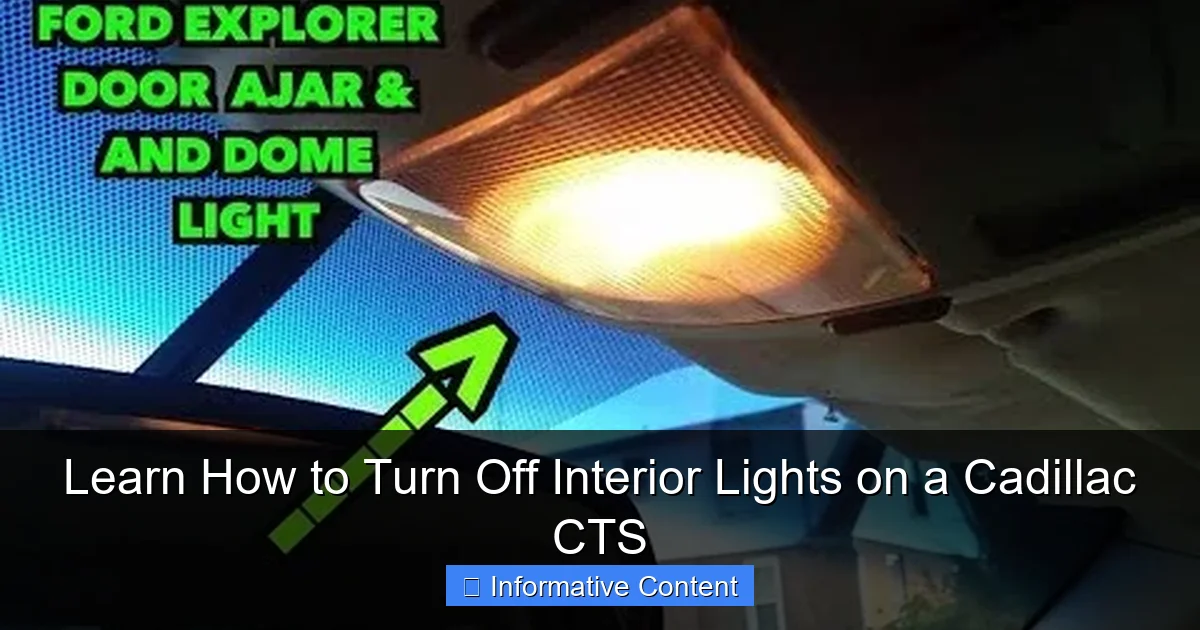
Using the Dome Light Buttons Themselves
Look closely at the lens of your dome light assembly. You will likely see two separate buttons or one button with two distinct markings.
- ON Button: This will manually turn the dome lights on and keep them on regardless of door position.
- DOOR Button: This is the most important one. When this button is selected (usually indicated by a small illuminated icon), the dome lights are in “door mode.” They will turn on when any door is opened and should turn off automatically a short time after all doors are closed and locked, or when the vehicle is started.
- OFF Button: This manually overrides the system and forces the dome lights off, even if a door is open.
Practical Tip: If your lights are on and you want them off while sitting in the car, press the OFF button on the dome light panel. This is your instant fix for a drive-in movie or a quick nap.
The Steering Column Dimmer Roller Switch
Located on the left side of the steering column, this switch controls your instrument panel brightness. But it has a secret function.
- Roll the switch upwards to increase dashboard brightness.
- Roll it all the way down until it clicks. This click often turns off the interior dome lights when they are in “door mode.” It’s a secondary override that many owners overlook. If the lights came on with a door open, try rolling this dimmer down to its click position and see if they turn off.
Managing Lights Through Vehicle Settings
For newer Cadillac CTS models (especially from the third generation onward with the CUE system), you have a digital hub of customization. This is where you can fine-tune the behavior of your lights.
Visual guide about How To Turn Off Interior Lights On A Cadillac Cts
Image source: i.ytimg.com
Accessing the Lighting Menu on the CUE Screen
Tap the “Settings” icon on your touchscreen. Navigate to “Vehicle” settings, then look for “Lighting” or “Comfort and Convenience.” Here you will find options like:
- Exit Lighting: Controls how long the interior and exterior lights stay on after you exit and lock the car.
- Approach Lighting: Controls whether lights turn on when you unlock with the fob.
- Interior Light Delay: Adjusts the timer for how long lights stay on after closing a door.
While these settings don’t always have a “turn all lights off now” button, reducing the delay to its shortest setting can minimize the time lights stay on after you close a door.
The “Lights Off” Override Function
Some model years have a specific override sequence you can perform with the ignition. A common method is:
1. Turn the ignition to the “ON” or “RUN” position (do not start the engine).
2. Press and hold the dome light DOOR button for about 5-10 seconds.
3. You may see the lights flash, indicating a reset or override. This can sometimes force the system out of a “door ajar” sensing loop.
What to Do When Interior Lights Won’t Turn Off
This is the frustrating scenario. You’ve pressed every button, but the lights remain stubbornly on. Don’t worry; a methodical approach will find the cause.
Visual guide about How To Turn Off Interior Lights On A Cadillac Cts
Image source: i.ytimg.com
Step-by-Step Diagnostic Check
Follow this sequence:
- Check All Doors and the Trunk: Open and firmly close every single door, including the trunk/hatch. Listen for a solid “thunk.” Even a slightly misaligned door can keep the switch engaged.
- Locate the Door Ajar Warning: Look at your driver information center (DIC) in the instrument cluster. If any door is ajar, it will usually display a warning message or a graphic. This is your best clue.
- Try the Dome Light Override: With the problematic door open, manually press the OFF button on the dome light panel. If the lights go off, you’ve confirmed the door switch is the trigger.
- Check the Door Jamb Switches: Open a door and look at the door frame. You’ll see a black, rubber-covered plunger. This is the door jamb switch. Press it in with your finger. You should hear the interior lights turn off immediately if that’s the culprit. If the switch feels sticky or loose, it may be faulty.
Addressing a Faulty Door Jamb Switch
A stuck or broken door switch is a common issue. You can often temporarily fix a sticky switch by spraying it with electrical contact cleaner and working the plunger in and out. If it’s broken, replacement is usually inexpensive and straightforward, though it might require removing some interior trim to access the wiring connector.
Manual Overrides and Last-Resort Methods
For extreme situations, or if you need absolute darkness and don’t have time to troubleshoot, these methods work.
The Fuse Box Solution
As a last resort, you can remove the fuse for the interior dome lights. This will kill power to them completely until the fuse is reinserted.
- Consult your owner’s manual to locate the interior fuse box (usually in the rear compartment or side of the dashboard) and identify the correct fuse for “Dome Lights” or “Interior Lighting.”
- Use the fuse puller tool provided in the fuse box to remove that specific fuse.
- Remember to replace it later to restore functionality for your courtesy lights.
Important: This will also disable other lights on that circuit, like vanity mirror lights. Only use this if you are stranded and need to conserve battery power.
Creating a Temporary Dark Cabin
If you’re parked and want to sleep or watch a movie, here’s a reliable sequence:
1. Enter the car and close all doors.
2. Before starting the car, press the dome light OFF button.
3. Start the engine, then shift to your desired gear.
4. The interior lights should now remain off. When you shut the car off, they should stay off if you exit quickly before the system resets.
Comparing Interior Light Features Across CTS Generations
The Cadillac CTS evolved significantly from 2003 to 2019. Here’s a quick overview of how interior light controls changed, which can help you find the right method for your specific model year.
| Model Generation | Key Years | Primary Control Method | Notable Features & Quirks |
|---|---|---|---|
| First Gen | 2003-2007 | Physical dome light buttons & dimmer wheel. | Most straightforward system. The dimmer wheel click-off is very consistent. |
| Second Gen | 2008-2014 | Dome light buttons & settings via Driver Information Center (DIC) steering wheel buttons. | Lighting delay settings are in the DIC menus. Door ajar warnings are very clear in the DIC. |
| Third Gen | 2014-2019 | Dome light buttons & extensive digital settings via the CUE touchscreen. | Highest level of customization. Ambient lighting color and brightness can be adjusted. “Theater Dimming” mode slowly fades lights out. |
Final Tips and Best Practices
After spending years with various Cadillac models, I’ve picked up a few non-obvious tricks.
- The “Lock Twice” Trick: If you’ve exited the car and the interior lights are still on (in delay mode), pressing the lock button on your key fob a second time often commands them to turn off immediately.
- Battery Saver Mode: All modern CTS models have a battery saver feature. If you accidentally leave an interior light on manually, the BCM will automatically turn it off after about 10-20 minutes to prevent a dead battery. It’s a great safety net.
- Keep It Clean: Periodically clean the door jamb switches with a dry cloth to prevent grime from causing them to stick in the open position.
- Consult the Digital Manual: If you’ve lost your physical owner’s manual, a full PDF is always available from Cadillac’s owner website. Searching it for “interior lights” is faster than you might think.
Mastering the interior lights of your Cadillac CTS is really about understanding the conversation between you, the switches, and the car’s computer. It’s designed to be helpful, but with the knowledge from this guide, you are now in the driver’s seat of that decision. You can confidently choose between a welcoming, well-lit cabin and a perfectly dark, private space.
Remember, the most common issue is always a door, trunk, or hatch that isn’t quite shut. After that, the manual dome light OFF button is your best friend. For everything else, your vehicle settings and a bit of patience will get you there. Now, go enjoy that drive-in movie or that quiet moment under the stars—your dashboard won’t be glowing to spoil it.
Frequently Asked Questions
How do I manually turn off the interior lights on my Cadillac CTS while driving?
You can manually turn off the interior lights on a Cadillac CTS by using the dashboard dimmer switch. Locate the switch, often found on the left side of the instrument panel or on the steering wheel column, and rotate it fully past the detent until the interior lights turn off.
Why won’t my Cadillac CTS interior lights turn off when I close the doors?
This usually happens if a door, the trunk, or the hood is not fully latched. Check all closures to ensure they are completely shut. Also, verify that the interior light switch isn’t in the manual “On” position.
How can I turn off interior lights in my CTS using the steering wheel controls?
Some Cadillac CTS models allow you to control the instrument panel lighting via buttons on the steering wheel. Navigate through the Driver Information Center menus to find lighting settings, where you can often adjust or turn off certain interior lights.
How do I disable the automatic dome lights when entering or exiting?
To disable the automatic dome lights, locate your headlight or lighting controls. There is typically a button with a symbol of a car with interior lights illuminated; pressing and holding this button for a few seconds will often disable the automatic entry/exit lighting feature.
What should I do if my interior lights stay on and drain the battery?
First, ensure all doors are shut firmly and the light override switch is off. If the problem persists, you may need to check the door jamb switches for damage or consult your owner’s manual to reset the vehicle’s body control module to prevent battery drain.
Can I turn off the rear reading lights separately in a Cadillac CTS?
Yes, the rear reading lights in a Cadillac CTS are usually controlled by their own individual buttons located on the light assembly itself. Simply press the corresponding button near each light to turn them on or off independently of the front dome lights.

At CarLegit, we believe information should be clear, factual, and genuinely helpful. That’s why every guide, review, and update on our website is created with care, research, and a strong focus on user experience.