
Turning off Lane Assist in your 2023 Kia Sportage is simple but important for driver control and comfort. This guide walks you through every method—from the touchscreen to the steering wheel controls—so you can disable it temporarily or permanently based on your driving needs.
In This Article
- 1 Key Takeaways
- 2 📑 Table of Contents
- 3 Understanding Lane Assist in the 2023 Kia Sportage
- 4 Why You Might Want to Turn Off Lane Assist
- 5 Step-by-Step: How to Turn Off Lane Assist in Your 2023 Kia Sportage
- 6 Important Notes and Warnings
- 7 Alternative: Adjust Sensitivity Instead of Turning Off
- 8 Conclusion: Take Control of Your Driving Experience
- 9 Frequently Asked Questions
- 9.1 Can I permanently turn off Lane Assist in my 2023 Kia Sportage?
- 9.2 Will turning off Lane Assist affect my warranty or insurance?
- 9.3 Does Lane Assist work in the rain or snow?
- 9.4 Why does Lane Assist keep turning back on after I disable it?
- 9.5 Is it illegal to drive with Lane Assist turned off?
- 9.6 Can I disable only the steering correction but keep the warning alerts?
Key Takeaways
- Lane Assist can be turned off quickly using the steering wheel button or infotainment menu—no tools required.
- The system resets after each ignition cycle, meaning you’ll need to disable it again every time you start the car unless using permanent settings.
- Disabling Lane Assist doesn’t affect other safety features like Forward Collision-Avoidance or Blind-Spot Monitoring.
- Driving without Lane Assist requires extra attention—always stay focused and keep both hands on the wheel.
- Use the “Driver Assistance” menu in the touchscreen for full control over all active safety systems.
- Consult your owner’s manual for model-specific details and warranty information related to driver aids.
- Consider your driving environment—highways may benefit from Lane Assist, while city driving might not.
📑 Table of Contents
Understanding Lane Assist in the 2023 Kia Sportage
The 2023 Kia Sportage comes packed with advanced driver-assistance technologies designed to make driving safer and more comfortable. One of the most prominent features is Lane Keeping Assist (LKA), often referred to simply as “Lane Assist.” This system uses a forward-facing camera mounted near the rearview mirror to monitor lane markings on the road. If it detects that your vehicle is drifting out of its lane without a turn signal activated, it gently steers you back into place—or at least gives a warning vibration or sound.
While many drivers appreciate this added layer of safety, especially on long highway drives, others find it overly sensitive or intrusive, particularly on rural roads with faded markings or during heavy rain. Some users report that the system tugs at the steering wheel unexpectedly, which can be disconcerting—even dangerous—if you’re not expecting it. That’s why knowing how to turn off Lane Assist in your 2023 Kia Sportage isn’t just convenient; it’s an essential skill for tailoring your driving experience to your preferences and conditions.
It’s also worth noting that Lane Assist is part of a broader suite of driver aids in the Sportage, including Forward Collision-Avoidance Assist, Blind-Spot Collision Warning, and Smart Cruise Control. These systems work independently, so turning off Lane Assist won’t disable them. However, understanding how these features interact helps you make informed decisions about when and how to use them.
How Lane Assist Works: A Quick Technical Overview
At its core, Lane Assist relies on visual recognition. The camera scans the road ahead up to about 50 meters, looking for clear white or yellow lane lines. When the system determines that the vehicle is crossing a lane boundary unintentionally—meaning no turn signal is on—it intervenes. In most 2023 Sportage trims, this intervention comes in two forms: a warning (usually a chime and dashboard icon) followed by gentle steering correction.
The sensitivity of the system can vary based on speed (typically active above 37 mph) and road conditions. On well-marked highways, it performs reliably. But on winding country roads, construction zones, or during snowy weather when lines are obscured, it may behave erratically. This inconsistency is one of the main reasons drivers seek to disable it temporarily.
Importantly, Lane Assist is not autonomous driving. It’s a supportive tool, not a replacement for attentive driving. Kia emphasizes that the driver remains fully responsible for vehicle control at all times. That said, if you prefer full manual control—or simply want peace of mind knowing the car won’t “fight” you at the wheel—learning how to turn off Lane Assist is a smart move.
Why You Might Want to Turn Off Lane Assist
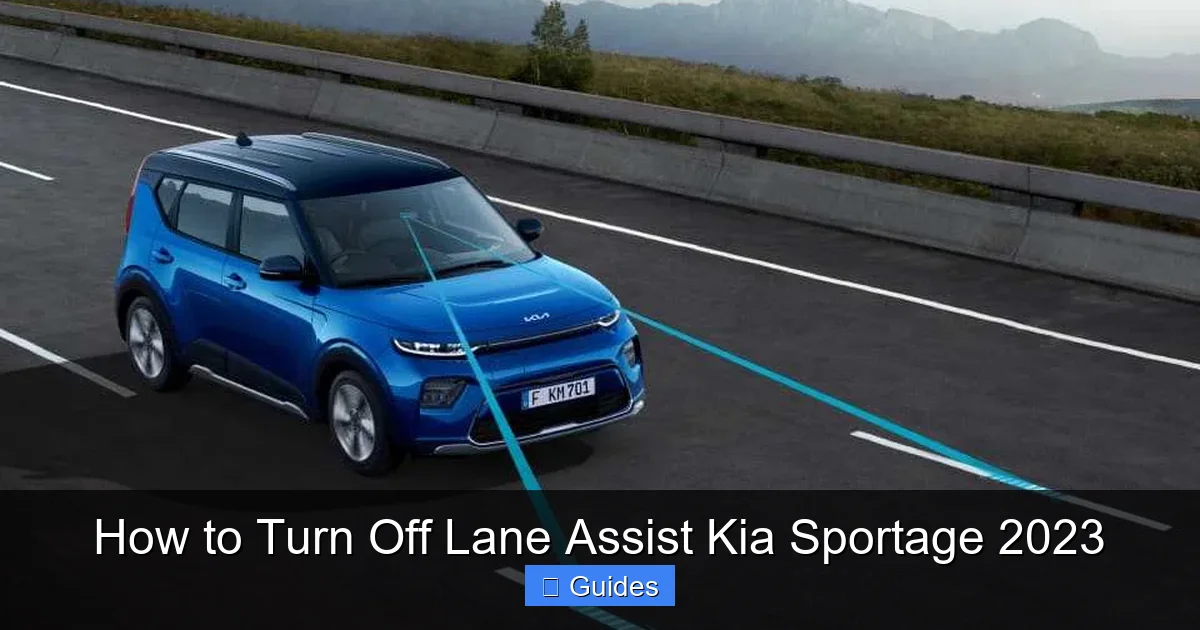
Visual guide about How to Turn Off Lane Assist Kia Sportage 2023
Image source: broadoakmotorgroup.co.uk
There are several valid reasons why a driver might choose to disable Lane Assist in their 2023 Kia Sportage. While the feature aims to enhance safety, real-world usage often reveals scenarios where it becomes more of a hindrance than a help.
One common issue is over-sensitivity. Many users report that the system activates even when they’re intentionally changing lanes slowly or adjusting position within their lane for comfort. This can lead to unnecessary steering corrections that feel jarring or unnatural. For example, if you’re driving on a slightly curved road and gently guiding the car toward the center, Lane Assist might interpret this as drifting and push back—creating a tug-of-war between you and the car.
Another scenario involves poor road markings. In rural areas or older neighborhoods, lane lines may be faded, patched, or completely absent. In such cases, the camera struggles to detect boundaries accurately, leading to false alerts or erratic behavior. During winter months, snow-covered roads present similar challenges. Trying to drive confidently while the system constantly beeps or tugs the wheel can increase stress rather than reduce it.
Additionally, some drivers simply prefer a more traditional, hands-on driving experience. They enjoy full control over steering inputs and don’t want electronic systems intervening—even gently—in their maneuvers. This is especially true for enthusiasts or those who frequently drive on winding backroads where precise handling matters more than lane discipline.
Lastly, there’s the practical consideration of parking or low-speed maneuvers. Although Lane Assist typically deactivates below 37 mph, some drivers have reported minor interference during tight turns or parallel parking in urban settings. While rare, these instances reinforce the value of being able to toggle the feature on and off as needed.
When It Makes Sense to Keep It On
Despite these concerns, Lane Assist can be incredibly useful in certain situations. Long highway commutes, for instance, benefit greatly from the system’s ability to prevent unintentional lane departures due to fatigue or distraction. If you regularly drive on interstates or freeways, keeping Lane Assist enabled may actually improve your safety margin.
Similarly, if you’re a new driver or someone who tends to get drowsy behind the wheel, the added alertness provided by Lane Assist could be a lifesaver. The gentle nudge serves as a wake-up call before a potential accident occurs.
Ultimately, the decision to disable Lane Assist should be based on your driving habits, environment, and comfort level. The good news? The 2023 Kia Sportage makes it easy to switch it off whenever you want—and turn it back on just as quickly.
Step-by-Step: How to Turn Off Lane Assist in Your 2023 Kia Sportage
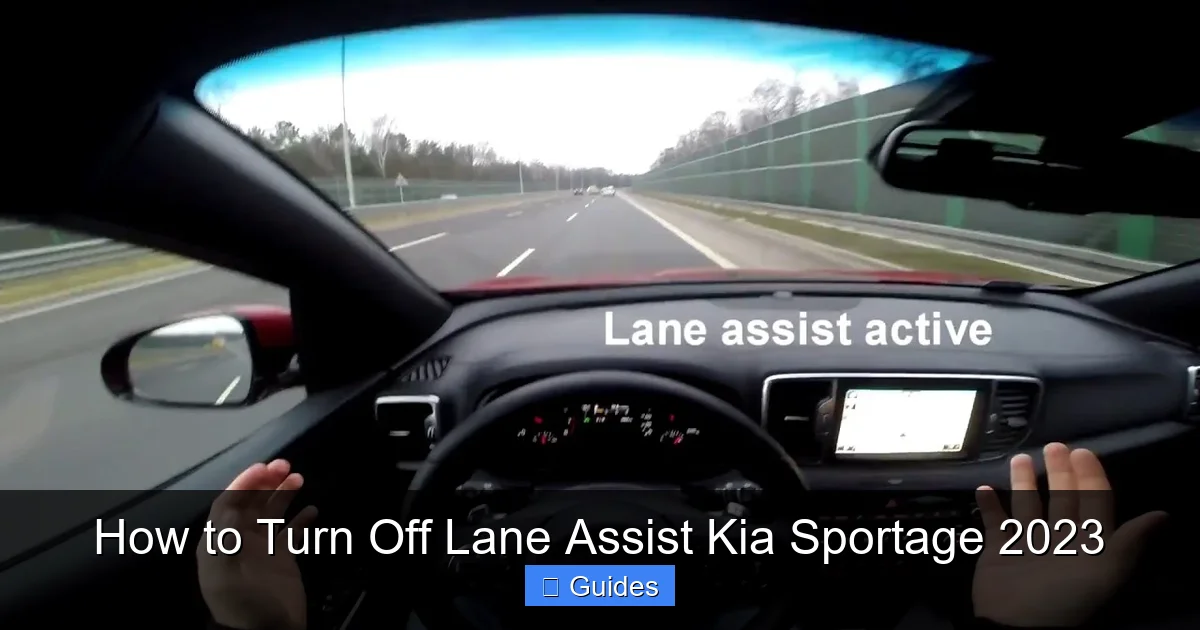
Visual guide about How to Turn Off Lane Assist Kia Sportage 2023
Image source: i.ytimg.com
Now that we’ve covered the basics, let’s get into the practical steps. Fortunately, Kia has designed the 2023 Sportage with user-friendly controls, so disabling Lane Assist takes just a few seconds—no dealership visit or technical expertise required.
There are two primary methods to turn off Lane Assist: using the steering wheel button or navigating through the touchscreen menu. Both are straightforward, but the touchscreen method offers more customization options if you want to fine-tune other driver-assistance settings at the same time.
Method 1: Using the Steering Wheel Button (Quick Disable)
This is the fastest way to temporarily disable Lane Assist. Here’s how:
1. Start your vehicle and ensure it’s in Park or stopped safely.
2. Locate the **Driver Assistance** button on the left side of your steering wheel. It usually has an icon resembling a car with lane lines or a warning symbol.
3. Press and hold this button for about 2–3 seconds.
4. You’ll see a message appear on your instrument cluster or head-up display (if equipped): “Lane Keeping Assist Off” or similar wording.
5. The system is now disabled—but only until you turn the car off and on again.
This method is ideal for quick toggling, such as when entering a construction zone or driving on an unmarked road. However, remember that Lane Assist will automatically reactivate the next time you start the engine. If you want a more permanent solution, use Method 2.
Method 2: Using the Touchscreen Menu (Customizable Control)
For greater control—including the option to disable Lane Assist permanently or adjust sensitivity—use the infotainment system:
1. Turn on your Sportage and wait for the touchscreen to fully load.
2. Tap the **Settings** icon (usually a gear or wrench symbol) on the home screen.
3. Select **Vehicle** > **Driver Assistance**.
4. Look for **Lane Keeping Assist** (or **LKA**) in the list.
5. Toggle the switch to **Off**.
6. (Optional) Explore related settings like **Lane Departure Warning** or **Lane Following Assist**—you can disable these individually if desired.
Once disabled via the menu, Lane Assist remains off until you manually turn it back on—even after restarting the vehicle. This is perfect if you consistently drive in areas where the feature isn’t helpful.
Pro Tip: Use the “Eco” or “Custom” Drive Mode
Some 2023 Sportage trims allow you to link driver-assistance settings to specific drive modes. For example, you can set “Sport” mode to always disable Lane Assist, while “Smart” mode keeps it active. Check your owner’s manual to see if this feature is available on your trim level—it’s a great way to automate your preferences based on driving style.
Important Notes and Warnings

Visual guide about How to Turn Off Lane Assist Kia Sportage 2023
Image source: i.ytimg.com
While turning off Lane Assist is safe and legal in most regions, there are a few important caveats to keep in mind.
First, **disabling Lane Assist does not disable other safety systems**. Your Forward Collision-Avoidance Assist, Blind-Spot Monitoring, and Rear Cross-Traffic Alert will continue to function normally. This modular design ensures you still benefit from critical protections even when opting out of lane guidance.
Second, **the system resets after every ignition cycle** unless you use the touchscreen method to permanently disable it. If you only use the steering wheel button, you’ll need to repeat the process each time you drive. This is by design—Kia assumes most drivers want the safety feature active by default.
Third, **driving without Lane Assist requires heightened awareness**. Without the gentle steering corrections, you’re solely responsible for maintaining lane position. This is especially important on highways or during long trips where fatigue can set in. Always keep both hands on the wheel and avoid distractions like phones or eating while driving.
Finally, **check local laws**. In some countries or states, certain driver-assistance features may be mandated or regulated. While Lane Assist isn’t typically required, it’s wise to verify regulations if you frequently cross borders or rent vehicles in different regions.
What If the Button Doesn’t Work?
If pressing the Driver Assistance button yields no response, don’t panic. First, ensure your vehicle is fully powered on—some systems won’t respond in accessory mode. Next, check that no other warning lights (like check engine or ABS) are illuminated, as system errors can disable non-essential features.
If the issue persists, consult your owner’s manual or visit a Kia service center. Rarely, a software glitch or camera obstruction (like dirt on the windshield near the mirror) can interfere with functionality. A quick cleaning or software update often resolves the problem.
Alternative: Adjust Sensitivity Instead of Turning Off
If you’re not ready to fully disable Lane Assist but find it too aggressive, consider adjusting its sensitivity instead. The 2023 Sportage allows you to choose between “High,” “Normal,” and “Low” settings for Lane Keeping Assist.
To do this:
1. Go to **Settings** > **Vehicle** > **Driver Assistance** > **Lane Keeping Assist**.
2. Select **Sensitivity**.
3. Choose **Low** for minimal intervention or **High** for maximum support.
The “Low” setting reduces the frequency of steering corrections and warnings, making it ideal for drivers who want subtle assistance without constant nudges. This middle ground often satisfies users who appreciate the safety net but dislike the intrusiveness.
Real-World Example: City vs. Highway Driving
Imagine you’re commuting daily through downtown traffic with frequent lane changes and construction detours. In this environment, Lane Assist might trigger constantly, leading to frustration. Disabling it (or setting sensitivity to Low) makes sense.
Now picture a weekend road trip on a straight, well-marked interstate. Here, Lane Assist can help prevent micro-sleep incidents or momentary distractions. Re-enabling it for this scenario maximizes safety without sacrificing comfort.
Being able to adapt the system to your route is one of the biggest advantages of modern driver aids—and why knowing how to turn off Lane Assist is so valuable.
Conclusion: Take Control of Your Driving Experience
The 2023 Kia Sportage is a technologically advanced SUV that puts safety and convenience at the forefront. But technology should serve the driver—not the other way around. Whether you’re navigating pothole-ridden city streets, cruising down sun-drenched highways, or tackling snowy mountain passes, having the ability to customize features like Lane Assist puts you in the driver’s seat—literally and figuratively.
Turning off Lane Assist is simple, safe, and completely reversible. With just a button press or a few taps on the screen, you can reclaim full control over your steering inputs and reduce unnecessary distractions. And because the system resets each time you start the car, you’re never locked into a decision—you can experiment and find what works best for your lifestyle.
Remember, no driver-assistance feature replaces attentive, responsible driving. But when used wisely—and adjusted to your needs—these tools can make every journey smoother, safer, and more enjoyable. So the next time you slide into your Sportage, take a moment to explore the Driver Assistance menu. You might discover that a little customization goes a long way.
Frequently Asked Questions
Can I permanently turn off Lane Assist in my 2023 Kia Sportage?
Yes, you can permanently disable Lane Assist by turning it off through the touchscreen menu under Settings > Vehicle > Driver Assistance > Lane Keeping Assist. Unlike the steering wheel button method, this setting persists even after restarting the vehicle.
Will turning off Lane Assist affect my warranty or insurance?
No, disabling Lane Assist does not void your warranty or impact your insurance policy. It’s a standard user-controlled feature, and insurers don’t penalize drivers for adjusting factory settings.
Does Lane Assist work in the rain or snow?
Lane Assist relies on visible lane markings, so heavy rain, snow, or fog can reduce its effectiveness. In such conditions, it may behave erratically or disable itself automatically—which is another reason some drivers prefer to turn it off manually.
Why does Lane Assist keep turning back on after I disable it?
If you only used the steering wheel button to disable it, the system will reset when you turn off the ignition. To keep it off permanently, use the touchscreen menu method instead.
Is it illegal to drive with Lane Assist turned off?
In most regions, including the U.S. and Canada, it is completely legal to disable Lane Assist. However, always check local regulations if you frequently drive in different states or countries.
Can I disable only the steering correction but keep the warning alerts?
Yes! In the Driver Assistance menu, you can turn off “Lane Keeping Assist” (which controls steering) while leaving “Lane Departure Warning” active. This way, you’ll still get visual or audible alerts without any physical intervention.

At CarLegit, we believe information should be clear, factual, and genuinely helpful. That’s why every guide, review, and update on our website is created with care, research, and a strong focus on user experience.