
Turning off lane assist in your Toyota Camry is simple and can be done in seconds using the dashboard controls or steering wheel buttons. Whether you’re driving on poorly marked roads or prefer full manual control, disabling this safety feature gives you more flexibility—just remember to reactivate it when needed for safer highway driving.
If you’ve ever been driving your Toyota Camry and suddenly felt the steering wheel gently tug you back into your lane, you’ve experienced Lane Assist in action. This advanced safety feature, officially known as the Lane Keeping Assist System (LKAS), is designed to help prevent unintentional lane departures by monitoring road markings and making subtle steering corrections. While it’s a helpful tool—especially on long highway drives or when you’re feeling a bit drowsy—there are times when you might want to turn it off. Maybe the road markings are faded, you’re driving on a rural or gravel road, or you simply prefer full control over your vehicle’s steering. Whatever the reason, knowing how to turn off lane assist Toyota Camry is a valuable skill every driver should have.
The good news? It’s easier than you might think. Unlike some older vehicle systems that require a trip to the dealership or complex coding, Toyota has made disabling Lane Assist straightforward and accessible directly from the driver’s seat. Whether you’re driving a 2020 Camry LE, a 2023 XSE Hybrid, or any model in between, the process is similar across most recent trims. In this guide, we’ll walk you through every step, explain how the system works, and offer practical tips to help you decide when it’s best to keep it on or off. We’ll also cover common issues, troubleshooting, and safety considerations so you can drive with confidence—no matter what the road throws your way.
In This Article
- 1 Key Takeaways
- 2 📑 Table of Contents
- 3 What Is Lane Assist in the Toyota Camry?
- 4 Why You Might Want to Turn Off Lane Assist
- 5 How to Turn Off Lane Assist Toyota Camry (Step-by-Step Guide)
- 6 How to Re-Enable Lane Assist
- 7 Troubleshooting Common Lane Assist Issues
- 8 Safety Tips When Driving with Lane Assist Off
- 9 Conclusion
- 10 Frequently Asked Questions
- 10.1 Can I permanently turn off Lane Assist on my Toyota Camry?
- 10.2 Will turning off Lane Assist affect other safety features?
- 10.3 Why does my Lane Assist keep turning back on?
- 10.4 Can I turn off Lane Assist while driving?
- 10.5 What should I do if Lane Assist isn’t working even when turned on?
- 10.6 Is it safe to drive with Lane Assist turned off?
Key Takeaways
- Lane Assist can be turned off temporarily or permanently depending on your preference and driving conditions.
- Use the steering wheel or dashboard menu to access the safety settings and disable Lane Keeping Assist System (LKAS).
- Disabling Lane Assist does not affect other safety systems like ABS, traction control, or airbags.
- Always re-enable Lane Assist on highways or well-marked roads to enhance safety and reduce driver fatigue.
- Some Toyota Camry trims may have slightly different menus, so check your owner’s manual for model-specific steps.
- Lane Assist uses cameras and sensors that may malfunction in bad weather—turning it off can prevent false alerts.
- Practice safe driving habits even with Lane Assist off, as no system replaces attentive driving.
📑 Table of Contents
What Is Lane Assist in the Toyota Camry?
Before we dive into how to turn it off, let’s first understand what Lane Assist actually does. The Lane Keeping Assist System (LKAS) in the Toyota Camry is part of Toyota’s broader suite of safety technologies known as Toyota Safety Sense (TSS). This system uses a forward-facing camera mounted near the rearview mirror to detect lane markings on the road. When the system senses that your vehicle is beginning to drift out of its lane without a turn signal activated, it gently applies steering torque to guide you back into the correct lane.
It’s important to note that Lane Assist is not the same as autonomous driving. It doesn’t steer the car for you continuously—it only intervenes when it detects an unintentional lane departure. Think of it as a helpful nudge rather than full control. The system works best on highways and well-marked roads with clear white or yellow lines. It may struggle in heavy rain, snow, fog, or on roads with faded or missing markings.
One of the key benefits of Lane Assist is that it helps reduce driver fatigue on long trips. By keeping you centered in your lane, it allows you to focus more on traffic and less on micro-corrections. However, it’s not perfect. Some drivers find the steering corrections too aggressive or annoying, especially on winding roads or when making intentional lane changes. That’s why Toyota gives you the option to turn it off—because every driver is different, and personal preference plays a big role in how you interact with your vehicle’s technology.
Why You Might Want to Turn Off Lane Assist
Visual guide about How to Turn Off Lane Assist Toyota Camry
Image source: diycarexpert.com
There are several practical reasons why you might want to disable Lane Assist in your Toyota Camry. While the feature is designed to enhance safety, it’s not always ideal in every driving situation. Let’s explore some of the most common scenarios where turning it off makes sense.
Driving on Poorly Marked or Rural Roads
One of the most frequent reasons drivers turn off Lane Assist is due to unclear or missing lane markings. If you frequently drive on rural roads, backcountry routes, or areas under construction, the camera may struggle to detect lane lines. This can cause the system to behave erratically—either failing to engage when it should or making unnecessary corrections when it shouldn’t. In these cases, having Lane Assist active can be more distracting than helpful.
For example, imagine you’re driving through a national park with narrow, winding roads and faded paint. The system might misinterpret the road curvature and try to steer you toward the centerline, even when you’re intentionally staying closer to the shoulder for safety. Turning off Lane Assist in such conditions gives you full control and prevents frustrating interventions.
Off-Roading or Gravel Driving
If you take your Camry on light off-road adventures or drive on gravel or dirt roads, Lane Assist is essentially useless—and potentially problematic. These surfaces often lack clear lane markings, and the camera may pick up shadows, ruts, or debris as false lane lines. The result? Unwanted steering inputs that can make the vehicle feel twitchy or unpredictable.
Even though the Camry isn’t designed for serious off-roading, many owners use it for weekend camping trips or mountain drives. In these situations, disabling Lane Assist ensures a smoother, more natural driving experience.
Personal Preference and Driving Style
Some drivers simply prefer to be in complete control of their vehicle at all times. If you’re someone who enjoys a more hands-on driving experience or finds automated systems intrusive, turning off Lane Assist might be the right choice for you. It’s not about rejecting safety—it’s about choosing how you interact with your car’s technology.
Additionally, drivers with certain physical conditions or those recovering from injuries might find the subtle steering corrections uncomfortable or disorienting. In such cases, disabling the feature can reduce stress and improve comfort behind the wheel.
Towing or Hauling Heavy Loads
When towing a trailer or carrying a heavy load in the trunk, your Camry’s handling changes significantly. The vehicle may sit lower in the rear, altering its center of gravity and how it responds to steering inputs. Lane Assist, which is calibrated for normal driving conditions, might overcorrect or undercorrect in these situations.
For instance, if you’re towing a small camper or hauling furniture, the added weight can cause the car to drift slightly more than usual. The system might interpret this as unintentional lane departure and apply steering torque, which could feel jarring or unsafe. Turning off Lane Assist during towing ensures more predictable handling.
System Malfunctions or False Alerts
Like any electronic system, Lane Assist isn’t immune to glitches. Dirt, ice, or condensation on the camera lens can interfere with its ability to read lane markings. This can lead to false alerts or erratic behavior, such as the steering wheel vibrating or tugging for no reason.
If you notice that Lane Assist is acting up—especially in clear weather on well-marked roads—it might be worth turning it off temporarily and having the system inspected by a Toyota technician. In the meantime, disabling it prevents unnecessary distractions.
How to Turn Off Lane Assist Toyota Camry (Step-by-Step Guide)
Visual guide about How to Turn Off Lane Assist Toyota Camry
Image source: i.ytimg.com
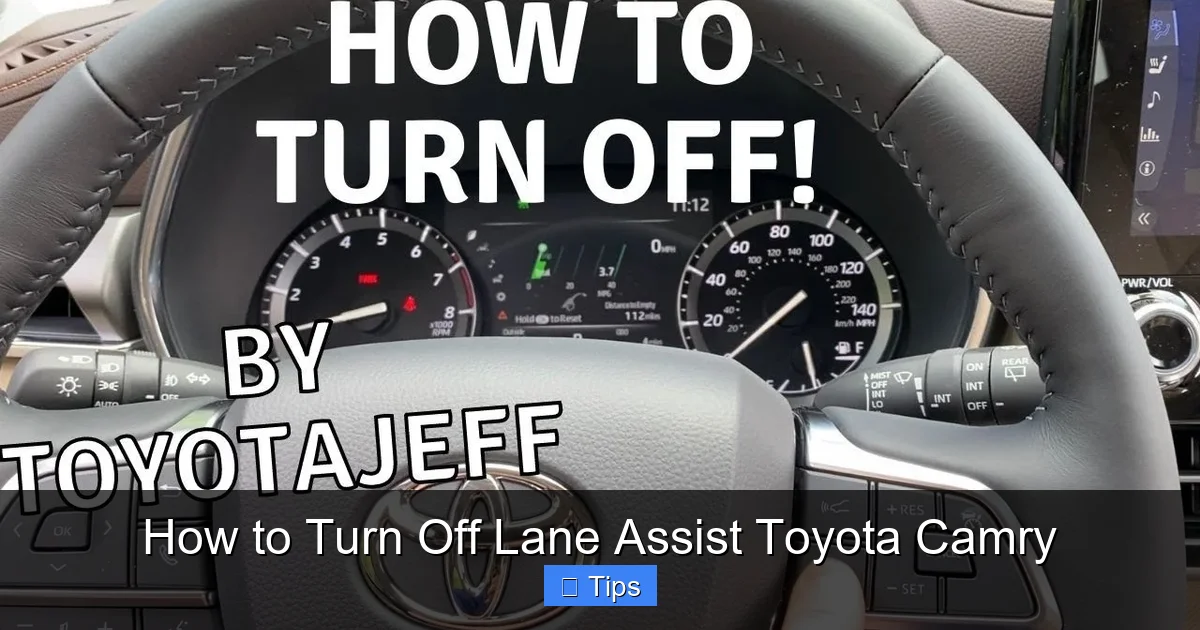
Now that we’ve covered the “why,” let’s get into the “how.” Turning off Lane Assist in your Toyota Camry is a quick and easy process that you can complete in under a minute. The exact steps may vary slightly depending on your model year and trim level, but the general method remains consistent across most recent Camry models (2018 and newer).
Method 1: Using the Steering Wheel Controls
This is the most common and convenient way to disable Lane Assist. Here’s how to do it:
1. **Start your vehicle** and ensure it’s in park or stopped safely.
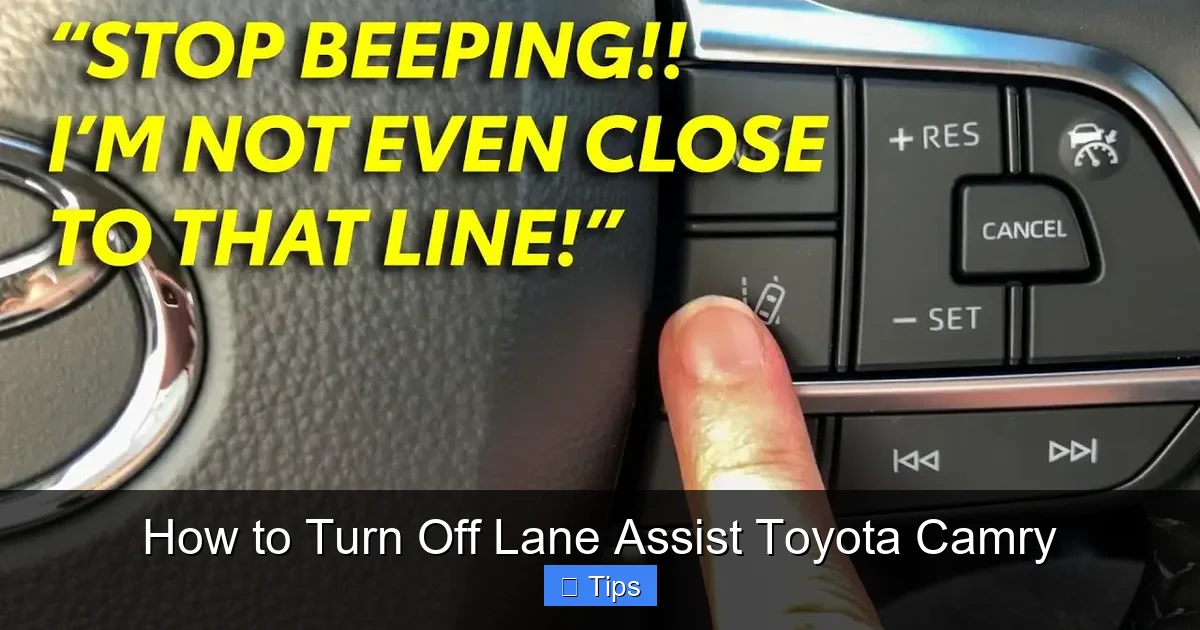
2. **Locate the menu button** on the left side of your steering wheel. It’s usually labeled with a gear icon or “MENU.”
3. **Press the menu button** to open the main display on your instrument cluster.
4. **Use the arrow buttons** (up/down) to navigate to the “Settings” or “Vehicle Settings” option.
5. **Scroll down** to find “Safety & Driving Assistance” or “Driver Assistance.”
6. **Select “Lane Keeping Assist”** or “LKAS.”
7. **Toggle the switch** to “Off.”
8. **Exit the menu** by pressing the “Back” or “Home” button.
Once disabled, you should see a message on your dashboard indicating that Lane Assist is turned off. The system will remain off until you manually turn it back on or restart the vehicle (depending on your settings).
Method 2: Using the Dashboard Display (Multimedia Screen)
On higher trims like the XLE, XSE, or Hybrid models, you may also be able to access Lane Assist settings through the central touchscreen:
1. **Tap the “Menu” or “Settings” icon** on the home screen.
2. **Select “Vehicle” or “Vehicle Settings.”**
3. **Choose “Safety” or “Driver Assistance.”**
4. **Find “Lane Keeping Assist”** and toggle it off.
This method is especially useful if you prefer using the larger screen for navigation.
Method 3: Quick Disable via Steering Wheel Button (2021+ Models)
Some newer Camry models (2021 and later) include a dedicated button or shortcut for disabling Lane Assist:
1. **Press and hold the “LKAS” button** on the steering wheel (if equipped).
2. **Hold for 2–3 seconds** until the system turns off.
3. **Confirm the change** on the instrument cluster.
This is the fastest method and ideal for drivers who frequently toggle the feature on and off.
Important Notes
– **Temporary vs. Permanent Disable:** In most cases, turning off Lane Assist is temporary. The system will reactivate the next time you start the car unless you disable it again. Some models allow you to set it to “Always Off,” but this varies by year.
– **Check Your Owner’s Manual:** If you’re unsure about the steps for your specific model, consult your owner’s manual. Toyota provides detailed instructions for every trim and year.
– **Use Caution:** Only disable Lane Assist when necessary. Re-enable it for highway driving or in heavy traffic.
How to Re-Enable Lane Assist

Visual guide about How to Turn Off Lane Assist Toyota Camry
Image source: m.media-amazon.com
Turning Lane Assist back on is just as easy as turning it off. Simply follow the same steps you used to disable it, but toggle the switch to “On” instead. You can do this at any time—whether you’re parked or driving (though it’s safer to do it when stopped).
Many drivers choose to disable Lane Assist only when needed and re-enable it for long trips or highway driving. This gives you the best of both worlds: control when you want it, and assistance when you need it.
Some Camry models also allow you to customize how sensitive the system is. For example, you might be able to adjust the steering assist level from “High” to “Low” if you find the corrections too strong. Check your settings menu for these options.
Troubleshooting Common Lane Assist Issues
Even with the ability to turn it off, you might encounter issues with Lane Assist that require attention. Here are some common problems and how to fix them.
Lane Assist Won’t Turn Off
If you’ve followed the steps but the system remains active, try the following:
– **Restart the vehicle:** Turn the ignition off, wait 30 seconds, then restart.
– **Check for software updates:** Visit a Toyota dealer to ensure your system is up to date.
– **Inspect the camera:** Make sure the area near the rearview mirror is clean and unobstructed.
False Alerts or Erratic Behavior
If Lane Assist is activating when it shouldn’t:
– **Clean the camera lens:** Use a soft cloth and glass cleaner to remove dirt, snow, or bugs.
– **Avoid using aftermarket films or covers** near the camera.
– **Check tire pressure:** Uneven tires can affect vehicle tracking and confuse the system.
System Not Working at All
If Lane Assist won’t turn on:
– **Ensure it’s enabled in settings.**
– **Verify that the road has clear markings.**
– **Have the camera and sensors inspected** by a professional.
Safety Tips When Driving with Lane Assist Off
Disabling Lane Assist doesn’t mean you should stop paying attention. In fact, it’s even more important to stay alert when the system is off. Here are some safety tips to keep in mind:
– **Scan the road ahead** constantly, especially on highways.
– **Use your turn signals** every time you change lanes.
– **Avoid distractions** like texting, eating, or adjusting the radio.
– **Take breaks** on long drives to prevent fatigue.
– **Re-enable Lane Assist** when conditions improve.
Remember, no technology can replace a vigilant driver. Lane Assist is a helpful tool, but it’s not a substitute for safe driving habits.
Conclusion
Knowing how to turn off lane assist Toyota Camry gives you greater control over your driving experience. Whether you’re navigating poorly marked roads, towing a trailer, or simply prefer manual steering, disabling this feature is quick, easy, and completely safe. Just remember to use it wisely—turn it off when needed, but re-enable it for highway driving and in heavy traffic.
With the steps outlined in this guide, you’ll be able to manage your Camry’s Lane Keeping Assist System with confidence. And if you ever run into issues, don’t hesitate to consult your owner’s manual or visit a Toyota service center. Safe driving isn’t just about technology—it’s about making smart choices behind the wheel.
Frequently Asked Questions
Can I permanently turn off Lane Assist on my Toyota Camry?
Most Toyota Camry models allow you to disable Lane Assist temporarily, but it typically reactivates when you restart the vehicle. Some newer models may offer a “permanent off” option in the settings menu—check your owner’s manual or consult a dealer for model-specific details.
Will turning off Lane Assist affect other safety features?
No, disabling Lane Assist only turns off the Lane Keeping Assist System. Other safety features like ABS, traction control, airbags, and automatic emergency braking will continue to function normally.
Why does my Lane Assist keep turning back on?
This is normal behavior. Toyota designs the system to reactivate each time you start the car to ensure maximum safety. You’ll need to disable it manually every time unless your model supports a permanent off setting.
Can I turn off Lane Assist while driving?
Yes, you can safely disable Lane Assist while driving using the steering wheel controls. However, it’s recommended to do so when the vehicle is stopped or moving at low speeds to avoid distractions.
What should I do if Lane Assist isn’t working even when turned on?
First, ensure the camera near the rearview mirror is clean and unobstructed. If the issue persists, visit a Toyota service center to have the sensors and software checked for faults or updates.
Is it safe to drive with Lane Assist turned off?
Yes, it’s completely safe to drive with Lane Assist off. Many drivers prefer full control, especially on rural or poorly marked roads. Just remember to stay alert and re-enable the system for highway driving when possible.

At CarLegit, we believe information should be clear, factual, and genuinely helpful. That’s why every guide, review, and update on our website is created with care, research, and a strong focus on user experience.