
Turning off off road mode on your Jeep is essential when returning to normal driving conditions. This guide walks you through the process for various Jeep models, explains why it matters, and offers safety tips to keep your vehicle running smoothly.
In This Article
- 1 Key Takeaways
- 2 📑 Table of Contents
- 3 Why Turning Off Off Road Mode Matters
- 4 Understanding Off Road Mode in Jeeps
- 5 How to Turn Off Off Road Mode on Different Jeep Models
- 6 Step-by-Step Guide: How to Turn Off Off Road on Jeep
- 7 Common Mistakes and How to Avoid Them
- 8 When to Use Off Road Mode (And When Not To)
- 9 Maintenance Tips After Off Roading
- 10 Conclusion
- 11 Frequently Asked Questions
- 11.1 How do I know if off road mode is still on?
- 11.2 Can I drive on the highway in off road mode?
- 11.3 What happens if I forget to turn off off road mode?
- 11.4 Do all Jeep models have off road mode?
- 11.5 Can I turn off off road mode while driving?
- 11.6 Where can I find the exact steps for my Jeep model?
Key Takeaways
- Know your Jeep model: Different Jeep models (Wrangler, Gladiator, Cherokee) have unique systems for activating and deactivating off road mode.
- Use the correct controls: Most modern Jeeps use the Selec-Terrain dial or Uconnect menu to turn off off road settings.
- Wait for confirmation: Always ensure the dashboard indicates normal driving mode before accelerating.
- Avoid high speeds in off road mode: Driving on pavement with off road settings engaged can damage your drivetrain.
- Reset after every off road trip: Make it a habit to return to standard mode as soon as you’re back on regular roads.
- Consult your owner’s manual: For model-specific instructions, your Jeep’s manual is the most reliable source.
- Listen to your vehicle: Unusual noises or handling after turning off off road mode may signal a need for inspection.
📑 Table of Contents
- Why Turning Off Off Road Mode Matters
- Understanding Off Road Mode in Jeeps
- How to Turn Off Off Road Mode on Different Jeep Models
- Step-by-Step Guide: How to Turn Off Off Road on Jeep
- Common Mistakes and How to Avoid Them
- When to Use Off Road Mode (And When Not To)
- Maintenance Tips After Off Roading
- Conclusion
Why Turning Off Off Road Mode Matters
So, you’ve just conquered a muddy trail, climbed a rocky incline, or splashed through a shallow stream—your Jeep handled it like a champ. That’s the magic of off road mode. But now you’re back on the highway, and something feels… off. Maybe the steering is stiffer than usual, or the ride feels rougher. Chances are, you forgot to turn off off road mode.
Off road mode isn’t just a cool feature—it’s a system designed to optimize your Jeep’s performance for rough terrain. It adjusts traction control, throttle response, transmission shifts, and even steering sensitivity. But when you’re back on smooth pavement, these settings can actually work against you. Driving in off road mode on regular roads can lead to poor fuel efficiency, increased tire wear, and even mechanical stress on your drivetrain. That’s why knowing how to turn off off road on Jeep isn’t just helpful—it’s essential for your safety and your vehicle’s longevity.
Understanding Off Road Mode in Jeeps
Before we dive into the “how,” let’s talk about the “what.” Off road mode is a collection of electronic and mechanical adjustments that help your Jeep navigate challenging environments. Depending on your model, it might be called “4WD Low,” “Rock Mode,” “Mud/Sand Mode,” or simply “Off Road.” These settings are typically part of Jeep’s Selec-Terrain system, which allows drivers to choose the best driving profile for their current conditions.
Visual guide about How to Turn Off Off Road on Jeep
Image source: adventurejeep.com
How Off Road Mode Works
When you activate off road mode, your Jeep’s computer makes several key changes. The traction control system becomes more permissive, allowing wheels to spin slightly to maintain momentum over loose surfaces. The throttle response is softened to prevent sudden bursts of power that could cause skidding. The transmission may delay upshifts to keep the engine in a higher torque range, and the electronic stability control (ESC) might be partially disabled to allow for more aggressive maneuvering.
Additionally, in models with electronic sway bar disconnect (like the Jeep Wrangler Rubicon), off road mode can automatically disconnect the front sway bar to increase wheel articulation. This gives your Jeep more flexibility over uneven terrain but can make handling unpredictable on flat roads.
Common Off Road Modes Across Jeep Models
- Auto: The default setting that automatically adjusts based on driving conditions.
- Snow: Optimizes traction for slippery roads by reducing wheel spin.
- Mud/Sand: Allows more wheel slip to prevent getting stuck in loose terrain.
- Rock: Maximizes torque and minimizes wheel spin for slow, precise crawling over boulders.
- Sport: Sharpens throttle and steering for performance driving (not for off roading).
Each mode is designed for a specific purpose. Using the wrong one—or forgetting to switch back—can lead to poor performance or even damage. That’s why understanding how to turn off off road on Jeep is so important.
How to Turn Off Off Road Mode on Different Jeep Models
The exact steps to turn off off road mode depend on your Jeep’s year, model, and trim level. Below, we’ll break it down by the most popular Jeep models: Wrangler, Gladiator, Cherokee, and Grand Cherokee.
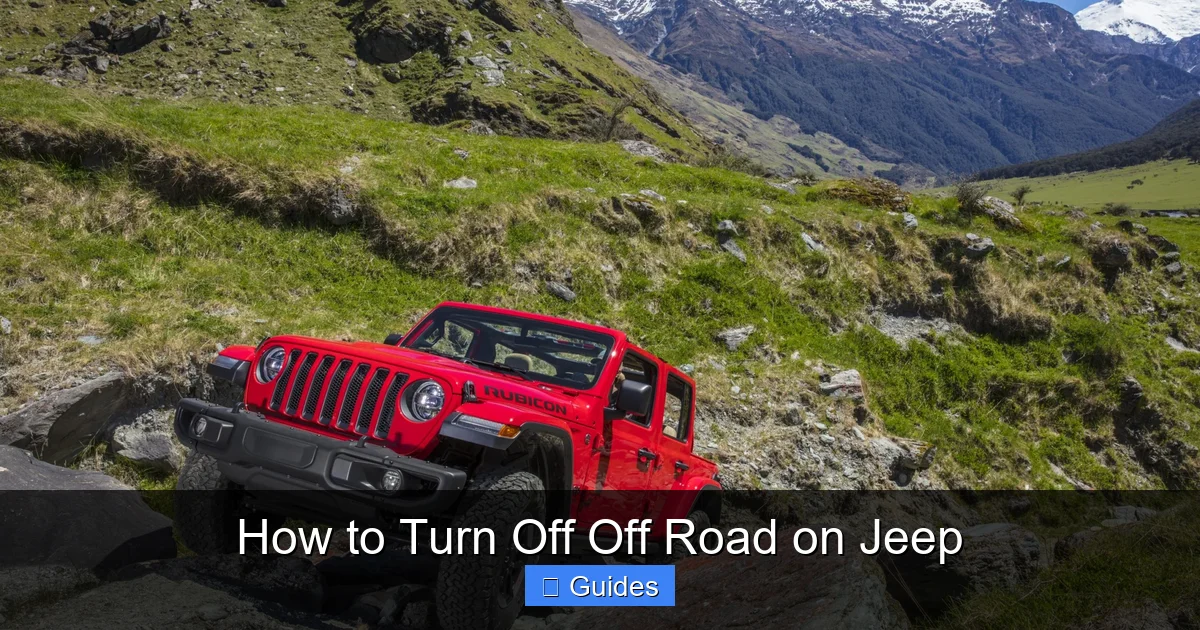
Visual guide about How to Turn Off Off Road on Jeep
Image source: theshopmag.com
Jeep Wrangler (JL and JK Models)
The Jeep Wrangler is the quintessential off road vehicle, and its off road capabilities are legendary. Most modern Wranglers (JL generation, 2018 and newer) come equipped with the Selec-Terrain dial, usually located on the center console near the gear shifter.
To turn off off road mode:
- Come to a complete stop or drive slowly (under 10 mph).
- Locate the Selec-Terrain dial. It’s typically labeled with icons for Auto, Snow, Mud/Sand, Rock, and 4WD Low.
- Rotate the dial from the off road setting (like Rock or Mud/Sand) back to “Auto” or “2WD” if you’re on pavement.
- Wait for the dashboard to confirm the change. You should see the off road indicator light turn off.
If your Wrangler has a manual transfer case (common in older JK models), you’ll need to shift the transfer case lever from “4L” (4WD Low) back to “2H” (2WD High) or “4H” (4WD High) for normal driving. Always do this while moving slowly or stopped to avoid grinding gears.
Jeep Gladiator
The Jeep Gladiator shares much of its DNA with the Wrangler, including the Selec-Terrain system. The process for turning off off road mode is nearly identical.
- Slow down to under 10 mph.
- Turn the Selec-Terrain dial from Rock, Mud/Sand, or 4WD Low back to Auto or 2WD.
- Check the instrument cluster for confirmation that off road mode is deactivated.
Some Gladiator models also feature a “Sway Bar Disconnect” button. If you used this during off roading, make sure to press it again to reconnect the sway bar before driving on pavement. Driving with a disconnected sway bar at high speeds can cause instability and increase the risk of rollover.
Jeep Cherokee and Grand Cherokee
The Cherokee and Grand Cherokee use a slightly different system. Instead of a physical dial, many models rely on the Uconnect touchscreen to manage drive modes.
- Press the “Drive Modes” button on the Uconnect screen (usually found under Settings or Vehicle).
- Select “Auto” or “Normal” from the list of available modes.
- Exit the menu and confirm that the off road indicator (if present) is no longer lit.
In some older models, you may need to use a combination of buttons on the center console. For example, pressing and holding the “4WD” button might cycle through modes. Always refer to your owner’s manual for precise instructions.
Jeep Compass and Renegade
These smaller SUVs have more limited off road capabilities, but they still offer terrain modes. The process is similar to the Cherokee:
- Access the drive mode menu via the Uconnect system.
- Switch from “Snow,” “Sand,” or “Mud” back to “Auto” or “Normal.”
- Ensure the dashboard no longer shows an off road indicator.
Note: The Compass and Renegade are not designed for serious off roading. Using off road mode on these vehicles should be limited to light gravel or snowy conditions.
Step-by-Step Guide: How to Turn Off Off Road on Jeep
Now that you know the basics, here’s a universal step-by-step guide you can follow regardless of your Jeep model. These steps will help you safely and correctly turn off off road mode.
Visual guide about How to Turn Off Off Road on Jeep
Image source: blogger.googleusercontent.com
Step 1: Assess Your Driving Environment
Before making any changes, make sure you’re on stable, level ground. If you’re still on a steep incline or uneven terrain, wait until you reach a safe spot. Sudden mode changes on unstable ground can affect traction and control.
Step 2: Slow Down
Reduce your speed to under 10 mph. Most Jeep systems require low speed to safely switch between drive modes. High-speed shifts can cause mechanical stress or trigger warning lights.
Step 3: Locate the Control
Find the Selec-Terrain dial, Uconnect menu, or transfer case lever. On most models, the dial is on the center console. On older models, the transfer case lever is near the gear shifter.
Step 4: Switch to Normal Mode
Rotate the dial or select “Auto” or “Normal” from the menu. If using a manual transfer case, shift from 4L to 2H or 4H. Listen for a click or feel the shift engage.
Step 5: Confirm the Change
Check your instrument cluster. The off road indicator light should turn off. Some models display a message like “4WD High” or “Normal Mode Active.”
Step 6: Test Drive
Drive slowly for a few minutes to ensure the vehicle handles normally. Pay attention to steering, braking, and suspension. If anything feels off, pull over and recheck your settings.
Step 7: Reset Additional Features
If you used features like sway bar disconnect, hill descent control, or differential locks, make sure to turn them off. These are not meant for regular driving and can cause damage if left engaged.
Common Mistakes and How to Avoid Them
Even experienced Jeep owners make mistakes when switching drive modes. Here are some common pitfalls and how to avoid them.
Forgetting to Turn Off Off Road Mode
This is the most common error. After a fun day on the trails, it’s easy to hop back on the highway and forget to switch modes. The result? Poor fuel economy, noisy operation, and potential drivetrain stress.
Tip: Make it a habit to check your drive mode as soon as you return to pavement. Consider setting a reminder on your phone or placing a sticky note on your dashboard.
Shifting at High Speed
Never attempt to shift from 4WD Low to 2WD while driving fast. This can cause gear grinding, damage the transfer case, or even lock up the drivetrain.
Tip: Always slow down to under 10 mph before changing modes. If you’re unsure, stop completely.
Ignoring Dashboard Warnings
If your Jeep displays a warning light or message after switching modes, don’t ignore it. It could indicate a system fault or that the mode didn’t engage properly.
Tip: Consult your owner’s manual or visit a Jeep service center if warnings persist.
Using the Wrong Mode for the Conditions
Using Rock Mode on a snowy road or Mud Mode on dry pavement can reduce traction and increase the risk of accidents.
Tip: Match your drive mode to the current conditions. When in doubt, use “Auto” mode—it’s designed to adapt automatically.
Not Reconnecting the Sway Bar
On Rubicon models, forgetting to reconnect the sway bar can make your Jeep feel unstable and increase rollover risk.
Tip: Always press the sway bar reconnect button before driving on pavement. Some models do this automatically when you shift out of Rock Mode.
When to Use Off Road Mode (And When Not To)
Knowing how to turn off off road on Jeep is only half the battle. You also need to know when to use it in the first place.
Appropriate Uses for Off Road Mode
- Muddy trails: Mud/Sand mode allows controlled wheel slip to maintain momentum.
- Rock crawling: Rock Mode maximizes torque and minimizes wheel spin for precise movement.
- Deep snow or ice: Snow Mode reduces throttle sensitivity and improves traction.
- Loose gravel or sand: Mud/Sand Mode helps prevent getting stuck.
When to Avoid Off Road Mode
- Highway driving: Off road settings reduce fuel efficiency and can damage components.
- Wet pavement: Unless it’s icy, Auto or Normal mode is usually sufficient.
- City driving: There’s no benefit to using off road mode in stop-and-go traffic.
- Long-distance travel: Keep it in Auto or 2WD to protect your drivetrain.
Remember: Off road mode is a tool, not a toy. Use it wisely, and always turn it off when you’re done.
Maintenance Tips After Off Roading
Off roading is tough on your Jeep. Even if you’ve turned off off road mode correctly, your vehicle may need extra care after a trail adventure.
Inspect for Damage
Check for dents, scratches, or debris lodged in the undercarriage. Look for leaks around the differential, transfer case, and suspension components.
Wash Your Jeep
Mud, sand, and salt can corrode metal and damage electronics. Wash your Jeep thoroughly, including the underbody, wheel wells, and brake components.
Check Tire Pressure
Off roading often involves lowering tire pressure for better traction. Remember to reinflate tires to the recommended PSI before driving on pavement.
Listen for Unusual Noises
After off roading, pay attention to squeaks, clunks, or grinding sounds. These could indicate loose parts or worn components.
Schedule a Service
If you’ve been on a particularly tough trail, consider scheduling a professional inspection. Mechanics can check for hidden damage and ensure everything is in working order.
Conclusion
Learning how to turn off off road on Jeep is a simple but crucial skill for any Jeep owner. Whether you drive a Wrangler, Gladiator, or Cherokee, switching back to normal mode protects your vehicle, improves safety, and ensures a smooth ride on everyday roads. It only takes a few seconds, but the benefits last miles.
Remember: Off road mode is there to help you conquer the wild—not to stay on forever. Make it a habit to check your drive settings every time you return from an adventure. Your Jeep will thank you with better performance, longer life, and fewer surprises down the road. So next time you’re back from the trails, take that extra moment. Turn off off road mode, reset your systems, and enjoy the ride.
Frequently Asked Questions
How do I know if off road mode is still on?
Check your instrument cluster for an off road indicator light or message. If you see icons like “4WD Low,” “Rock,” or “Mud/Sand,” off road mode is still active. Also, listen for changes in engine sound or feel in the steering.
Can I drive on the highway in off road mode?
It’s not recommended. Off road mode is designed for low-speed, rough terrain. Driving at highway speeds in this mode can damage your drivetrain, reduce fuel efficiency, and make handling unpredictable.
What happens if I forget to turn off off road mode?
Your Jeep may feel sluggish, noisy, or hard to steer. Over time, it can cause excessive wear on tires, suspension, and drivetrain components. Always switch back to normal mode as soon as you’re on pavement.
Do all Jeep models have off road mode?
Most modern Jeeps with 4WD or AWD systems have some form of terrain mode. However, smaller models like the Renegade have limited off road capabilities compared to the Wrangler or Gladiator.
Can I turn off off road mode while driving?
Yes, but only at low speeds (under 10 mph). Shifting at high speed can damage the transfer case or cause mechanical failure. Always slow down before changing modes.
Where can I find the exact steps for my Jeep model?
Your owner’s manual is the best source. It includes model-specific instructions for drive modes, transfer case operation, and safety warnings. You can also find digital copies on the official Jeep website.

At CarLegit, we believe information should be clear, factual, and genuinely helpful. That’s why every guide, review, and update on our website is created with care, research, and a strong focus on user experience.