
Reverse tilt mirrors on Nissan vehicles are a helpful safety feature, but they can be annoying if you don’t want them. This guide shows you exactly how to turn them off quickly and easily. Whether you’re parking in tight spaces or just prefer full control, we’ve got you covered with step-by-step instructions.
In This Article
- 1 Key Takeaways
- 2 📑 Table of Contents
- 3 What Are Reverse Tilt Mirrors and Why Do They Matter?
- 4 Why You Might Want to Turn Off Reverse Tilt Mirrors
- 5 How to Turn Off Reverse Tilt Mirrors on Most Nissan Models
- 6 Model-Specific Instructions for Popular Nissan Vehicles
- 7 Troubleshooting Common Issues
- 8 Should You Turn Off Reverse Tilt Mirrors? Pros and Cons
- 9 Final Tips and Best Practices
- 10 Conclusion
- 11 Frequently Asked Questions
- 11.1 Can I turn off reverse tilt mirrors on all Nissan models?
- 11.2 Will turning off reverse tilt mirrors affect my warranty?
- 11.3 How do I know if my Nissan has reverse tilt mirrors?
- 11.4 Can I adjust how much the mirrors tilt instead of turning it off?
- 11.5 Why won’t the setting save after I turn it off?
- 11.6 Is it safe to drive with reverse tilt mirrors turned off?
Key Takeaways
- Reverse tilt mirrors improve visibility when backing up by tilting the side mirrors downward to show the curb or driveway.
- You can disable this feature on most Nissan models using the vehicle’s infotainment system or mirror controls.
- The process varies slightly by model and year, so check your owner’s manual or use the settings menu.
- Some trims or packages may not offer a manual override, especially on older models without advanced driver aids.
- Disabling reverse tilt mirrors gives you full control over mirror positioning and reduces unwanted movement.
- Re-enabling the feature is just as easy—simply reverse the steps whenever you want it back.
- Always test the mirrors after changing settings to ensure they behave as expected during parking.
📑 Table of Contents
- What Are Reverse Tilt Mirrors and Why Do They Matter?
- Why You Might Want to Turn Off Reverse Tilt Mirrors
- How to Turn Off Reverse Tilt Mirrors on Most Nissan Models
- Model-Specific Instructions for Popular Nissan Vehicles
- Troubleshooting Common Issues
- Should You Turn Off Reverse Tilt Mirrors? Pros and Cons
- Final Tips and Best Practices
- Conclusion
What Are Reverse Tilt Mirrors and Why Do They Matter?
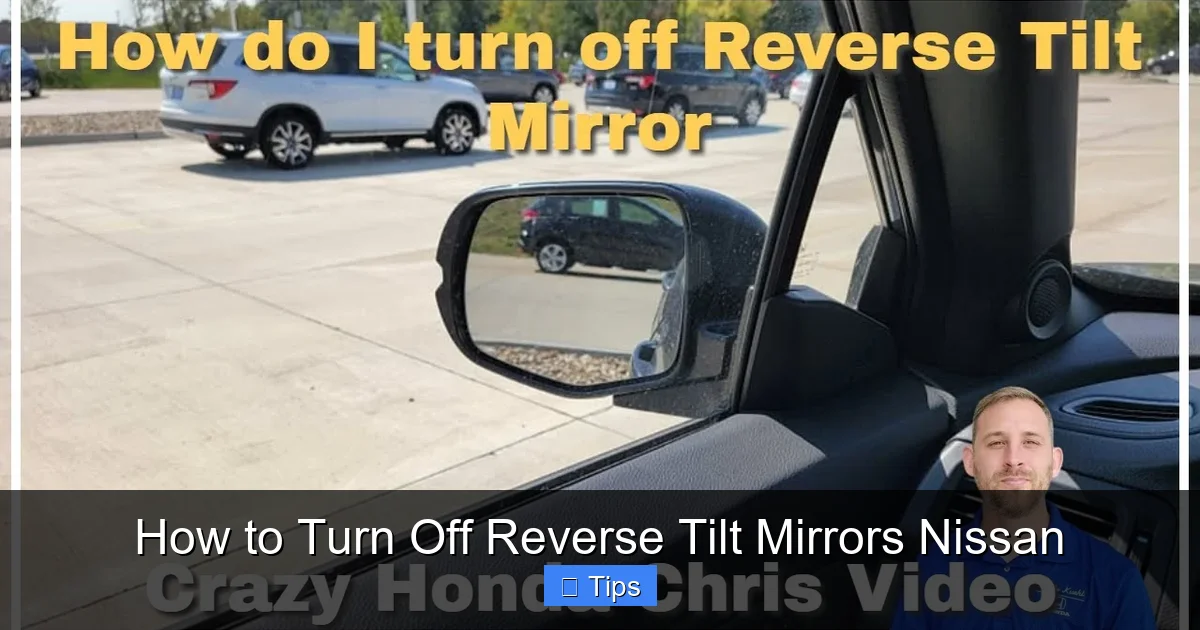
If you’ve ever shifted your Nissan into reverse and noticed the side mirrors suddenly tilt downward, you’ve experienced the reverse tilt mirror feature. This smart technology is designed to help drivers see the curb, driveway, or obstacles near the wheels when backing up. It’s especially useful when parking in tight spaces or aligning your vehicle perfectly next to a curb.
The system works by automatically adjusting the angle of the driver and sometimes passenger side mirror when the transmission is shifted into reverse. Once you shift back to drive or park, the mirrors return to their original position. While this feature enhances safety and precision, it’s not for everyone. Some drivers find the sudden movement distracting or unnecessary, especially if they’re used to manually adjusting their mirrors or prefer a consistent view.
Understanding how reverse tilt mirrors function is the first step in deciding whether to keep them on or turn them off. Nissan includes this feature on many of its modern vehicles, including popular models like the Altima, Rogue, Sentra, Maxima, and Pathfinder. The availability and behavior of the system can vary depending on the trim level, model year, and optional packages like the Premium or Technology Package.
For example, a 2023 Nissan Rogue SV with the Premium Package will likely have more advanced mirror controls than a base model Sentra S. Knowing your vehicle’s capabilities helps you navigate the settings menu more confidently. In the next sections, we’ll walk you through the exact steps to disable this feature, so you can drive with peace of mind and full control over your mirrors.
Why You Might Want to Turn Off Reverse Tilt Mirrors
Visual guide about How to Turn Off Reverse Tilt Mirrors Nissan
Image source: electrek.co
While reverse tilt mirrors are a thoughtful safety addition, they aren’t always welcome. Many Nissan owners find themselves asking, “How do I turn off reverse tilt mirrors?” after experiencing one of several common frustrations.
One major reason people disable the feature is distraction. The sudden downward tilt of the mirrors can be jarring, especially if you’re not expecting it. Imagine you’re backing out of a busy parking lot—your focus should be on checking blind spots and traffic, not on mirrors shifting positions. For some drivers, this automatic adjustment breaks their concentration and increases stress.
Another common issue is mirror misalignment. If you frequently adjust your side mirrors for optimal visibility, the reverse tilt function can undo your settings every time you shift into reverse. This means you’re constantly readjusting, which is both annoying and inefficient. Over time, this can wear out the mirror motors or lead to inconsistent positioning.
Additionally, some drivers simply don’t need the feature. If you park in open areas, drive on wide roads, or have excellent spatial awareness, the extra downward view may not offer much benefit. In fact, it might even be counterproductive—tilting the mirrors down too far can reduce your ability to see vehicles approaching from behind.
There’s also the matter of personal preference. Driving is a personal experience, and comfort plays a big role. If you’re used to a certain mirror setup and the reverse tilt disrupts that, it’s perfectly reasonable to want it turned off. After all, your car should adapt to you, not the other way around.
Finally, in rare cases, the reverse tilt feature can malfunction. If the mirrors don’t return to their original position or tilt at the wrong angle, it could indicate a software glitch or sensor issue. Disabling the feature temporarily can help determine whether the problem is with the system or the mirrors themselves.
How to Turn Off Reverse Tilt Mirrors on Most Nissan Models
Visual guide about How to Turn Off Reverse Tilt Mirrors Nissan
Image source: carnewsbox.com
Turning off reverse tilt mirrors on your Nissan is easier than you might think. The process typically involves accessing the vehicle’s settings through the infotainment system or using the mirror control switch. While the exact steps can vary slightly depending on your model and year, the general method remains consistent across most Nissan vehicles from 2015 onward.
Here’s a step-by-step guide that works for many popular models like the Altima, Rogue, and Maxima:
1. **Start your vehicle** – Make sure the ignition is on or the engine is running. The settings menu won’t be accessible if the car is completely off.
2. **Navigate to the Settings menu** – On the center touchscreen, tap the “Settings” icon. This usually looks like a gear or wrench symbol and is located on the home screen or in the main menu.
3. **Select “Vehicle” or “Driving Aids”** – Depending on your model, you may see options like “Vehicle Settings,” “Driver Assistance,” or “Convenience.” Tap the one that relates to vehicle features.
4. **Find “Mirror Settings” or “Reverse Tilt Mirror”** – Scroll through the list until you locate the mirror-related option. It might be labeled as “Reverse Tilt Mirror,” “Auto Tilt,” or “Mirror Tilt on Reverse.”
5. **Toggle the feature off** – Tap the switch or checkbox next to the option to disable it. The screen should indicate that the feature is now off.
6. **Test the mirrors** – Shift into reverse and confirm that the mirrors no longer tilt downward. If they still move, repeat the steps to ensure the setting was saved.
For example, on a 2022 Nissan Rogue, you’d go to Settings > Vehicle > Driver Assistance > Reverse Tilt Mirror, then toggle it off. On a 2020 Altima, the path might be Settings > Vehicle > Convenience > Auto Mirror Tilt.
If your Nissan doesn’t have a touchscreen or uses physical buttons, the process might involve the mirror control switch. In some older models, you can disable the feature by holding the mirror adjustment button in a specific position while shifting into reverse. Check your owner’s manual for model-specific instructions.
Using the Mirror Control Switch (Alternative Method)
On certain Nissan models, especially those without advanced infotainment systems, you can disable reverse tilt mirrors using the physical mirror control switch. This method is common on base trims of the Sentra, Versa, or older Altimas.
Here’s how it works:
– Sit in the driver’s seat and make sure the ignition is on.
– Locate the mirror control switch on the driver’s door panel. It usually has arrows pointing left, right, up, and down.
– Move the switch to select the left or right mirror (depending on which one you want to adjust).
– Shift the transmission into reverse.
– While in reverse, press and hold the mirror adjustment button in the “up” position for about 5–10 seconds.
– The mirror should stop tilting downward when you shift into reverse in the future.
This method essentially “teaches” the mirror not to tilt by overriding the default behavior. It’s a handy workaround if your vehicle doesn’t have a digital settings menu.
Keep in mind that this technique may not work on all models, and the exact timing can vary. If it doesn’t work the first time, try holding the button longer or repeating the process. Always test the mirrors after attempting this method to confirm the feature is disabled.
Model-Specific Instructions for Popular Nissan Vehicles
Visual guide about How to Turn Off Reverse Tilt Mirrors Nissan
Image source: images.pexels.com
While the general method for turning off reverse tilt mirrors applies to many Nissan models, there are slight differences depending on the vehicle. Below are detailed instructions for some of the most popular Nissan cars and SUVs.
Nissan Rogue (2017–2024)
The Rogue is one of Nissan’s best-selling SUVs, and most trims come equipped with reverse tilt mirrors. To disable the feature:
– Start the vehicle and tap the “Settings” icon on the touchscreen.
– Go to “Vehicle” > “Driver Assistance” > “Reverse Tilt Mirror.”
– Toggle the switch to “Off.”
– Test by shifting into reverse—mirrors should remain level.
Note: On the Rogue Platinum trim, the setting may be under “Convenience” instead of “Driver Assistance.”
Nissan Altima (2019–2024)
The Altima offers a clean interface for adjusting mirror settings:
– Press the “Menu” button on the steering wheel or tap “Settings” on the screen.
– Navigate to “Vehicle” > “Convenience” > “Auto Mirror Tilt.”
– Turn off the feature.
– Confirm by reversing—mirrors should not tilt.
If you don’t see the option, ensure your Altima has the required trim level (SV or higher). Base S models may not include the feature.
Nissan Sentra (2020–2024)
The Sentra’s system is similar but may require a few extra steps:
– Go to “Settings” > “Vehicle” > “Mirror Settings.”
– Look for “Reverse Tilt” and toggle it off.
– Some Sentra models require you to be in reverse to access the setting. If so, shift into reverse first, then check the menu.
Nissan Maxima (2016–2023)
The Maxima, being a premium sedan, has a more advanced system:
– Tap “Settings” > “Vehicle” > “Driver Assistance.”
– Find “Reverse Tilt Mirror” and disable it.
– The Maxima may also allow you to adjust the tilt angle. If you only want to reduce the tilt (not eliminate it), you can customize the angle instead of turning it off completely.
Nissan Pathfinder (2022–2024)
The newer Pathfinder models have a user-friendly interface:
– Go to “Settings” > “Vehicle” > “Convenience.”
– Select “Reverse Tilt Mirror” and toggle it off.
– The Pathfinder also supports memory settings, so if you disable the feature, it will remember your preference across drives.
Always consult your owner’s manual if you’re unsure. Nissan frequently updates its software, and menu layouts can change between model years.
Troubleshooting Common Issues
Even after following the steps correctly, you might encounter issues when trying to turn off reverse tilt mirrors. Here are some common problems and how to fix them.
Mirrors Still Tilt After Disabling the Feature
If your mirrors continue to tilt downward even after turning off the setting, there are a few possible causes:
– **The setting wasn’t saved** – Some Nissans require you to exit the menu or press “Save” after changing settings. Make sure you fully exit the menu and restart the vehicle to confirm the change.
– **Software glitch** – A temporary bug in the infotainment system can prevent changes from applying. Try restarting the vehicle or performing a system reset (usually by holding the power button on the screen for 10 seconds).
– **Faulty sensor** – The reverse gear sensor might be sending incorrect signals. If the problem persists, visit a Nissan service center for diagnosis.
Can’t Find the Setting in the Menu
Not all Nissan models have the reverse tilt mirror option in the same place. If you can’t find it:
– Check if your vehicle actually has the feature. Base trims or older models may not include it.
– Look under different menu names like “Convenience,” “Driver Assistance,” or “Mirror Settings.”
– Use the search function (if available) on the touchscreen to type “mirror” or “tilt.”
Mirrors Don’t Return to Original Position
If the mirrors tilt down but don’t return when you shift out of reverse, the issue might be mechanical or electrical:
– Check the mirror motors for obstructions or damage.
– Ensure the mirror control switch is functioning properly.
– A software update from Nissan may resolve the issue—contact your dealer.
One Mirror Tilts, the Other Doesn’t
This usually indicates a problem with the passenger-side mirror motor or wiring. It’s not related to the reverse tilt setting itself but could be a sign of a larger electrical issue. Have it inspected by a professional.
Should You Turn Off Reverse Tilt Mirrors? Pros and Cons
Deciding whether to disable reverse tilt mirrors depends on your driving habits, environment, and personal preferences. Let’s break down the pros and cons to help you make an informed choice.
Pros of Turning Off Reverse Tilt Mirrors
– **More consistent mirror positioning** – No unexpected movements mean you always know what you’re seeing.
– **Reduced distraction** – Eliminates the jarring shift in view when reversing.
– **Full control over adjustments** – You decide when and how your mirrors move.
– **Prevents wear on mirror motors** – Constant tilting can stress the motors over time.
– **Better for open parking areas** – If you rarely park near curbs, the feature offers little benefit.
Cons of Turning Off Reverse Tilt Mirrors
– **Reduced visibility when parking** – You lose the helpful downward view of the curb or driveway.
– **Increased risk of curb damage** – Without the tilted view, you might misjudge distance and scrape your wheels.
– **Less assistance for new drivers** – The feature can be a valuable learning tool for those still developing spatial awareness.
Ultimately, the decision comes down to your needs. If you frequently park in tight urban spaces or have low-profile tires, keeping the feature on might be safer. But if you prefer simplicity and control, turning it off is a smart move.
Final Tips and Best Practices
Once you’ve decided to turn off reverse tilt mirrors, here are a few tips to ensure a smooth experience:
– **Test in a safe area** – After disabling the feature, practice reversing in an empty parking lot to get used to the new mirror behavior.
– **Re-enable when needed** – If you’re driving in a new city or parking in an unfamiliar spot, consider turning the feature back on temporarily.
– **Check your mirrors regularly** – Even with the feature off, make sure your mirrors are properly adjusted for optimal visibility.
– **Keep your owner’s manual handy** – It’s the best source for model-specific instructions and troubleshooting.
– **Update your vehicle software** – Nissan occasionally releases updates that improve system performance and fix bugs.
Remember, your car’s features are there to help you—but only if they fit your lifestyle. Taking control of settings like reverse tilt mirrors is part of making your Nissan truly yours.
Conclusion
Turning off reverse tilt mirrors on your Nissan is a simple but powerful way to customize your driving experience. Whether you find the feature distracting, unnecessary, or just prefer full control, disabling it takes just a few taps or button presses. With the steps outlined in this guide, you can confidently adjust your mirror settings on models ranging from the Sentra to the Pathfinder.
While the reverse tilt mirror feature is designed to enhance safety, it’s not essential for every driver. By understanding how it works and knowing how to turn it off, you can drive with greater comfort and confidence. And if you ever change your mind, re-enabling the feature is just as easy.
So go ahead—take control of your mirrors, your drive, and your Nissan. After all, the best car is one that feels like it was made just for you.
Frequently Asked Questions
Can I turn off reverse tilt mirrors on all Nissan models?
Most modern Nissan models (2015 and newer) allow you to disable reverse tilt mirrors through the settings menu or mirror controls. However, base trims or older vehicles may not have the feature or the option to turn it off.
Will turning off reverse tilt mirrors affect my warranty?
No, disabling this feature does not void your warranty. It’s a standard user setting and does not involve any hardware modifications or damage to the vehicle.
How do I know if my Nissan has reverse tilt mirrors?
Shift into reverse and observe the side mirrors. If they tilt downward automatically, the feature is active. You can also check your owner’s manual or look for the setting in the vehicle menu.
Can I adjust how much the mirrors tilt instead of turning it off?
On some higher-end models like the Maxima or Pathfinder, you may be able to customize the tilt angle. Check under “Mirror Settings” or “Driver Assistance” for adjustment options.
Why won’t the setting save after I turn it off?
This could be due to a software glitch or incomplete menu exit. Try restarting the vehicle or performing a system reset. If the issue persists, visit a Nissan service center.
Is it safe to drive with reverse tilt mirrors turned off?
Yes, it’s safe as long as your mirrors are properly adjusted. The feature is a convenience, not a safety requirement. Many drivers prefer manual control for better awareness.

At CarLegit, we believe information should be clear, factual, and genuinely helpful. That’s why every guide, review, and update on our website is created with care, research, and a strong focus on user experience.