
Wondering how to turn off the Toyota Pre Collision System? This advanced safety feature is designed to prevent accidents, but there are times when you might need to disable it temporarily—like during off-roading, car washes, or tight parking situations. We’ll walk you through the simple steps to deactivate it safely, explain when it’s appropriate, and highlight important safety considerations.
In This Article
- 1 Key Takeaways
- 2 📑 Table of Contents
- 3 What Is the Toyota Pre Collision System?
- 4 Why Would You Want to Turn Off the Pre Collision System?
- 5 How to Turn Off the Toyota Pre Collision System (Step-by-Step)
- 5.1 Step 1: Start Your Vehicle
- 5.2 Step 2: Access the Main Menu
- 5.3 Step 3: Navigate to “Safety” or “Driver Assistance”
- 5.4 Step 4: Find the Pre Collision System Option
- 5.5 Step 5: Toggle the System Off
- 5.6 Step 6: Confirm and Exit
- 5.7 Alternative Method: Using the Steering Wheel Controls
- 5.8 Important Notes
- 6 Model-Specific Instructions
- 7 Safety Considerations and Risks
- 8 When Should You Never Turn Off the Pre Collision System?
- 9 What to Do If the System Won’t Turn Off
- 10 Conclusion
- 11 Frequently Asked Questions
- 11.1 Can I permanently disable the Toyota Pre Collision System?
- 11.2 Will turning off PCS affect my insurance?
- 11.3 Does the Pre Collision System work in the rain or snow?
- 11.4 Can I adjust the sensitivity instead of turning it off?
- 11.5 Why does my Toyota keep warning me about PCS?
- 11.6 Is it safe to drive with the Pre Collision System turned off?
Key Takeaways
- Understand the purpose: The Toyota Pre Collision System (PCS) uses sensors and cameras to detect potential collisions and can automatically apply brakes or alert the driver.
- Temporary deactivation is possible: Most Toyota models allow you to turn off PCS temporarily using the vehicle’s dashboard controls or infotainment system.
- It reactivates automatically: The system typically turns back on after the next ignition cycle, ensuring safety is restored.
- Use caution when disabling: Only turn off PCS in safe, controlled environments—never disable it while driving in traffic or adverse conditions.
- Check your owner’s manual: Procedures vary slightly by model and year, so always refer to your specific vehicle’s manual for accurate instructions.
- Consider professional help: If the system malfunctions or won’t turn off, visit a Toyota service center to avoid safety risks.
- Know the limitations: Disabling PCS removes a critical layer of protection—only do so when absolutely necessary and with full awareness of the risks.
📑 Table of Contents
- What Is the Toyota Pre Collision System?
- Why Would You Want to Turn Off the Pre Collision System?
- How to Turn Off the Toyota Pre Collision System (Step-by-Step)
- Model-Specific Instructions
- Safety Considerations and Risks
- When Should You Never Turn Off the Pre Collision System?
- What to Do If the System Won’t Turn Off
- Conclusion
What Is the Toyota Pre Collision System?
The Toyota Pre Collision System (PCS) is one of the brand’s most advanced safety technologies, designed to help prevent or mitigate frontal collisions. It’s part of Toyota’s broader Safety Sense suite, which also includes features like Lane Departure Alert, Dynamic Radar Cruise Control, and Automatic High Beams. But PCS stands out because it actively monitors the road ahead and can intervene when a collision seems imminent.
Using a combination of a forward-facing camera and radar sensors—usually mounted near the rearview mirror and grille—the system constantly scans for vehicles, pedestrians, and even cyclists in your path. If it detects that a collision is likely and you haven’t responded in time, it will first issue visual and audible warnings. If you still don’t react, the system can automatically apply the brakes to reduce speed or even bring the car to a complete stop.
This technology has been shown to significantly reduce rear-end collisions and save lives. According to the Insurance Institute for Highway Safety (IIHS), vehicles equipped with forward collision warning and automatic emergency braking—like Toyota’s PCS—experience up to 50% fewer front-to-rear crashes. That’s a huge safety win.
But while the system is incredibly helpful in most driving scenarios, there are moments when drivers might want to turn it off. Maybe you’re driving through a car wash and don’t want the sensors to misinterpret the machinery as an obstacle. Or perhaps you’re off-roading on a trail where false alerts could be distracting or even dangerous. In these cases, knowing how to turn off the Toyota Pre Collision System becomes useful.
Why Would You Want to Turn Off the Pre Collision System?
Visual guide about How to Turn Off Toyota Pre Collision System
Image source: twstatic.net
At first glance, disabling a safety feature might seem counterintuitive—and for good reason. The Pre Collision System is there to protect you. But like any technology, it’s not perfect, and there are legitimate situations where turning it off temporarily makes sense.
One common scenario is during automatic car washes. Many drivers report that their Toyota’s PCS triggers false alarms when the brushes and water jets come close to the front of the vehicle. The system might interpret the moving parts as an obstacle, causing the car to brake unexpectedly or flash warning lights. This can be alarming and even disrupt the washing process. In such cases, turning off PCS for the duration of the wash is a practical solution.
Another situation is off-roading or driving on unpaved, rugged terrain. On dirt trails or rocky paths, the sensors might pick up trees, rocks, or uneven ground as potential hazards. This can lead to repeated warnings or even unintended braking, which could be dangerous if you’re navigating a steep incline or sharp turn. For off-road enthusiasts, disabling PCS allows for smoother, uninterrupted driving.
Tight parking situations can also trigger false alerts. If you’re backing into a narrow space or maneuvering in a crowded garage, the system might detect nearby walls or vehicles and activate warnings or braking. While this is meant to prevent scrapes and dents, some drivers find it overly sensitive and prefer to disable it temporarily for better control.
Additionally, some drivers with certain medical conditions—like epilepsy or severe anxiety—may find the sudden alerts and braking actions disorienting or distressing. In rare cases, a healthcare provider might recommend disabling the system under supervision.
It’s important to stress that these are edge cases. For everyday city and highway driving, the Pre Collision System is a valuable ally. But knowing how to turn it off gives you flexibility when needed—just remember to turn it back on as soon as the situation allows.
How to Turn Off the Toyota Pre Collision System (Step-by-Step)
Visual guide about How to Turn Off Toyota Pre Collision System
Image source: youcanic.com
Turning off the Toyota Pre Collision System is relatively straightforward on most modern Toyota models, especially those equipped with Toyota Safety Sense (TSS). The exact steps can vary slightly depending on your vehicle’s year, model, and infotainment system, but the general process is consistent across most platforms.
Here’s a step-by-step guide to help you disable PCS temporarily:
Step 1: Start Your Vehicle
Make sure your Toyota is turned on—either in “Accessory” mode or with the engine running. You don’t need to be driving, but the electrical systems must be active for the controls to respond.
Step 2: Access the Main Menu
Look for the “Menu” or “Settings” button on your steering wheel or center console. On many models, this is a physical button labeled with a gear icon or the word “Menu.” Press it to open the main dashboard menu.
Use the arrow keys or touchscreen (if equipped) to scroll through the menu options. Look for a section labeled “Safety,” “Driver Assistance,” “Safety Sense,” or something similar. This is where all the advanced safety features are grouped.
Step 4: Find the Pre Collision System Option
Within the safety menu, locate the “Pre Collision System” or “PCS” setting. It may also be listed under “Forward Collision Warning” or “Automatic Emergency Braking.” Select this option.
Step 5: Toggle the System Off
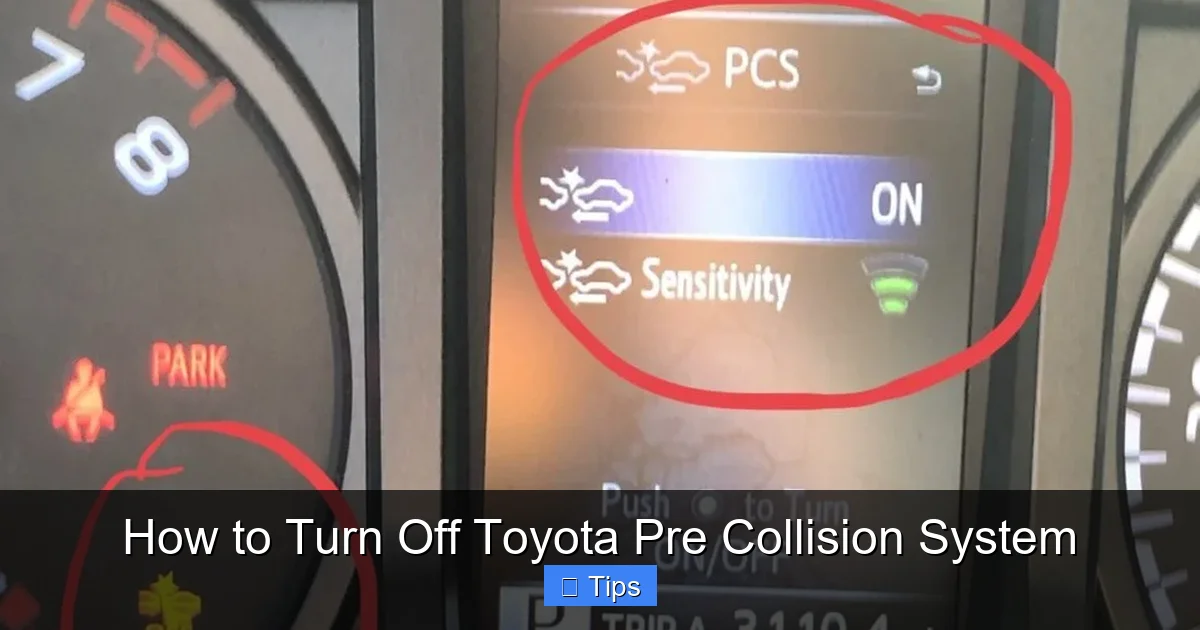
You’ll typically see a toggle switch or checkbox next to the PCS option. Press it to turn the system off. A message may appear on the dashboard confirming that the Pre Collision System has been disabled. Some models will also display a warning icon on the instrument cluster to remind you that the feature is off.
Step 6: Confirm and Exit
Once disabled, exit the menu. The system will remain off until you manually turn it back on or restart the vehicle—depending on the model.
Alternative Method: Using the Steering Wheel Controls
On some Toyota models, especially those with a multi-information display (MID) in the instrument cluster, you can disable PCS directly from the steering wheel. Here’s how:
– Press the “DISP” or “INFO” button on the steering wheel to cycle through display options.
– Navigate to the “Settings” or “Vehicle Settings” menu.
– Use the arrow keys to find “Safety” or “Driver Assistance.”
– Select “Pre Collision System” and toggle it off.
This method is handy if you don’t want to use the center screen, especially while parked.
Important Notes
– The system usually reactivates automatically after the next ignition cycle. This means if you turn off your car and start it again, PCS will be back on by default.
– Some older Toyota models may not allow you to disable PCS at all. If you don’t see the option in your menu, consult your owner’s manual or contact a Toyota dealer.
– If your vehicle has a “Master Warning Light” or “Check Engine” light on, the system may not allow you to disable PCS due to a detected fault.
Model-Specific Instructions
Visual guide about How to Turn Off Toyota Pre Collision System
Image source: trucksauthority.com
While the general process is similar across Toyota vehicles, there are slight differences depending on the model and year. Below are instructions for some of the most popular Toyota models equipped with PCS.
Toyota Camry (2018–2024)
The Camry uses Toyota Safety Sense 2.0 or 2.5, depending on the year. To disable PCS:
– Press the “Menu” button on the steering wheel.
– Navigate to “Settings” > “Safety” > “Pre Collision System.”
– Toggle the switch to “Off.”
A warning icon will appear on the dashboard.
Toyota RAV4 (2019–2024)
The RAV4 features a user-friendly touchscreen interface:
– Tap the “Menu” icon on the center display.
– Go to “Settings” > “Safety” > “Driver Assistance.”
– Find “Pre Collision System” and switch it off.
You’ll see a confirmation message and a warning light.
Toyota Highlander (2020–2024)
The Highlander uses a similar system:
– Press the “Menu” button on the steering wheel.
– Select “Vehicle Settings” > “Safety” > “Pre Collision System.”
– Turn it off using the toggle.
The system will remain off until the next drive cycle.
Toyota Corolla (2017–2024)
The Corolla’s process is straightforward:
– Use the steering wheel controls to access the MID.
– Go to “Settings” > “Safety” > “Forward Collision Warning.”
– Disable the feature.
Note: On some trims, you may only be able to adjust sensitivity, not fully disable it.
Toyota Tacoma (2020–2024)
The Tacoma’s off-road focus means drivers often disable PCS:
– Press “Menu” on the steering wheel.
– Navigate to “Vehicle” > “Safety” > “Pre Collision System.”
– Toggle it off.
A warning light will appear on the dashboard.
Always double-check your owner’s manual for model-specific details. If you’re unsure, a quick search for “Toyota [Your Model] Pre Collision System disable” can yield helpful videos or forum discussions.
Safety Considerations and Risks
While it’s technically easy to turn off the Toyota Pre Collision System, doing so comes with important safety implications. This system is designed to protect you in moments when you might not react in time—like when a car suddenly brakes in front of you or a pedestrian steps into the road.
Disabling PCS removes that layer of protection. Without it, you’re relying solely on your own reflexes and attention. That’s why it’s crucial to only disable the system in safe, controlled environments—like a car wash, private driveway, or off-road trail—and never while driving in traffic, rain, fog, or at high speeds.
One common mistake is forgetting to turn the system back on. Since PCS typically reactivates after restarting the vehicle, this isn’t usually a problem. But if you manually turn it off and then drive away without re-enabling it, you could be unprotected for an extended period. Make it a habit to check your dashboard for warning lights after disabling any safety feature.
Another risk is over-reliance on technology. Some drivers assume that because they can disable PCS, they don’t need to drive defensively. But no system—no matter how advanced—can replace safe driving habits. Always maintain a safe following distance, stay alert, and avoid distractions like texting or eating while driving.
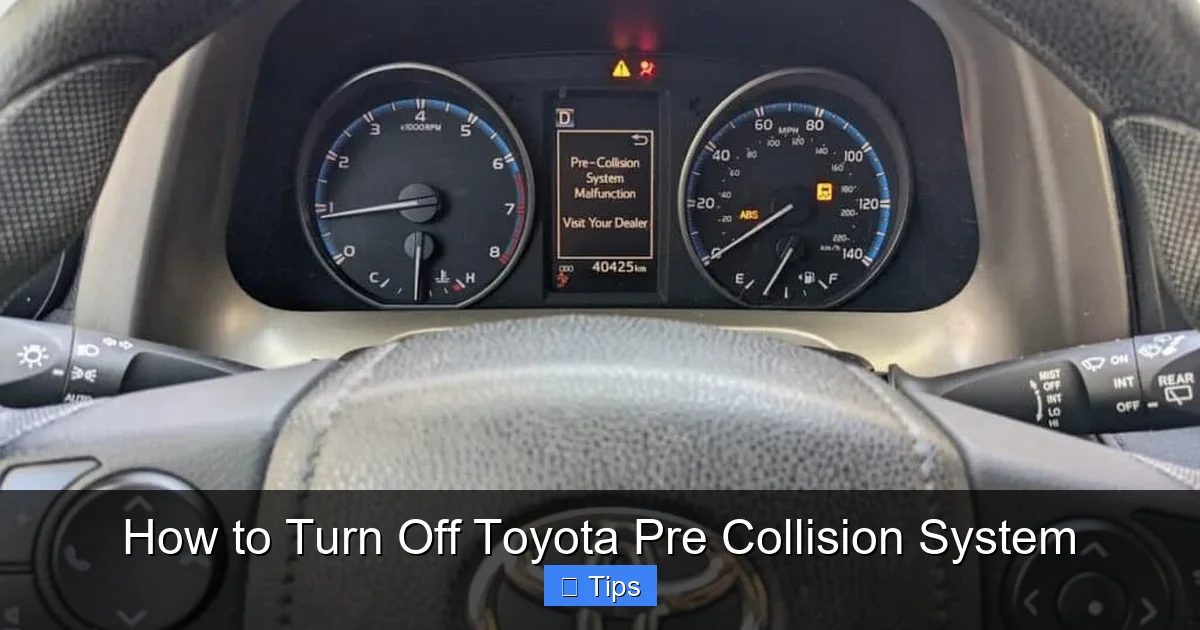
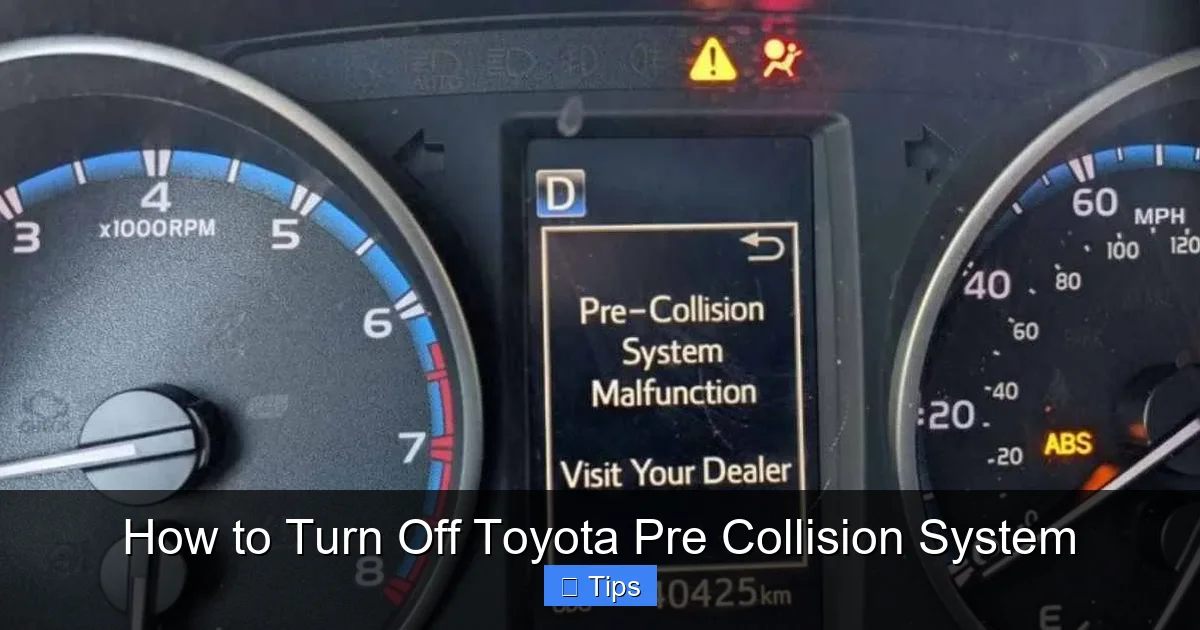
If you frequently find yourself wanting to disable PCS due to false alerts, it might be worth having your sensors checked. Dirt, snow, ice, or even a misaligned camera can cause the system to malfunction. A quick visit to a Toyota service center can clean or recalibrate the sensors, reducing unnecessary warnings.
Finally, remember that disabling safety features may affect your vehicle’s resale value or insurance premiums. Some insurers offer discounts for vehicles with advanced safety systems, and turning them off could void those benefits. Always weigh the short-term convenience against long-term safety and financial impacts.
When Should You Never Turn Off the Pre Collision System?
There are certain situations where turning off the Toyota Pre Collision System is not just unwise—it’s potentially dangerous. Avoid disabling PCS in the following scenarios:
– **Driving in heavy traffic:** Stop-and-go conditions increase the risk of rear-end collisions. PCS can react faster than a human driver in sudden braking situations.
– **Poor weather conditions:** Rain, snow, fog, or ice reduce visibility and traction. The system can help prevent accidents when road conditions are hazardous.
– **Night driving:** Reduced visibility makes it harder to spot obstacles. PCS can detect vehicles and pedestrians even when you can’t.
– **High-speed highways:** At speeds over 60 mph, reaction time is critical. Automatic braking can make the difference between a close call and a serious crash.
– **Driving with distractions:** If you’re tired, stressed, or using your phone, your reaction time slows. PCS acts as a backup safety net.
– **Driving with children or elderly passengers:** Extra caution is needed when transporting vulnerable passengers. The system adds an extra layer of protection.
In short, only disable PCS when you’re in full control of the environment and can safely manage without it. And always re-enable it as soon as possible.
What to Do If the System Won’t Turn Off
Sometimes, drivers find that they can’t turn off the Pre Collision System—even after following the correct steps. This could be due to a software glitch, a faulty sensor, or a deeper electrical issue.
If you’re unable to disable PCS:
– **Restart the vehicle:** Turn the car off completely, wait 30 seconds, then restart it. This can reset the system and restore normal function.
– **Check for warning lights:** If the “Check Engine” or “Master Warning” light is on, the vehicle may prevent you from disabling safety features as a precaution.
– **Clean the sensors:** Dirt, snow, or debris on the front camera or radar can cause malfunctions. Gently clean the areas around the rearview mirror and grille with a soft cloth.
– **Update software:** Some Toyota models receive over-the-air updates. Check if your vehicle has pending software updates that could fix the issue.
– **Visit a Toyota service center:** If the problem persists, it’s best to have a certified technician diagnose the issue. They can run diagnostics and repair or recalibrate the system.
Never attempt to physically disconnect sensors or wiring. This can cause further damage and void your warranty.
Conclusion
The Toyota Pre Collision System is a powerful safety tool that has helped prevent countless accidents and save lives. While it’s designed to be always on, there are valid reasons to turn it off temporarily—such as during car washes, off-roading, or tight parking maneuvers. Knowing how to turn off the Toyota Pre Collision System gives you greater control over your driving experience.
However, this convenience comes with responsibility. Disabling a critical safety feature should never be taken lightly. Always assess the risks, use the system only when necessary, and re-enable it as soon as possible. And if you’re ever unsure, consult your owner’s manual or visit a Toyota dealer for assistance.
Ultimately, the goal isn’t to avoid technology—but to use it wisely. With the right knowledge and caution, you can enjoy the benefits of advanced safety systems while maintaining the flexibility to adapt to unique driving situations. Stay safe, stay informed, and drive smart.
Frequently Asked Questions
Can I permanently disable the Toyota Pre Collision System?
No, you cannot permanently disable the Pre Collision System on most Toyota models. The system is designed to reactivate automatically after each ignition cycle to ensure continuous safety protection. Temporary deactivation is possible, but it’s not intended for long-term use.
Will turning off PCS affect my insurance?
Possibly. Some insurance companies offer discounts for vehicles with advanced safety features like PCS. Disabling the system could void those discounts, so check with your insurer before making changes.
Does the Pre Collision System work in the rain or snow?
Yes, but its effectiveness may be reduced in heavy rain, snow, or fog. The sensors can be obstructed by dirt, ice, or water, so keep them clean for optimal performance.
Can I adjust the sensitivity instead of turning it off?
On some Toyota models, yes. You can often adjust the sensitivity of the Pre Collision System to “High,” “Medium,” or “Low” in the safety settings menu. This reduces false alerts without fully disabling the feature.
Why does my Toyota keep warning me about PCS?
Frequent warnings could indicate a dirty sensor, misalignment, or a system malfunction. Clean the front camera and radar areas, and if the issue persists, visit a Toyota service center for diagnostics.
Is it safe to drive with the Pre Collision System turned off?
It can be safe in controlled environments like a car wash or private driveway, but it’s not recommended for regular driving. The system provides critical protection in emergencies, so always re-enable it when driving in traffic or adverse conditions.

At CarLegit, we believe information should be clear, factual, and genuinely helpful. That’s why every guide, review, and update on our website is created with care, research, and a strong focus on user experience.