
Turning off the trailer brake system on your GMC Sierra is essential when not towing or during maintenance. This guide walks you through the process using the dashboard controls, explains when it’s necessary, and helps you avoid common mistakes.
In This Article
- 1 Key Takeaways
- 2 📑 Table of Contents
- 3 Understanding the Trailer Brake System in Your GMC Sierra
- 4 Why You Might Need to Turn Off the Trailer Brake System
- 5 Step-by-Step Guide: How to Turn Off Trailer Brake System GMC Sierra
- 6 Alternative Methods and Troubleshooting
- 7 Safety Tips and Best Practices
- 8 Frequently Asked Questions About Trailer Brake Systems
- 8.1 Can I drive my Sierra with the trailer brake system turned off?
- 8.2 Will turning off the trailer brakes save battery life?
- 8.3 Do I need special tools to turn off the trailer brake system?
- 8.4 What if my trailer brakes still activate after disabling?
- 8.5 Can I disable the trailer brakes remotely?
- 8.6 Is it safe to store my Sierra with the trailer brake system off?
- 9 Conclusion
- 10 Frequently Asked Questions
- 10.1 How do I turn off the trailer brake system on a GMC Sierra?
- 10.2 Can I drive my GMC Sierra with the trailer brake system turned off?
- 10.3 Why does my Sierra show a trailer warning light when no trailer is attached?
- 10.4 Do I need a special tool to disable the trailer brake system?
- 10.5 How do I know if my GMC Sierra has an Integrated Trailer Brake Controller?
- 10.6 What should I do if the trailer brake system won’t turn off?
Key Takeaways
- Use the Integrated Trailer Brake Controller (ITBC): Most modern GMC Sierra models come equipped with an ITBC, which allows you to disable trailer brakes directly from the dashboard.
- Access settings via the Driver Information Center (DIC): Navigate through the DIC menu to find trailer brake options and turn them off when needed.
- Turn off only when not towing: Disabling the trailer brake system is safe and recommended when the trailer is disconnected to prevent accidental activation.
- Check for error codes after disabling: If warning lights appear, use a diagnostic tool or visit a dealer to ensure the system resets properly.
- Always re-enable before towing: For safety, reactivate the trailer brake system before connecting any trailer to avoid loss of braking control.
- Consult your owner’s manual: Model years and trim levels vary—always refer to your specific Sierra’s manual for accurate instructions.
- Professional help is available: If you’re unsure or encounter issues, GMC dealerships and certified technicians can assist with trailer brake system management.
📑 Table of Contents
- Understanding the Trailer Brake System in Your GMC Sierra
- Why You Might Need to Turn Off the Trailer Brake System
- Step-by-Step Guide: How to Turn Off Trailer Brake System GMC Sierra
- Alternative Methods and Troubleshooting
- Safety Tips and Best Practices
- Frequently Asked Questions About Trailer Brake Systems
- Conclusion
Understanding the Trailer Brake System in Your GMC Sierra
If you own a GMC Sierra, especially a newer model from 2014 onward, you likely have an advanced towing setup that includes an Integrated Trailer Brake Controller (ITBC). This system is designed to give you precise control over your trailer’s electric brakes, improving safety and handling when hauling heavy loads. But what happens when you’re not towing? Do you need to turn off the trailer brake system? And if so, how do you do it?
The short answer is yes—turning off the trailer brake system when not in use is a smart move. It prevents unnecessary wear on the controller, avoids accidental brake activation, and ensures your truck’s electronics aren’t constantly searching for a trailer that isn’t there. Plus, it can help prevent dashboard warning lights from popping up unnecessarily.
The GMC Sierra’s trailer brake system is more than just a switch—it’s a sophisticated electronic interface that communicates with your trailer’s brakes. When properly configured, it allows you to manually apply the trailer brakes using a slider on the dashboard or automatically adjust braking force based on driving conditions. But when the trailer is disconnected, this system can remain active, which might cause confusion or even minor electrical issues over time.
In this guide, we’ll walk you through exactly how to turn off the trailer brake system on your GMC Sierra, step by step. Whether you’re prepping for storage, doing maintenance, or simply not planning to tow for a while, knowing how to manage this system is a valuable skill for any Sierra owner.
Why You Might Need to Turn Off the Trailer Brake System
Visual guide about How to Turn Off Trailer Brake System Gmc Sierra
Image source: gmcbrakes.net
You might be wondering—why bother turning it off at all? After all, if the system is designed to be always on, isn’t it fine to leave it that way? While the trailer brake system is built to handle periods of inactivity, there are several practical reasons why disabling it when not in use is a good idea.
First, leaving the system active when no trailer is connected can trigger warning lights on your dashboard. Many Sierra owners report seeing messages like “Trailer Disconnected” or “Check Trailer Wiring” even when there’s no trailer attached. These alerts can be annoying and may mask real issues if they occur later. By turning off the system, you eliminate these false alarms and keep your dashboard clean.
Second, constantly powering the trailer brake controller—even when idle—can contribute to minor electrical drain over time. While it’s not enough to kill your battery overnight, over weeks or months, it can add up. Disabling the system when not in use helps preserve your truck’s electrical system and extends the life of components.
Third, if you’re performing maintenance on your truck—such as replacing the trailer hitch, cleaning electrical connectors, or working on the wiring—turning off the trailer brake system reduces the risk of accidental brake activation. This is especially important if you’re working near the brake lines or electrical connections.
Finally, some drivers simply prefer to have full control over their vehicle’s systems. Knowing that the trailer brake system is off gives you peace of mind, especially if you store your truck for long periods or live in an area with frequent temperature swings that can affect electronics.
In short, turning off the trailer brake system isn’t just about convenience—it’s about safety, efficiency, and long-term vehicle health.
Step-by-Step Guide: How to Turn Off Trailer Brake System GMC Sierra
Visual guide about How to Turn Off Trailer Brake System Gmc Sierra
Image source: gmcbrakes.net
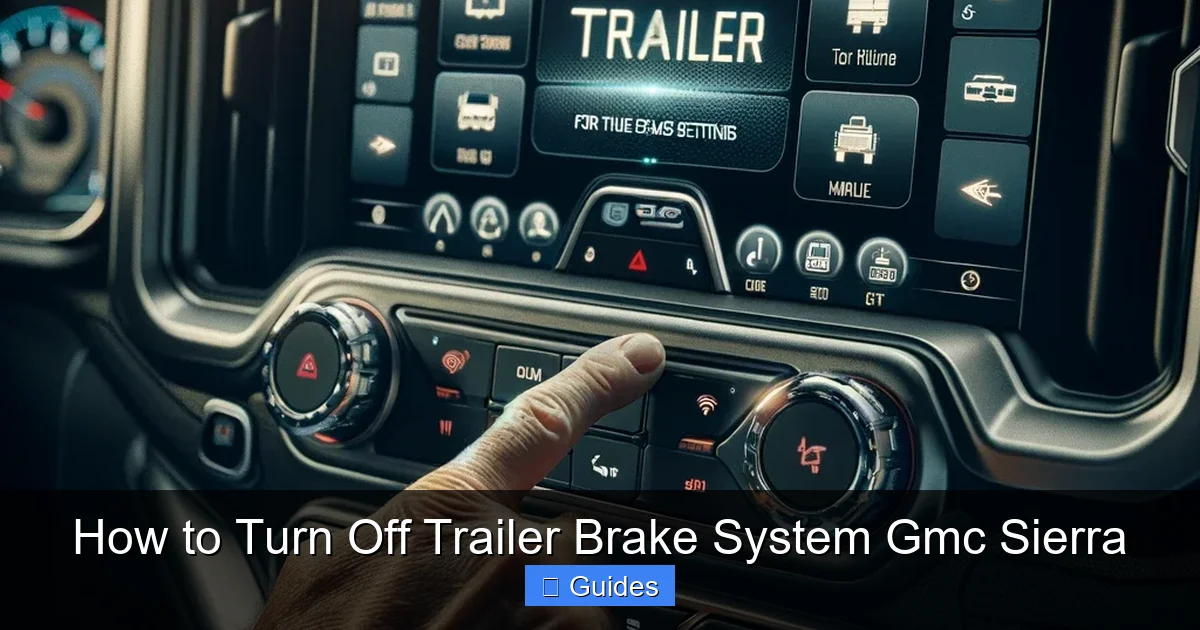
Now that you understand why it’s beneficial, let’s get into the actual process. The method for turning off the trailer brake system on your GMC Sierra depends on your model year and whether your truck has the Integrated Trailer Brake Controller (ITBC). Most Sierras from 2014 and newer come with ITBC as standard or optional equipment, especially on higher trims like the SLT, Denali, or AT4.
Here’s a clear, step-by-step guide to disabling the trailer brake system:
Step 1: Start Your Truck and Access the Driver Information Center (DIC)
Turn the ignition to the “On” position (you don’t need to start the engine, but the electronics must be powered). Locate the Driver Information Center (DIC), which is the screen in your instrument cluster—usually between the speedometer and tachometer. This is where you’ll navigate the menu system.
Use the steering wheel controls (typically buttons on the left side of the wheel) to scroll through the DIC options. Look for a menu labeled “Trailer,” “Towing,” or “Trailer Brake Controller.” The exact wording may vary slightly depending on your model year.
Once you’ve found the trailer-related menu, press the “OK” or “Select” button to enter it. You should see options like “Trailer Brake Gain,” “Manual Trailer Brake Apply,” or “Trailer Brake System.” Use the arrow buttons to highlight “Trailer Brake System” or “Enable/Disable Trailer Brakes.”
On some models, you may need to go into a submenu labeled “Settings” or “Preferences” first. If you don’t see the option right away, don’t panic—just keep browsing. The menu structure is intuitive, and you’ll find it with a little exploration.
Step 3: Disable the Trailer Brake System
When you select the trailer brake option, you’ll typically see a toggle or switch that says “On” or “Off.” Use the steering wheel controls to switch it to “Off.” You may see a confirmation message like “Trailer Brake System Disabled” or “Trailer Brakes Off.” Press “OK” to confirm.
Once disabled, the system will no longer send signals to a trailer’s brakes, even if one is connected. This is ideal for times when you’re not towing and want to avoid false alerts or unnecessary power usage.
Step 4: Verify the System Is Off
To make sure the system is truly off, check your dashboard for any trailer-related warning lights. If the system was previously active and searching for a trailer, you might have seen a “Trailer Disconnected” message. After disabling, that message should disappear.
You can also test the manual brake slider (if your Sierra has one). It’s usually located on the lower left side of the dashboard, near the steering column. Try moving it—if the system is off, you shouldn’t hear any brake activation or see any response from the trailer (if one is connected).
Step 5: Re-enable When Needed
When you’re ready to tow again, simply reverse the process. Go back into the DIC menu, find the trailer brake settings, and switch it back to “On.” The system will reinitialize and begin communicating with your trailer’s brakes once it detects a connection.
It’s a good idea to test the brakes before hitting the road—connect your trailer, start the truck, and use the manual slider to ensure the trailer brakes respond correctly.
Alternative Methods and Troubleshooting
Visual guide about How to Turn Off Trailer Brake System Gmc Sierra
Image source: gmcbrakes.net
While the DIC method is the most common and user-friendly way to turn off the trailer brake system, there are a few alternative approaches and troubleshooting tips to keep in mind.
Using the Manual Brake Slider to Disable (Temporary Solution)
Some drivers mistakenly think they can “turn off” the trailer brakes by simply not using the manual slider. However, this doesn’t actually disable the system—it just means the brakes aren’t being manually applied. The controller is still active and monitoring for a trailer.
If you want a quick, temporary workaround (for example, if you’re stuck and can’t access the menu), you can reduce the brake gain to zero using the DIC. This effectively minimizes brake output, but it’s not the same as turning the system off. For full deactivation, use the disable option in the menu.
What If the Menu Option Is Missing?
If you can’t find the trailer brake settings in your DIC, there are a few possible reasons:
– Your Sierra may not have the ITBC installed. Check your window sticker or owner’s manual to confirm. Some base models (like the SLE with certain packages) may not include it.
– The feature might be locked behind a towing package. If you added a trailer hitch later but didn’t upgrade the electronics, the system may not be fully enabled.
– A software glitch could be hiding the menu. Try turning the truck off completely, waiting 30 seconds, and restarting. This resets the electronics and often restores missing options.
If none of these work, visit a GMC dealership. They can run a diagnostic and ensure your truck’s software is up to date.
Dealing with Persistent Warning Lights
Even after disabling the system, you might still see a “Check Trailer Wiring” or “Trailer Disconnected” light. This usually means there’s a fault in the trailer plug or wiring—even if no trailer is connected.
To fix this:
– Inspect the 7-pin trailer connector for dirt, corrosion, or damage.
– Clean the pins with electrical contact cleaner.
– Ensure the cap is securely closed when not in use.
– If the problem persists, use an OBD2 scanner to check for trouble codes related to the trailer brake system.
In rare cases, a faulty brake controller module may need replacement. This is best handled by a professional.
Safety Tips and Best Practices
Turning off the trailer brake system is straightforward, but it’s important to do it safely and responsibly. Here are some best practices to keep in mind:
Only Disable When Not Towing
Never turn off the trailer brake system while a trailer is connected and you’re driving. Doing so removes a critical safety feature—your trailer’s brakes won’t engage, which can lead to loss of control, especially on hills or during sudden stops.
Always double-check that the trailer is fully disconnected and stored safely before disabling the system.
Re-enable Before Every Tow
Make it a habit to re-enable the trailer brake system every time you hitch up. It’s easy to forget, especially if you tow infrequently. Consider adding a reminder to your pre-tow checklist: “Check tire pressure, secure load, and enable trailer brakes.”
Test the System After Re-enabling
Once you’ve turned the system back on, test it before driving. Use the manual brake slider to apply the trailer brakes while the truck is stationary. You should feel resistance in the trailer wheels (if they’re on the ground) or hear the brakes engage.
If the brakes don’t respond, check the connection, gain settings, and wiring.
Keep Your Owner’s Manual Handy
GMC updates its systems regularly, and menu layouts can change between model years. Your owner’s manual is the most reliable source for your specific truck. Keep it in the glove box or download the digital version from the GMC website.
Consider a Professional Inspection Annually
If you tow frequently, have your trailer brake system inspected once a year by a certified technician. They can check the controller, wiring, and brake magnets for wear and ensure everything is functioning properly.
Frequently Asked Questions About Trailer Brake Systems
Even with a clear guide, questions come up. Here are some of the most common ones GMC Sierra owners ask:
Can I drive my Sierra with the trailer brake system turned off?
Yes, you can drive your truck normally with the trailer brake system disabled—as long as no trailer is connected. The system only affects trailer braking, so your truck’s brakes will work perfectly fine.
Will turning off the trailer brakes save battery life?
It can help slightly. While the drain is minimal, disabling the system when not in use reduces unnecessary power consumption, especially during long periods of inactivity.
Do I need special tools to turn off the trailer brake system?
No. Everything you need is built into your truck. Just use the steering wheel controls and DIC menu—no scanners or special equipment required.
What if my trailer brakes still activate after disabling?
This is rare, but it could indicate a wiring short or faulty controller. Disconnect the trailer plug and check for voltage on the brake wire. If power is present, have a technician inspect the system.
Can I disable the trailer brakes remotely?
No, the system must be turned off manually through the DIC. There’s no remote or app control for this feature.
Is it safe to store my Sierra with the trailer brake system off?
Absolutely. In fact, it’s recommended. Disabling the system during long-term storage prevents false alerts and protects the electronics.
Conclusion
Knowing how to turn off the trailer brake system on your GMC Sierra is a small but important skill that enhances safety, reduces wear, and keeps your dashboard free of unnecessary warnings. Whether you’re storing your truck, performing maintenance, or simply not planning to tow for a while, taking a few minutes to disable the system is well worth the effort.
The process is simple: use the Driver Information Center to navigate to the trailer brake settings and switch it off. Always remember to re-enable it before your next towing adventure, and don’t hesitate to consult your owner’s manual or visit a GMC dealer if you run into issues.
With this guide, you’re equipped to manage your Sierra’s trailer brake system like a pro. Safe towing—and safe driving—starts with understanding your vehicle’s features. So the next time you park your trailer for the season, take that extra step. Turn off the system, breathe easy, and enjoy the peace of mind that comes with knowing your truck is ready for whatever comes next.
Frequently Asked Questions
How do I turn off the trailer brake system on a GMC Sierra?
Use the Driver Information Center (DIC) on your dashboard. Navigate to the trailer or towing menu and select the option to disable the trailer brake system. Confirm the change to turn it off.
Can I drive my GMC Sierra with the trailer brake system turned off?
Yes, you can drive normally as long as no trailer is connected. Your truck’s brakes will function properly, but the trailer brake system won’t activate.
Why does my Sierra show a trailer warning light when no trailer is attached?
This usually means the trailer brake system is active and detecting a fault or disconnection. Turning off the system via the DIC menu should clear the warning.
Do I need a special tool to disable the trailer brake system?
No special tools are needed. The process is done entirely through the steering wheel controls and DIC menu on your dashboard.
How do I know if my GMC Sierra has an Integrated Trailer Brake Controller?
Check your owner’s manual or look for a manual brake slider on the dashboard. Most Sierras from 2014 and newer with towing packages include the ITBC.
What should I do if the trailer brake system won’t turn off?
Try restarting the truck to reset the electronics. If the issue persists, inspect the trailer connector for damage or visit a GMC dealer for diagnostics.

At CarLegit, we believe information should be clear, factual, and genuinely helpful. That’s why every guide, review, and update on our website is created with care, research, and a strong focus on user experience.