
Turning on 4 wheel drive in your Subaru Outback is simple once you understand the system. This guide walks you through every step, from identifying your drivetrain to using the correct driving modes for different conditions.
In This Article
- 1 Key Takeaways
- 2 📑 Table of Contents
- 3 Understanding Subaru’s Symmetrical All-Wheel Drive System
- 4 Is There a 4WD Button in the Subaru Outback?
- 5 How to Use X-MODE for Enhanced Traction
- 6 When Should You Use X-MODE (and When Not To)?
- 7 Troubleshooting Common AWD and X-MODE Issues
- 8 Maintenance Tips to Keep Your AWD System Running Smoothly
- 9 Conclusion: Confidence Through Intelligent Design
- 10 Frequently Asked Questions
Key Takeaways
- Subaru Outback uses Symmetrical All-Wheel Drive (AWD), not traditional 4WD: It’s always active and doesn’t require manual engagement like older 4WD systems.
- No separate “4WD On/Off” switch: The AWD system works automatically, but you can optimize performance using driving modes like X-MODE.
- X-MODE enhances traction on slippery or off-road terrain: Activate it via a button on the center console for improved control on snow, mud, or steep inclines.
- Use the correct mode for your driving conditions: Choose between Snow/Dirt and Deep Snow/Mud settings depending on terrain severity.
- Maintain proper tire pressure and tread depth: Uneven tires can affect AWD performance and trigger warning lights.
- Regular maintenance ensures optimal AWD function: Include differential fluid checks and brake inspections in your routine service.
- If the AWD warning light stays on, get it checked: It could indicate a sensor issue or mechanical problem needing professional diagnosis.
📑 Table of Contents
- Understanding Subaru’s Symmetrical All-Wheel Drive System
- Is There a 4WD Button in the Subaru Outback?
- How to Use X-MODE for Enhanced Traction
- When Should You Use X-MODE (and When Not To)?
- Troubleshooting Common AWD and X-MODE Issues
- Maintenance Tips to Keep Your AWD System Running Smoothly
- Conclusion: Confidence Through Intelligent Design
Understanding Subaru’s Symmetrical All-Wheel Drive System
If you’re new to Subaru ownership—or just unfamiliar with how all-wheel drive works in modern vehicles—you might be wondering: “How do I turn on 4 wheel drive in my Subaru Outback?” The short answer? You don’t—because your Outback doesn’t have a traditional 4WD system that you manually engage. Instead, it comes equipped with Subaru’s signature **Symmetrical All-Wheel Drive (AWD)**, which is always on and always working.
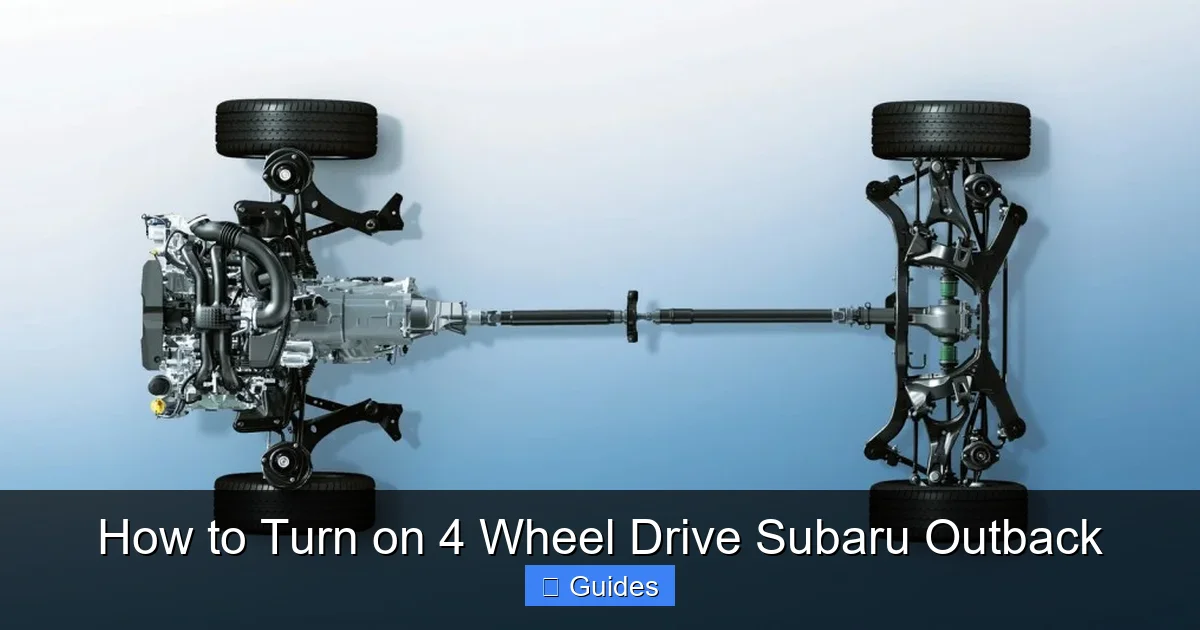
Unlike older trucks or SUVs where you’d shift into 4H or 4L using a lever or dial, the Outback’s AWD system operates seamlessly in the background. Power is continuously distributed to all four wheels, adjusting torque split between front and rear axles based on traction needs. This design gives you better stability, control, and safety in everyday driving—whether you’re navigating rain-slicked highways, light snow, or gravel backroads.
The “symmetrical” part of the name refers to the layout of the drivetrain components. Subaru engineers position the engine, transmission, and driveshaft along the vehicle’s centerline, creating balanced weight distribution. This symmetry reduces vibration, improves handling, and enhances overall driving dynamics. Combined with a low center of gravity (thanks to the horizontally opposed “boxer” engine), the Outback feels planted and confident, even in challenging conditions.
So while you won’t find a “4WD ON” button, rest assured your Outback is already sending power to all four wheels—no action required. But that doesn’t mean you can’t optimize its performance. Subaru includes advanced features like X-MODE and selectable driving modes that let you fine-tune how the AWD system responds to specific terrains. We’ll dive into those next.
Is There a 4WD Button in the Subaru Outback?
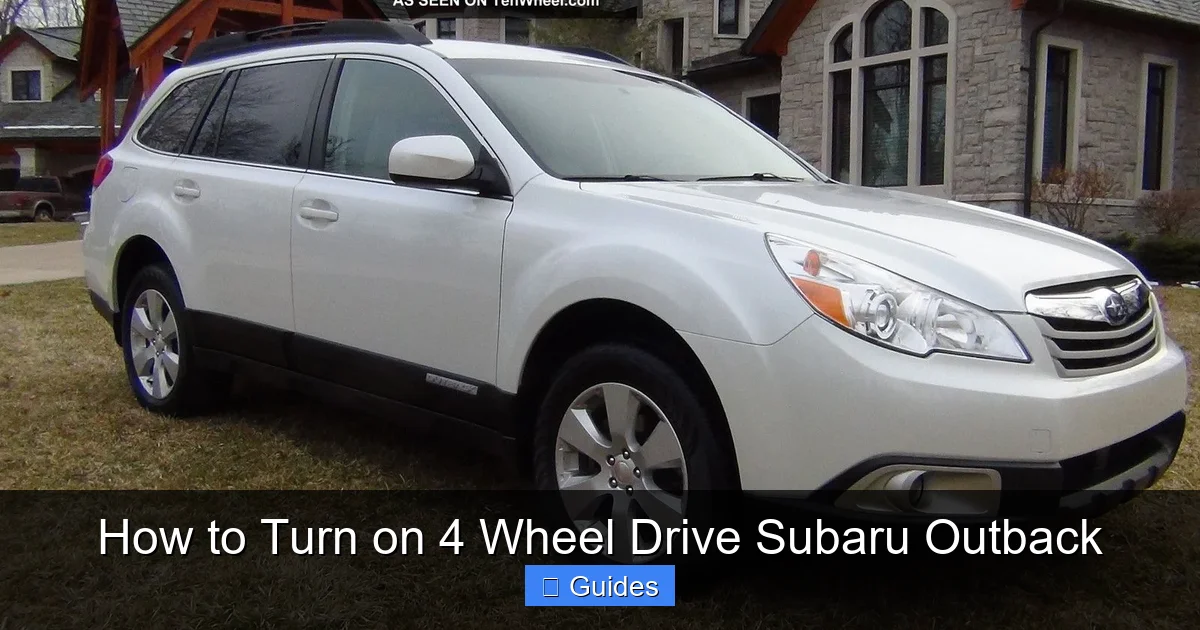
Visual guide about How to Turn on 4 Wheel Drive Subaru Outback
Image source: tenwheel.com
This is one of the most common questions from new Outback owners: “Where’s the 4WD button?” The confusion makes sense—many vehicles, especially trucks and off-road SUVs, have a prominent switch or dial labeled “4WD” or “4H/4L.” But in the Subaru Outback, that button doesn’t exist—and here’s why.
Subaru has built its reputation on standard, full-time AWD across nearly its entire lineup. Since the late 1990s, the Outback has come with Symmetrical AWD as standard equipment. That means from the moment you start the engine, power is being sent to all four wheels. There’s no need to “turn it on” because it’s always active.
Instead of a 4WD engagement switch, you’ll find controls that *enhance* or *modify* how the AWD system behaves under certain conditions. The most important of these is **X-MODE**, which we’ll cover in detail shortly. But first, let’s clear up a key distinction:
– **Traditional 4WD (Four-Wheel Drive):** Found in trucks and body-on-frame SUVs. Requires manual engagement, often locks front and rear axles together, and is typically used for serious off-roading or towing.
– **AWD (All-Wheel Drive):** Found in crossovers and wagons like the Outback. Always active, dynamically adjusts power distribution, and is optimized for on-road and light off-road use.
Your Outback uses the latter. So while you can’t “turn on 4WD,” you’re already benefiting from a sophisticated AWD system that’s working harder than you might realize—especially when road conditions get tricky.
That said, if you’re used to older vehicles where you had to flip a switch to get extra traction, it might feel odd at first. But once you experience how smoothly the Outback handles wet roads, light snow, or gravel paths without any input from you, you’ll appreciate the simplicity and intelligence of Subaru’s approach.
How to Use X-MODE for Enhanced Traction
Visual guide about How to Turn on 4 Wheel Drive Subaru Outback
Image source: images.hgmsites.net
While your Outback’s AWD is always active, Subaru gives you tools to boost its capability when you need it most. Enter **X-MODE**—a traction-enhancing system designed for low-grip situations like deep snow, muddy trails, or steep, uneven terrain.
X-MODE isn’t a replacement for AWD; it’s an enhancement. When activated, it optimizes the engine output, transmission response, and brake-based torque vectoring to maximize grip. It also adjusts the behavior of the vehicle dynamics control (VDC) system to allow slight wheel slip when needed—helpful when climbing out of ruts or navigating loose surfaces.
How to Activate X-MODE
Activating X-MODE is straightforward:
1. Come to a complete stop or drive below 12 mph (20 km/h).
2. Locate the **X-MODE button** on the center console, usually near the climate controls or gear shifter. It’s marked with a mountain icon and the letters “X-MODE.”
3. Press the button once. The dashboard will display “X-MODE ON” and illuminate a green indicator light.
4. If your Outback has the dual-mode X-MODE (available on 2015 and newer models), press the button again to switch to the second setting.
> **Pro Tip:** You can activate X-MODE while driving slowly—just don’t try to engage it at highway speeds. The system is designed for low-speed off-road or adverse weather scenarios.
Understanding X-MODE Modes
On most recent Outback models (2015 and later), X-MODE offers two settings:
– **Snow/Dirt Mode (first press):** Ideal for packed snow, icy roads, wet grass, or gravel. This mode provides smooth power delivery and gentle braking intervention to prevent wheel spin.
– **Deep Snow/Mud Mode (second press):** For more extreme conditions—think fresh powder, thick mud, or loose dirt trails. This setting allows slightly more wheel slip and uses more aggressive brake control to help the tires “dig in” and maintain forward momentum.
Once engaged, X-MODE will stay active until:
– You press the button again to turn it off,
– The vehicle exceeds 25 mph (40 km/h)—at which point it automatically deactivates, or
– The ignition is turned off.
> **Note:** If you restart the vehicle, X-MODE will not reactivate automatically. You’ll need to press the button again if needed.
Real-World Example: Driving in Deep Snow
Imagine you’re driving up a snowy mountain road after a fresh storm. Without X-MODE, your Outback’s AWD would still send power to all wheels, but it might struggle to maintain traction on steep, powdery sections. By activating Deep Snow/Mud mode, the system allows the wheels to spin just enough to clear snow buildup while using individual wheel braking to redirect torque to the wheels with grip. The result? Smoother climbs and fewer stuck moments.
When Should You Use X-MODE (and When Not To)?
Visual guide about How to Turn on 4 Wheel Drive Subaru Outback
Image source: tenwheel.com
X-MODE is a powerful tool—but it’s not meant for everyday driving. Knowing when to use it (and when to leave it off) ensures you get the best performance without unnecessary wear or reduced fuel efficiency.
Best Use Cases for X-MODE
– **Winter driving in deep or unpacked snow:** Especially useful on unplowed roads or driveways with heavy accumulation.
– **Muddy trails or forest roads:** Helps prevent getting stuck in soft, slippery terrain.
– **Gravel or loose dirt paths:** Reduces wheel spin when accelerating from a stop.
– **Steep inclines or declines:** Improves control when going up or down hills with low traction.
– **Wet grass or muddy campsites:** Common scenarios for outdoor enthusiasts who take their Outback off the beaten path.
When to Avoid X-MODE
– **Dry pavement or highways:** X-MODE is not designed for high-speed driving. Using it on dry roads can cause premature wear on drivetrain components and reduce fuel economy.
– **City driving in light rain:** Your standard AWD is more than capable here. X-MODE adds unnecessary complexity.
– **Towing on paved roads:** Unless you’re towing over rough terrain, stick to normal driving mode.
> **Important Reminder:** X-MODE is not a substitute for proper tires. If you frequently drive in snow or off-road conditions, invest in all-season or dedicated winter tires. No electronic system can overcome the limits of bald or mismatched tires.
Troubleshooting Common AWD and X-MODE Issues
Even the most reliable systems can occasionally act up. If you notice unusual behavior with your Outback’s AWD or X-MODE, don’t panic—but do pay attention.
AWD Warning Light Stays On
If the AWD warning light (usually a yellow icon showing four wheels with arrows) remains illuminated on your dashboard, it could indicate:
– A faulty wheel speed sensor,
– Low or contaminated differential fluid,
– A problem with the transfer clutch (which manages front/rear torque split),
– Or a software glitch.
In many cases, the light may appear briefly after starting the car and then disappear—that’s normal. But if it stays on, have your vehicle inspected by a Subaru technician. Continuing to drive with a persistent AWD warning could lead to reduced performance or damage.
X-MODE Won’t Activate
If pressing the X-MODE button does nothing—or the light flashes and turns off immediately—check these common causes:
– **Vehicle speed too high:** Remember, X-MODE only works below 12 mph. Slow down and try again.
– **Faulty button or wiring:** Rare, but possible. Try pressing firmly or restarting the vehicle.
– **System fault:** If the vehicle detects an issue with the AWD or braking system, it may disable X-MODE as a safety precaution.
> **Quick Fix:** Turn the car off, wait 30 seconds, then restart. This often resets minor electronic glitches.
Reduced Traction or Slipping Sensation
If your Outback feels like it’s losing grip more than usual—even with AWD engaged—consider:
– **Tire condition:** Worn, uneven, or mismatched tires can severely impact AWD effectiveness. All four tires should have similar tread depth (within 2/32” of each other).
– **Tire pressure:** Underinflated tires reduce contact patch and responsiveness. Check pressures monthly.
– **Road conditions:** No system is magic. Ice, black ice, or deep water can overwhelm even the best AWD setup.
Maintenance Tips to Keep Your AWD System Running Smoothly
Your Outback’s AWD system is built to last—but like any mechanical system, it benefits from regular care. Neglecting maintenance can lead to costly repairs and reduced performance.
Follow the Maintenance Schedule
Subaru recommends specific service intervals for AWD components:
– **Differential fluid replacement:** Every 30,000 miles (or as specified in your owner’s manual). This lubricates the front and rear differentials, ensuring smooth power transfer.
– **Transfer case service:** Some models require fluid changes here too—check your manual.
– **Brake inspections:** Since X-MODE uses brake-based torque vectoring, worn brake pads or rotors can affect performance.
Check Tires Regularly
Because AWD relies on balanced traction across all four wheels, tire health is critical:
– Rotate tires every 6,000–8,000 miles.
– Replace tires in sets of four—never mix new and old tires.
– Use the same brand, model, and size on all positions.
> **Warning:** Putting significantly different tires on one axle can damage the AWD system over time due to uneven rotation speeds.
Keep Sensors Clean
Wheel speed sensors (located near each wheel hub) monitor rotation and feed data to the AWD control module. Dirt, mud, or snow buildup can interfere with readings. After driving in harsh conditions, gently clean around the sensors with a soft brush or compressed air.
Conclusion: Confidence Through Intelligent Design
So, how do you turn on 4 wheel drive in a Subaru Outback? The truth is, you don’t—and you don’t need to. From the moment you start your engine, Symmetrical All-Wheel Drive is actively managing power delivery to keep you stable, safe, and in control. It’s one of the reasons the Outback has earned its reputation as a capable, all-weather wagon.
But that doesn’t mean you’re powerless. With features like X-MODE and selectable driving modes, you can tailor your Outback’s behavior to match the road—or lack thereof. Whether you’re navigating a snowy driveway, a muddy trailhead, or just a rainy commute, your Outback is ready.
The key is understanding how the system works and using the right tools at the right time. Activate X-MODE when traction is low, maintain your tires and fluids, and trust the engineering that’s been refined over decades. Your Outback isn’t just built to handle the elements—it’s built to make you feel confident no matter where the road leads.
And remember: while you can’t “turn on 4WD,” you’re already driving one of the most capable AWD vehicles on the market. Embrace it, maintain it, and enjoy the peace of mind that comes with knowing all four wheels are working together—every mile of the way.
Frequently Asked Questions
Does the Subaru Outback have 4WD or AWD?
The Subaru Outback comes with standard Symmetrical All-Wheel Drive (AWD), not traditional 4WD. This system is always active and automatically distributes power to all four wheels for better traction and stability.
Can I turn on 4WD in my Subaru Outback?
No, because the Outback doesn’t have a manual 4WD system. Its AWD is always engaged, but you can enhance performance using X-MODE for low-traction conditions like snow or mud.
How do I activate X-MODE in my Outback?
Press the X-MODE button on the center console while driving below 12 mph. The system will activate and display a confirmation on the dashboard. Press again to switch between Snow/Dirt and Deep Snow/Mud modes.
Is it safe to drive with the AWD warning light on?
No. If the AWD warning light stays on, it indicates a potential issue with the drivetrain or sensors. Have your vehicle inspected by a Subaru technician as soon as possible.
Can I use X-MODE on dry pavement?
It’s not recommended. X-MODE is designed for low-speed, low-traction conditions. Using it on dry roads can reduce fuel efficiency and cause unnecessary wear on components.
Do I need special tires for AWD to work properly?
While not required, matching tires with similar tread depth and type are essential. Mismatched tires can cause drivetrain stress and trigger AWD warning lights.

At CarLegit, we believe information should be clear, factual, and genuinely helpful. That’s why every guide, review, and update on our website is created with care, research, and a strong focus on user experience.