
Turning on fog lights on a GMC Sierra is simple once you know where to look and how the system works. This guide walks you through every step—from locating the controls to understanding when and why to use fog lights—ensuring safer driving in low-visibility conditions.
Driving in fog, heavy rain, or snow can turn even the most familiar roads into a challenge. Visibility drops quickly, and standard headlights often reflect off moisture in the air, creating a blinding glare instead of illuminating the road ahead. That’s where fog lights come in—they’re not just an accessory; they’re a safety feature designed specifically for these tough conditions. If you own a GMC Sierra, you’re driving one of the most capable trucks on the road, and many models come equipped with fog lights to help you navigate safely when the weather turns nasty.
But here’s the thing: not every driver knows how to turn them on—or even if their Sierra has them. Maybe you just bought a used Sierra and aren’t familiar with the controls. Or perhaps you’ve had your truck for years but never needed fog lights until now. Whatever your situation, this guide is here to help. We’ll walk you through everything you need to know about turning on fog lights on a GMC Sierra, from identifying whether your truck has them to understanding the correct way to use them. By the end, you’ll feel confident activating your fog lights whenever visibility drops and driving with greater peace of mind.
In This Article
- 1 Key Takeaways
- 2 📑 Table of Contents
- 3 Understanding Fog Lights and Why They Matter
- 4 Does Your GMC Sierra Have Fog Lights?
- 5 Locating the Fog Light Controls
- 6 Step-by-Step: How to Turn On Fog Lights on GMC Sierra
- 7 Common Mistakes and Troubleshooting
- 8 Maintenance Tips for Long-Lasting Fog Lights
- 9 When and When Not to Use Fog Lights
- 10 Conclusion
- 11 Frequently Asked Questions
- 11.1 Can I turn on fog lights without headlights on a GMC Sierra?
- 11.2 Do all GMC Sierra models come with fog lights?
- 11.3 What does the fog light symbol look like on the dashboard?
- 11.4 Can I install fog lights on a GMC Sierra that doesn’t have them?
- 11.5 Are fog lights legal to use in clear weather?
- 11.6 Why won’t my fog lights turn on even though the headlights are on?
Key Takeaways
- Fog lights are designed for low-visibility conditions: They cut through fog, rain, snow, and dust better than headlights by casting a wide, low beam that reduces glare.
- Location of controls varies by model year: Most GMC Sierra models use a rotary headlight switch or a stalk control on the steering column to activate fog lights.
- Fog lights only work when headlights are on: You must have your headlights (low or high beams) activated before fog lights can be engaged.
- Use fog lights responsibly: Only use them in poor visibility—using them in clear weather can blind other drivers and may be illegal in some areas.
- Indicator light confirms activation: A green or amber dashboard icon (often labeled “FOG”) lights up when fog lights are on.
- Regular maintenance ensures reliability: Check bulbs, lenses, and switches periodically to keep your fog lights working when you need them most.
- Know your Sierra’s trim level: Not all GMC Sierra trims come with factory-installed fog lights—check your owner’s manual or look for lenses below the headlights.
📑 Table of Contents
Understanding Fog Lights and Why They Matter
Before we dive into the mechanics of turning on your fog lights, it’s important to understand what they are and why they’re different from your regular headlights. Fog lights are auxiliary lighting systems mounted low on the front bumper of your GMC Sierra—typically just below the main headlights. Their position is intentional: by being closer to the ground, they shine beneath the fog layer, which usually hangs a few feet above the road surface. This allows the light to illuminate the road without reflecting back into your eyes, which is what happens when you use high beams in fog.
Standard headlights, especially high beams, emit light upward and outward. In clear conditions, this helps you see farther down the road. But in fog, rain, or snow, that same light bounces off water droplets or ice crystals and creates a “wall of light” that makes it harder to see. Fog lights, on the other hand, cast a wide, flat beam that hugs the road. This reduces glare and improves your ability to see lane markings, curbs, and obstacles directly in front of you. Think of it like using a flashlight close to the ground versus shining it straight ahead in a dark, misty forest—the low beam gives you better visibility where you need it most.
Another key difference is color and intensity. Many fog lights use yellow or amber bulbs (though white LEDs are also common in newer models). These colors are less likely to scatter in foggy conditions, making them more effective than pure white light. Additionally, fog lights are not meant to replace your headlights—they’re designed to work alongside them. You should always use your low-beam headlights when turning on fog lights, and never rely on fog lights alone for illumination.
Does Your GMC Sierra Have Fog Lights?

Visual guide about How to Turn on Fog Lights on Gmc Sierra
Image source: cdn11.bigcommerce.com
Not every GMC Sierra comes with factory-installed fog lights. Whether your truck has them depends on the model year, trim level, and optional packages selected at purchase. For example, higher trims like the SLE, SLT, and Denali often include fog lights as standard equipment, while base models like the WT (Work Truck) may not. Some trims offer fog lights as part of an optional appearance or lighting package, so it’s worth checking your original window sticker or owner’s manual if you’re unsure.
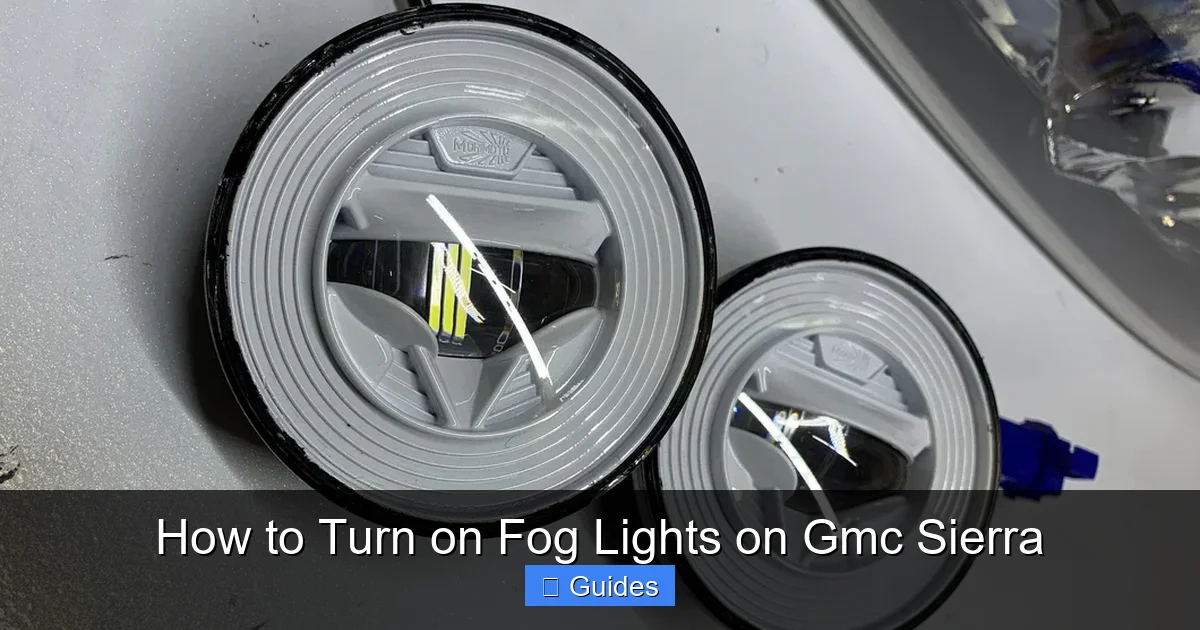
So how can you tell if your Sierra has fog lights? Start by looking at the front bumper, just below the headlights. You’ll typically see small, round or rectangular lenses mounted low on the bumper, often with a subtle chrome or black bezel. These are your fog light housings. If you don’t see them, your truck likely doesn’t have factory fog lights—but that doesn’t mean you can’t add them later. Many aftermarket kits are available that allow you to install fog lights on almost any GMC Sierra model.
Another way to confirm is to check your dashboard for a fog light indicator. When activated, most Sierras display a green or amber icon—often shaped like a headlight with wavy lines in front of it—on the instrument cluster. If you see this symbol, your truck is equipped with fog lights. You can also consult your owner’s manual, which will list standard and optional features by trim level. If you’ve lost your manual, you can usually download a digital copy from the GMC website using your vehicle identification number (VIN).
Locating the Fog Light Controls
Visual guide about How to Turn on Fog Lights on Gmc Sierra
Image source: cdn.shopify.com
Once you’ve confirmed your GMC Sierra has fog lights, the next step is finding the controls. The location varies slightly depending on the model year, but most Sierras use one of two systems: a rotary headlight switch on the dashboard or a stalk control on the steering column.
On newer models (typically 2014 and later), the fog light switch is usually part of the headlight control knob located on the left side of the dashboard, near the steering wheel. This knob controls your headlights, parking lights, and fog lights. To activate the fog lights, you’ll first need to turn on your headlights—either low or high beams. Then, you can engage the fog lights by pulling the knob outward to the first or second detent, depending on the model. Some Sierras require you to pull the knob fully out to the second position to activate fog lights, while others have a separate button or toggle.
On older models (pre-2014), the fog light control is often found on the turn signal stalk—the lever on the left side of the steering column. In these trucks, you turn on the headlights as usual, then push or pull the end of the stalk to activate the fog lights. You may feel a slight click when the fog lights engage. The dashboard indicator should light up to confirm activation.
It’s worth noting that some GMC Sierra models with advanced lighting systems—like those with automatic headlights or adaptive front lighting—may have fog lights that turn on automatically under certain conditions. However, most drivers still need to manually activate them using the controls described above.
Step-by-Step: How to Turn On Fog Lights on GMC Sierra

Visual guide about How to Turn on Fog Lights on Gmc Sierra
Image source: cdn11.bigcommerce.com
Now that you know where to look, let’s walk through the process of turning on your fog lights step by step. These instructions apply to most GMC Sierra models from 2007 to the present, with minor variations based on year and trim.
Step 1: Turn On Your Headlights
Before you can activate the fog lights, your headlights must be on. This is a safety requirement built into the vehicle’s electrical system. Turn the headlight switch to the “Auto” position (if equipped) or manually switch to low or high beams. You can usually do this by rotating the headlight knob or pressing the “Auto” button on the dashboard.
Step 2: Locate the Fog Light Control
Find the fog light switch. On most newer Sierras, this is the same knob used for headlights. On older models, it may be on the turn signal stalk. Look for a symbol that looks like a headlight with curved lines in front—this indicates the fog light function.
Step 3: Activate the Fog Lights
For rotary headlight switches: Pull the knob outward. On some models, pulling it to the first position turns on the fog lights. On others, you may need to pull it fully to the second position. You’ll usually feel a detent or click when the fog lights engage.
For stalk controls: Push or pull the end of the turn signal lever. You may need to press a small button on the end of the stalk while pulling it toward you.
Step 4: Confirm Activation
Check your dashboard. A green or amber “FOG” or fog light icon should illuminate. This confirms that the fog lights are on and functioning properly.
Step 5: Use Responsibly
Only use fog lights in low-visibility conditions such as fog, heavy rain, snow, or dust storms. Turn them off when visibility improves to avoid blinding other drivers. In some states, using fog lights in clear weather is illegal and can result in a fine.
Let’s look at a real-world example. Imagine you’re driving your GMC Sierra down a mountain road early in the morning. A thick fog rolls in, reducing visibility to just a few feet. You turn on your low-beam headlights, but the light reflects off the fog, making it harder to see. You remember your truck has fog lights. You reach for the headlight knob, pull it out to the second position, and instantly notice the road ahead becomes clearer. The wide, low beam cuts through the fog, illuminating the lane markings and edge of the road. The dashboard icon lights up—fog lights are on. You drive more confidently, knowing you’re using the right tool for the conditions.
Common Mistakes and Troubleshooting
Even with clear instructions, drivers sometimes run into issues when trying to turn on their fog lights. Here are some common mistakes and how to fix them.
Fog Lights Won’t Turn On
If you’ve followed the steps but the fog lights don’t activate, check the following:
– Are your headlights on? Fog lights won’t work unless the main lights are active.
– Is the switch in the correct position? Some models require the knob to be pulled fully out.
– Is there a blown fuse? Check the fuse box (usually under the hood or dashboard) for a blown fuse labeled “Fog Lamps” or “Front Fog.” Replace it if necessary.
– Are the bulbs burned out? Inspect the fog light lenses for dark spots or broken filaments. Replace bulbs as needed.
Dashboard Indicator Doesn’t Light Up
If the fog lights are on but the dashboard icon isn’t showing, the issue may be with the indicator bulb or sensor. This doesn’t affect functionality but can be annoying. Have it checked by a technician.
Fog Lights Turn On Automatically
Some newer Sierras with automatic lighting systems may activate fog lights in heavy rain or fog. If this happens unexpectedly, check your vehicle settings in the infotainment system. You may be able to disable automatic fog light activation.
Using Fog Lights in Clear Weather
This is a common mistake. Fog lights are not meant for everyday use. Using them in clear conditions can blind oncoming drivers and may violate local laws. Only use them when visibility is reduced.
Maintenance Tips for Long-Lasting Fog Lights
To keep your fog lights working when you need them most, regular maintenance is essential. Here are some tips to ensure they stay in top condition.
Check Bulbs Regularly
Fog light bulbs can burn out over time, especially if you drive frequently in rough conditions. Inspect them every few months. If one side is dim or out, replace both bulbs to ensure even lighting.
Clean the Lenses
Dirt, mud, and road grime can build up on the fog light lenses, reducing their effectiveness. Clean them with a soft cloth and glass cleaner. Avoid abrasive materials that can scratch the surface.
Inspect for Damage
Check the fog light housings for cracks, moisture, or loose connections. Water inside the lens can damage the bulb and wiring. If you notice condensation, have the seal repaired or replaced.
Test the Switch
Occasionally test the fog light switch to ensure it’s functioning properly. If it feels loose or unresponsive, it may need servicing.
Upgrade to LEDs
Consider upgrading to LED fog lights for brighter, longer-lasting illumination. LEDs use less power, last longer, and provide a crisp white or amber light that cuts through fog effectively.
When and When Not to Use Fog Lights
Using fog lights correctly is just as important as knowing how to turn them on. Here’s a quick guide to help you decide when to use them.
Use Fog Lights When:
– Driving in fog, heavy rain, snow, or dust storms.
– Visibility is reduced to less than 100 meters (about 328 feet).
– You’re on a rural or unlit road with poor lighting.
Do Not Use Fog Lights When:
– Driving in clear, dry conditions.
– On well-lit city streets.
– Behind other vehicles at close range (can cause glare).
– In light mist or drizzle—low beams are usually sufficient.
Remember, fog lights are a safety tool, not a convenience. Use them wisely to protect yourself and others on the road.
Conclusion
Turning on fog lights on your GMC Sierra is a simple process that can make a big difference in your safety during poor weather conditions. Whether you drive a newer model with a rotary switch or an older truck with a stalk control, the steps are straightforward: turn on your headlights, locate the fog light control, activate it, and confirm with the dashboard indicator. Just remember to use them only when necessary and maintain them regularly for reliable performance.
Fog lights are more than just a feature—they’re a vital part of your truck’s safety system. By understanding how and when to use them, you’re not only protecting yourself but also contributing to safer roads for everyone. So the next time the weather turns nasty, don’t hesitate. Flip that switch, light up the road, and drive with confidence.
Frequently Asked Questions
Can I turn on fog lights without headlights on a GMC Sierra?
No, fog lights will not activate unless your headlights are on. This is a safety feature built into the vehicle’s electrical system to prevent misuse.
Do all GMC Sierra models come with fog lights?
No, fog lights are typically included on higher trims like SLE, SLT, and Denali. Base models like the WT may not have them unless added as an option.
What does the fog light symbol look like on the dashboard?
The symbol usually looks like a headlight with wavy lines in front of it and is often green or amber. It may be labeled “FOG” on some models.
Can I install fog lights on a GMC Sierra that doesn’t have them?
Yes, aftermarket fog light kits are available for most Sierra models. Installation may require wiring and drilling, so professional help is recommended.
Are fog lights legal to use in clear weather?
In many states, using fog lights in clear conditions is illegal and can result in a fine. Always check local laws and use them only in low-visibility situations.
Why won’t my fog lights turn on even though the headlights are on?
Check for a blown fuse, burned-out bulb, or faulty switch. Also ensure the control is in the correct position. If problems persist, consult a technician.

At CarLegit, we believe information should be clear, factual, and genuinely helpful. That’s why every guide, review, and update on our website is created with care, research, and a strong focus on user experience.