
Turning on the screen in your Jeep Compass is simple once you know the right steps. Whether you’re dealing with a blank display, unresponsive touchscreen, or startup issues, this guide covers everything from basic power-on procedures to advanced troubleshooting for Uconnect systems across different model years.
In This Article
- 1 Key Takeaways
- 2 📑 Table of Contents
- 3 How to Turn on Screen in Jeep Compass: A Complete Guide
- 4 Understanding the Jeep Compass Uconnect System
- 5 Step-by-Step: How to Turn On the Screen in Jeep Compass
- 6 Troubleshooting a Blank or Unresponsive Screen
- 7 Preventing Future Screen Issues
- 8 Safety Tips When Using the Uconnect Screen
- 9 When to Seek Professional Help
- 10 Conclusion
- 11 Frequently Asked Questions
- 11.1 Why won’t my Jeep Compass screen turn on?
- 11.2 How do I restart the Uconnect system in my Jeep Compass?
- 11.3 Can I turn on the screen without starting the engine?
- 11.4 What should I do if the screen is on but not responding to touch?
- 11.5 How often should I update my Uconnect software?
- 11.6 Is it safe to drive if the Uconnect screen is off?
Key Takeaways
- Locate the power button: The screen in most Jeep Compass models is powered through the Uconnect system, controlled by a physical button or ignition switch.
- Check ignition status: The screen won’t turn on unless the vehicle is in accessory or ignition mode—ensure the key is turned or the push-button start is activated.
- Restart the Uconnect system: A soft reset by holding the power and volume buttons can resolve temporary glitches.
- Update software regularly: Outdated firmware can cause display issues; check for updates via USB or over-the-air.
- Inspect fuses and wiring: If the screen remains off, a blown fuse or loose connection may be the culprit.
- Use safe driving practices: Only interact with the screen when parked to avoid distractions.
- Contact Jeep support if needed: Persistent problems may require professional diagnosis or dealership service.
📑 Table of Contents
- How to Turn on Screen in Jeep Compass: A Complete Guide
- Understanding the Jeep Compass Uconnect System
- Step-by-Step: How to Turn On the Screen in Jeep Compass
- Troubleshooting a Blank or Unresponsive Screen
- Preventing Future Screen Issues
- Safety Tips When Using the Uconnect Screen
- When to Seek Professional Help
- Conclusion
How to Turn on Screen in Jeep Compass: A Complete Guide
So you’re sitting in your Jeep Compass, ready to start your drive, and… the screen is black. No maps, no music, no climate controls. Frustrating, right? Don’t worry—this is more common than you think, and the good news is that turning on the screen in your Jeep Compass is usually a straightforward fix. Whether you’re a new owner or just unfamiliar with the Uconnect system, this guide will walk you through every step, from the basics to advanced troubleshooting.
The Jeep Compass comes equipped with a modern infotainment system called Uconnect, which powers the central touchscreen. This system handles everything from navigation and Bluetooth to climate control and vehicle settings. But like any tech, it can sometimes act up—especially after a software update, a dead battery, or even just overnight in cold weather. The good news? Most screen issues are temporary and fixable with a few simple steps.
In this comprehensive guide, we’ll cover how to turn on the screen in your Jeep Compass across multiple model years, including the 2017–2024 trims. We’ll explain the role of the ignition system, how to perform a soft reset, and what to do if the screen stays off. Plus, we’ll share pro tips to keep your Uconnect system running smoothly. By the end, you’ll feel confident handling any screen-related issue—no mechanic required.
Understanding the Jeep Compass Uconnect System
Visual guide about How to Turn on Screen in Jeep Compass
Image source: jeepfixes.com
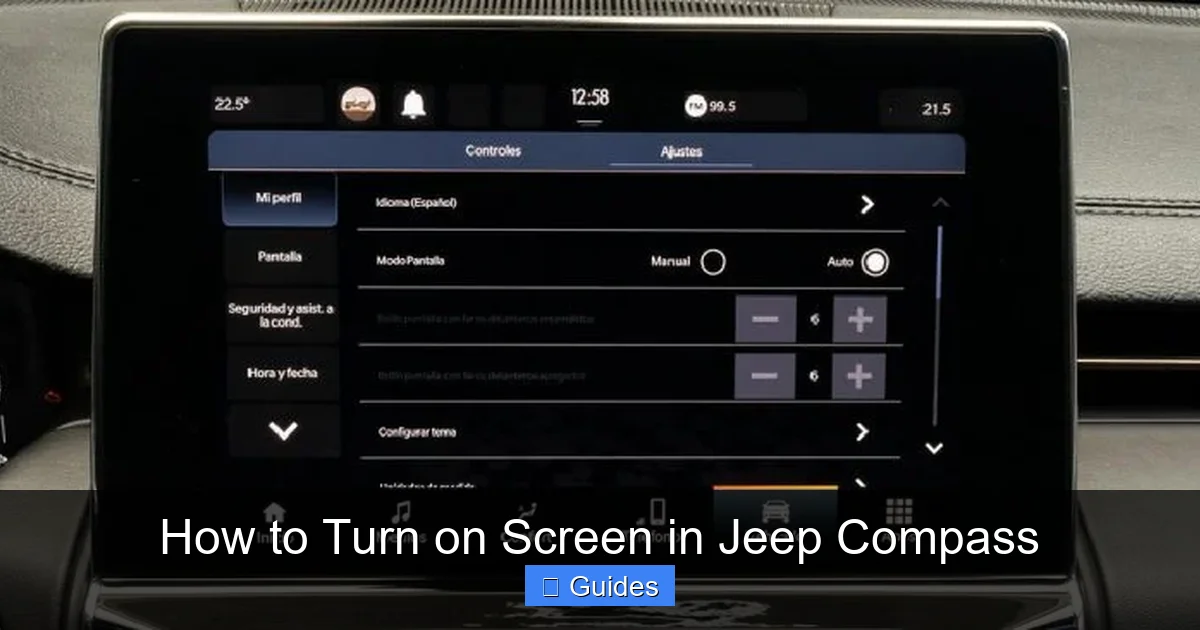
Before diving into the “how-to,” it’s important to understand what you’re working with. The Uconnect system is Jeep’s proprietary infotainment platform, and it’s the brain behind your Compass’s touchscreen. Depending on your model year and trim level, you might have a 5-inch, 7-inch, or even an 8.4-inch display. But regardless of size, they all operate on similar principles.
The Uconnect system integrates with your vehicle’s electrical system and is designed to activate when the car is powered on. That means the screen doesn’t have a standalone power switch like a tablet or smartphone. Instead, it turns on automatically when you start the vehicle or turn the key to the “accessory” position. This design helps conserve battery and ensures the system only runs when needed.
One key thing to remember: the screen is not just for entertainment. It controls critical functions like climate settings, audio, phone connectivity, and in some models, advanced driver assistance features. That’s why it’s so important that it works reliably. Over the years, Uconnect has evolved significantly. Older models (2017–2019) used earlier versions of the software, which were more prone to freezing or slow startups. Newer models (2020–2024) feature faster processors, better graphics, and over-the-air update capabilities.
How Uconnect Powers On
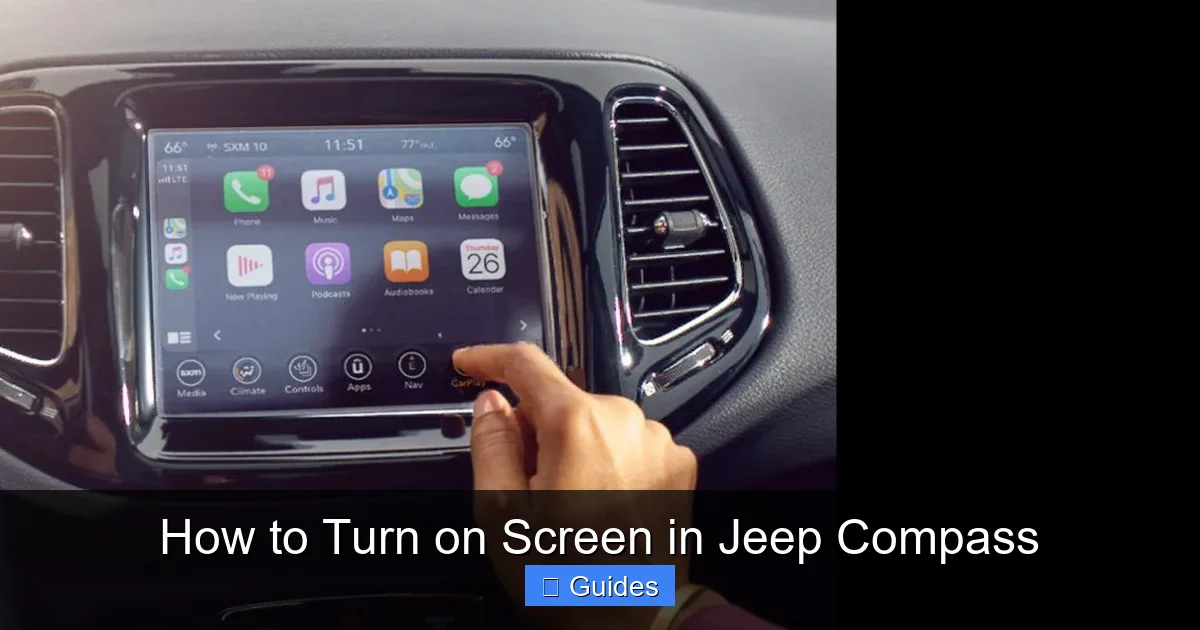
The Uconnect screen doesn’t have a traditional “on/off” button. Instead, it’s tied directly to your vehicle’s ignition system. When you insert the key and turn it to the “ACC” (accessory) or “ON” position, power flows to the infotainment system, and the screen should light up within a few seconds. If you have a push-button start, simply pressing the brake and hitting “Start” (or pressing the button without the brake for accessory mode) should activate the system.
It’s also worth noting that some functions—like audio and phone—can be used in accessory mode, even when the engine isn’t running. But features like navigation or rearview camera only work when the vehicle is fully on. This design helps prevent battery drain while still giving you access to key features when parked.
Common Screen Types and Features
Jeep Compass models come with different screen sizes and capabilities. Here’s a quick breakdown:
– 5-inch Display (Base Models): Found in earlier trims, this smaller screen supports basic audio, Bluetooth, and phone functions. It’s less responsive than newer versions but still reliable.
– 7-inch Display (Mid-Tier Trims): A popular size offering touchscreen navigation, Apple CarPlay, Android Auto, and climate control integration.
– 8.4-inch Display (High-End Trims): The premium option with high-resolution graphics, split-screen functionality, and advanced Uconnect features like remote start via app.
All versions use capacitive touchscreens, meaning they respond to light finger taps—similar to a smartphone. However, they can be affected by dirt, moisture, or cold temperatures, which may cause temporary unresponsiveness.
Step-by-Step: How to Turn On the Screen in Jeep Compass
Visual guide about How to Turn on Screen in Jeep Compass
Image source: mideast.jeep.com
Now that you understand the basics, let’s get to the main event: turning on your screen. Follow these steps in order, and you’ll have your display up and running in no time.
Step 1: Check the Ignition Status
The most common reason the screen won’t turn on is that the vehicle isn’t powered up. The Uconnect system requires electrical power to function, and that comes from the ignition.
If you have a key ignition:
– Insert the key into the ignition cylinder.
– Turn it to the “ACC” (accessory) position. You should hear the radio power on, and the screen should light up within 5–10 seconds.
– If you want full functionality (like navigation), turn the key to the “ON” position and start the engine.
If you have a push-button start:
– Press the “Start” button once without pressing the brake pedal. This activates accessory mode.
– The screen should turn on. If not, press the button again (still without the brake) to ensure it’s not in “off” mode.
– To start the engine, press the brake and hit “Start.”
💡 Pro Tip: If the screen still doesn’t turn on, try turning the key or pressing the start button a second time. Sometimes the system takes a moment to initialize, especially in cold weather.
Step 2: Locate the Power Button (If Applicable)
While most Compass models don’t have a dedicated screen power button, some older or base trims include a physical button to control the display. This button is usually located on the side of the screen or near the volume knob.
Look for a small button labeled “Power,” “Display,” or with a screen icon. Press and hold it for 1–2 seconds to turn the screen on. If the screen was in sleep mode, this should wake it up.
Note: On newer models (2020+), this button may not exist, as the system is designed to power on automatically with the ignition.
Step 3: Perform a Soft Reset
If the screen is still off or frozen, a soft reset can often fix the issue. This is like restarting your phone—it clears temporary glitches without affecting your saved settings.
Here’s how to do it:
1. Turn off the vehicle completely (key out or press “Start” twice with brake).
2. Locate the power button (usually the large round button on the Uconnect panel) and the volume knob.
3. Press and hold both the power button and the volume down button simultaneously.
4. Keep holding for 10–15 seconds. You may see the screen flicker or go black—this is normal.
5. Release the buttons. The system should reboot, and the screen should turn on within 30–60 seconds.
This reset restarts the Uconnect operating system and often resolves issues like frozen screens, unresponsive touch, or audio problems.
💡 Example: Sarah, a 2021 Compass owner, noticed her screen went black after a software update. She performed a soft reset, and within a minute, the system restarted with all her settings intact.
Step 4: Check for Software Updates
Outdated software can cause the screen to malfunction or fail to turn on. Jeep regularly releases updates to improve performance, fix bugs, and add new features.
To check for updates:
– Go to the Uconnect home screen (once it’s on).
– Tap “Settings” > “System” > “Software Update.”
– If an update is available, follow the on-screen instructions. You may need a USB drive or Wi-Fi connection.
For models with over-the-air (OTA) capability (2020+), updates can download automatically when connected to Wi-Fi.
💡 Tip: Always keep your Uconnect system updated. It’s one of the best ways to prevent screen and performance issues.
Troubleshooting a Blank or Unresponsive Screen
Visual guide about How to Turn on Screen in Jeep Compass
Image source: vehiclers.com
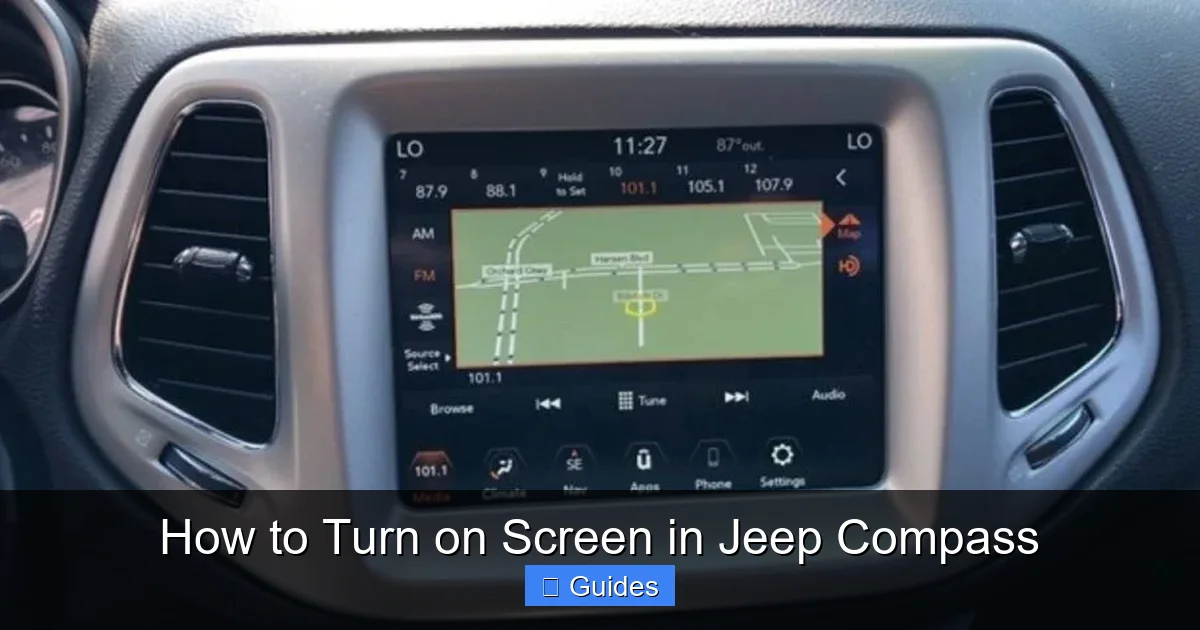
Even with the right steps, sometimes the screen just won’t cooperate. Here’s what to do when the basics don’t work.
Screen Stays Black After Ignition
If you’ve turned the key or pressed start and the screen remains completely black, there could be an electrical issue.
First, check the fuses. The Uconnect system is protected by fuses in the vehicle’s fuse box. Locate the owner’s manual to find the correct fuse (usually labeled “Radio,” “Infotainment,” or “Uconnect”). Use a fuse puller or needle-nose pliers to remove it and inspect for a broken filament. If the fuse is blown, replace it with one of the same amperage.
If the fuse looks fine, the issue might be a loose connection or a failing screen. Try gently tapping the side of the display—sometimes this can reseat a loose cable. If that doesn’t work, it’s time to visit a Jeep dealership.
Screen Turns On But Is Unresponsive
A lit but unresponsive screen usually points to a software glitch. Try the soft reset again. If that fails, perform a hard reset:
1. Disconnect the negative terminal of the car battery.
2. Wait 10–15 minutes (this drains residual power from the system).
3. Reconnect the battery and start the vehicle.
This forces a full system reboot and can resolve deeper software issues.
Screen Flickers or Shows Distorted Graphics
Flickering or distorted images may indicate a failing display or graphics processor. This is more common in older models or vehicles exposed to extreme temperatures.
Try parking in a shaded or climate-controlled area and letting the system cool down. If the issue persists, it may require professional repair or screen replacement.
Preventing Future Screen Issues
An ounce of prevention is worth a pound of cure—especially when it comes to car electronics. Here’s how to keep your Jeep Compass screen running smoothly.
Keep the System Updated
As mentioned earlier, software updates are crucial. Set a reminder every few months to check for updates. You can also enable automatic updates if your model supports it.
Avoid Extreme Temperatures
Leaving your Compass in direct sunlight or freezing conditions can affect the screen’s performance. Use a sunshade in summer and consider a block heater in winter. Extreme cold can slow down the system or cause temporary blackouts.
Clean the Screen Properly
Dirt, fingerprints, and moisture can interfere with touch sensitivity. Use a microfiber cloth and a screen-safe cleaner (like those for smartphones). Avoid ammonia-based cleaners, which can damage the anti-glare coating.
Don’t Overload the System
Running too many apps or connecting multiple devices at once can slow down Uconnect. Disconnect unused Bluetooth devices and close background apps when possible.
Use Genuine Accessories
Cheap USB cables or aftermarket chargers can cause power fluctuations that affect the screen. Stick to Jeep-approved or high-quality third-party accessories.
Safety Tips When Using the Uconnect Screen
While the Uconnect system is designed for convenience, it’s important to use it safely—especially while driving.
Only Interact When Parked
Adjusting settings, entering addresses, or browsing music should only be done when the vehicle is stationary. Distracted driving is a leading cause of accidents.
Use Voice Commands
Most Compass models support voice control via the steering wheel button. Say “Hey Uconnect” or press the voice button to make calls, play music, or get directions without touching the screen.
Enable Do Not Disturb Mode
If you’re a passenger, consider enabling “Do Not Disturb” mode to minimize notifications and reduce distractions for the driver.
When to Seek Professional Help
Most screen issues can be resolved at home, but some problems require expert attention.
Visit a Jeep dealership or certified technician if:
– The screen remains black after multiple resets and fuse checks.
– You notice physical damage (cracks, discoloration, or burn-in).
– The system repeatedly freezes or crashes.
– You suspect a wiring or hardware failure.
Dealerships have diagnostic tools that can pinpoint issues beyond the average owner’s reach. Plus, if your vehicle is under warranty, repairs may be covered.
Conclusion
Turning on the screen in your Jeep Compass doesn’t have to be a mystery. With the right knowledge, you can handle most issues quickly and confidently. Start by checking the ignition, perform a soft reset, and keep your Uconnect system updated. If problems persist, don’t hesitate to dig deeper into fuses or seek professional help.
Remember, the Uconnect system is a powerful tool—but it’s only useful when it’s working. By following the steps in this guide, you’ll keep your screen responsive, your drives enjoyable, and your Jeep Compass running like new. Whether you’re navigating city streets or heading off-road, a functioning screen makes all the difference.
So next time your screen goes dark, take a deep breath. You’ve got this. And if all else fails? There’s always the old-school radio dial—just in case.
Frequently Asked Questions
Why won’t my Jeep Compass screen turn on?
The screen may not turn on if the vehicle isn’t in accessory or ignition mode, the Uconnect system is frozen, or a fuse has blown. Check the ignition status first, then try a soft reset by holding the power and volume buttons.
How do I restart the Uconnect system in my Jeep Compass?
To restart Uconnect, press and hold the power button and volume down button for 10–15 seconds until the screen turns off and reboots. This soft reset clears temporary glitches without losing your settings.
Can I turn on the screen without starting the engine?
Yes, you can turn on the screen in accessory mode. Turn the key to “ACC” or press the start button once (without the brake) to power the Uconnect system without starting the engine.
What should I do if the screen is on but not responding to touch?
An unresponsive screen is often due to a software glitch. Perform a soft reset. If that doesn’t work, try a hard reset by disconnecting the battery for 10–15 minutes before reconnecting.
How often should I update my Uconnect software?
Check for updates every 3–6 months. Jeep releases updates to improve performance, fix bugs, and add features. Enable automatic updates if your model supports over-the-air downloads.
Is it safe to drive if the Uconnect screen is off?
Yes, it’s safe to drive with the screen off—your vehicle’s core functions (steering, brakes, engine) are unaffected. However, you’ll lose access to navigation, climate controls, and audio settings until the screen is restored.

At CarLegit, we believe information should be clear, factual, and genuinely helpful. That’s why every guide, review, and update on our website is created with care, research, and a strong focus on user experience.