
Turning on Sport Mode in your Dodge Charger enhances performance by adjusting throttle response, transmission shifts, and steering feel. This guide walks you through the simple steps to activate Sport Mode, explains what it does, and offers tips to get the most out of your ride.
So, you’ve got a Dodge Charger—congrats! Whether you’re behind the wheel of a sleek GT, a throaty R/T, or a fire-breathing SRT Hellcat, you already know this car is built for performance. But did you know there’s a way to make it even more responsive, more exciting, and more fun to drive? That’s where Sport Mode comes in.
Sport Mode isn’t just a fancy button with a cool name. It’s a real performance enhancer that changes how your Charger behaves on the road. Think of it like flipping a switch that wakes up your car’s inner athlete. Throttle response becomes snappier, the transmission holds gears longer, and the steering feels tighter and more connected. It’s like your Charger just drank a double espresso and is ready to play.
But how do you actually turn it on? And what exactly happens when you do? Don’t worry—this guide has you covered. We’ll walk you through everything you need to know, from finding the Sport button to understanding how it affects your driving experience. Whether you’re a first-time Charger owner or a seasoned muscle car fan, this article will help you unlock the full potential of your ride.
In This Article
Key Takeaways
- Sport Mode improves acceleration and responsiveness by sharpening throttle input and optimizing gear shifts for quicker performance.
- It’s easy to activate—just press the Sport button, usually located near the gear shifter or on the center console.
- Steering becomes firmer and more precise, giving you better control during spirited driving.
- Fuel economy may decrease slightly in Sport Mode due to higher engine RPMs and more aggressive tuning.
- Not all Charger trims have Sport Mode—check your model year and trim level (e.g., GT, R/T, Scat Pack, SRT) to confirm availability.
- You can turn Sport Mode off anytime by pressing the button again or switching to Eco or Normal mode.
- Use Sport Mode wisely—ideal for highways, winding roads, or when you want a more engaging drive, but not necessary for daily commuting.
📑 Table of Contents
What Is Sport Mode in the Dodge Charger?
Before we dive into the “how,” let’s talk about the “what.” What exactly is Sport Mode, and why should you care?
In simple terms, Sport Mode is a driving mode that adjusts various vehicle systems to prioritize performance over comfort and fuel efficiency. When activated, it changes how the engine, transmission, steering, and sometimes even the suspension (on higher trims) respond to your inputs. The goal? To make your Charger feel more agile, responsive, and exciting to drive.
Imagine you’re driving in Normal mode—everything is smooth, relaxed, and optimized for everyday use. The throttle is gentle, the transmission shifts early to save gas, and the steering is light and easy. Now, flip on Sport Mode, and suddenly your Charger feels more alive. The engine revs higher, the shifts are quicker and more assertive, and the steering tightens up, giving you better feedback from the road.
This isn’t just about going faster—it’s about feeling more connected to your car. Sport Mode makes your Charger feel like a true performance machine, whether you’re merging onto the highway, taking a corner, or just enjoying a spirited drive on a sunny day.
How Sport Mode Affects Different Systems
Let’s break down what Sport Mode actually does under the hood—or rather, under the dashboard.
First, the **throttle response** becomes more immediate. In Normal mode, there’s a slight delay between pressing the gas pedal and the engine responding. Sport Mode reduces that lag, so your Charger reacts the moment you touch the pedal. It’s like going from a dial-up connection to high-speed internet—everything just feels faster.
Next, the **transmission behavior** changes. In automatic or manual mode, the car holds gears longer before upshifting, allowing the engine to stay in its power band. This means quicker acceleration and better performance when you need it. Downshifts also happen more aggressively, especially when braking or slowing down.
Then there’s the **steering feel**. In Sport Mode, the electric power steering system increases resistance, making the wheel feel heavier and more precise. This gives you better control during high-speed maneuvers and makes the car feel more planted on the road.
On higher-performance trims like the Scat Pack or SRT models, Sport Mode may also adjust the **suspension damping** (if equipped with adaptive suspension). This firms up the ride slightly, reducing body roll in corners and improving overall stability.
Finally, some models feature **exhaust tuning** in Sport Mode. The active exhaust system opens up, letting out a deeper, more aggressive sound. It’s not just about noise—it’s about emotion. That rumble tells you your Charger is ready to play.
Which Charger Models Have Sport Mode?
Not every Dodge Charger comes with Sport Mode, so it’s important to know if your car has it. Generally, Sport Mode is available on most trims starting from the GT and up, including the R/T, Scat Pack, and SRT models. However, the base SXT trim (especially in earlier model years) may not include this feature.
Here’s a quick breakdown:
– **SXT**: Usually does *not* have Sport Mode (especially 2015–2020 models).
– **GT**: Typically includes Sport Mode, along with all-wheel drive and a more performance-oriented setup.
– **R/T**: Comes standard with Sport Mode and a 5.7L HEMI V8 engine.
– **Scat Pack**: Features Sport Mode, a 6.4L HEMI V8, and often adaptive suspension.
– **SRT models (392, Hellcat, Redeye)**: All include Sport Mode, along with multiple performance driving modes.
If you’re unsure, check your owner’s manual or look for a “Sport” button near the gear shifter or on the center console. You can also check the instrument cluster—when Sport Mode is active, a “Sport” or “S” indicator usually appears.
How to Turn On Sport Mode in Your Dodge Charger

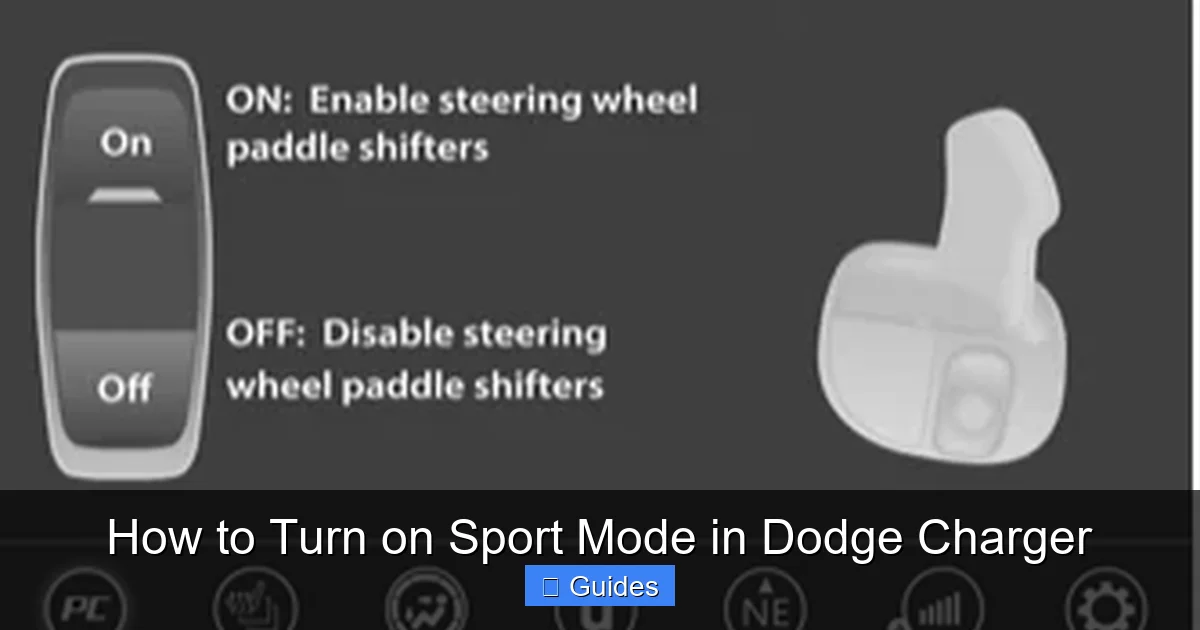
Visual guide about How to Turn on Sport Mode in Dodge Charger
Image source: docharger.org
Now for the main event: how do you actually turn on Sport Mode? The good news is, it’s incredibly simple. You don’t need tools, codes, or a mechanic—just your finger and a few seconds.
The process is nearly identical across most Dodge Charger models from 2015 onward. Here’s how to do it:
Step-by-Step Instructions
1. **Start your Charger** and let it idle for a moment. You don’t need to be moving to activate Sport Mode—it works whether you’re parked or driving.
2. **Locate the Sport button**. This is usually a red or black button with the word “SPORT” on it. It’s commonly found:
– On the center console, near the gear shifter
– On the dashboard, to the left or right of the steering wheel
– Integrated into the shifter knob (on some models)
On newer Chargers (2021+), the button may be part of a cluster of drive mode buttons, often labeled “Sport,” “Track,” “Eco,” and “Normal.”
3. **Press the Sport button**. You’ll hear a soft click, and the word “Sport” should appear on your instrument cluster or infotainment screen. Some models also play a brief chime or flash a light.
4. **Feel the difference**. Immediately, you’ll notice the throttle becomes more responsive. The engine may idle slightly higher, and the transmission will behave more aggressively.
5. **To turn it off**, simply press the Sport button again. The system will revert to Normal mode, and the “Sport” indicator will disappear.
That’s it! No complicated menus, no hidden settings—just one button press.
Using the Uconnect System (2021+ Models)
If you have a 2021 or newer Dodge Charger, you might also be able to activate Sport Mode through the Uconnect infotainment system. Here’s how:
1. Tap the **“Settings”** icon on the touchscreen.
2. Select **“Vehicle”** or **“Driving Modes.”**
3. Choose **“Sport”** from the list of available modes.
4. Confirm your selection.
This method is especially useful if the physical button is hard to reach or if you prefer using the screen. However, the physical button is usually faster and more intuitive.
What If There’s No Sport Button?
If you can’t find a Sport button, don’t panic. Your Charger might not have Sport Mode—especially if it’s a base SXT model or an older trim. In that case, you won’t be able to activate it.
However, some drivers have found workarounds, like using aftermarket performance tuners or throttle controllers. These devices can simulate some of the effects of Sport Mode by adjusting throttle sensitivity. But keep in mind, they don’t change transmission behavior or steering feel, and they may void your warranty.
For most drivers, the best option is to upgrade to a higher trim if Sport Mode is a must-have feature.
What Happens When You Turn On Sport Mode?
Visual guide about How to Turn on Sport Mode in Dodge Charger
Image source: docharger.org
So you’ve pressed the button—now what? What actually changes when Sport Mode is active?
Let’s take a closer look at the real-world effects you’ll experience behind the wheel.
Throttle Response: Snappier and More Immediate
The first thing you’ll notice is how quickly the car responds to your foot. In Normal mode, there’s a slight delay—press the gas, and the car takes a moment to react. In Sport Mode, that delay is virtually gone.
This is because the engine control unit (ECU) recalibrates the throttle mapping. Instead of a gradual increase in power, the system delivers more torque right away. It’s like switching from a soft spring to a stiff one—your input translates directly into motion.
For example, imagine you’re at a stoplight. In Normal mode, you press the gas, and the Charger rolls forward smoothly. In Sport Mode, the same press makes the car lunge forward with authority. It’s not jerky—just more eager.
Transmission Behavior: Holding Gears and Shifting Faster
The transmission is where Sport Mode really shines. In Normal mode, the car shifts early to keep RPMs low and save fuel. In Sport Mode, it does the opposite.
The transmission holds each gear longer, allowing the engine to rev higher before upshifting. This keeps the Charger in its power band, where it makes the most torque and horsepower. The result? Faster acceleration and better performance when you need it.
Downshifts are also more aggressive. When you lift off the gas or brake, the transmission automatically downshifts to match your speed. This not only improves engine braking but also prepares the car for quick acceleration when you hit the gas again.
If you’re driving a manual or have paddle shifters, Sport Mode makes shifting feel more connected. The rev-matching is smoother, and the shifts feel more precise.
Steering Feel: Firmer and More Connected
In Sport Mode, the steering becomes heavier and more responsive. This isn’t just for show—it gives you better feedback from the road, especially during cornering.
Imagine taking a tight turn on a mountain road. In Normal mode, the steering might feel a bit floaty, and you have to make small corrections. In Sport Mode, the wheel feels tighter, and the car responds instantly to your inputs. You can feel the grip of the tires, the camber of the road, and the balance of the chassis.
This improved feedback makes the Charger feel more like a sports car and less like a luxury cruiser. It’s especially noticeable at higher speeds or during spirited driving.
Exhaust Note: Deeper and More Aggressive
On models with active exhaust systems (like the R/T, Scat Pack, and SRT), Sport Mode opens up the exhaust valves, allowing more sound to escape. The result is a deeper, throatier rumble that turns heads and gets your pulse racing.
It’s not just about noise—it’s about emotion. That sound tells you your Charger is awake and ready to perform. Whether you’re cruising downtown or hitting the highway, the enhanced exhaust note adds to the overall driving experience.
Suspension (On Equipped Models)
If your Charger has adaptive suspension (common on Scat Pack and SRT trims), Sport Mode firms up the dampers. This reduces body roll during cornering and improves overall stability.
You’ll notice the car feels more planted, especially when taking corners at speed. The ride might be slightly stiffer, but the trade-off is better handling and control.
When Should You Use Sport Mode?
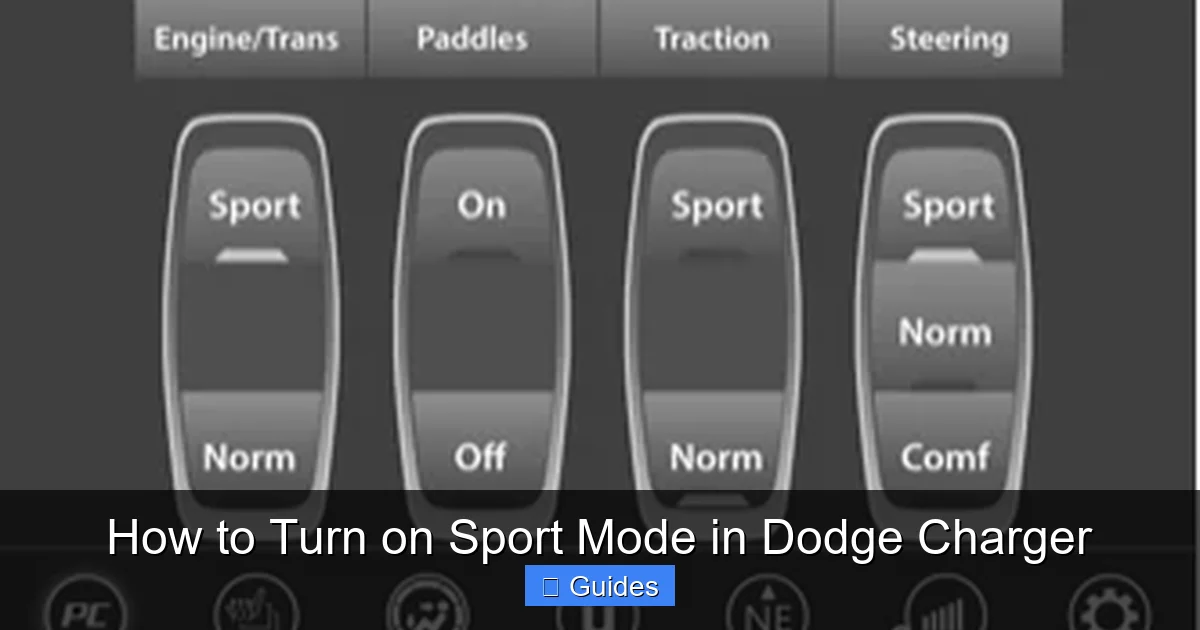
Visual guide about How to Turn on Sport Mode in Dodge Charger
Image source: docharger.org
Now that you know how to turn on Sport Mode and what it does, the next question is: when should you use it?
Sport Mode isn’t just for show—it’s a tool that enhances your driving experience in specific situations. Here’s when it makes the most sense to flip the switch.
Highway Driving and Merging
One of the best times to use Sport Mode is on the highway. When merging onto a busy freeway, you need quick acceleration to match traffic speed. Sport Mode delivers that extra punch, helping you get up to speed faster and safer.
It’s also great for passing. Instead of waiting for the transmission to downshift, Sport Mode keeps the engine in the sweet spot, so you can overtake with confidence.
Winding Roads and Mountain Passes
If you’re driving on curvy roads—like a mountain pass or a scenic backroad—Sport Mode makes the experience more engaging. The firmer steering, improved throttle response, and better handling help you carve through corners with precision.
It’s not just about speed—it’s about control. Sport Mode helps you feel more connected to the road, making every turn more enjoyable.
Spirited Driving and Weekend Fun
Let’s be honest—sometimes you just want to have fun. Whether you’re cruising with friends or taking your Charger out for a solo drive, Sport Mode adds excitement to the experience.
The enhanced sound, quicker response, and sportier feel make every drive feel special. It’s a great way to enjoy your car’s full potential.
Track Days and Performance Driving
If you take your Charger to the track or a performance driving event, Sport Mode is a must. It optimizes the car for high-speed driving, giving you the best possible performance.
On SRT models, you can even switch to “Track” mode, which takes things a step further with even stiffer suspension and more aggressive tuning.
When NOT to Use Sport Mode
While Sport Mode is great, it’s not always the best choice. Here are a few situations where you might want to stick with Normal or Eco mode:
– **City driving with stop-and-go traffic**: The snappier throttle can make the car feel jerky in heavy traffic.
– **Long highway commutes**: Sport Mode reduces fuel efficiency, so it’s better to use Eco mode for better gas mileage.
– **Wet or slippery roads**: The increased throttle sensitivity can make the car harder to control in low-traction conditions.
– **Passenger comfort**: The firmer steering and suspension can make the ride feel harsher for passengers.
Use Sport Mode when you want performance and engagement. Use Normal or Eco mode when you want comfort and efficiency.
Tips for Getting the Most Out of Sport Mode
Now that you know how and when to use Sport Mode, here are some tips to help you get the most out of it.
Pair It with Other Performance Features
Sport Mode works best when combined with other performance features. For example:
– Use **paddle shifters** to manually control gear changes for even more control.
– Activate **Launch Control** (on SRT models) for maximum acceleration from a stop.
– Turn on **Track Mode** (if available) for the ultimate performance setup.
These features complement Sport Mode and help you unlock your Charger’s full potential.
Monitor Your Fuel Economy
Sport Mode increases fuel consumption because the engine runs at higher RPMs and the transmission shifts less efficiently. If you’re concerned about gas mileage, use Sport Mode sparingly.
A good rule of thumb: use it for fun drives, but switch back to Normal or Eco for daily commuting.
Listen to Your Car
Pay attention to how your Charger feels in Sport Mode. If the ride feels too harsh or the throttle too sensitive, dial it back. Every driver has different preferences, so find the balance that works for you.
Keep Your Car Maintained
Sport Mode puts more stress on your engine, transmission, and suspension. Make sure your Charger is well-maintained with regular oil changes, tire rotations, and brake inspections.
A healthy car performs better—and lasts longer.
Conclusion
Turning on Sport Mode in your Dodge Charger is one of the easiest and most rewarding ways to enhance your driving experience. With just the press of a button, you can transform your car from a comfortable cruiser into a responsive performance machine.
From sharper throttle response and quicker shifts to firmer steering and a deeper exhaust note, Sport Mode brings out the best in your Charger. Whether you’re merging onto the highway, carving through corners, or just enjoying a weekend drive, it adds excitement and control to every mile.
Remember, Sport Mode isn’t just for speed—it’s for connection. It helps you feel more in tune with your car and the road. So the next time you’re behind the wheel, don’t be afraid to flip the switch and let your Charger show what it’s really made of.
After all, you didn’t buy a Charger to drive it like a sedan. You bought it to feel the power, hear the roar, and experience the thrill. Sport Mode is your key to unlocking that experience—every single time you drive.
Frequently Asked Questions
How do I know if my Dodge Charger has Sport Mode?
Check for a “Sport” button near the gear shifter or on the center console. You can also consult your owner’s manual or look for a “Sport” indicator on the instrument cluster when the car is started.
Does Sport Mode use more gas?
Yes, Sport Mode typically reduces fuel efficiency because the engine runs at higher RPMs and the transmission shifts less frequently. Use it sparingly if you’re concerned about gas mileage.
Can I turn on Sport Mode while driving?
Absolutely! You can activate Sport Mode at any time—whether you’re parked or moving. The system adjusts instantly to enhance performance.
Is Sport Mode bad for my engine?
No, Sport Mode is designed for regular use and won’t harm your engine. Just make sure your Charger is properly maintained with regular oil changes and servicing.
What’s the difference between Sport Mode and Track Mode?
Sport Mode enhances throttle, steering, and transmission response for everyday performance. Track Mode (on SRT models) takes it further with stiffer suspension, more aggressive tuning, and launch control for track use.
Can I customize Sport Mode settings?
On most Chargers, Sport Mode is a preset with fixed adjustments. However, some SRT models allow limited customization through the Uconnect system or performance pages.

At CarLegit, we believe information should be clear, factual, and genuinely helpful. That’s why every guide, review, and update on our website is created with care, research, and a strong focus on user experience.