
Getting locked out of your Ford F150 without keys can be stressful, but it’s not the end of the world. With the right tools and techniques—like using a slim jim, calling roadside assistance, or accessing your keypad code—you can regain entry quickly and safely. This guide walks you through every practical method, so you’re prepared next time you’re stuck outside your truck.
In This Article
- 1 Key Takeaways
- 2 📑 Table of Contents
- 3 How to Unlock a Ford F150 Without Keys: A Complete Guide
- 4 Method 1: Use the Factory Keypad Entry System
- 5 Method 2: Use the FordPass App (For SYNC Connect Models)
- 6 Method 3: Call Roadside Assistance or a Professional Locksmith
- 7 Method 4: Use a Slim Jim (For Older Models Only)
- 8 Method 5: Check for a Hidden Spare Key or Fob
- 9 Method 6: Prevent Future Lockouts
- 10 Conclusion: Stay Calm and Choose the Right Method
- 11 Frequently Asked Questions
- 11.1 Can I unlock my Ford F150 without a key if the battery is dead?
- 11.2 Is it legal to use a slim jim on my Ford F150?
- 11.3 How do I find my Ford F150 keypad code?
- 11.4 Does the FordPass app work if I’m out of cell service?
- 11.5 Can a locksmith unlock a modern Ford F150 without damaging it?
- 11.6 What should I do if I lost all my keys and don’t have a spare?
Key Takeaways
- Use the keypad entry system: Many Ford F150 models come with a factory-installed keypad on the driver’s side door. If you know your 5-digit code, you can unlock the truck without a key.
- Try the FordPass app: If your F150 is equipped with Ford’s SYNC Connect system, you can use the FordPass app on your smartphone to remotely unlock your vehicle.
- Call roadside assistance: Ford offers complimentary roadside assistance for new vehicles. A professional locksmith can safely unlock your truck without damaging it.
- Use a slim jim (with caution): Older F150 models (pre-2015) may allow manual unlocking with a slim jim, but this method risks damaging door components and should only be used as a last resort.
- Check for a spare key fob: Some owners keep a hidden spare fob in a magnetic box under the truck or with a trusted friend—always consider this option first.
- Contact a professional locksmith: Certified automotive locksmiths have the tools and expertise to unlock modern F150s without causing damage, even on keyless entry systems.
- Prevent future lockouts: Program a backup key, enable remote start via FordPass, or install a keyless entry upgrade to avoid being locked out again.
📑 Table of Contents
- How to Unlock a Ford F150 Without Keys: A Complete Guide
- Method 1: Use the Factory Keypad Entry System
- Method 2: Use the FordPass App (For SYNC Connect Models)
- Method 3: Call Roadside Assistance or a Professional Locksmith
- Method 4: Use a Slim Jim (For Older Models Only)
- Method 5: Check for a Hidden Spare Key or Fob
- Method 6: Prevent Future Lockouts
- Conclusion: Stay Calm and Choose the Right Method
How to Unlock a Ford F150 Without Keys: A Complete Guide
We’ve all been there—rushing out the door, coffee in one hand, phone in the other, only to realize your keys are still inside the truck. You’re standing in the driveway, staring at your Ford F150, wondering how on earth you’re going to get back in. It’s frustrating, embarrassing, and downright inconvenient. But here’s the good news: you’re not helpless. There are several proven, safe, and effective ways to unlock a Ford F150 without keys, and this guide will walk you through every one of them—step by step.
Whether you’ve misplaced your key fob, left it inside the cab, or your battery died and the doors automatically locked, you’ve got options. Modern Ford F150s come packed with smart technology that makes lockouts less of a disaster than they used to be. From built-in keypads to smartphone apps and professional services, there’s a solution for nearly every situation. The key is knowing which method works best for your specific model year and trim level. In this comprehensive guide, we’ll cover everything from DIY tricks to calling in the pros, so you can get back on the road—fast.
Method 1: Use the Factory Keypad Entry System
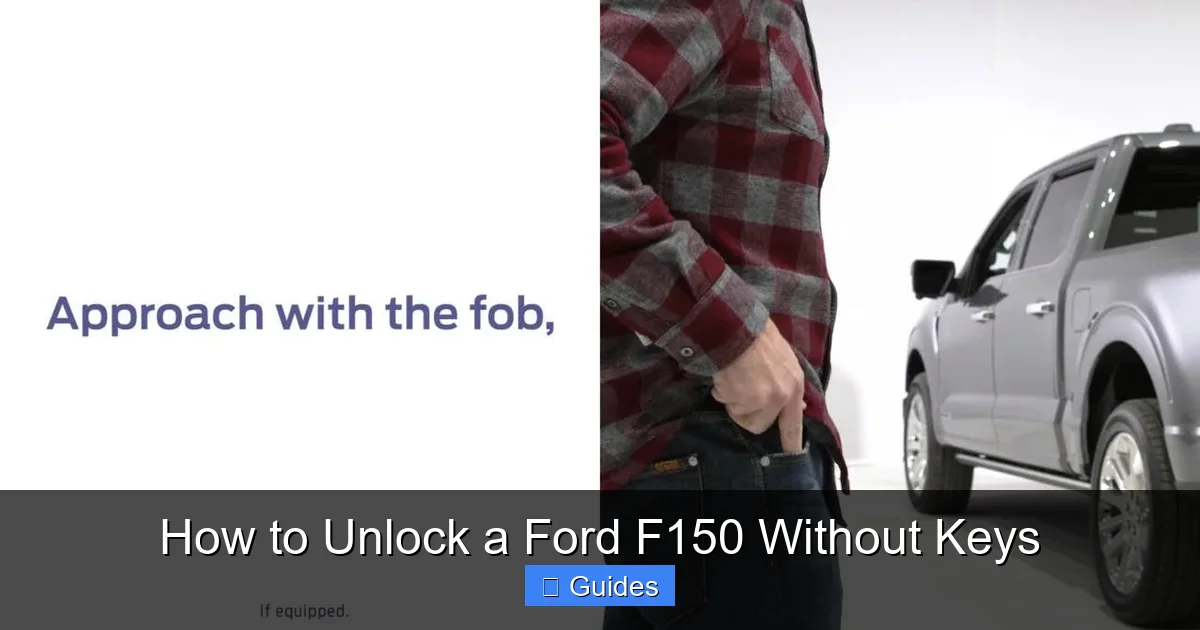
One of the most underrated features on many Ford F150 models is the factory-installed keypad on the driver’s side door. If your truck has this black or gray keypad near the window, you’re in luck—it could be your ticket back inside without a key. This system has been around since the late 1980s and is still included on many F150 trims today, especially the XLT, Lariat, and higher-end models.
Visual guide about How to Unlock a Ford F150 Without Keys
Image source: carglassadvisor.com
How the Keypad Works
The keypad allows you to enter a 5-digit code that unlocks the doors. This code is programmed by Ford and is unique to your vehicle. It’s usually found on a sticker inside the glove box, on the driver’s side pillar, or in your owner’s manual. If you’ve never used it before, now’s the time to locate it. Once you enter the correct code, the doors will unlock automatically—no key needed.
Step-by-Step: Unlocking with the Keypad
- Locate the keypad: It’s typically on the driver’s side door, just below the window.
- Enter your 5-digit code: Press each number firmly. The keypad lights up when active.
- Wait for the unlock signal: After entering the code, the doors should unlock within a few seconds. You’ll hear a click or see the interior lights turn on.
- Open the door: Pull the handle gently. If it doesn’t open, try re-entering the code slowly.
Pro Tip: If you can’t find your code, check the owner’s manual or look for a white or yellow sticker inside the glove compartment. Some owners also write it down and keep it in their wallet or phone notes for emergencies.
What If the Keypad Doesn’t Work?
If the keypad is unresponsive, it could be due to a dead battery in the key fob or a drained truck battery. The keypad itself doesn’t require power to function—it’s hardwired—but the door locks do. If your truck’s battery is completely dead, the keypad may not work. In that case, you’ll need to jump-start the vehicle or use another method.
Method 2: Use the FordPass App (For SYNC Connect Models)
If your Ford F150 was manufactured in 2017 or later and comes equipped with Ford’s SYNC Connect system, you might be able to unlock your truck remotely using the FordPass app. This is one of the most convenient and modern solutions, especially if you’re locked out while away from home.

Visual guide about How to Unlock a Ford F150 Without Keys
Image source: vehicle-images.dealerinspire.com
How FordPass Works
FordPass is a free smartphone app that connects to your vehicle via cellular data. Once you’ve registered your truck and activated SYNC Connect, you can use the app to lock, unlock, start, and even locate your vehicle. It’s like having a remote control in your pocket—no physical key required.
Step-by-Step: Unlocking with FordPass
- Download the FordPass app: Available for iOS and Android devices.
- Create an account and register your vehicle: You’ll need your VIN and proof of ownership.
- Activate SYNC Connect: This may require a visit to a Ford dealer or following in-app instructions.
- Open the app and select your F150: Tap the “Unlock” button.
- Confirm the action: The app will send a signal to your truck, and the doors should unlock within 30 seconds.
Pro Tip: Make sure your phone has a strong cellular signal. If you’re in a remote area with poor coverage, the app may not work. Also, keep your FordPass account secure with a strong password and two-factor authentication.
Limitations and Considerations
Not all F150 models come with SYNC Connect. It’s typically available on higher trims like the Lariat, King Ranch, and Platinum. If your truck doesn’t have it, you can sometimes have it installed by a dealer, though it may come at an additional cost. Also, FordPass requires an active data connection—either through your phone or a built-in modem in the truck.
Method 3: Call Roadside Assistance or a Professional Locksmith
When all else fails, it’s time to call in the professionals. Whether you’re locked out in a parking lot, at work, or on a road trip, roadside assistance and certified automotive locksmiths can help you regain access to your F150 safely and efficiently.
Visual guide about How to Unlock a Ford F150 Without Keys
Image source: autorideup.com
Ford Roadside Assistance
Ford offers complimentary roadside assistance for new vehicles, typically for the first 5 years or 60,000 miles (whichever comes first). This service includes lockout assistance, towing, fuel delivery, and jump-starts. If you’re a Ford owner, this should be your first call.
How to Use Ford Roadside Assistance
- Call the toll-free number: Found in your owner’s manual or on the Ford website.
- Provide your VIN and location: This helps them verify ownership and send the right technician.
- Wait for assistance: A trained professional will arrive with the tools to unlock your truck without damage.
Pro Tip: Keep the roadside assistance number saved in your phone and written down in your glove box. You never know when you’ll need it.
Hiring a Professional Locksmith
If you’re out of warranty or prefer a faster response, a local automotive locksmith is a great option. Look for one with experience in Ford vehicles and modern keyless systems. They use specialized tools like lock decoders and air wedges to open doors without scratching paint or breaking glass.
Warning: Avoid unlicensed or “mobile” locksmiths who quote low prices over the phone. Some may overcharge or use damaging methods. Always ask for credentials and check reviews on Google or Yelp.
Method 4: Use a Slim Jim (For Older Models Only)
The slim jim is a classic tool used to manually unlock car doors by manipulating the internal lock mechanism. While it sounds like something out of a movie, it can work—but only on older Ford F150 models (typically 2014 and earlier). Modern trucks have complex wiring and airbag systems that make slim jims risky and often ineffective.
What Is a Slim Jim?
A slim jim is a long, flat piece of metal with a hook on one end. It’s inserted between the window and the door seal to reach the locking rod inside the door panel. When maneuvered correctly, it can pull the rod and unlock the door.
Step-by-Step: Using a Slim Jim (With Caution)
- Get a quality slim jim: Buy one designed for Ford trucks, not a generic version.
- Insert it carefully: Slide it between the window and the weather stripping, near the lock mechanism.
- Feel for the locking rod: Gently move the slim jim up and down until you feel resistance.
- Hook and pull: Once you locate the rod, hook it and pull upward to unlock the door.
Pro Tip: Practice on an old car door first if possible. One wrong move can damage the window regulator, wiring, or door panel—costing hundreds in repairs.
Why This Method Is Risky
Modern F150s (2015 and newer) have sealed door panels, airbags, and electronic locks that make slim jims nearly useless. Attempting to use one could trigger the airbag, break the window, or disable the power locks. Only attempt this on older models, and only if you’re confident in your skills.
Method 5: Check for a Hidden Spare Key or Fob
Sometimes the simplest solution is the best. Before trying anything complicated, ask yourself: do I have a spare key or fob somewhere?
Common Hiding Spots
- Magnetic key box: Attached under the truck’s frame, behind a wheel well, or near the spare tire.
- With a family member or friend: Many people leave a spare with a trusted neighbor or relative.
- In a lockbox: Some owners use weatherproof lockboxes mounted to the trailer hitch or bumper.
- In your home: Check your key rack, junk drawer, or coat pocket.
Pro Tip: If you don’t have a spare, consider getting one made. A new key fob can cost $100–$300, but it’s cheaper than a locksmith or tow truck.
Programming a New Key Fob
If you get a replacement fob, you’ll need to program it to your truck. Some models allow self-programming using a sequence of ignition turns and door locks. Others require a visit to a Ford dealer or locksmith with the right tools. Check your owner’s manual for instructions.
Method 6: Prevent Future Lockouts
The best way to deal with a lockout is to avoid it altogether. Here are some smart habits and upgrades to keep your keys—and your sanity—intact.
Enable Remote Start and Unlock
If your F150 supports it, enable remote start via the key fob or FordPass app. This lets you start the truck from a distance, which can help if the doors lock automatically after the engine shuts off.
Install a Keyless Entry Upgrade
Consider adding a keyless entry system like a push-button start or a Bluetooth-enabled smart lock. These systems let you unlock and start your truck with your phone or a fob you keep on your person.
Keep a Backup Key Handy
Store a spare key in a secure, weatherproof location. A magnetic box under the truck is common, but make sure it’s not easily visible or accessible to thieves.
Use a Key Finder
Attach a Bluetooth key finder (like Tile or Apple AirTag) to your keychain. If you lose your keys, you can use your phone to locate them—even if they’re inside the truck.
Develop a Routine
Make it a habit to check for your keys before closing the door. Say it out loud: “Keys, phone, wallet.” It only takes a second and can save you a lot of trouble.
Conclusion: Stay Calm and Choose the Right Method
Being locked out of your Ford F150 without keys is never fun, but it doesn’t have to be a disaster. With the right knowledge and preparation, you can get back inside quickly and safely. Start with the easiest options—like the keypad or FordPass app—and work your way up to professional help if needed. Avoid risky DIY methods unless you’re confident and working on an older model.
Most importantly, use this experience as a wake-up call. Take steps now to prevent future lockouts: program a spare key, enable remote features, and keep a backup nearby. Your future self will thank you. Remember, every Ford F150 owner has been there at some point. You’re not alone—and you’re not stuck for long.
Frequently Asked Questions
Can I unlock my Ford F150 without a key if the battery is dead?
Yes, but it depends on the method. The keypad may not work if the truck’s battery is completely dead, but you can use the FordPass app (if equipped), call roadside assistance, or jump-start the vehicle to restore power and unlock the doors.
Is it legal to use a slim jim on my Ford F150?
Using a slim jim on your own vehicle is legal, but it can cause serious damage to modern F150s. It’s only recommended for older models (pre-2015) and should be used with extreme caution to avoid breaking windows or triggering airbags.
How do I find my Ford F150 keypad code?
Your 5-digit keypad code is usually printed on a sticker inside the glove box, on the driver’s side door pillar, or in the owner’s manual. If you can’t find it, contact a Ford dealer with your VIN to retrieve it.
Does the FordPass app work if I’m out of cell service?
No, the FordPass app requires a cellular connection to communicate with your vehicle. If you’re in a remote area with no signal, the app won’t work. In that case, try the keypad or call roadside assistance.
Can a locksmith unlock a modern Ford F150 without damaging it?
Yes, certified automotive locksmiths have specialized tools and training to unlock modern F150s—including those with keyless entry—without causing damage. Always choose a licensed and reputable professional.
What should I do if I lost all my keys and don’t have a spare?
Contact a Ford dealer or locksmith immediately. They can create a new key using your VIN and reprogram the system. You may need to provide proof of ownership and identification. It’s more expensive than a spare, but it’s the only option if all keys are lost.

At CarLegit, we believe information should be clear, factual, and genuinely helpful. That’s why every guide, review, and update on our website is created with care, research, and a strong focus on user experience.