
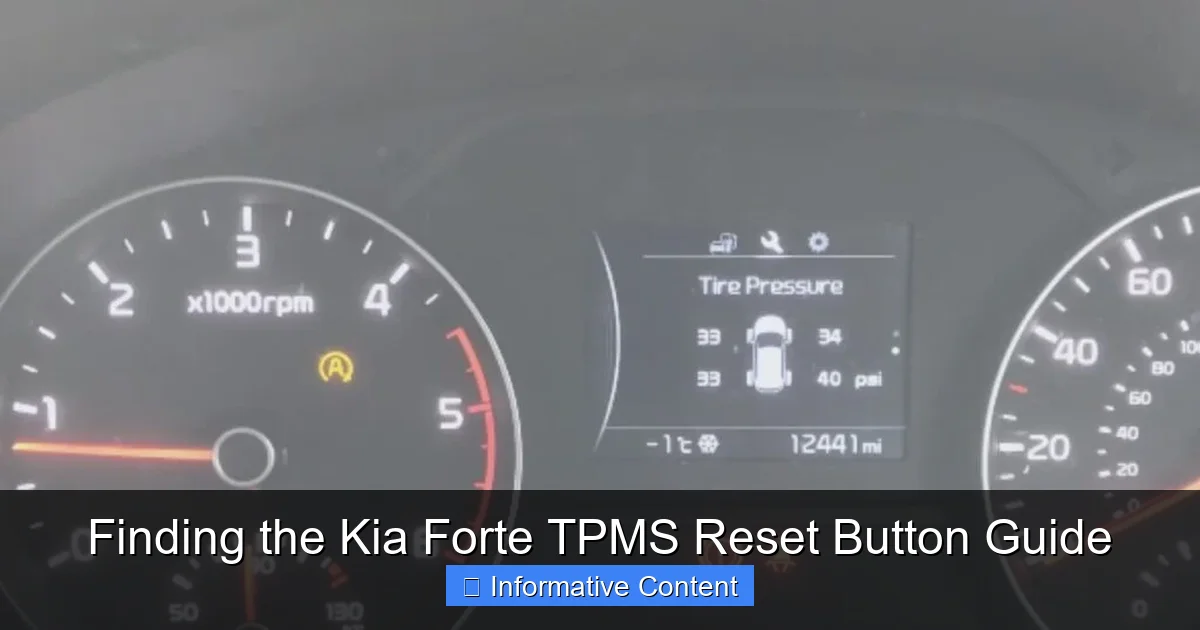
The most critical step in maintaining your Kia Forte’s TPMS is locating and using the reset button after tire changes or pressure adjustments. This guide pinpoints the typical location of the button and provides clear instructions for the reset procedure. Completing this simple task ensures accurate tire pressure alerts, directly enhancing your vehicle’s safety and efficiency.
Picture this. You’re heading out for a weekend road trip in your trusty Kia Forte. The sun is shining, the playlist is perfect, and then—bam—a little yellow warning light shaped like a horseshoe with an exclamation point pops up on your dashboard. Your heart sinks a little. Is it a flat? Is it safe to drive? More often than not, that pesky light is your Tire Pressure Monitoring System, or TPMS, saying hello. Maybe you just rotated your tires, changed a season, or topped up the air. Now, you need to reset it.
If you’ve found yourself searching your car’s interior, glove box, and manual for a magical TPMS reset button on your Kia Forte, you’re not alone. It can feel like looking for a secret switch. I’ve been there, crawling around the driver’s footwell with a phone flashlight. The truth is, the process isn’t always as simple as pushing one button. It varies by year, and knowing exactly what to do can save you a trip to the dealership and a decent chunk of change.
This guide is here to cut through the confusion. We’ll walk through exactly how to find and use the TPMS reset function on your Kia Forte, step-by-step. Whether you’re a hands-on DIYer or just want to understand your car better, you’ll find clear, friendly advice here. Let’s turn off that warning light together and get you back on the road with confidence.
In This Article
- 1 Key Takeaways
- 2 📑 Table of Contents
- 3 What is TPMS and Why Does It Need Resetting?
- 4 The Great Search: Is There a Physical TPMS Reset Button?
- 5 Step-by-Step Guide to Resetting TPMS on Various Kia Forte Generations
- 6 When the Reset Doesn’t Work: Troubleshooting Tips
- 7 Kia Forte TPMS Reset Data and Comparison
- 8 Professional Help vs. DIY: Making the Right Choice
- 9 Conclusion: Mastering Your Kia Forte’s TPMS
- 10 Frequently Asked Questions
- 10.1 What is the TPMS reset button on a Kia Forte?
- 10.2 Where is the Kia Forte TPMS reset button located?
- 10.3 How do I use the TPMS reset button on my Kia Forte?
- 10.4 Why is my TPMS light on after pressing the reset button?
- 10.5 Do all Kia Forte years have a TPMS reset button?
- 10.6 Can I reset the Kia Forte TPMS without the button?
Key Takeaways
- Find the reset button: Look under the dashboard near the steering column.
- Reset after pressure changes: Essential after inflating or rotating tires.
- Use correct procedure: Ignition ON, press button until TPMS light blinks.
- Verify tire pressure first: Ensure all tires meet recommended PSI levels.
- Check owner’s manual: Specific steps may vary by model year.
- Confirm reset success: TPMS light should turn off after driving.
- Seek professional help: If issues persist, visit a Kia service center.
📑 Table of Contents
- What is TPMS and Why Does It Need Resetting?
- The Great Search: Is There a Physical TPMS Reset Button?
- Step-by-Step Guide to Resetting TPMS on Various Kia Forte Generations
- When the Reset Doesn’t Work: Troubleshooting Tips
- Kia Forte TPMS Reset Data and Comparison
- Professional Help vs. DIY: Making the Right Choice
- Conclusion: Mastering Your Kia Forte’s TPMS
What is TPMS and Why Does It Need Resetting?
Before we hunt for that reset button, let’s quickly understand what we’re dealing with. Your Kia Forte’s TPMS is a smart safety system. Its job is to constantly monitor the air pressure in your tires. Underinflated tires are dangerous—they can lead to poor handling, longer stopping distances, blowouts, and worse gas mileage. The TPMS alerts you before these issues become serious problems.
How the Kia Forte TPMS Works
Most modern Fortes use a direct TPMS. This means each wheel has a tiny sensor inside, attached to the valve stem. This sensor reads the pressure and temperature and sends that data wirelessly to your car’s computer. When the pressure in any tire drops about 25% below the recommended level (found on your driver’s side door jamb sticker), the computer triggers the dashboard warning light.
Common Reasons You Need a TPMS Reset
You didn’t do anything wrong! The light often comes on for routine reasons. Here are the most common:
- Seasonal Temperature Changes: Air contracts when it’s cold, causing pressure drops. A 10°F drop can mean a 1 PSI loss.
- Tire Rotation or Replacement: The system needs to relearn which sensor is now at which corner of the car.
- Filling or Adjusting Tire Pressure: After correcting the pressure, the system needs to be reset to recognize the new baseline.
- Sensor Battery Failure: The batteries inside the sensors last 5-10 years. When they die, the system will alert you.
- Spare Tire Usage: Some models monitor the spare, too.
Resetting the system clears the learned sensor IDs and allows it to relearn the correct pressures, turning off that stubborn light.
The Great Search: Is There a Physical TPMS Reset Button?
This is the million-dollar question. If you’re looking for a dedicated, physical TPMS reset button on a Kia Forte, similar to what you might find in some American-made cars, you’ll likely be searching for a while. Kia, like many other Asian manufacturers, typically integrates this function into the vehicle’s onboard infotainment or instrument cluster menus.

Visual guide about Where Is The Tpms Reset Button On A Kia Forte
Image source: i.ytimg.com
The Dashboard Control Method
For most Kia Forte models from the last decade, the “button” is actually a series of buttons on your steering wheel. The reset procedure is accessed through the driver information display (the screen between your speedometer and tachometer). You’ll use buttons like “OK,” “MODE,” or arrow keys to navigate to a vehicle settings menu, then to the TPMS reset option. Think of it as a soft button in a digital menu, not a hard button you can press with your finger.
Model Year Differences: A Crucial Factor
Your exact steps depend heavily on your Kia Forte’s model year. The system changed significantly between generations. A 2010-2013 Forte might have a different process than a 2014-2017 model, and the sleek 2019-and-newer Fortes with their full-color displays are different again. This is why your friend with a 2012 might tell you one thing, but it doesn’t work on your 2020. Always check your owner’s manual first—it’s the most reliable source for your specific car.
Step-by-Step Guide to Resetting TPMS on Various Kia Forte Generations
Let’s get practical. Here are the general reset procedures for the most common Kia Forte generations. Remember to set all four tires (and the spare, if applicable) to the correct cold pressure before starting any of these procedures.
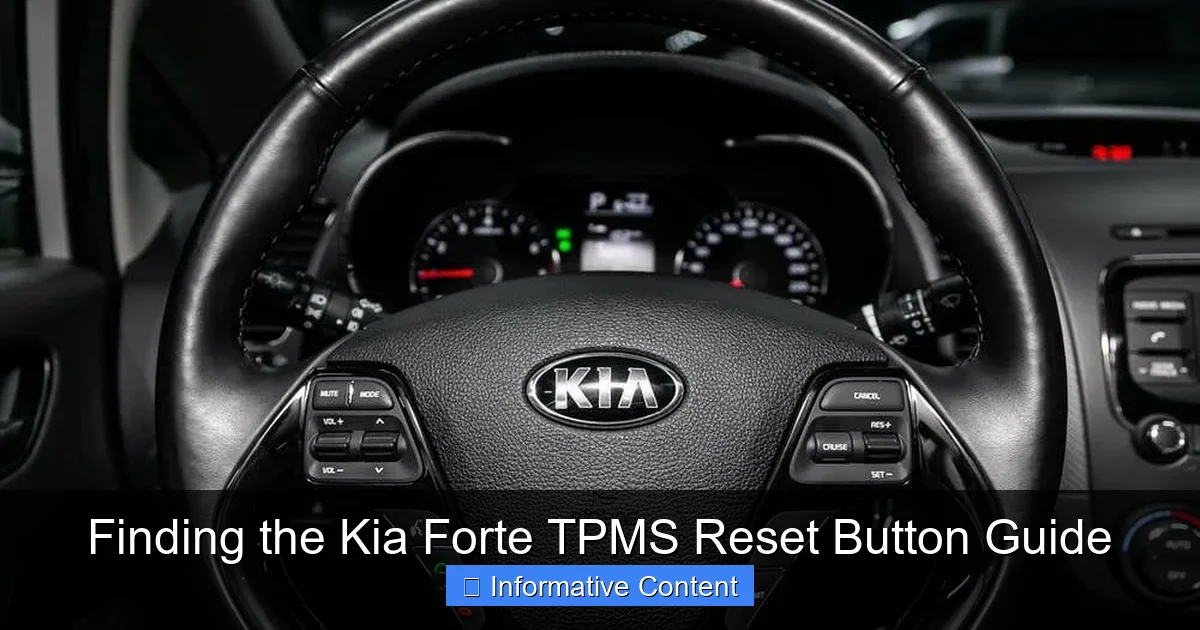
Visual guide about Where Is The Tpms Reset Button On A Kia Forte
Image source: vehiclefreak.com
For 2014-2018 Kia Forte Models
This generation commonly uses the steering wheel control method.
- Turn the ignition to the “ON” position (don’t start the engine).
- Locate the “MODE” or navigation button on your steering wheel (usually on the right side).
- Press it repeatedly until you see “User Settings” or a gear icon on the driver information display.
- Use the arrow or scroll buttons to find “TPMS” or “Tire Pressure.”
- Select it and choose “Reset” or “Initialize.” You may need to hold the “OK” button.
- A confirmation message should appear. Turn the car off and then start driving. The system will relearn automatically as you drive for about 20-30 minutes of mixed-speed driving.
For 2019-Present Kia Forte Models
Newer Fortes with larger LCD clusters or touchscreen infotainment systems often house the setting there.
- Ensure the car is in “RUN” mode or the engine is on.
- On your center touchscreen, press the “Setup” or “Vehicle Settings” menu.
- Navigate to “Vehicle” or “Tire.”
- Look for “Tire Pressure Monitoring System” or “TPMS Reset.”
- Select “Reset” and confirm. The light may blink and then go off, or it may require a drive cycle to complete.
The “No-Button” Automatic Relearn
On some model years, after you correct the tire pressures, the TPMS reset on your Kia Forte might be automatic. Simply drive the car at highway speeds for a continuous 20-30 minutes. The system will detect the new pressures and turn the light off on its own. If it doesn’t, then you’ll need to try the manual menu method.
When the Reset Doesn’t Work: Troubleshooting Tips
Sometimes, you follow the steps and that little yellow light just won’t quit. Don’t panic. Here’s what to check next, in order of likelihood.

Visual guide about Where Is The Tpms Reset Button On A Kia Forte
Image source: vehiclefreak.com
Double-Check the Basics
It sounds obvious, but it’s the most common fix. Use a quality tire pressure gauge (not just the one at the gas station) to verify all four tires and the spare are at the exact pressure listed on your door jamb sticker. Do this when the tires are “cold,” meaning the car hasn’t been driven for at least three hours.
Sensor and System Issues
If pressures are perfect and the reset procedure was done correctly, there might be a deeper issue:
- Dead Sensor Battery: As mentioned, sensors have a finite life. A professional scan tool can identify which sensor has failed.
- System Interference: Rarely, aftermarket electronics or very strong radio frequencies can temporarily disrupt the signal.
- Faulty Receiver Module: The computer that gets the signals could have an issue, though this is less common.
Physical Sensor Damage: A sensor can be damaged during tire mounting or by road hazards.
If you suspect a faulty sensor, a visit to a tire shop or dealership is your best bet. They have the tools to diagnose and replace the specific sensor, and they can then perform a professional relearn procedure.
Kia Forte TPMS Reset Data and Comparison
To make things clearer, here’s a quick reference table that outlines the key differences in the reset process across recent Kia Forte generations. This should help you quickly identify which category your car falls into.
| Model Year Range | Reset Method Type | Primary Control Location | Common Steps | Drive Cycle Needed? |
|---|---|---|---|---|
| 2010-2013 | Menu-Based / Possible Physical Button* | Instrument Cluster or Lower Dash | Navigate menus or hold a button near steering column. | Yes, typically |
| 2014-2018 | Menu-Based (Steering Wheel) | Steering Wheel Controls | Use MODE button to find TPMS reset in User Settings. | Yes, to complete relearn |
| 2019-Present | Menu-Based (Touchscreen/Cluster) | Center Touchscreen & Steering Wheel | Use Vehicle Settings in infotainment or cluster menu. | Often, but may be instant |
*Note: Some very early models in this range may have a small physical initialization button located under the dashboard near the steering column. It’s uncommon but worth a look if the menu method isn’t working.
Professional Help vs. DIY: Making the Right Choice
You can absolutely handle a standard Kia Forte TPMS reset yourself. It’s a simple, non-mechanical procedure that saves time and money. Investing 10 minutes to learn it is worth it.
When DIY is Perfectly Safe
Stick to the DIY method when the light came on due to seasonal changes, after you’ve filled your tires, or after a routine tire rotation. You have the manual, you understand the steps—go for it. It’s empowering and costs nothing.
When to Call a Professional
There’s no shame in seeking help. You should consider a professional if:
- The warning light is flashing when you start the car (this indicates a system fault, not just low pressure).
- The light comes back on immediately after a successful reset and confirmed correct pressures.
- You’ve had a tire replaced or a sensor repaired.
- You simply don’t feel comfortable navigating the menus—a quick visit to a local tire shop is usually inexpensive for this service.
Remember, your safety is paramount. If you’re ever in doubt about your tire’s condition or the TPMS warning, get it checked out.
Conclusion: Mastering Your Kia Forte’s TPMS
That little horseshoe light doesn’t have to be a source of stress. As we’ve explored, finding the TPMS reset button on your Kia Forte is more about knowing your car’s digital menus than finding a physical switch. The process is straightforward once you know your model year’s specific steps. It’s a fantastic piece of knowledge that puts you in control of your vehicle’s maintenance.
Start by checking those tire pressures with a good gauge. Then, grab your owner’s manual—it really is your best friend here. Follow the steps for your generation, be patient with the drive cycle, and that light should go out. If it persists, you now have a clear troubleshooting path to follow.
Understanding and resetting your TPMS is more than just turning off a warning. It’s about ensuring your Kia Forte is safe, efficient, and ready for every journey. Take this knowledge, use it, and drive with the peace of mind that comes from being truly connected to your car. Safe travels!
Frequently Asked Questions
The TPMS reset button on a Kia Forte is a control that allows you to recalibrate the Tire Pressure Monitoring System after adjusting tire pressures. This process helps clear warning lights and ensures the system accurately monitors for under-inflation.
In most Kia Forte models, the TPMS reset button is commonly found inside the glove compartment or on the lower dashboard near the steering column. Always check your owner’s manual for the precise location as it can vary by model year and trim level.
To use the TPMS reset button, first ensure all tires are at the recommended pressure. Then, with the ignition in the “ON” position, press and hold the button until the TPMS indicator light blinks, signaling the reset is in progress.
If the TPMS light stays on after resetting, it may indicate that tire pressures are still incorrect or there is a sensor malfunction. Verify each tire’s pressure and, if needed, have the system scanned for faults at a service center.
Most Kia Forte models from around 2010 onward include a TPMS reset button, but early or base trims might not. Consulting your vehicle’s manual or a dealership can confirm if your specific Forte is equipped with this feature.
Yes, if your Kia Forte lacks a dedicated reset button, you can often reset the TPMS by driving at a steady speed for about 10-15 minutes. Alternatively, a professional using a diagnostic tool can perform the reset for you.

At CarLegit, we believe information should be clear, factual, and genuinely helpful. That’s why every guide, review, and update on our website is created with care, research, and a strong focus on user experience.