
If your Toyota Highlander displays a “Check AWD System” warning, it means the all-wheel-drive system has detected a fault. This alert shouldn’t be ignored—it could stem from low fluid, sensor issues, or mechanical problems. Understanding the cause and acting quickly can prevent costly repairs and keep your vehicle safe on the road.
Have you ever been driving your Toyota Highlander—maybe cruising down the highway or navigating a rainy backroad—when suddenly, a dashboard warning pops up: “Check AWD System”? Your heart skips a beat. Is it serious? Can you keep driving? Should you pull over immediately?
Don’t panic. While this message definitely warrants attention, it doesn’t always mean your SUV is on the verge of breaking down. The “Check AWD System” alert is your Highlander’s way of saying, “Hey, something’s not quite right with my all-wheel-drive system.” Understanding what this means—and what to do next—can save you stress, money, and potential safety risks down the road.
The Toyota Highlander’s AWD system is designed to automatically send power to all four wheels when needed, improving traction and stability in slippery or uneven conditions. Whether you’re driving through snow, mud, or just dealing with wet pavement, the AWD system works behind the scenes to keep you safe and in control. But like any complex automotive system, it relies on a network of sensors, fluids, and electronic controls. When one part falters, the vehicle alerts you so you can address the issue before it worsens.
In this guide, we’ll walk you through everything you need to know about the “Check AWD System” warning on your Toyota Highlander. From what causes it, how to respond, and when to seek professional help, we’ve got you covered. Whether you’re a seasoned car owner or new to the Highlander family, this article will help you stay informed and in control.
In This Article
- 1 Key Takeaways
- 2 📑 Table of Contents
- 3 What Is the AWD System in a Toyota Highlander?
- 4 What Does “Check AWD System” Actually Mean?
- 5 Common Causes of the “Check AWD System” Warning
- 6 Is It Safe to Drive with the “Check AWD System” Warning?
- 7 How to Diagnose and Fix the Issue
- 8 Preventive Maintenance Tips to Avoid Future Issues
- 9 When to Seek Professional Help
- 10 Conclusion
- 11 Frequently Asked Questions
- 11.1 Can I drive my Toyota Highlander with the “Check AWD System” warning on?
- 11.2 How much does it cost to fix a “Check AWD System” issue?
- 11.3 Will the warning light reset itself after fixing the problem?
- 11.4 Can a bad battery cause the “Check AWD System” warning?
- 11.5 Is the AWD system covered under Toyota’s warranty?
- 11.6 How often should I change the transfer case fluid?
Key Takeaways
- Warning Light Meaning: The “Check AWD System” message indicates a malfunction in the all-wheel-drive system that needs attention.
- Common Causes: Low transfer case fluid, faulty wheel speed sensors, or issues with the AWD control module are frequent culprits.
- Safety First: While the vehicle remains drivable, AWD performance may be reduced, affecting traction in slippery conditions.
- DIY Checks: You can inspect fluid levels and look for visible damage, but complex diagnostics require professional tools.
- Reset vs. Repair: Simply resetting the light without fixing the root cause will lead to the warning returning.
- Preventive Maintenance: Regular servicing of the AWD system helps avoid unexpected failures and extends component life.
- Professional Diagnosis: A certified Toyota technician can run a full scan to pinpoint the exact issue using specialized equipment.
📑 Table of Contents
- What Is the AWD System in a Toyota Highlander?
- What Does “Check AWD System” Actually Mean?
- Common Causes of the “Check AWD System” Warning
- Is It Safe to Drive with the “Check AWD System” Warning?
- How to Diagnose and Fix the Issue
- Preventive Maintenance Tips to Avoid Future Issues
- When to Seek Professional Help
- Conclusion
What Is the AWD System in a Toyota Highlander?
Before diving into the warning message, it helps to understand how the AWD system actually works in your Highlander. Unlike traditional four-wheel-drive systems that require manual engagement, the Highlander’s AWD is fully automatic and always active. It uses a combination of sensors, a transfer case, and an electronic control unit (ECU) to monitor wheel speed, road conditions, and driver input.
When the system detects that one or more wheels are slipping—say, during a sudden acceleration on ice or when turning on a wet road—it instantly redirects torque to the wheels with the most grip. This process happens in milliseconds, often without the driver even noticing. The result? Better handling, improved safety, and greater confidence behind the wheel.
The AWD system in most Toyota Highlanders (especially models from 2008 onward) uses a viscous coupling or an electronically controlled clutch pack in the transfer case to manage power distribution. Some newer models feature more advanced torque-vectoring systems that can send varying amounts of power to individual wheels for even better performance.
Because this system is so integrated into your vehicle’s operation, any disruption—whether mechanical, electrical, or fluid-related—can trigger the “Check AWD System” warning. That’s why it’s not just a suggestion; it’s a signal that something in the AWD network isn’t functioning as intended.
What Does “Check AWD System” Actually Mean?
Visual guide about What Does Check Awd System Mean Toyota Highlander
Image source: offroaderx.com
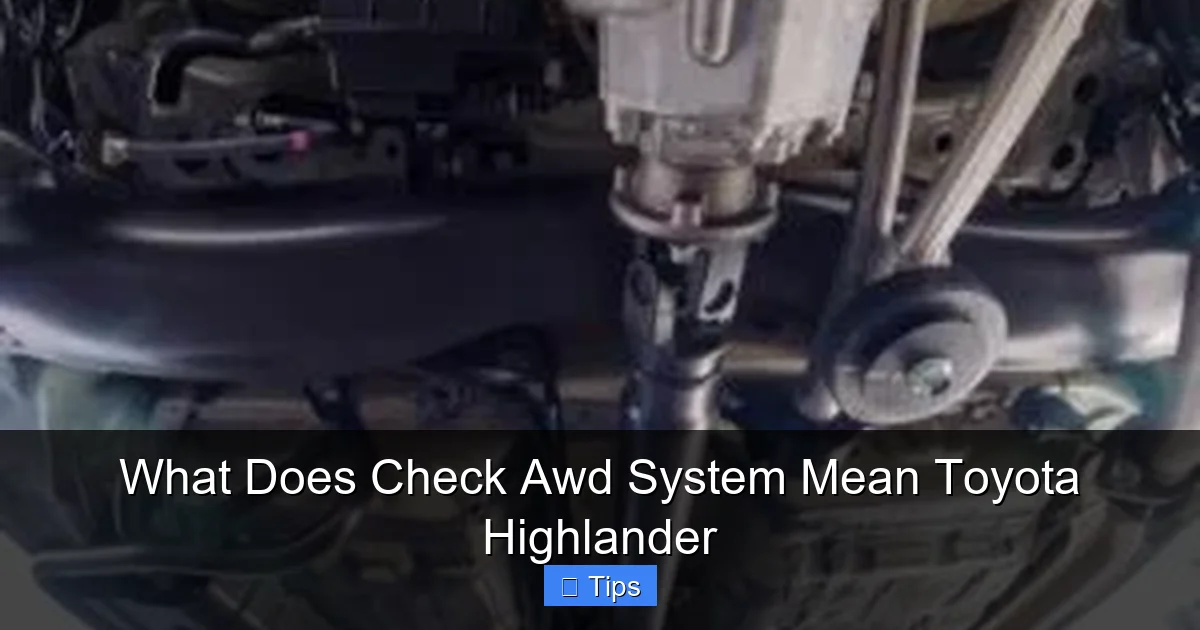
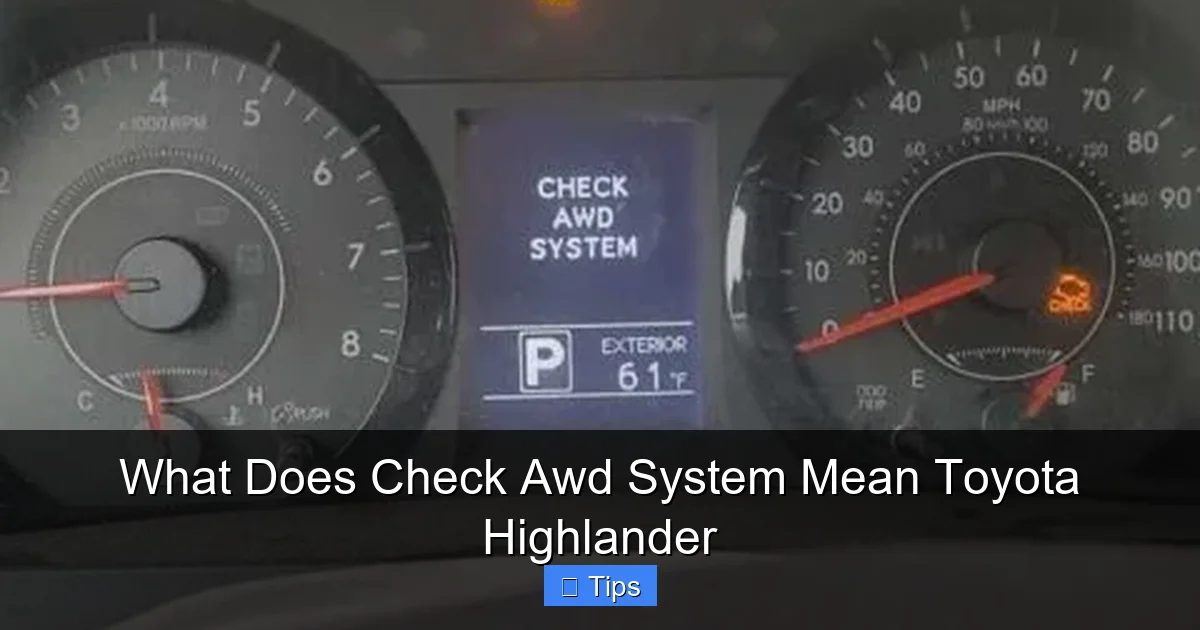
When your Toyota Highlander displays the “Check AWD System” message, it’s essentially telling you that the vehicle’s onboard computer has detected a fault in the all-wheel-drive system. This isn’t a vague suggestion—it’s a diagnostic alert generated by the AWD control module after it receives abnormal data from one or more components.
The warning can appear in several forms:
– A text message on the multi-information display (MID)
– An illuminated AWD warning light on the dashboard
– A combination of both
It’s important to note that this message doesn’t always mean the AWD system has completely failed. In many cases, it’s signaling a minor issue that, if addressed early, can be resolved without major repairs. However, ignoring it could lead to reduced traction, increased wear on components, or even a complete loss of AWD functionality.
For example, if a wheel speed sensor is dirty or malfunctioning, the system may not accurately detect wheel slip. As a result, it can’t properly distribute power, triggering the warning. Similarly, low fluid levels in the transfer case can cause overheating and poor performance, prompting the system to alert you.
The key takeaway? The “Check AWD System” message is your Highlander’s way of asking for help. It’s not an emergency stop signal, but it does mean you should investigate—and soon.
Common Causes of the “Check AWD System” Warning
Visual guide about What Does Check Awd System Mean Toyota Highlander
Image source: trucksauthority.com
Now that you know what the warning means, let’s explore the most common reasons it appears. Understanding these causes can help you narrow down the issue and decide whether you can handle it yourself or need professional assistance.
Low or Degraded Transfer Case Fluid
One of the most frequent causes of the “Check AWD System” warning is low or contaminated fluid in the transfer case. The transfer case is the heart of the AWD system—it splits power between the front and rear axles. It relies on specialized fluid to lubricate internal components and keep everything running smoothly.
Over time, this fluid can break down due to heat, moisture, or normal wear. If the fluid level drops too low or becomes dirty, it can’t properly lubricate the clutch packs or gears inside the transfer case. This leads to increased friction, overheating, and reduced AWD performance.
Signs of low or bad transfer case fluid include:
– A burning smell from under the vehicle
– Whining or grinding noises from the drivetrain
– Difficulty engaging AWD or reduced traction
Checking the fluid level is relatively simple, but it requires locating the fill and drain plugs on the transfer case (usually underneath the vehicle). If the fluid is dark, smells burnt, or has metal particles, it’s time for a flush and refill. Always use the manufacturer-recommended fluid type—using the wrong kind can damage the system.
Faulty Wheel Speed Sensors
Your Highlander uses wheel speed sensors at each wheel to monitor how fast each tire is rotating. This data is critical for the AWD system to detect slip and adjust power distribution accordingly. If one or more sensors fail or send incorrect signals, the system can’t function properly.
Common reasons for sensor failure include:
– Dirt, mud, or corrosion on the sensor tip
– Damaged wiring or connectors
– Internal sensor malfunction
A faulty sensor might cause the AWD system to think a wheel is slipping when it’s not, or fail to detect actual slip. This confusion triggers the warning light. In some cases, the issue is as simple as cleaning the sensor or reattaching a loose wire. In others, the sensor needs replacement.
You can often identify a bad sensor by checking for inconsistent speed readings using an OBD2 scanner. If one wheel shows a drastically different speed than the others—especially when driving straight—that sensor is likely the culprit.
AWD Control Module or ECU Issues
The AWD control module (sometimes part of the main engine ECU) is the brain of the system. It processes data from sensors, monitors system performance, and sends commands to the transfer case and other components. If this module malfunctions, it can misinterpret data or fail to send proper signals, leading to the warning.
Module failures are less common but can be more serious. They may result from:
– Electrical surges or shorts
– Water damage
– Software glitches
– Age-related wear
Diagnosing a faulty control module usually requires a professional scan tool that can access the AWD system’s specific codes. In some cases, a software update or module reset can resolve the issue. In others, replacement is necessary.
Mechanical Problems in the Transfer Case or Drivetrain
Physical damage or wear inside the transfer case—such as worn clutch packs, damaged gears, or a failing viscous coupling—can also trigger the warning. These issues often develop gradually and may not be noticeable until performance degrades significantly.
Symptoms include:
– Jerking or shuddering during acceleration
– AWD not engaging when needed
– Unusual noises from underneath the vehicle
Mechanical failures typically require disassembly of the transfer case, which is a complex and labor-intensive job best left to professionals. Attempting a DIY repair without proper tools and knowledge can cause further damage.
Loose or Damaged Wiring and Connectors
Modern AWD systems rely heavily on electrical connections. A loose, corroded, or broken wire can interrupt communication between sensors and the control module, causing the system to malfunction.
Common trouble spots include:
– Wiring harnesses near the wheels (exposed to road debris and moisture)
– Connectors at the transfer case or control module
– Ground connections that have become loose or rusted
A visual inspection can often reveal obvious issues like frayed wires or corroded terminals. Cleaning or re-securing connections may resolve the problem. However, if the wiring is internally damaged, repair or replacement is needed.
Is It Safe to Drive with the “Check AWD System” Warning?
Visual guide about What Does Check Awd System Mean Toyota Highlander
Image source: i.ytimg.com
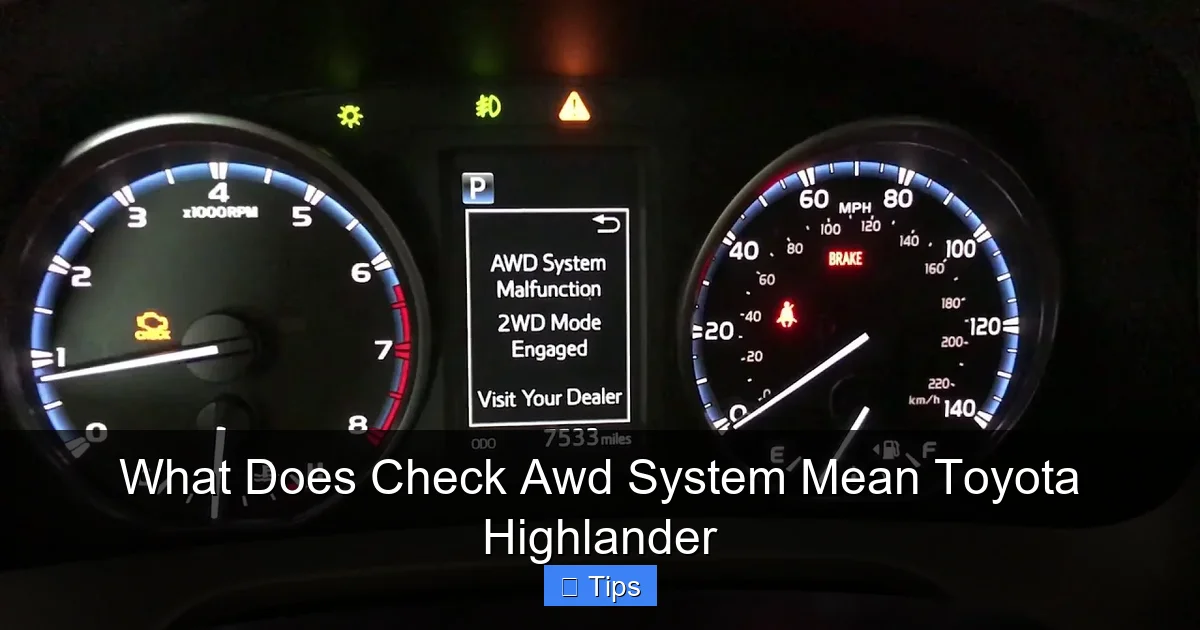
This is one of the most common questions Toyota Highlander owners ask. The short answer: yes, you can usually continue driving—but with caution.
Your Highlander will still operate in front-wheel-drive mode, which is sufficient for normal driving on dry pavement. However, you’ll lose the enhanced traction and stability that AWD provides, especially in adverse weather or off-road conditions.
Driving with the warning light on is not recommended for long distances or in slippery conditions. If the AWD system is partially or fully disabled, you’re at greater risk of losing control on wet, icy, or uneven roads. Additionally, continuing to drive with an unresolved issue can cause further damage to the transfer case, sensors, or other components, leading to more expensive repairs.
If you must drive, keep these tips in mind:
– Avoid sudden acceleration or hard braking
– Reduce speed in rain, snow, or on gravel roads
– Don’t tow heavy loads or drive off-road
– Get the issue diagnosed as soon as possible
Think of it like driving with a check engine light on—you can do it, but it’s not wise to ignore it for long.
How to Diagnose and Fix the Issue
Now that you understand the causes and risks, let’s talk about what you can do to diagnose and resolve the “Check AWD System” warning.
Step 1: Check the Transfer Case Fluid
Start with the simplest fix. Locate the transfer case (usually behind the transmission, under the vehicle). Look for the fill plug—it’s typically a square-headed bolt. With the engine off and the vehicle level, remove the plug. The fluid should be at the bottom of the fill hole.
If it’s low, top it up with the correct fluid (check your owner’s manual or consult a Toyota dealer). If the fluid is dark, smells burnt, or has debris, it needs to be changed. A full flush and refill can often resolve the issue.
Step 2: Scan for Diagnostic Trouble Codes (DTCs)
Use an OBD2 scanner to read any stored codes. While basic scanners can read engine codes, you’ll need a more advanced tool (like a Techstream or compatible scanner) to access AWD-specific codes. These codes will tell you exactly which component is causing the problem—such as a faulty sensor or module.
If you don’t own a scanner, most auto parts stores offer free code reading. Just be sure to ask if they can access AWD system codes, not just engine codes.
Step 3: Inspect Wheel Speed Sensors and Wiring
Visually inspect each wheel speed sensor and its wiring. Look for:
– Dirt or rust on the sensor tip
– Damaged or frayed wires
– Loose or corroded connectors
Clean any debris and reattach loose connections. If a sensor appears damaged, it may need replacement. Sensors are relatively inexpensive and can be replaced at home with basic tools.
Step 4: Reset the Warning Light
After addressing the issue, you may need to reset the warning light. Some problems clear automatically once fixed. Others require a manual reset using a scanner or by disconnecting the battery for 10–15 minutes (though this may also reset other settings like radio presets).
Note: Simply resetting the light without fixing the underlying problem will cause it to return. Don’t fall into this trap.
Step 5: Visit a Toyota Service Center
If you’ve tried the above steps and the warning persists, it’s time to see a professional. A certified Toyota technician has the tools and expertise to perform a full AWD system diagnosis. They can check module functionality, test clutch engagement, and inspect internal components.
While dealership service can be more expensive than independent shops, they have access to factory-level diagnostics and genuine Toyota parts, which can lead to a more accurate and lasting repair.
Preventive Maintenance Tips to Avoid Future Issues
An ounce of prevention is worth a pound of cure—especially with complex systems like AWD. Regular maintenance can help you avoid the “Check AWD System” warning altogether.
Follow the Maintenance Schedule
Your Toyota Highlander’s owner’s manual includes a recommended maintenance schedule. For the AWD system, this typically includes:
– Transfer case fluid change every 30,000 to 60,000 miles (check your model year)
– Inspection of drivetrain components during routine service
– Wheel speed sensor checks during tire rotations
Sticking to this schedule helps catch issues early.
Keep Sensors Clean
During tire rotations or brake service, ask your technician to inspect and clean the wheel speed sensors. A little dirt can go a long way in causing problems.
Avoid Deep Water and Extreme Off-Roading
While the Highlander is capable, excessive exposure to deep water, mud, or rocky terrain can damage AWD components. If you do go off-road, inspect the undercarriage afterward for damage or debris.
Use Quality Fluids and Parts
Always use manufacturer-recommended fluids and genuine or high-quality aftermarket parts. Cheap substitutes can degrade quickly and cause system failures.
When to Seek Professional Help
While some AWD issues can be resolved at home, others require expert attention. Seek professional help if:
– The warning light comes back after a reset
– You hear unusual noises from the drivetrain
– The vehicle shudders or jerks during acceleration
– You’re unsure about any part of the diagnosis or repair
Ignoring these signs can lead to costly damage. A timely visit to a qualified technician can save you thousands in the long run.
Conclusion
The “Check AWD System” warning on your Toyota Highlander is a clear signal that something in the all-wheel-drive system needs attention. While it’s not always an emergency, it should never be ignored. Common causes include low transfer case fluid, faulty wheel speed sensors, or electrical issues—many of which can be resolved with basic maintenance or professional diagnosis.
By understanding what the warning means, how to respond, and how to prevent future problems, you can keep your Highlander running safely and smoothly. Regular maintenance, prompt attention to warnings, and knowing when to call in the experts are the keys to a long-lasting, reliable AWD system.
Your Highlander is built to handle tough conditions—don’t let a simple warning light keep you from enjoying every mile.
Frequently Asked Questions
Can I drive my Toyota Highlander with the “Check AWD System” warning on?
Yes, you can drive it short distances on dry roads, but avoid slippery conditions. The AWD system may not function properly, reducing traction and safety.
How much does it cost to fix a “Check AWD System” issue?
Costs vary widely—from $50 for a fluid change to $500+ for sensor or module replacement. A professional diagnosis is recommended to get an accurate estimate.
Will the warning light reset itself after fixing the problem?
Sometimes, but not always. Many issues require a manual reset using a scan tool or battery disconnect. If the light returns, the problem may not be fully resolved.
Can a bad battery cause the “Check AWD System” warning?
Yes, a weak or failing battery can cause electrical glitches that affect the AWD control module. Replacing the battery may resolve the issue.
Is the AWD system covered under Toyota’s warranty?
Yes, if your Highlander is still under the factory warranty (typically 3 years/36,000 miles), AWD-related repairs may be covered. Check your warranty booklet for details.
How often should I change the transfer case fluid?
Most Toyota Highlanders require a transfer case fluid change every 30,000 to 60,000 miles. Refer to your owner’s manual for the exact interval for your model year.

At CarLegit, we believe information should be clear, factual, and genuinely helpful. That’s why every guide, review, and update on our website is created with care, research, and a strong focus on user experience.