
The DAC button in the Toyota 4Runner stands for Downhill Assist Control, a smart feature designed to help drivers maintain a safe, steady speed when descending steep or slippery slopes. It’s especially useful off-road or in adverse weather, reducing the need to constantly brake and improving vehicle stability.
If you’ve ever driven a Toyota 4Runner—especially on a rugged trail or a snowy mountain pass—you may have noticed a mysterious button labeled “DAC” near the gear shifter or center console. At first glance, it might seem like just another confusing acronym in a sea of vehicle controls. But don’t let its unassuming appearance fool you. The DAC button is one of the 4Runner’s most useful and underrated features, especially for drivers who love adventure, off-roading, or simply navigating tricky terrain.
So, what exactly is the DAC button in the Toyota 4Runner? In short, DAC stands for Downhill Assist Control. It’s a smart, electronically controlled system that helps you descend steep slopes safely and smoothly—without having to constantly pump the brakes or worry about losing control. Think of it as your co-pilot for downhill driving. Whether you’re crawling down a rocky trail, navigating a snowy hill, or descending a muddy forest road, DAC takes some of the stress out of the equation.
But here’s the thing: many 4Runner owners don’t fully understand how DAC works, when to use it, or why it’s such a valuable tool. Some never even press the button, assuming it’s only for extreme off-roading. Others might accidentally activate it and wonder why their vehicle suddenly slows down. The truth is, DAC is designed for real-world scenarios—both on and off the pavement—and knowing how to use it properly can make a big difference in your driving experience.
In this guide, we’ll break down everything you need to know about the DAC button in the Toyota 4Runner. From how it functions and when to activate it, to practical tips for using it safely, we’ll cover it all. Whether you’re a seasoned off-roader or a weekend explorer, understanding DAC will help you get the most out of your 4Runner’s capabilities. So buckle up, and let’s dive into the world of Downhill Assist Control.
In This Article
- 1 Key Takeaways
- 2 📑 Table of Contents
- 3 What Is the DAC Button in Toyota 4Runner?
- 4 How Does the DAC System Work?
- 5 When Should You Use the DAC Button?
- 6 How to Activate and Use the DAC Button
- 7 Benefits and Limitations of the DAC System
- 8 Maintenance and Troubleshooting Tips
- 9 Conclusion
- 10 Frequently Asked Questions
Key Takeaways
- What DAC Stands For: DAC means Downhill Assist Control, a driver-assist technology that helps manage speed on steep descents.
- How It Works: DAC uses the vehicle’s braking system to maintain a low, consistent speed without driver input on the brake pedal.
- When to Use It: Ideal for off-road trails, mountain roads, snow, mud, or any steep downhill terrain where control is critical.
- Activation Process: Press the DAC button (usually near the gear shift), ensure the vehicle is in 4WD Low, and let the system take over.
- Safety Benefits: Reduces brake fade, prevents skidding, and gives drivers more confidence on challenging descents.
- Limitations: Not a substitute for cautious driving; works best in low-range 4WD and may not engage on very gentle slopes.
- Maintenance Tips: Keep sensors clean and ensure 4WD system is serviced regularly for optimal DAC performance.
📑 Table of Contents
What Is the DAC Button in Toyota 4Runner?
The DAC button in the Toyota 4Runner is a control switch that activates the vehicle’s Downhill Assist Control system. This feature is part of the 4Runner’s broader suite of off-road and safety technologies, designed to enhance driver confidence and vehicle stability in challenging conditions. When engaged, DAC automatically manages the vehicle’s speed during steep descents, allowing the driver to focus on steering and navigating obstacles rather than constantly modulating the brake pedal.
At its core, DAC is an electronic braking system that works in conjunction with the 4Runner’s 4WD (four-wheel drive) and traction control systems. It uses sensors to monitor wheel speed, vehicle angle, and brake pressure, then applies individual brakes as needed to maintain a slow, steady descent. This prevents the wheels from locking up or spinning, which can lead to loss of control, especially on loose or slippery surfaces.
One of the key advantages of DAC is that it reduces driver fatigue. On long or particularly steep downhill sections—like a mountain trail or a snowy driveway—constantly pressing the brake can be tiring and increase the risk of brake fade. Brake fade occurs when the brakes overheat from prolonged use, reducing their effectiveness. By automating the braking process, DAC helps preserve your brake pads and ensures consistent stopping power when you really need it.
It’s important to note that DAC is not the same as cruise control. While cruise control maintains a set speed on flat or gently sloping roads, DAC is specifically designed for downhill driving. It doesn’t accelerate the vehicle; instead, it limits speed to a safe, manageable level—typically between 3 to 12 mph, depending on the model and conditions.
The DAC button is usually located near the gear shifter or on the center console, often labeled clearly with “DAC” or “DOWNHILL ASSIST.” On newer 4Runner models (2010 and later), it may be integrated into a multi-function switch or touchscreen interface. When activated, a light on the dashboard will illuminate to confirm the system is active.
In summary, the DAC button is a simple yet powerful tool that enhances safety and control during downhill driving. It’s not just for hardcore off-roaders—anyone who drives in hilly areas, snowy climates, or rugged terrain can benefit from understanding and using this feature.
How Does the DAC System Work?
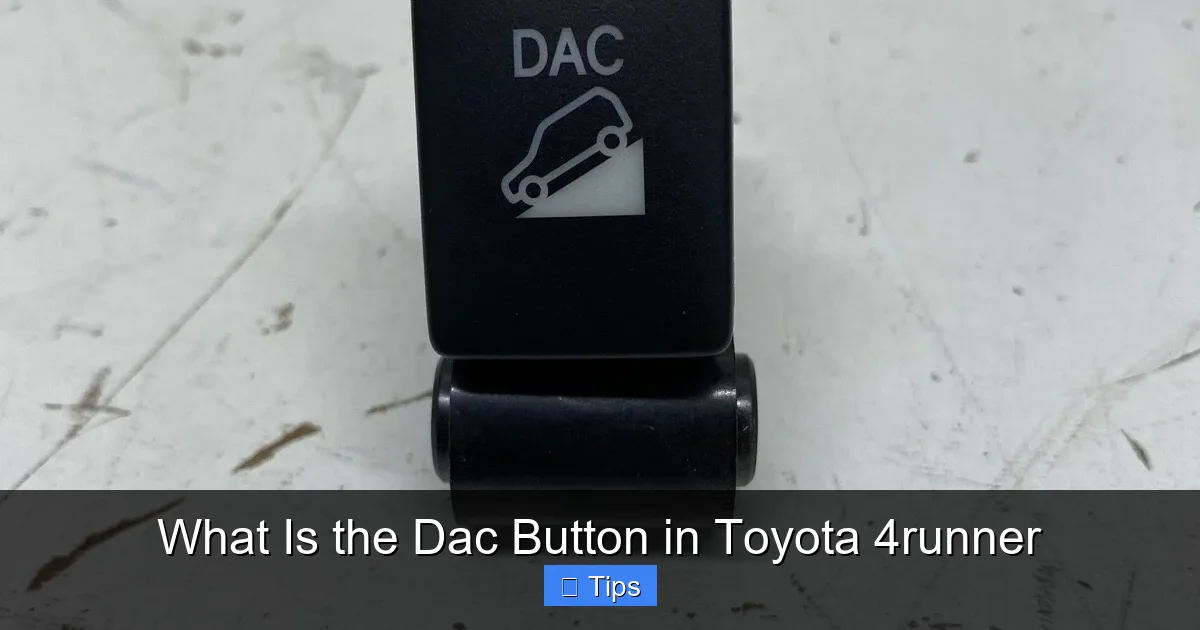
Visual guide about What Is the Dac Button in Toyota 4runner
Image source: i.ebayimg.com
Now that we know what the DAC button is, let’s take a closer look at how the Downhill Assist Control system actually works under the hood. Understanding the mechanics behind DAC can help you use it more effectively and troubleshoot any issues that might arise.
The DAC system relies on a combination of sensors, electronic control units (ECUs), and the vehicle’s hydraulic braking system. Here’s a step-by-step breakdown of how it operates:
When you press the DAC button and meet the activation conditions (more on that later), the system begins monitoring key inputs. These include wheel speed sensors on all four wheels, a vehicle inclination sensor (to detect slope angle), and data from the brake system. The ECU processes this information in real time and determines the optimal braking force needed to maintain a safe descent speed.
If the vehicle begins to accelerate too quickly downhill, the system automatically applies the brakes to individual wheels. For example, if the front wheels are gaining speed faster than the rear, DAC might apply more braking force to the front. This selective braking helps prevent skidding and keeps the vehicle stable.
One of the smartest aspects of DAC is its ability to adapt to changing conditions. If the slope becomes steeper, the system increases braking effort. If the surface changes from gravel to ice, it adjusts accordingly. This dynamic response ensures smooth, controlled movement without sudden jerks or loss of traction.
It’s also worth noting that DAC works best when the vehicle is in 4WD Low (L4) mode. This low-range gearing provides maximum torque control and reduces the load on the braking system. In 4WD High or 2WD, the system may still function, but its effectiveness is reduced because the transmission isn’t optimized for slow, precise movement.
Another key feature is that DAC allows the driver to override the system at any time. If you need to slow down more than the system is doing, simply press the brake pedal. The system will disengage temporarily and re-engage once you release the brake and the vehicle begins to accelerate again. This gives you full control when needed, while still benefiting from automated assistance during steady descents.
In practical terms, imagine you’re driving down a steep, rocky trail in the mountains. Without DAC, you’d have to constantly tap the brakes to avoid gaining too much speed, which could overheat the brakes or cause the vehicle to bounce unpredictably. With DAC engaged, you can focus on steering around rocks and ruts while the system handles the speed. It’s like having an experienced off-roader riding shotgun, gently applying the brakes for you.
When Should You Use the DAC Button?

Visual guide about What Is the Dac Button in Toyota 4runner
Image source: uploads.tapatalk-cdn.com
Knowing when to use the DAC button is just as important as understanding how it works. While it’s a powerful tool, it’s not meant for every driving situation. Using it at the right time maximizes its benefits and ensures safe, effective operation.
The primary use case for DAC is descending steep or uneven terrain where maintaining a slow, controlled speed is critical. This includes:
– Off-road trails with steep inclines or declines
– Mountain roads with sharp switchbacks
– Snowy or icy hills where traction is limited
– Muddy or loose gravel roads that can cause wheel slip
– Driveways or access roads with significant elevation changes
In these scenarios, DAC helps prevent the vehicle from accelerating too quickly, which could lead to loss of control, rollover, or damage to the undercarriage. It’s especially useful when you’re carrying heavy loads or towing, as the added weight can make downhill braking more challenging.
However, there are situations where DAC should not be used. For example, on flat roads or gentle slopes, the system may not engage or could interfere with normal driving. Similarly, if you’re driving on a highway or busy road, activating DAC could be dangerous, as it limits your ability to accelerate or respond quickly to traffic.
Another important consideration is vehicle speed. DAC is designed for low-speed descents—typically under 15 mph. If you’re traveling faster than that, the system may not activate, or it could disengage automatically. This is a safety feature to prevent unintended use at highway speeds.
It’s also worth noting that DAC works best in 4WD Low mode. If you’re in 2WD or 4WD High, the system may still function, but it won’t be as effective. Always ensure your 4Runner is in the correct drive mode before engaging DAC.
Here’s a practical example: Let’s say you’re driving your 4Runner up a snowy mountain pass to go skiing. On the way down, the road is icy and steep. Instead of riding the brakes the entire way, you shift into 4WD Low, press the DAC button, and let the system manage your speed. You can focus on steering and watching for other vehicles, while DAC keeps you moving safely at a crawl.
Another example: You’re off-roading in Moab, Utah, and come across a steep, rocky descent. The trail is narrow, and one wrong move could send you into a ditch. By activating DAC, you can descend slowly and methodically, picking your line without worrying about speed.
In both cases, DAC acts as a safety net, giving you peace of mind and reducing the physical and mental strain of downhill driving.
How to Activate and Use the DAC Button
Visual guide about What Is the Dac Button in Toyota 4runner
Image source: 4wdlife.com
Using the DAC button in your Toyota 4Runner is straightforward, but there are a few steps and conditions to keep in mind for proper activation. Follow this simple guide to get the most out of the system.
First, ensure your vehicle is in the correct drive mode. For optimal performance, shift into 4WD Low (L4). This is typically done by coming to a complete stop, shifting into Neutral, and then selecting L4 using the transfer case switch. You’ll know you’re in 4WD Low when the indicator light on the dashboard illuminates.
Next, bring your vehicle to a complete stop or slow to under 15 mph. DAC will not activate at higher speeds for safety reasons. Once you’re at a safe speed, press the DAC button. It’s usually located near the gear shifter or on the center console. On some models, you may need to hold the button for a second to activate it.
After pressing the button, a green or amber light should appear on the instrument panel, indicating that DAC is active. You may also hear a brief chime or feel a slight vibration as the system initializes.
Now, begin your descent. As you start going downhill, the system will automatically apply the brakes to maintain a slow, steady speed. You don’t need to press the brake pedal unless you want to slow down further. If you do press the brake, DAC will temporarily disengage and re-engage once you release the pedal and the vehicle begins to accelerate again.
It’s important to keep your foot off the accelerator while DAC is active. The system is designed to control speed using brakes only, not engine power. Pressing the gas could override the system or cause inconsistent behavior.
If you need to stop completely, simply apply the brake as usual. DAC will remain active and re-engage when you resume moving downhill.
To deactivate DAC, press the button again or shift out of 4WD Low. The dashboard light will turn off, and normal braking will resume.
Here are a few tips for using DAC effectively:
– Always check your surroundings before activating DAC. Make sure the terrain is suitable and there are no obstacles ahead.
– Keep your speed low. DAC works best under 15 mph.
– Don’t rely on DAC alone. Stay alert and ready to take control if needed.
– If the system doesn’t activate, double-check that you’re in 4WD Low and under the speed limit.
With a little practice, using the DAC button will become second nature—and a valuable part of your 4Runner driving toolkit.
Benefits and Limitations of the DAC System
The DAC system in the Toyota 4Runner offers several clear benefits, but it’s not without its limitations. Understanding both sides will help you use the feature wisely and avoid potential pitfalls.
One of the biggest advantages of DAC is improved safety. By automating downhill braking, it reduces the risk of brake fade, skidding, and loss of control. This is especially important in adverse conditions like snow, ice, or loose gravel, where traction is unpredictable.
Another benefit is reduced driver fatigue. Long descents can be mentally and physically taxing, especially on winding mountain roads or technical trails. DAC takes over the braking duties, allowing you to focus on steering and navigation.
DAC also helps protect your vehicle. By preventing excessive speed and wheel spin, it reduces wear on the brakes, tires, and drivetrain. This can extend the life of critical components and save you money on maintenance.
Additionally, DAC enhances off-road capability. It’s a key feature for serious adventurers who tackle challenging terrain. Whether you’re crawling down a rock garden or navigating a muddy slope, DAC gives you the confidence to push your limits—safely.
However, there are limitations to keep in mind. First, DAC is not a substitute for skilled driving. It’s a driver-assist feature, not an autonomous system. You still need to make smart decisions about speed, route, and conditions.
Second, DAC works best in 4WD Low. If you’re in 2WD or 4WD High, the system may not engage or could be less effective. Always ensure you’re in the correct mode.
Third, DAC has a speed limit. It won’t activate above 15 mph, so it’s not useful for highway driving or fast descents.
Finally, like any electronic system, DAC can malfunction. Dirt, snow, or damage to sensors can interfere with its operation. Regular maintenance and keeping sensors clean are essential.
In summary, DAC is a powerful tool that enhances safety and control—but it should be used as part of a broader strategy of cautious, informed driving.
Maintenance and Troubleshooting Tips
To keep your DAC system working properly, regular maintenance is key. Here are some tips to ensure optimal performance:
– Keep wheel speed sensors clean. Dirt, mud, and snow can block sensors and prevent DAC from functioning.
– Check the 4WD system regularly. Have it serviced according to the manufacturer’s schedule.
– Inspect brake pads and rotors. Worn brakes can reduce DAC effectiveness.
– If DAC won’t activate, check that you’re in 4WD Low and under 15 mph.
– If the system behaves erratically, have it diagnosed by a qualified technician.
By taking care of your 4Runner and understanding how DAC works, you’ll be ready for any downhill challenge.
Conclusion
The DAC button in the Toyota 4Runner is more than just a mysterious switch—it’s a smart, safety-focused feature that can make downhill driving safer, easier, and more enjoyable. Whether you’re off-roading, driving in snow, or navigating steep hills, Downhill Assist Control gives you the confidence to take on challenging terrain with control and peace of mind.
By understanding how DAC works, when to use it, and how to maintain it, you’ll get the most out of your 4Runner’s capabilities. So the next time you’re heading downhill, don’t hesitate to press that button. Your brakes—and your nerves—will thank you.
Frequently Asked Questions
What does DAC stand for in the Toyota 4Runner?
DAC stands for Downhill Assist Control. It’s a driver-assist feature that helps maintain a safe, steady speed when descending steep or slippery slopes.
No, DAC is designed for downhill driving and may not activate on flat or gently sloping roads. It’s most effective on steep descents.
Does DAC work in 2WD mode?
DAC works best in 4WD Low mode. It may function in 2WD or 4WD High, but its effectiveness is reduced without low-range gearing.
Will DAC prevent my 4Runner from rolling downhill?
DAC helps control speed on descents but won’t prevent rolling if the vehicle is on a very steep or unstable slope. Always use the parking brake when stopped.
Can I drive faster than 15 mph with DAC on?
No, DAC is designed for low-speed descents and will not activate above 15 mph. It’s not intended for highway or high-speed use.
What should I do if the DAC light won’t turn on?
Check that you’re in 4WD Low, under 15 mph, and that the system isn’t blocked by dirt or snow. If issues persist, consult a technician.

At CarLegit, we believe information should be clear, factual, and genuinely helpful. That’s why every guide, review, and update on our website is created with care, research, and a strong focus on user experience.