
The Set button on a Toyota Tacoma is a key part of the cruise control system, allowing drivers to lock in and maintain a steady speed without pressing the accelerator. It enhances comfort on long drives, improves fuel efficiency, and reduces driver fatigue—especially on highways or open roads.
If you’ve ever driven a Toyota Tacoma—especially on a long highway stretch—you’ve probably noticed a small button labeled “Set” near the steering wheel. At first glance, it might seem like just another mystery switch in a sea of controls. But don’t let its modest appearance fool you. The Set button plays a crucial role in making your driving experience smoother, safer, and more efficient.
Whether you’re cruising down Interstate 5 from Seattle to Portland or navigating the open desert roads of Arizona, the Set button is your silent co-pilot. It’s part of the cruise control system, a feature designed to reduce driver fatigue and maintain consistent speed. But how exactly does it work? What happens when you press it? And why is it so important for Tacoma owners to understand?
In this guide, we’ll break down everything you need to know about the Set button on a Toyota Tacoma—from its basic function to advanced tips for getting the most out of it. We’ll cover how to use it safely, troubleshoot common issues, and even explore how it integrates with newer technologies like adaptive cruise control. By the end, you’ll not only know what the button does, but also how to use it like a pro.
So buckle up, grab your favorite travel mug, and let’s dive into the world of cruise control and the humble yet powerful Set button.
In This Article
- 1 Key Takeaways
- 2 📑 Table of Contents
- 3 Understanding the Set Button: What It Does and Why It Matters
- 4 Where to Find the Set Button on Your Toyota Tacoma
- 5 How to Use the Set Button: Step-by-Step Guide
- 6 Advanced Features: Set Button in Adaptive Cruise Control
- 7 Troubleshooting Common Issues with the Set Button
- 8 Tips for Safe and Effective Use of the Set Button
- 9 Conclusion: The Set Button Is More Than Just a Convenience
- 10 Frequently Asked Questions
Key Takeaways
- Primary Function: The Set button activates and sets the current speed in cruise control mode, letting your Tacoma maintain that speed automatically.
- Location & Design: It’s typically found on the right side of the steering wheel, integrated into the cruise control stalk or touchpad, depending on the model year.
- Usage Steps: To use it, enable cruise control, reach your desired speed, then press “Set” to lock it in. Use “Resume” or “Accel” to increase speed later.
- Safety Features: The system disengages if you press the brake, ensuring quick response in emergencies. It also works with adaptive cruise control on newer models.
- Fuel Efficiency: Maintaining a constant speed helps improve gas mileage, especially on long highway trips.
- Model Variations: Older Tacomas use a stalk-mounted system, while newer models (2020+) may have touch-sensitive buttons or advanced adaptive features.
- Maintenance Tip: If the button feels unresponsive, check the fuse, brake light switch, or cruise control module—don’t ignore warning lights.
📑 Table of Contents
- Understanding the Set Button: What It Does and Why It Matters
- Where to Find the Set Button on Your Toyota Tacoma
- How to Use the Set Button: Step-by-Step Guide
- Advanced Features: Set Button in Adaptive Cruise Control
- Troubleshooting Common Issues with the Set Button
- Tips for Safe and Effective Use of the Set Button
- Conclusion: The Set Button Is More Than Just a Convenience
Understanding the Set Button: What It Does and Why It Matters
At its core, the Set button is the command center for activating cruise control in your Toyota Tacoma. When you press it, you’re essentially telling your truck: “Hold this speed steady.” Once engaged, the vehicle’s engine control unit (ECU) takes over throttle management, maintaining your selected speed without any input from your foot on the gas pedal.
This might sound simple, but the benefits are significant. For one, it reduces physical strain. Long drives can be tiring, especially when you’re constantly adjusting the accelerator to maintain speed. With cruise control, your right foot gets a break, which can help prevent fatigue on road trips. Plus, maintaining a consistent speed helps improve fuel efficiency. Rapid acceleration and deceleration waste fuel, but cruise control keeps things smooth and steady—ideal for highway driving.
But the Set button isn’t just about comfort. It’s also a safety feature. Modern Tacomas are equipped with systems that automatically disengage cruise control when you press the brake pedal. This ensures you can slow down quickly in an emergency. Additionally, newer models come with adaptive cruise control (ACC), which uses radar and cameras to maintain a safe following distance from the vehicle ahead. In these systems, the Set button works a bit differently—it sets both your speed and your following distance.
So whether you’re driving a 2005 Tacoma with a basic cruise control stalk or a 2023 model with touch-sensitive controls, the Set button remains a vital part of the driving experience. It’s a small component with a big impact.
Where to Find the Set Button on Your Toyota Tacoma
Visual guide about What Is the Set Button on a Toyota Tacoma
Image source: i.redd.it
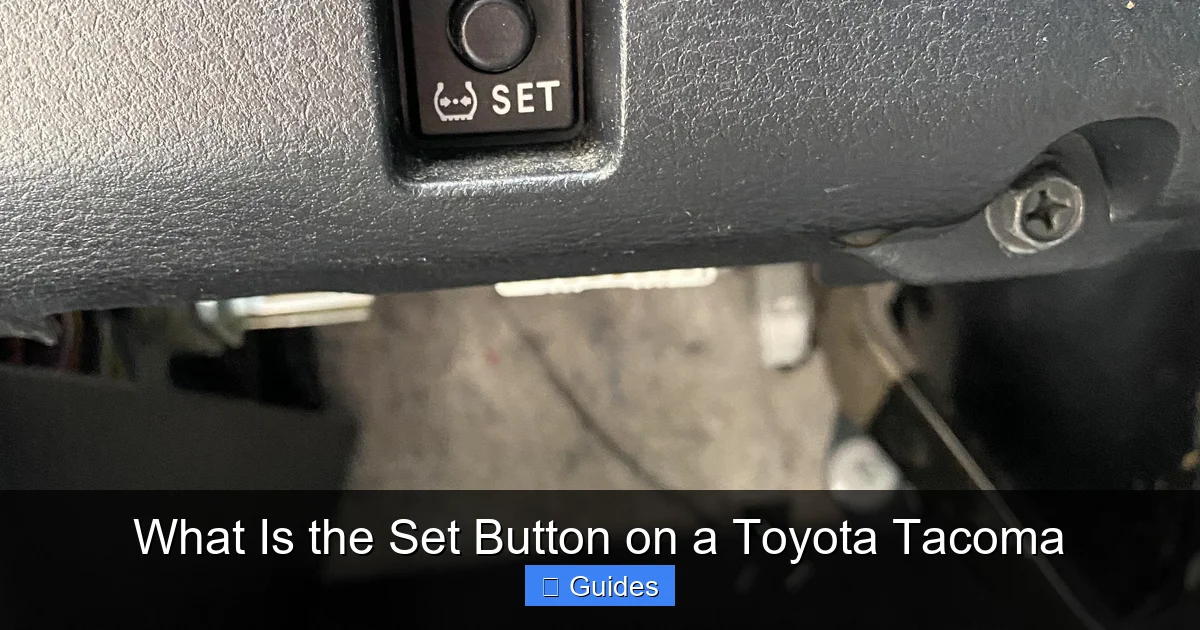
The location of the Set button can vary slightly depending on your Tacoma’s model year and trim level. However, it’s almost always within easy reach of your right hand while driving—typically on or near the steering wheel.
Steering Wheel Controls (2020 and Newer Models)
Starting with the 2020 redesign, Toyota moved many cruise control functions to the steering wheel itself. On these newer Tacomas, you’ll find a cluster of buttons on the right side of the steering wheel. The Set button is usually labeled clearly and may be accompanied by others like “Resume/Accel,” “Cancel,” and “On/Off.” These are often touch-sensitive or require a light press.
For example, on a 2022 Toyota Tacoma TRD Off-Road, the Set button is a small, rectangular pad just below the “Resume” button. It’s designed to be intuitive—press it once to set your speed, press “Resume” to increase it incrementally, or hold “Resume” to accelerate smoothly.
Cruise Control Stalk (2019 and Older Models)
Older Tacomas—like the 2015 to 2019 models—use a traditional cruise control stalk mounted on the right side of the steering column. This lever-style control has multiple positions: “On/Off” at the base, “Set/Coast” in the middle, and “Resume/Accel” at the tip.
To use the Set function on these models, you first turn the stalk to “On,” then press it down to “Set” once you’ve reached your desired speed. To slow down, you can tap the stalk downward (Coast), or press the brake to disengage entirely.
Identifying the Button in Different Trims
Even within the same model year, trim levels can affect the design. For instance, the base SR trim might have simpler controls, while the Limited or TRD Pro trims include additional features like adaptive cruise control and lane departure warning. In these higher trims, the Set button may be part of a more advanced system, but its core function remains the same.
No matter where it’s located, the Set button is always designed for quick, safe access. You shouldn’t need to take your eyes off the road to find it. If you’re unsure, consult your owner’s manual—Toyota provides clear diagrams for each model year.
How to Use the Set Button: Step-by-Step Guide
Visual guide about What Is the Set Button on a Toyota Tacoma
Image source: thecarhow.com
Using the Set button is straightforward, but it’s important to follow the correct steps to ensure safety and effectiveness. Here’s a simple guide that works for most Toyota Tacoma models.
Step 1: Activate Cruise Control
Before you can press “Set,” you need to turn on the cruise control system. On newer models, press the “On/Off” button on the steering wheel. On older models, push the cruise control stalk forward to the “On” position. You’ll usually see a green cruise control icon light up on your dashboard.
Step 2: Reach Your Desired Speed
Accelerate to the speed you want to maintain—say, 65 mph on the highway. Make sure you’re in a safe driving environment with minimal traffic and good road conditions. Cruise control is not recommended for city driving, wet roads, or heavy traffic.
Step 3: Press the Set Button
Once you’ve reached your target speed, press the “Set” button. On stalk systems, press the stalk downward. On steering wheel systems, press the “Set” pad. You’ll feel a slight click or vibration, and the cruise control icon may flash or stay solid, indicating the speed is locked.
Step 4: Release the Accelerator
After pressing “Set,” you can lift your foot off the gas pedal. Your Tacoma will now maintain that speed automatically. You’re free to rest your foot or use it to brake if needed.
Step 5: Adjust Speed (Optional)
Need to go faster? Press “Resume” or “Accel” to increase speed in small increments. On some models, holding the button increases speed continuously. To slow down, press “Set” again at a lower speed, or use the “Coast” function (on stalk systems) to gradually reduce speed.
Step 6: Disengage When Needed
To turn off cruise control, press the brake pedal. This instantly disengages the system and returns control to you. You can also press the “Cancel” button or turn off the system entirely using the “On/Off” switch.
Practical Example: A Road Trip Scenario
Imagine you’re driving from Denver to Moab, Utah—a 6-hour journey with long stretches of open highway. Around hour two, traffic thins out, and the road straightens. You activate cruise control, set your speed to 70 mph, and press “Set.” Now, you can relax your foot, adjust your seat, or enjoy the scenery. If you need to pass a slower vehicle, just press the accelerator briefly—cruise control will resume once you release it. When you approach a town or construction zone, simply brake to disengage and take manual control.
Advanced Features: Set Button in Adaptive Cruise Control
Visual guide about What Is the Set Button on a Toyota Tacoma
Image source: tacomaexplorer.com
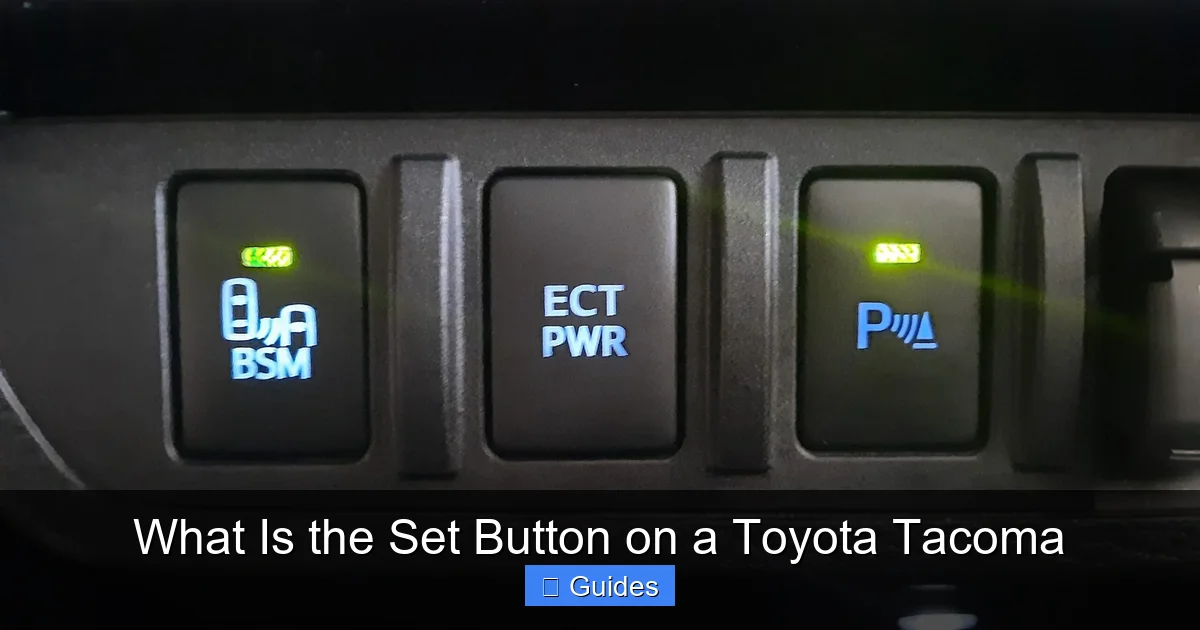
If you own a newer Toyota Tacoma (2020 or later), especially a higher trim like the Limited or TRD Pro, you likely have access to adaptive cruise control (ACC). This advanced system takes the basic function of the Set button and enhances it with smart technology.
How Adaptive Cruise Control Works
Unlike traditional cruise control, ACC uses a radar sensor (usually behind the grille) and a camera (near the rearview mirror) to monitor the vehicle ahead. When you press “Set,” the system doesn’t just lock your speed—it also sets a following distance. You can usually choose from three or four distance settings (short, medium, long) using buttons on the steering wheel.
If the car in front slows down, your Tacoma automatically reduces speed to maintain the gap. When traffic clears, it accelerates back to your set speed. This makes highway driving even more relaxed, especially in stop-and-go traffic.
Using the Set Button with ACC
The process is similar to standard cruise control, but with added options:
1. Press “On/Off” to activate the system.
2. Accelerate to your desired speed.
3. Press “Set” to lock in speed and distance.
4. Use the distance button to adjust following gap.
5. The system will now manage both speed and spacing.
For example, on a rainy day with reduced visibility, you might choose a longer following distance. The Tacoma will slow down smoothly if the car ahead brakes suddenly, reducing the risk of a collision.
Safety and Limitations
While ACC is incredibly helpful, it’s not a substitute for attentive driving. The system may struggle in heavy rain, snow, or when lane markings are unclear. Always keep your hands on the wheel and be ready to take over. Toyota recommends using ACC only on highways and well-marked roads.
Troubleshooting Common Issues with the Set Button
Even the most reliable systems can have hiccups. If your Set button isn’t working as expected, don’t panic—there are several common causes and fixes.
Button Feels Unresponsive
If pressing “Set” doesn’t engage cruise control, first check if the system is turned on. On older models, ensure the stalk is in the “On” position. On newer models, verify the “On/Off” button was pressed.
If the system is on but still not responding, the issue might be a blown fuse. The cruise control fuse is usually in the main fuse box under the hood. Refer to your owner’s manual for the exact location. Replacing a $5 fuse can often solve the problem.
Cruise Control Won’t Engage at Low Speeds
Most Tacomas require a minimum speed (usually around 25 mph) to activate cruise control. If you’re trying to set it at 20 mph, it won’t work. Accelerate to at least 30 mph before pressing “Set.”
Brake Light Switch Malfunction
The cruise control system is designed to disengage when you press the brake. If the brake light switch is faulty, the system may think you’re braking even when you’re not—preventing cruise control from engaging. This is a common issue and usually requires a mechanic to diagnose and replace the switch.
Dashboard Warning Light
If the cruise control icon flashes or stays red, there may be a system error. Use an OBD2 scanner to check for diagnostic trouble codes (DTCs). Common codes include C1201 (engine control system) or C1241 (brake system). Addressing these issues may restore functionality.
Software Glitches in Newer Models
On 2020+ Tacomas with touch-sensitive controls, software bugs can occasionally cause unresponsive buttons. A simple restart—turning the vehicle off and on—can often reset the system. If problems persist, visit a Toyota service center for a software update.
Tips for Safe and Effective Use of the Set Button
To get the most out of your Set button while staying safe, keep these best practices in mind.
Use It on Open Highways
Cruise control is ideal for long, straight roads with light traffic. Avoid using it in cities, on winding mountain roads, or in heavy rain or snow. The system isn’t designed for complex driving conditions.
Stay Alert
Even with cruise control, you must remain fully attentive. Keep your hands on the wheel and your eyes on the road. Drowsy or distracted driving is dangerous, even with advanced features.
Regular Maintenance
Ensure your brake lights, fuses, and sensors are in good condition. A malfunctioning brake light can disable cruise control. Schedule regular inspections, especially before long trips.
Practice in Safe Conditions
If you’re new to cruise control, practice using it on a quiet highway during daylight. Get comfortable with how the buttons respond and how the vehicle behaves when you brake or accelerate.
Combine with Other Safety Features
On newer Tacomas, use the Set button alongside lane departure warning, blind spot monitoring, and automatic emergency braking. These systems work together to enhance safety.
Conclusion: The Set Button Is More Than Just a Convenience
The Set button on a Toyota Tacoma may seem like a small, unassuming feature—but it’s a powerful tool that enhances comfort, efficiency, and safety. Whether you’re driving a classic 2008 model with a stalk control or a cutting-edge 2023 TRD Pro with adaptive cruise, understanding how to use this button properly can transform your driving experience.
From reducing fatigue on long hauls to improving fuel economy, the benefits are clear. And with modern advancements like adaptive cruise control, the Set button is evolving to meet the demands of today’s drivers.
So the next time you’re behind the wheel of your Tacoma, take a moment to appreciate that little button. Press it with confidence, use it wisely, and enjoy the smoother, smarter drive it provides. After all, it’s not just about setting a speed—it’s about setting the tone for a better journey.
Frequently Asked Questions
The Set button activates cruise control and locks in your current speed, allowing the vehicle to maintain that speed without pressing the accelerator. It’s a key feature for comfortable highway driving.
On newer models (2020+), it’s on the right side of the steering wheel. On older models, it’s part of the cruise control stalk on the steering column. Check your owner’s manual for exact placement.
It’s not recommended. Wet or icy roads reduce traction, and cruise control can cause loss of control if the wheels slip. Always prioritize safety and drive manually in poor conditions.
Common causes include a blown fuse, faulty brake light switch, or system not being turned on. Check the fuse box and ensure cruise control is activated before troubleshooting further.
Yes. On newer Tacomas with adaptive cruise control, the Set button locks in both speed and following distance, allowing the vehicle to adjust speed based on traffic ahead.
Is it safe to use cruise control on hilly roads?
Use caution. While cruise control can handle gentle inclines, steep hills may cause the engine to overwork or lose speed. It’s often better to drive manually on mountainous terrain.

At CarLegit, we believe information should be clear, factual, and genuinely helpful. That’s why every guide, review, and update on our website is created with care, research, and a strong focus on user experience.