
Confused about where the reset button on a Chrysler 300 is? You’re not alone. This guide walks you through every model year, explains what the button does, and shows you step-by-step how to reset your vehicle’s systems safely and effectively.
In This Article
- 1 Key Takeaways
- 2 📑 Table of Contents
- 3 Introduction: Why You Might Need to Reset Your Chrysler 300
- 4 Understanding the Chrysler 300’s Reset System
- 5 How to Reset the Oil Life Monitor on a Chrysler 300
- 6 Resetting Tire Pressure Monitoring System (TPMS)
- 7 Clearing Service Reminders and Other Maintenance Alerts
- 8 Advanced Tips and Troubleshooting
- 9 Conclusion: Master Your Chrysler 300’s Reset Functions
- 10 Frequently Asked Questions
- 10.1 Where is the reset button on a Chrysler 300?
- 10.2 How do I reset the oil change light on a Chrysler 300?
- 10.3 Why won’t my Chrysler 300’s maintenance light turn off?
- 10.4 Can I reset the TPMS without a scan tool?
- 10.5 Do I need to reset the system after every oil change?
- 10.6 What if the reset doesn’t work on my Chrysler 300?
Key Takeaways
- No physical reset button exists in most Chrysler 300 models. Instead, resets are performed using the instrument cluster or touchscreen menu system.
- The trip odometer button doubles as a reset control. On many models, pressing and holding this button initiates system resets.
- Oil life and maintenance reminders require specific procedures. These vary slightly by model year and trim level.
- Check your owner’s manual for model-specific instructions. Chrysler updates procedures across different production years.
- Touchscreen systems (Uconnect) offer digital reset options. Use the Settings menu for tire pressure, oil life, and more.
- Persistent warning lights may indicate deeper issues. If resets don’t work, consult a certified technician.
- Always ensure the vehicle is in Park with the ignition on. Safety first—never attempt resets while driving.
📑 Table of Contents
- Introduction: Why You Might Need to Reset Your Chrysler 300
- Understanding the Chrysler 300’s Reset System
- How to Reset the Oil Life Monitor on a Chrysler 300
- Resetting Tire Pressure Monitoring System (TPMS)
- Clearing Service Reminders and Other Maintenance Alerts
- Advanced Tips and Troubleshooting
- Conclusion: Master Your Chrysler 300’s Reset Functions
Introduction: Why You Might Need to Reset Your Chrysler 300
So you just filled up your gas tank, changed the oil, or rotated your tires—and now that little maintenance light is still blinking on your dashboard like it’s trying to send you a Morse code message. Sound familiar? If you’re driving a Chrysler 300, you’ve probably wondered: Where is the reset button on a Chrysler 300? The good news? It’s not as mysterious as it seems. The slightly confusing part? There often isn’t a single, labeled “reset” button like you’d find on a microwave or remote control.
Instead, Chrysler designed the 300 with a more integrated approach—using existing controls like the trip odometer button or the Uconnect touchscreen to handle resets for oil life, tire pressure, service reminders, and more. This keeps the dashboard clean and intuitive once you know how it works. But if you’re new to the 300 or just inherited one from a family member, that lack of a big red “RESET” button can be frustrating. Don’t worry—we’ve got you covered. In this guide, we’ll walk you through exactly where to find the reset functions, how to use them, and what to do if things don’t go as planned.
Understanding the Chrysler 300’s Reset System
Before we dive into the step-by-step instructions, it’s important to understand how Chrysler approaches system resets in the 300. Unlike some vehicles that have dedicated physical buttons for resetting maintenance lights or clearing error codes, the Chrysler 300 relies on a combination of dashboard controls and digital menus. This design choice reflects modern automotive trends toward minimizing physical switches and maximizing software-based controls.

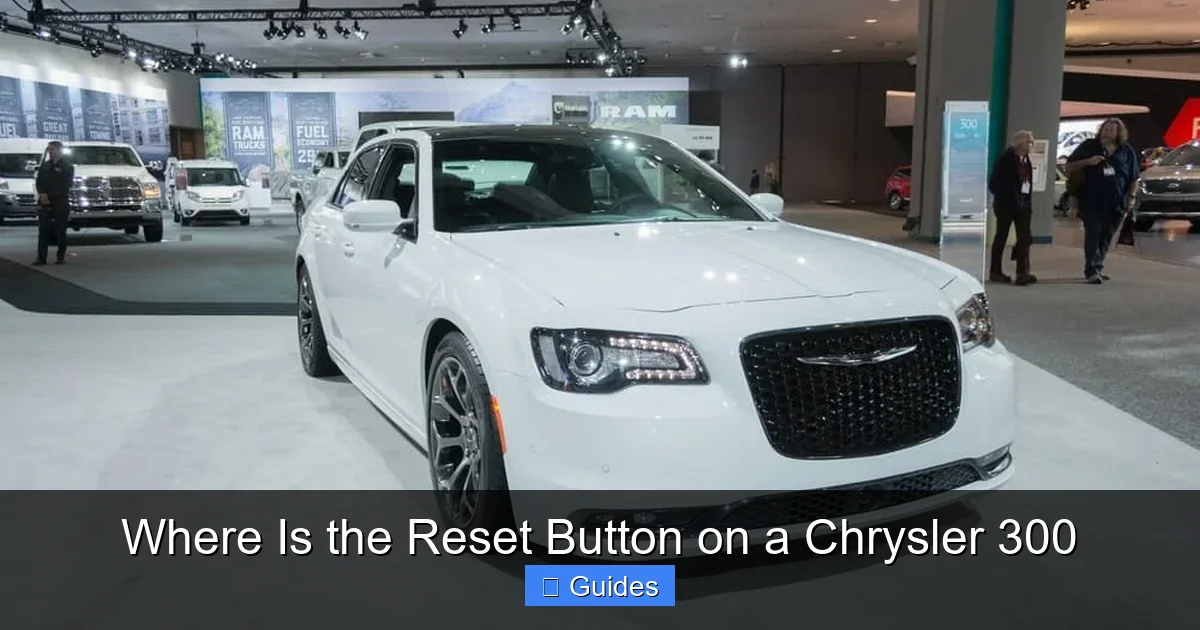
Visual guide about Where Is the Reset Button on a Chrysler 300
Image source: vehiclefreak.com
No Dedicated Reset Button—Here’s Why
Let’s get this out of the way: there is no standalone “reset button” in the traditional sense on most Chrysler 300 models. Instead, the function is built into existing controls. For example, the trip odometer button (usually labeled “TRIP” or “SELECT”) often doubles as the reset trigger. This multifunctional design helps reduce clutter on the instrument panel while keeping essential features accessible.
Model Year Matters
The exact method for resetting your Chrysler 300 can vary depending on the model year. The 300 has been in production since 2005, and over the years, Chrysler has updated its infotainment systems, instrument clusters, and user interfaces. For instance:
- 2005–2010 models typically use the trip odometer button for resets.
- 2011–2014 models may include early versions of the Uconnect system with limited touchscreen reset options.
- 2015–2023 models feature more advanced Uconnect systems (especially Uconnect 5) with full menu-based resets.
Knowing your model year helps you follow the right procedure. If you’re unsure, check your vehicle’s VIN or look for the Uconnect version on the screen (usually found in Settings > About).
Safety First: When to Reset
Always perform resets when the vehicle is parked, in Park (P), and the ignition is on (or the engine is running, depending on the procedure). Never attempt to reset systems while driving—this can distract you and potentially cause unsafe conditions. Also, remember that resetting a maintenance light doesn’t fix the underlying issue. If your oil change light comes on, you still need fresh oil—resetting just clears the reminder.
How to Reset the Oil Life Monitor on a Chrysler 300
One of the most common reasons people search for the reset button is to clear the oil change reminder. After an oil change, the system needs to be reset so it can accurately track the next interval. Here’s how to do it across different model years.
Visual guide about Where Is the Reset Button on a Chrysler 300
Image source: vehiclefreak.com
For 2005–2010 Chrysler 300 Models
These older models use a simple button-based method:
- Turn the ignition to the “ON” position (do not start the engine).
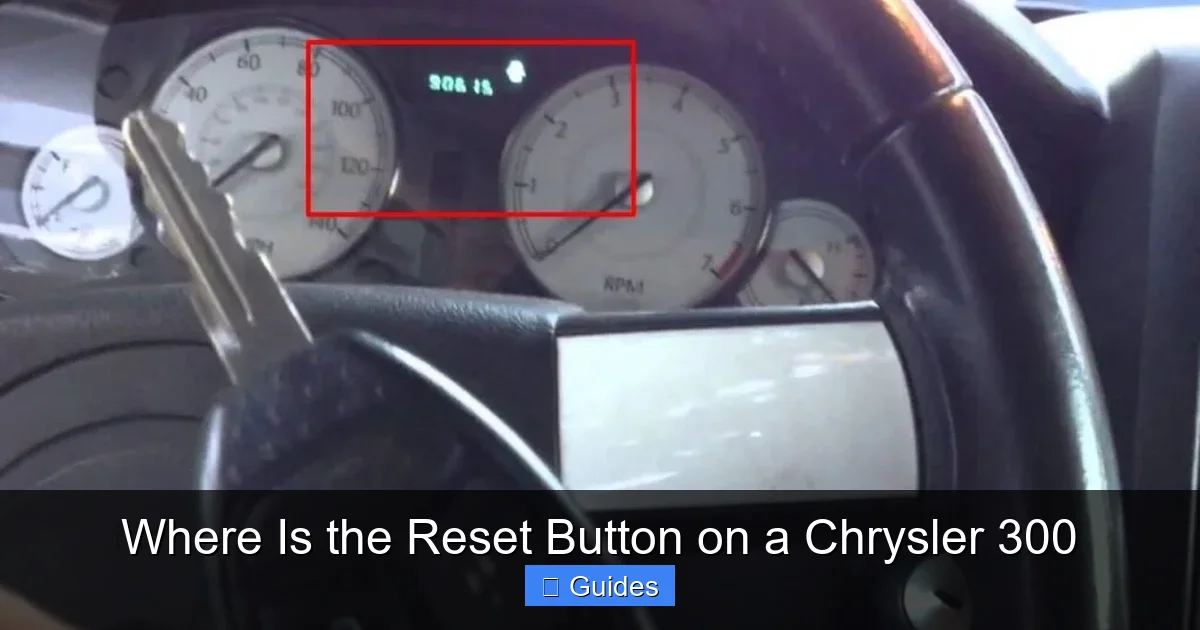
- Press and hold the trip odometer button (usually on the instrument cluster).
- While holding the button, turn the ignition to “OFF” and back to “ON” within 5 seconds.
- Continue holding the button until the oil life percentage resets to 100% (this may take 10–15 seconds).
- Release the button. The oil life monitor is now reset.
Tip: If the light doesn’t reset, try repeating the process. Timing is key—don’t rush the ignition cycle.
For 2011–2014 Models with Basic Uconnect
These models may have a small LCD screen in the instrument cluster. The process is similar but uses the menu system:
- Turn the ignition to “ON.”
- Use the trip button to navigate to the “Oil Life” or “Maintenance” screen.
- Press and hold the trip button for 5–10 seconds until the percentage resets.
- Confirm the reset by checking the display.
For 2015–2023 Models with Uconnect Touchscreen
Newer 300s make this process even easier through the touchscreen:
- Turn on the ignition or start the engine.
- Tap the “Settings” icon on the Uconnect home screen.
- Select “Vehicle” > “Maintenance” > “Oil Life.”
- Tap “Reset Oil Life” and confirm when prompted.
- The system will reset to 100% and begin tracking the next interval.
Pro Tip: Some Uconnect systems allow you to set custom oil change intervals (e.g., every 5,000 or 7,500 miles). Adjust this in the same menu to match your driving habits.
Resetting Tire Pressure Monitoring System (TPMS)
The Tire Pressure Monitoring System (TPMS) alerts you when one or more tires are underinflated. After adjusting tire pressure or rotating tires, you may need to reset the system so it stops showing a warning light.
Visual guide about Where Is the Reset Button on a Chrysler 300
Image source: psychoautos.com
Manual Reset via Instrument Cluster (Older Models)
For 2005–2014 models without advanced Uconnect:
- Ensure all tires are inflated to the recommended PSI (found on the driver’s door jamb).
- Turn the ignition to “ON.”
- Press and hold the trip odometer button until the TPMS light blinks three times.
- Release the button. The system will recalibrate after driving a short distance (usually 10–20 minutes).
Note: Some models require you to drive at speeds above 20 mph for the system to complete the reset.
Using Uconnect Touchscreen (2015–2023)
Newer models offer a digital reset option:
- Go to “Settings” > “Vehicle” > “Tire Pressure.”
- Tap “Reset TPMS” or “Calibrate Sensors.”
- Confirm the action. The system will begin recalibrating.
- Drive the vehicle for 10–15 minutes to complete the process.
Important: If the TPMS light remains on after resetting, one or more sensors may be faulty. Visit a service center for diagnostics.
Clearing Service Reminders and Other Maintenance Alerts
Beyond oil and tire pressure, your Chrysler 300 may display other service reminders, such as brake pad wear, transmission service, or cabin air filter replacement. These can usually be reset using similar methods.
General Service Reset Procedure
For most non-critical reminders (e.g., “Service Vehicle Soon”):
- Turn the ignition to “ON.”
- Navigate to the maintenance menu using the trip button or Uconnect screen.
- Select the specific service item (e.g., “Brake Service”).
- Press and hold the button or tap “Reset” on the screen.
- Confirm the reset. The message should disappear.
Caution: Only reset service reminders after the actual service has been performed. Resetting without maintenance can lead to vehicle damage.
Dealing with Persistent Warning Lights
If a warning light (like the check engine light) won’t turn off after a reset, it likely indicates a real problem. The reset function only clears the display—it doesn’t fix mechanical or electrical issues. In such cases:
- Use an OBD2 scanner to read error codes.
- Consult a certified Chrysler technician.
- Don’t ignore persistent warnings—they could signal serious issues like engine misfires or emissions problems.
Advanced Tips and Troubleshooting
Even with the right steps, reset procedures don’t always work on the first try. Here are some advanced tips to help you succeed.
Timing Is Everything
Many reset procedures require precise timing—especially when cycling the ignition. Practice the sequence slowly at first. If it fails, wait 30 seconds and try again. Rushing can cause the system to miss the signal.
Battery and Electrical Issues
A weak battery or faulty electrical connection can interfere with reset functions. If your 300 has been sitting for a long time or recently had a dead battery, the system may need time to relearn settings. Drive the vehicle for 20–30 minutes after a jump start to allow modules to reboot.
Software Updates for Uconnect
Chrysler periodically releases software updates for Uconnect systems. Outdated software can cause glitches in menu navigation or reset functions. Check for updates at Chrysler’s official Uconnect support page. Updates are often free and can be installed via USB or over-the-air (depending on model).
When to Visit a Dealer
If you’ve tried multiple reset methods and the warning lights persist, it’s time to seek professional help. Dealerships have diagnostic tools that can access deeper system data and perform factory-level resets. This is especially important for safety-related systems like airbags or ABS.
Conclusion: Master Your Chrysler 300’s Reset Functions
Finding the reset button on a Chrysler 300 isn’t about locating a hidden switch—it’s about understanding how the vehicle’s integrated systems work together. Whether you’re resetting the oil life monitor, calibrating tire pressure sensors, or clearing a service reminder, the process is designed to be user-friendly once you know where to look. From the trip odometer button on older models to the sleek Uconnect menus on newer ones, Chrysler has made it possible to manage your vehicle’s maintenance without needing a degree in automotive engineering.
Remember, the key to success is patience and attention to detail. Always consult your owner’s manual for model-specific guidance, and never reset a system without addressing the underlying maintenance need. And if all else fails? There’s no shame in visiting a trusted mechanic or Chrysler dealership. Your 300 is a powerful, stylish machine—and keeping it in top shape ensures it stays that way for years to come.
Frequently Asked Questions
There is no dedicated physical reset button on most Chrysler 300 models. Instead, resets are performed using the trip odometer button or the Uconnect touchscreen menu system.
How do I reset the oil change light on a Chrysler 300?
For older models, press and hold the trip button while cycling the ignition. For newer models with Uconnect, go to Settings > Vehicle > Maintenance > Oil Life and tap “Reset.”
Why won’t my Chrysler 300’s maintenance light turn off?
The light may not turn off if the reset procedure wasn’t completed correctly, the battery is weak, or there’s an underlying mechanical issue that needs attention.
Can I reset the TPMS without a scan tool?
Yes, most Chrysler 300 models allow you to reset the TPMS using the trip button or Uconnect menu. Drive the vehicle afterward to complete calibration.
Do I need to reset the system after every oil change?
Yes, resetting the oil life monitor ensures the system accurately tracks your next service interval. Skipping this step may lead to premature or delayed reminders.
What if the reset doesn’t work on my Chrysler 300?
If standard reset methods fail, check your owner’s manual, ensure the battery is strong, or visit a Chrysler service center for professional diagnostics and assistance.

At CarLegit, we believe information should be clear, factual, and genuinely helpful. That’s why every guide, review, and update on our website is created with care, research, and a strong focus on user experience.