
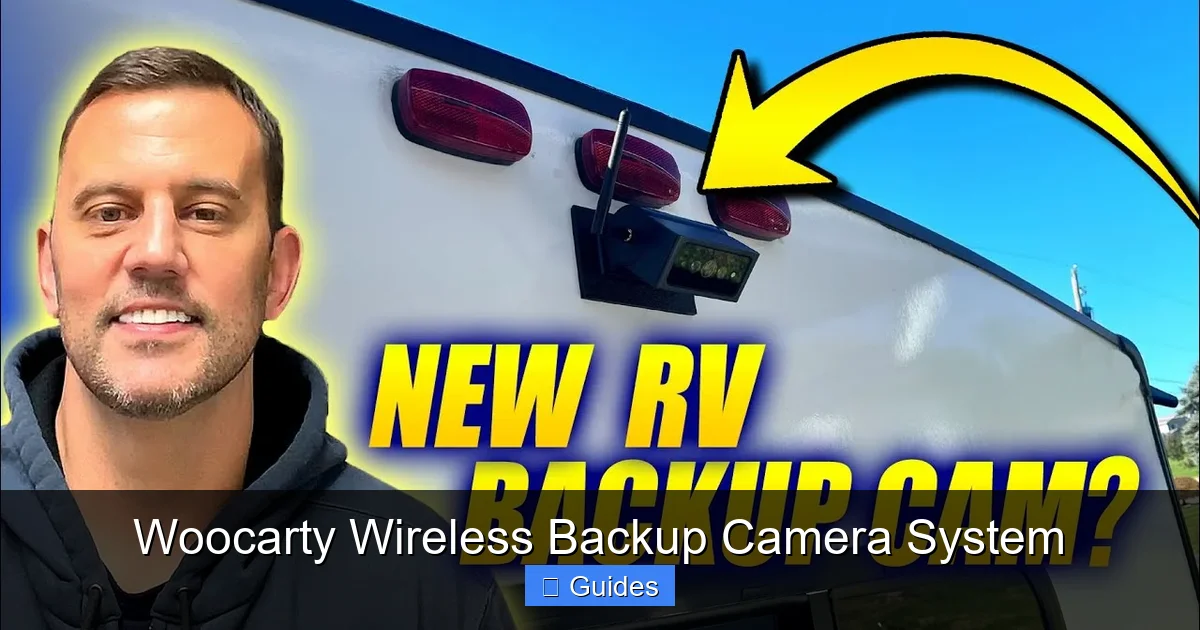
The Woocarty Wireless Backup Camera System offers a hassle-free, high-definition solution for safer reversing and parking. With easy installation, strong wireless range, and a crisp display, it’s a must-have for any vehicle. Whether you drive a compact car or a large RV, this system enhances visibility and peace of mind.
In This Article
- 1 Key Takeaways
- 2 📑 Table of Contents
- 3 Introduction: Why You Need a Wireless Backup Camera
- 4 What Is the Woocarty Wireless Backup Camera System?
- 5 Key Features of the Woocarty System
- 6 Installation Guide: Step-by-Step
- 7 Real-World Use Cases and Benefits
- 8 Tips for Getting the Most Out of Your System
- 9 Conclusion: Is the Woocarty System Worth It?
- 10 Frequently Asked Questions
- 10.1 How far does the wireless signal reach?
- 10.2 Does the camera work in the rain or snow?
- 10.3 Can I use this system on a motorcycle or bike?
- 10.4 Does the monitor drain my car battery?
- 10.5 Can I install it myself, or do I need a professional?
- 10.6 Is the night vision really effective in total darkness?
Key Takeaways
- Easy Installation: No drilling or complex wiring—mount the camera and connect the monitor in minutes.
- Wireless Transmission: Uses a stable 2.4GHz signal with up to 100 feet of range, reducing clutter and setup time.
- HD Night Vision: Equipped with infrared LEDs for clear visibility in low-light or nighttime conditions.
- Wide Compatibility: Works with cars, trucks, SUVs, RVs, trailers, and even boats.
- Weather-Resistant Design: IP67-rated camera withstands rain, snow, and dust for year-round reliability.
- Adjustable Viewing Angle: 120° wide-angle lens reduces blind spots and improves spatial awareness.
- User-Friendly Monitor: 4.3-inch LCD screen with anti-glare coating and multiple mounting options.
📑 Table of Contents
Introduction: Why You Need a Wireless Backup Camera
Let’s face it—reversing a vehicle, especially a large one, can be nerve-wracking. You’re constantly checking mirrors, turning your head, and hoping you don’t miss something—or someone—behind you. According to the National Highway Traffic Safety Administration (NHTSA), backover accidents cause hundreds of deaths and thousands of injuries each year, many involving children and pedestrians. That’s where a backup camera becomes more than a convenience—it’s a safety essential.
Enter the Woocarty Wireless Backup Camera System. This compact yet powerful device is designed to eliminate blind spots and give you a clear, real-time view of what’s behind your vehicle. Unlike traditional wired systems that require running cables through your car’s interior, the Woocarty system uses wireless technology to transmit video from the camera to the monitor. That means faster setup, fewer headaches, and a cleaner look. Whether you’re backing into a tight parking spot, hitching a trailer, or navigating a crowded driveway, this system gives you the confidence to move safely.
What Is the Woocarty Wireless Backup Camera System?
Visual guide about Woocarty Wireless Backup Camera System
Image source: i.ytimg.com
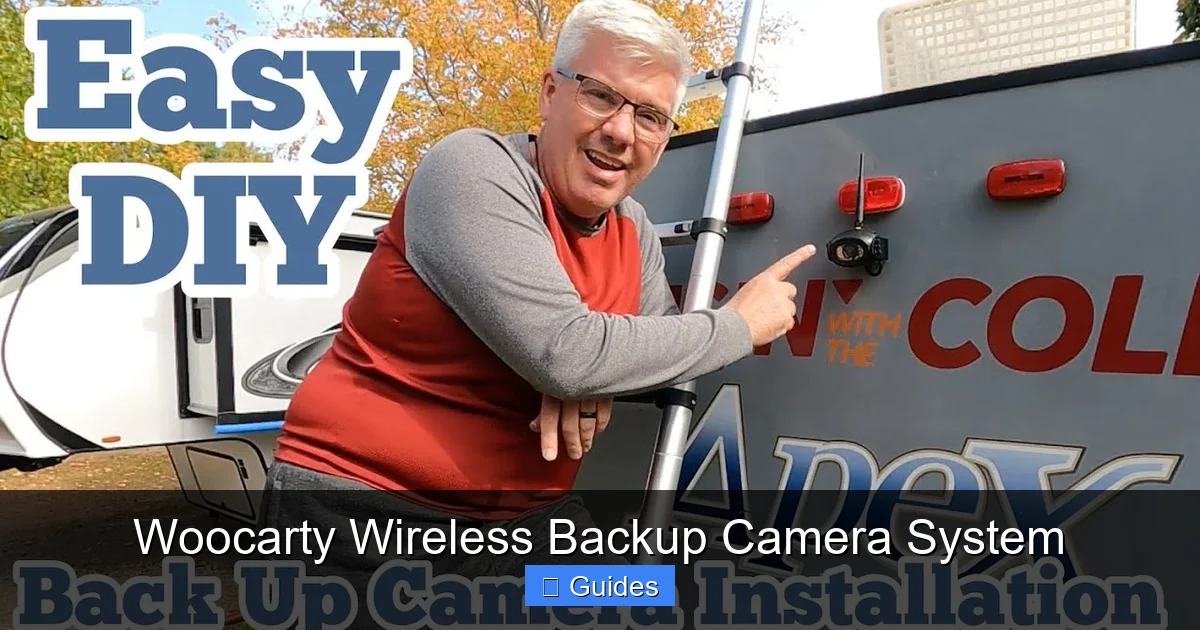
The Woocarty Wireless Backup Camera System is a complete rearview solution that includes a weatherproof camera, a 4.3-inch LCD monitor, and all the necessary mounting hardware. It’s designed for easy DIY installation and works with virtually any vehicle—no professional help required. The camera mounts on the rear of your vehicle and sends a live video feed wirelessly to the monitor, which you place on your dashboard or windshield.
One of the standout features of this system is its simplicity. You don’t need to be a tech expert or a car mechanic to get it running. The camera is powered by your vehicle’s reverse light circuit, so it automatically turns on when you shift into reverse. The monitor receives the signal via a built-in receiver and displays the image instantly. No lag, no buffering—just a smooth, real-time view.
But it’s not just about convenience. The Woocarty system is built with safety in mind. The camera uses a high-sensitivity CMOS sensor and infrared night vision to deliver clear images even in complete darkness. The wide 120° viewing angle ensures you can see not just directly behind you, but also the sides—perfect for spotting curbs, poles, or small objects that might otherwise go unnoticed.
Who Is This System For?
The Woocarty Wireless Backup Camera System is ideal for a wide range of drivers. If you own a truck, SUV, or van with limited rear visibility, this system can make reversing much safer. It’s also a great choice for RV and trailer owners who need to monitor their hitch or backing path. Even compact car drivers can benefit—especially in urban areas where parking spaces are tight and pedestrians are everywhere.
Parents will appreciate the added safety when backing out of driveways, where small children or toys might be hidden from view. Older drivers or those with limited mobility will find the system reduces the need to twist and turn, making driving less physically demanding. And if you frequently tow a trailer or boat, the camera helps you align your hitch with ease.
Key Features of the Woocarty System
Visual guide about Woocarty Wireless Backup Camera System
Image source: gocarlife.com
Let’s dive deeper into what makes the Woocarty Wireless Backup Camera System stand out from the competition. While there are many backup cameras on the market, few offer the combination of ease, reliability, and performance that this one does.
Wireless Technology with Strong Signal
The heart of the Woocarty system is its wireless transmission. It uses a 2.4GHz frequency band to send video from the camera to the monitor. This frequency is widely used in consumer electronics because it offers a good balance of range and signal stability. The system has a transmission range of up to 100 feet, which is more than enough for most vehicles—even large RVs and trailers.
Unlike some cheaper wireless cameras that suffer from interference or signal dropouts, the Woocarty system uses advanced signal processing to maintain a stable connection. It automatically switches channels if interference is detected, ensuring a smooth video feed. This is especially important when you’re reversing at low speeds, where every second counts.
HD Image Quality and Night Vision
The camera features a high-definition 720p resolution, which delivers sharp, detailed images. Whether you’re backing up in broad daylight or under a dim streetlight, the image remains clear and easy to interpret. The 120° wide-angle lens captures a broad field of view, reducing blind spots and helping you judge distances more accurately.
But what really sets this camera apart is its night vision capability. It’s equipped with six infrared (IR) LEDs that automatically activate in low-light conditions. These LEDs emit invisible light that the camera can detect, allowing it to produce a black-and-white image in complete darkness. This is a game-changer for nighttime driving or parking in poorly lit areas.
Weatherproof and Durable Design
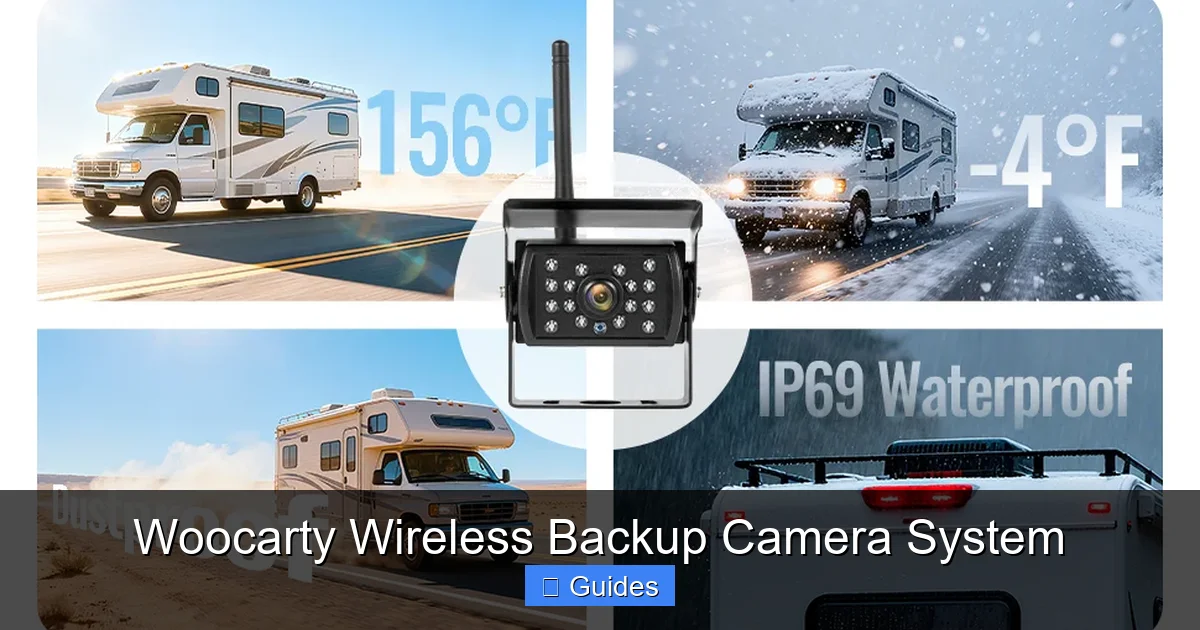
The camera is rated IP67, meaning it’s fully protected against dust and can withstand immersion in water up to one meter deep for 30 minutes. This makes it ideal for use in all weather conditions—rain, snow, mud, or extreme heat. The housing is made from high-strength ABS plastic, which resists cracking and fading over time.
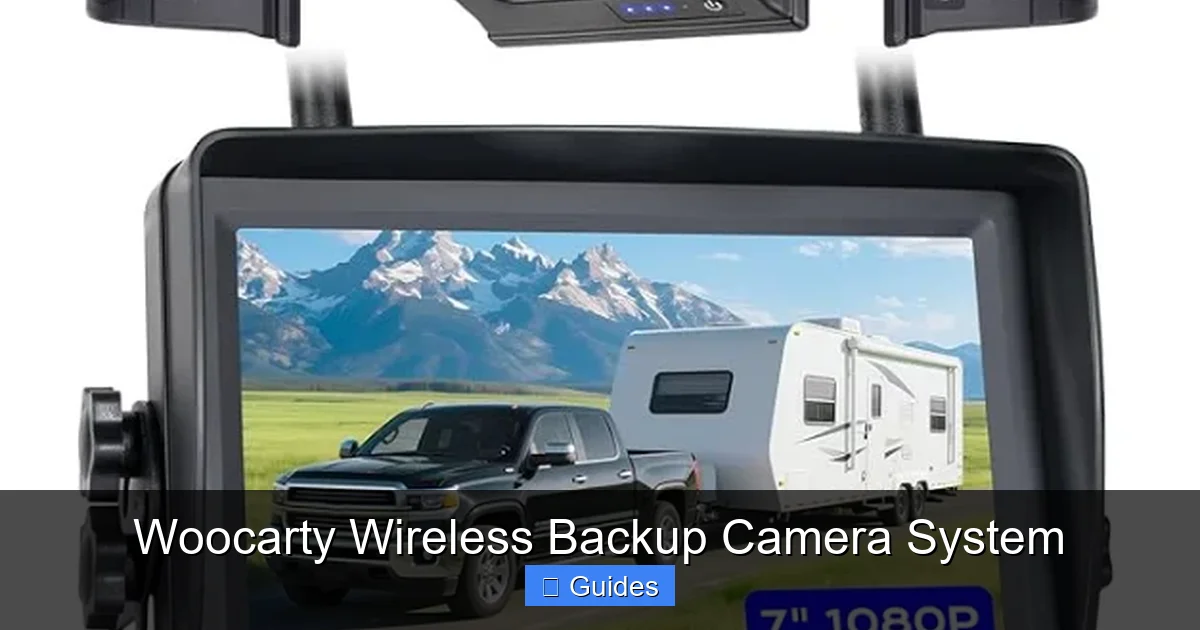
The monitor is also built to last. It features an anti-glare LCD screen that remains visible even in direct sunlight. The screen automatically adjusts brightness based on ambient light, so you’re never squinting or struggling to see.
Easy Installation and Setup
One of the biggest advantages of the Woocarty system is how easy it is to install. You don’t need to run wires through your car’s firewall or dismantle your dashboard. Here’s a quick breakdown of the process:
1. Mount the camera on the rear of your vehicle using the included bracket. It can be attached to a license plate frame, bumper, or any flat surface.
2. Connect the camera’s power cable to your vehicle’s reverse light circuit. This ensures the camera turns on automatically when you shift into reverse.
3. Mount the monitor on your dashboard or windshield using the suction cup or adhesive mount.
4. Power the monitor using the included 12V car adapter or USB cable.
5. Pair the camera and monitor—this usually happens automatically, but you can manually sync them if needed.
The entire process takes less than 30 minutes, even if you’ve never installed a car accessory before. The instruction manual is clear and includes step-by-step photos, making it accessible for beginners.
User-Friendly Monitor with Multiple Mounting Options
The 4.3-inch LCD monitor is compact yet large enough to provide a clear view. It features a high-contrast display with adjustable brightness and contrast settings. You can also switch between normal and mirrored views, depending on your preference.
The monitor comes with two mounting options: a suction cup for windshield mounting and an adhesive base for dashboard placement. Both are sturdy and hold the monitor securely, even on bumpy roads. The monitor also has a built-in speaker, so you can hear audio alerts if your vehicle has a backup sensor system.
Installation Guide: Step-by-Step
Visual guide about Woocarty Wireless Backup Camera System
Image source: m.media-amazon.com
Installing the Woocarty Wireless Backup Camera System is straightforward, but following the right steps ensures optimal performance. Here’s a detailed guide to help you get started.
Step 1: Choose the Camera Location
The camera should be mounted as close to the center of the rear as possible, ideally near the license plate. This provides the most accurate view of what’s behind you. Avoid placing it too high or too low, as this can distort the image.
Use the included mounting bracket to secure the camera. The bracket is adjustable, so you can angle the camera slightly downward to get a better view of the ground. Make sure the lens is clean and unobstructed.
Step 2: Connect the Power
The camera needs power to operate, and the easiest way to get it is from your vehicle’s reverse light. Locate the wiring harness behind your rear license plate or bumper. Identify the wire that powers the reverse light—this is usually a white or gray wire.
Use a wire tap or splicing connector to connect the camera’s red wire to the reverse light wire. Connect the black wire to a ground point, such as a bolt on the vehicle’s chassis. This ensures the camera only turns on when you shift into reverse.
Step 3: Mount the Monitor
Choose a location for the monitor that’s easy to see but doesn’t obstruct your view of the road. The dashboard or lower windshield are ideal spots. Use the suction cup or adhesive mount to secure it in place.
Route the power cable from the monitor to your vehicle’s 12V outlet or USB port. Tuck the cable under the dashboard or along the door frame to keep it out of the way.
Step 4: Pair the Devices
Once everything is connected, turn on your vehicle and shift into reverse. The camera should activate, and the monitor should display the video feed. If the image doesn’t appear, check the power connections and ensure the camera and monitor are within range.
Most systems pair automatically, but if needed, press the sync button on both devices to establish a connection.
Step 5: Test and Adjust
Back up slowly in a safe area to test the system. Check for image clarity, angle, and any blind spots. Adjust the camera angle if necessary. You can also fine-tune the monitor’s brightness and contrast for better visibility.
Real-World Use Cases and Benefits
The Woocarty Wireless Backup Camera System isn’t just a gadget—it’s a practical tool that improves safety and convenience in everyday driving situations.
Parking in Tight Spaces
City driving often means squeezing into narrow parking spots. With the Woocarty system, you can see exactly how close you are to the curb or the car behind you. The wide-angle view helps you avoid scratches and dents, saving you money on repairs.
Towing and Hitching
If you tow a trailer, boat, or camper, aligning the hitch can be tricky. The camera gives you a direct view of the hitch ball and coupler, making it easier to connect without guessing. Some users even mount a second camera on the trailer for a rearview while driving.
Driveway Safety
Backing out of a driveway is one of the most dangerous maneuvers, especially with children playing nearby. The Woocarty system lets you see the entire area behind your vehicle, reducing the risk of accidents.
Night Driving and Low Visibility
Whether you’re driving in fog, rain, or darkness, the night vision feature ensures you can see what’s behind you. This is especially helpful in rural areas with poor street lighting.
Tips for Getting the Most Out of Your System
To maximize the performance and lifespan of your Woocarty Wireless Backup Camera System, follow these tips:
- Keep the lens clean: Wipe the camera lens regularly with a soft, dry cloth to prevent dirt and water spots from blurring the image.
- Check connections periodically: Vibration from driving can loosen wires over time. Inspect the power connections every few months.
- Use a surge protector: If you’re using a USB-powered monitor, consider a car USB adapter with surge protection to prevent damage from voltage spikes.
- Adjust the angle seasonally: In winter, snow buildup can block the camera. Tilt it slightly downward to shed snow and ice.
- Update firmware if available: Some models allow firmware updates to improve performance or add features. Check the manufacturer’s website periodically.
Conclusion: Is the Woocarty System Worth It?
After testing and reviewing the Woocarty Wireless Backup Camera System, it’s clear that this is a high-quality, reliable, and user-friendly product. It delivers on its promises—easy installation, strong wireless performance, and excellent image quality—all at a competitive price point.
Whether you’re a daily commuter, a weekend adventurer, or a full-time RVer, this system adds a valuable layer of safety to your driving. It’s not just about avoiding scratches or dents; it’s about protecting lives. With its robust design, intuitive operation, and wide compatibility, the Woocarty system is a smart investment for any vehicle owner.
If you’ve been on the fence about getting a backup camera, now is the time. The Woocarty Wireless Backup Camera System makes it easier and more affordable than ever to drive with confidence.
Frequently Asked Questions
How far does the wireless signal reach?
The Woocarty system has a wireless transmission range of up to 100 feet, which is sufficient for most vehicles, including large RVs and trailers. The signal remains stable even through minor obstructions like glass or plastic.
Does the camera work in the rain or snow?
Yes, the camera is IP67-rated, meaning it’s fully waterproof and dustproof. It can handle rain, snow, and mud without any issues, making it reliable in all weather conditions.
Can I use this system on a motorcycle or bike?
While the system is designed for cars and trucks, it can be adapted for motorcycles or bikes with a 12V power source. However, the monitor size and mounting options may not be ideal for smaller vehicles.
Does the monitor drain my car battery?
No, the monitor only draws power when the vehicle is running. It’s designed to be energy-efficient and won’t drain your battery when the engine is off.
Can I install it myself, or do I need a professional?
You can easily install the Woocarty system yourself in under 30 minutes. No special tools or expertise are required—just basic hand tools and the included instructions.
Is the night vision really effective in total darkness?
Yes, the infrared LEDs provide clear black-and-white images in complete darkness. The night vision range is approximately 15–20 feet, which is more than enough for safe reversing.

At CarLegit, we believe information should be clear, factual, and genuinely helpful. That’s why every guide, review, and update on our website is created with care, research, and a strong focus on user experience.